

 FS2004 Propeller Aircraft
Vasp Curtiss C-46 Commando
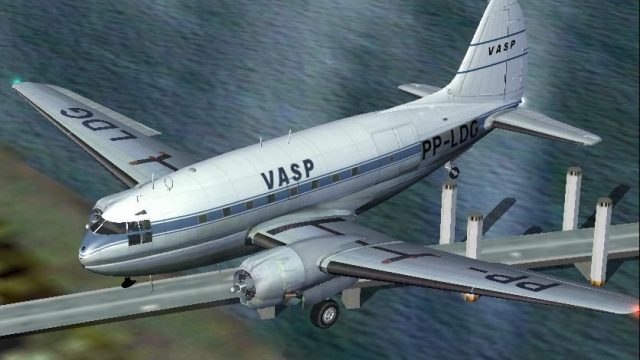
This repaint offers a faithful rendition of the Vasp Curtiss C-46 Commando, t…
VASP’s PP-LDG livery brings classic Brazilian airline character to the Curtiss C-46A Commando, with crisp period markings that suit vintage cargo and passenger flying in FS2004. Textures-only package requires the Libardo Guzman/CalClassics C-46 base model and integrates cleanly with its virtual cockpit and standard aircraft configuration.
 Rate
Rate

Textures only to be used with the C-46 by Libardo Guzman/CalClassics (C46GA.ZIP). VASP textures by Luiz Foernges.
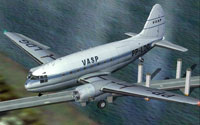
Screenshot of VASP Curtiss C-46A Commando in flight.
[fltsim.XX]

title= C46A Vasp

sim= C46A

model=

panel=

sound=

texture=vasp

kb_checklists=

kb_reference= C46_Ref

atc_id_enable= 1

atc_id=PP-LDG

atc_id_color= 0x00000000

atc_flight_number=102

atc_airline=Vasp

atc_heavy= 0

atc_parking_types=RAMP, GATE

atc_parking_code=

ui_manufacturer=Curtiss

ui_type=C-46A Commando

ui_variation =Vasp

visual_damage=0

description=Vasp PP-LDG C-46A. This repaint by Luiz Foernges.
Enjoy your flight !
Free for all simmers · 1.25 MB · Scanned clean Oct 2026
Download speed: Free tier is capped at 0.5 Mbps. PRO members download at full line speed.
This file is a repaint — the package below is the base model it paints onto. Install it first, or the textures will have nothing to load onto.
FS9\Aircraft\, FS9\Addon Scenery\, FS9\Gauges\, or FS9\Effects\.readme.txt or README file. It tells you exactly where files go, what dependencies are needed, and any quirks specific to this add-on.The archive c46avasp.zip has 15 files and directories contained within it.
This list displays the first 500 files in the package. If the package has more, you will need to download it to view them.
| Filename/Directory | File Date | File Size |
|---|---|---|
| c46avasp | 03.28.07 | 0 B |
| c46 vasp.JPG | 03.28.07 | 62.24 kB |
| c46 vasp.PNG | 03.28.07 | 28.78 kB |
| file_id.diz | 03.28.07 | 220 B |
| readme.txt | 03.28.07 | 1.61 kB |
| texture.vasp | 03.28.07 | 0 B |
| c46_fuselage_L.bmp | 03.28.07 | 1.00 MB |
| c46_fuselage_t.bmp | 03.28.07 | 1.00 MB |
| c46_L_cowl_t.bmp | 03.26.07 | 256.07 kB |
| c46_R_cowl_t.bmp | 03.26.07 | 256.07 kB |
| c46_wing2_t.bmp | 03.28.07 | 1.00 MB |
| c46_wing_t.bmp | 03.28.07 | 1.00 MB |
| Thumbs.db | 02.28.07 | 32.50 kB |
| flyawaysimulation.txt | 10.29.13 | 959 B |
| Go to Fly Away Simulation.url | 01.22.16 | 52 B |
Only PRO members can place votes.
More FS2004 add-ons hand-picked based on this download.
FS2004 Propeller Aircraft
This repaint offers a faithful rendition of the Vasp Curtiss C-46 Commando, t…
 FS2004 Propeller Aircraft
Alitalia purchased and operated as freighters some of these aircraft (ex USAA…
 FS2004 Propeller Aircraft
This repaint package brings the Curtiss C-46A Commando into Braniff’s distinc…
 FS2004 Propeller Aircraft
This repaint package delivers authentic VARIG textures for the Curtiss C-46A …
 FS2004 Propeller Aircraft
This revised package delivers a dedicated repaint of Aeropesca Colombia’s cla…
 FS2004 Propeller Aircraft
This set of textures recreates a 1950s Japanese Air Self Defense Force (JASDF…
 FS2004 Propeller Aircraft
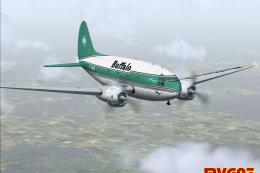
This comprehensive repaint showcases Buffalo Air Cargo’s Curtiss C-46A (regis…
 FS2004 Propeller Aircraft
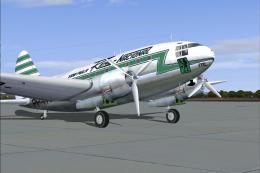
Circa 1959. This aircraft Was incorporated into Real's fleet when Real took o…
Be the first to leave a comment on this download.
Be the first to share your thoughts on this download.