

 FS2004 Propeller Aircraft
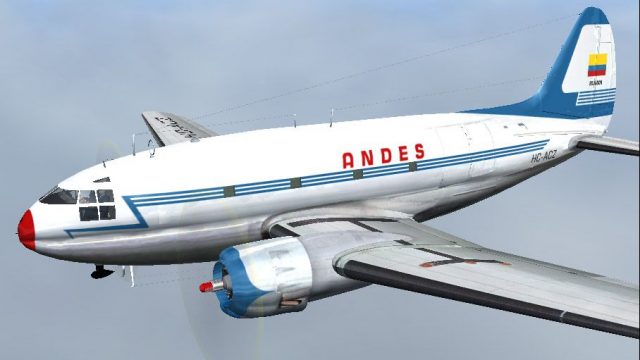
Andes Ecuador Curtiss C-46 Commando HC-ACZ
Curtiss C-46 Package modifications by Wayne Tudor (C-46_COM.ZIP) strongly rec…
Andes Ecuador textures bring authentic airline character to the Curtiss C-46 Commando, matching HC-ACZ with period-correct markings for both passenger and freight operations in FS2004. The repaint complements the classic Commando’s expansive cargo hold and wartime-to-civilian history, and requires C46GA.ZIP.
 Rate
Rate

Textures only; requires C46GA.ZIP. Original model by Libardo Guzman, Greg Pepper and Tom Gibson. Repaint by Alex Colka.
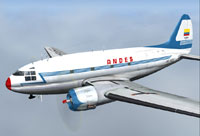
Screenshot of Andes Ecuador Curtiss C-46 Commando in flight.
[fltsim.X]

title=Curtiss C-46 Commando Andes

sim=C46A

model=

panel=

sound=

texture=Andes

kb_checklists=

kb_reference=C46_Ref

ui_manufacturer=Curtiss

ui_type=C-46 Commando

ui_variation=Andes

atc_heavy=0

atc_id=HC-ACZ

atc_airline=Andes

atc_flight_number=460

atc_parking_types=

atc_parking_codes=

visual_damage=0

description=The Curtiss Commando came into widespread civilian service as both an airliner and a freighter after a large number were built as transports for the US military during World War 2, although the original Curtiss design was intended as an airliner. Originally intended as a competitor to the highly successful Douglas DC-3, the C-46 first flew on March 26 1940. Initially the C-46 was troubled with reliability problems in military service, but these were soon overcome and the Commando proved to be a useful transport with its relatively cavernous freight hold.
Free for all simmers · 3.91 MB · Scanned clean Oct 2026
Download speed: Free tier is capped at 0.5 Mbps (this file takes approximately 1 min at the cap). PRO members download at full line speed.
This file is a repaint — the package below is the base model it paints onto. Install it first, or the textures will have nothing to load onto.
FS9\Aircraft\, FS9\Addon Scenery\, FS9\Gauges\, or FS9\Effects\.readme.txt or README file. It tells you exactly where files go, what dependencies are needed, and any quirks specific to this add-on.The archive c46_and2.zip has 6 files and directories contained within it.
This list displays the first 500 files in the package. If the package has more, you will need to download it to view them.
| Filename/Directory | File Date | File Size |
|---|---|---|
| texture.Andes.zip | 04.12.07 | 3.82 MB |
| Image.jpg | 04.12.07 | 107.47 kB |
| File_Id.diz.txt | 04.12.07 | 425 B |
| aircraft.cfg | 04.12.07 | 913 B |
| flyawaysimulation.txt | 10.29.13 | 959 B |
| Go to Fly Away Simulation.url | 01.22.16 | 52 B |
Only PRO members can place votes.
More FS2004 add-ons hand-picked based on this download.
FS2004 Propeller Aircraft
Curtiss C-46 Package modifications by Wayne Tudor (C-46_COM.ZIP) strongly rec…
 FS2004 Propeller Aircraft
This is a modification of Libardo Guzman's C-46 version 1. Gmax modifications…
 FS2004 Propeller Aircraft
Two Varig textures by Luiz Foernges. Model and panel by J.R. Lucariny. Screen…
 FS2004 Propeller Aircraft
Features reflective textures, full animation, rolling wheels, opening cargo a…
 FS2004 Propeller Aircraft
For use with C46GA.ZIP. Reworked files include original crew restored, origin…
 FS2004 Propeller Aircraft
Texture files for three C46's in the service of small Cuban airlines of the 1…
 FS2004 Propeller Aircraft
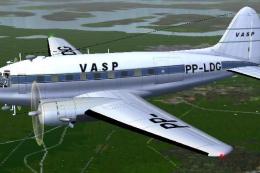
This repaint offers a faithful rendition of the Vasp Curtiss C-46 Commando, t…
 FS2004 Propeller Aircraft
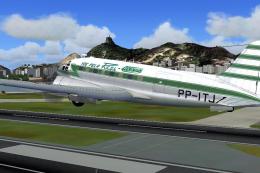
This freeware repaint for Microsoft Flight Simulator 2004 offers a new Real A…
Be the first to leave a comment on this download.
Be the first to share your thoughts on this download.