

 FS2004 Propeller Aircraft
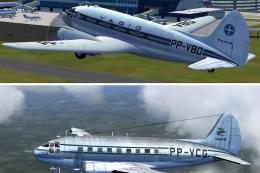
Varig Curtiss C-46 Commando PP-VBO/VCG
Two Varig textures by Luiz Foernges. Model and panel by J.R. Lucariny. Screen…
Curtiss C-46 Commando V2 refreshes the classic transport with sharper virtual cockpit visuals, working levers, optional crew, wing views, and revised flight dynamics in FS2004. Three variants cover classic, USAAF WWII, and modern South American eras, adding optional cargo loading, exhaust flame effects, four-blade prop choices, and compatible legacy textures.
 Rate
Rate
This is a modification of Libardo Guzman's C-46 version 1. Gmax modifications by Tom Gibson. Updates include: VC panel is now sharper. VC levers now operate properly, and include mixture and cowl flap levers. VC without crew is available. Versions with four bladed props (both VC crew and without crew) are available. Wing views included. Updated flight dynamics. There are now three separate versions of the plane, classic era US and European version (no high blower), WWII era USAAF version (vintage panel, high blower, higher weights), and modern era South American version (high blower, strobes, modern panel, etc.) Modern panel by Pete Ham. You can load cargo into the fuselage hold, if you wish. Use the tailhook key to load the cargo. There are exhaust flames when the throttle is increased - blue for medium throttle, orange/red for high throttle. The main wheels have been enlarged slightly. Version 1 textures are compatible. Everts livery by Brian Gladden, USAAF livery by Cliff Presley. FSX compatible. By Tom Gibson, Greg Pepper, Libardo Guzman.
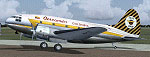
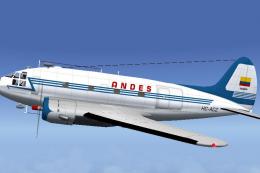
Screenshot of Curtiss C-46 Commando on the ground.
Free for all simmers · 24.23 MB · Scanned clean Oct 2026
Download speed: Free tier is capped at 0.5 Mbps (this file takes approximately 7 mins at the cap). PRO members download at full line speed.
FS9\Aircraft\, FS9\Addon Scenery\, FS9\Gauges\, or FS9\Effects\.readme.txt or README file. It tells you exactly where files go, what dependencies are needed, and any quirks specific to this add-on.The archive gac46v2.zip has 11 files and directories contained within it.
This list displays the first 500 files in the package. If the package has more, you will need to download it to view them.
| Filename/Directory | File Date | File Size |
|---|---|---|
| C46 v2 Readme.txt | 03.30.11 | 12.28 kB |
| GA C46 MIL | 03.29.11 | 0 B |
| panel | 03.29.11 | 0 B |
| Panel.cfg | 04.03.11 | 13.64 kB |
| GA C46 | 03.29.11 | 0 B |
| panel | 03.29.11 | 0 B |
| Panel.cfg | 04.01.11 | 14.71 kB |
| Setup.exe | 04.04.11 | 24.37 MB |
| c46_thumb.gif | 04.04.11 | 7.71 kB |
| flyawaysimulation.txt | 10.29.13 | 959 B |
| Go to Fly Away Simulation.url | 01.22.16 | 52 B |
Only PRO members can place votes.
More FS2004 add-ons hand-picked based on this download.
FS2004 Propeller Aircraft
Two Varig textures by Luiz Foernges. Model and panel by J.R. Lucariny. Screen…
 FS2004 Propeller Aircraft
Features reflective textures, full animation, rolling wheels, opening cargo a…
 FS2004 Propeller Aircraft
For use with C46GA.ZIP. Reworked files include original crew restored, origin…
 FS2004 Propeller Aircraft
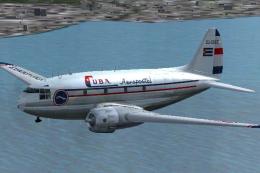
Texture files for three C46's in the service of small Cuban airlines of the 1…
 FS2004 Propeller Aircraft
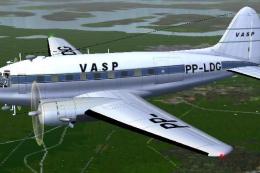
This repaint offers a faithful rendition of the Vasp Curtiss C-46 Commando, t…
 FS2004 Propeller Aircraft
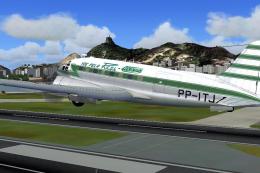
This freeware repaint for Microsoft Flight Simulator 2004 offers a new Real A…
 FS2004 Propeller Aircraft
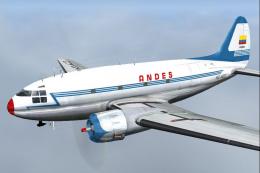
Textures only; requires C46GA.ZIP. Original model by Libardo Guzman, Greg Pep…
 FS2004 Propeller Aircraft
Curtiss C-46 Package modifications by Wayne Tudor (C-46_COM.ZIP) strongly rec…
Read what other simmers think, or add your own.
