

 FS2004 Propeller Aircraft
Air Labrador DHC6-300 Twin Otter
Reg# C-GLAI. This Twin Otter is based at Goose Bay, Labrador (CYYR) in Canada…
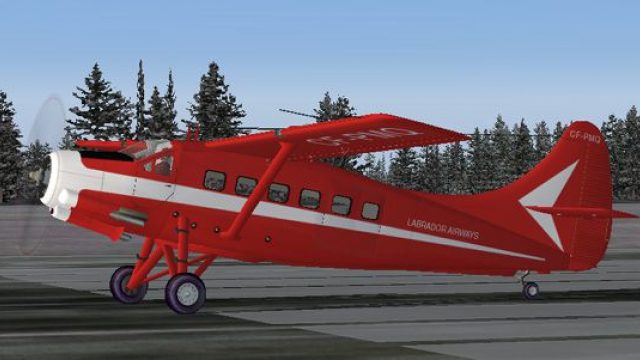
Labrador Airways livery for the de Havilland DHC-3 Otter brings a clean, period-correct Canadian scheme to FS2004, with crisp markings and balanced weathering that suit bush and regional flying. It installs as textures only and requires Steven Grant’s Otter base model, updating the aircraft’s visual identity without changing performance or systems.
 Rate
Rate
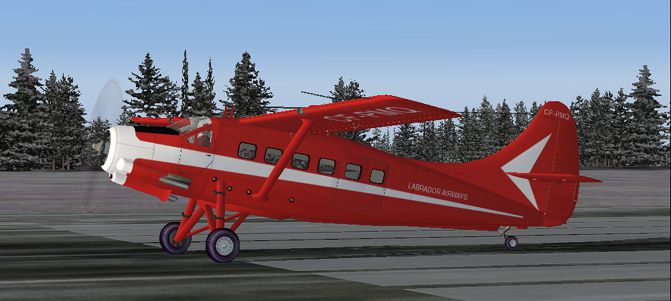
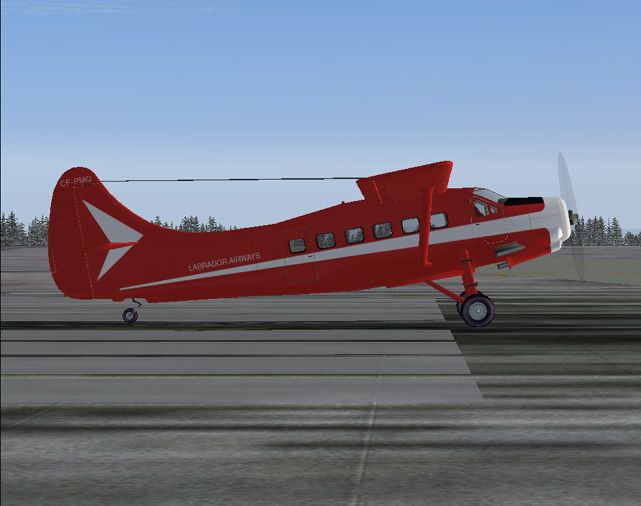
Textures only for the DeHavilland Otter model by Steven Grant (OTTRDHC3.ZIP). Repaint by Nathan Havercroft.
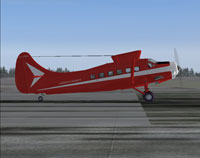
Side view of Labrador Airways Otter on runway.
The repaint is based on the colour scheme of Labrador Airways, and was painted under the excellent guidance of Kevin Pardy, without whom I would never have started.
Copy the "texture.labrador" folder into your "DHC3" folder. Then open up your aircraft.cfg file and add the following lines:
[fltsim.xx]

title=Otter Labrador Airways

sim=Otter

model=

panel=

sound=

texture=labrador

kb_checklists=checklist

kb_reference=reference

atc_id=CF-AUT

ui_manufacturer=de Havilland

ui_type=DHC-3 Otter

ui_Variation=Labrador Airways

description=The Otter was the third plane to be produced by de Havilland Canada. Building on the near-perfect design of the Beaver, it offered similar performance with twice the payload. Originally named the "King Beaver" it provided what the RCAF wanted but hadn't found in the DHC-2 - something bigger. The Otter was also used by the Ontario Provincial Air Service to perfect water bombing techniques for forest fires and other emergencies. Like its predecessor, the Otter is still used by pilots today.
Free for all simmers · 522.35 KB · Scanned clean Oct 2026
Download speed: Free tier is capped at 0.5 Mbps. PRO members download at full line speed.
FS9\Aircraft\, FS9\Addon Scenery\, FS9\Gauges\, or FS9\Effects\.readme.txt or README file. It tells you exactly where files go, what dependencies are needed, and any quirks specific to this add-on.The archive lbraottr.zip has 19 files and directories contained within it.
This list displays the first 500 files in the package. If the package has more, you will need to download it to view them.
| Filename/Directory | File Date | File Size |
|---|---|---|
| labotter.gif | 01.20.06 | 14.42 kB |
| labotter1.jpg | 01.20.06 | 90.99 kB |
| labotter2.jpg | 01.20.06 | 86.79 kB |
| face.bmp | 08.10.05 | 17.05 kB |
| Fuselage.bmp | 01.20.06 | 1.00 MB |
| Hstab.bmp | 01.06.06 | 1.00 MB |
| Light.bmp | 08.02.05 | 256.07 kB |
| Parts_1.bmp | 07.24.05 | 1.00 MB |
| Parts_2.bmp | 01.06.06 | 4.00 MB |
| pilot.bmp | 10.20.02 | 17.05 kB |
| prop.bmp | 03.15.05 | 65.05 kB |
| R-1830_32.bmp | 08.08.00 | 64.07 kB |
| Thumbs.db | 12.24.05 | 37.50 kB |
| Wheel.bmp | 11.23.01 | 16.52 kB |
| Wing.bmp | 01.20.06 | 1.00 MB |
| texture.labrador | 01.20.06 | 0 B |
| readme.txt | 01.20.06 | 1.34 kB |
| flyawaysimulation.txt | 10.29.13 | 959 B |
| Go to Fly Away Simulation.url | 01.22.16 | 52 B |
Only PRO members can place votes.
More FS2004 add-ons hand-picked based on this download.
FS2004 Propeller Aircraft
Reg# C-GLAI. This Twin Otter is based at Goose Bay, Labrador (CYYR) in Canada…
 FS2004 Propeller Aircraft
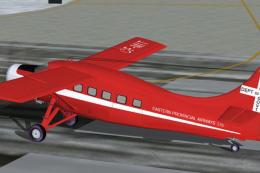
Textures only for the DeHavilland Otter model by Steven Grant (OTTRDHC3.ZIP).…
 FS2004 Propeller Aircraft
Built by the Long Beach City production plant as C-47A-90-DL 43-15714. Ex Can…
 FS2004 Propeller Aircraft
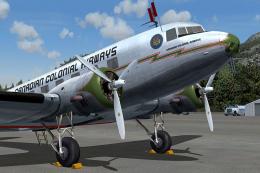
Based on original textures by Gerard Kranenbarg and Jan Visser, this texture …
 FS2004 Propeller Aircraft
Canadian Forces 440 Transport Squadron based at Yellowknife, NW Territories. …
 FS2004 Propeller Aircraft
Done in White w/ Blue Texture, Simple repaint By Robert "Hawk" (R_Hawk_ zone …
 FS2004 Propeller Aircraft
N44693, circa 1981. It flew scheduled services in the Hawaiian Islands. FS200…
 FS2004 Propeller Aircraft
A Vieques Air Link Virtual Twin Otter in the new livery. VAL does not operate…
Be the first to leave a comment on this download.
Be the first to share your thoughts on this download.