

 FSX Civil Aircraft
EgyptAir Boeing 737-800 new livery
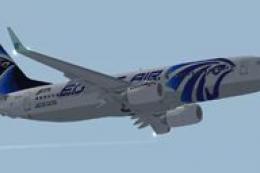
FSX EgyptAir Boeing 737-800. Egypt Air new logo textures for the default B737…
EgyptAir’s Boeing 737-800 livery brings the carrier’s blue-and-white scheme to the default jet with crisp fuselage titles, accurate tail emblem placement, and clean engine markings that preserve panel and rivet detail under standard lighting in Microsoft Flight Simulator X. Textures-only repaint requires the default 737-800 base model.
 Rate
Rate
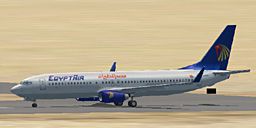
This free release provides an authentic EgyptAir Boeing 737-800 external repaint developed by Sammy Dowidar for Microsoft Flight Simulator X enthusiasts looking to enrich their virtual hangar. It delivers accurate markings and a visually immersive representation of Egypt’s flag carrier while keeping the aircraft’s operational profile intact. These files supply textures only for the default 737-800, so you will need to retrieve the base model from the Fly Away Simulation library if it is not already installed.
The trademark blue and white color scheme, reflective of EgyptAir’s established brand identity, is meticulously applied to match the carrier’s real-world aircraft. You can clearly see the airline's iconic emblem along the fuselage and tail section. Subtle panel lines and rivet details remain sharply visible thanks to precise alignment of texture layers. Moreover, the overall visual fidelity integrates well with existing default lighting in Microsoft Flight Simulator X.
This repaint highlights the tail fin’s bold motif, ensuring the layout lines up with the aircraft’s rudder and stabilizer geometry. Engine inlet cowls feature authentic markings that simulate the operational appearance found in the actual fleet. From every angle, you will notice consistency in shading and contour transitions to amplify the sense of realism during ground operations and in-flight views.
Because this repaint was crafted for the default Boeing 737-800 in FSX, it does not come bundled with a model. You will need to source the freeware 737-800 base package from Fly Away Simulation’s download section before incorporating these texture files. Once you have the main reference folder, simply insert the newly provided texture folder and update the corresponding aircraft configuration to enable this EgyptAir variant. If done correctly, you will see the new livery ready for selection in the simulator’s aircraft menu.
EgyptAir utilizes the Boeing 737-800 fleet for regional and medium-length international routes, capitalizing on this narrow-body’s efficient range and fuel performance. In real operations, pilots rely on advanced cockpit instrumentation to accomplish short-to-medium haul missions, and this repaint ensures you can replicate those flights accurately within the simulator.
This freeware repaint by Sammy Dowidar offers virtual pilots a reliable rendition of EgyptAir’s recognizable scheme, showcasing the airline’s professional aesthetic with attention to detail in areas like fuselage markings, engine coloration, and tail design.
Free for all simmers · 3.19 MB · Scanned clean Oct 2026
Download speed: Free tier is capped at 0.5 Mbps. PRO members download at full line speed.
texture.{airline}) inside FSX\SimObjects\Airplanes\{base-aircraft}\.aircraft.cfg in Notepad. Add a new [fltsim.X] section per the readme.readme.txt or README file. It tells you exactly where files go, what dependencies are needed, and any quirks specific to this add-on.The archive fx738eat.zip has 10 files and directories contained within it.
This list displays the first 500 files in the package. If the package has more, you will need to download it to view them.
| Filename/Directory | File Date | File Size |
|---|---|---|
| b737_800_1_T.dds | 04.15.07 | 682.80 kB |
| b737_800_1_T_Specular.dds | 09.04.06 | 1.33 MB |
| b737_800_2_T.dds | 09.04.06 | 1.33 MB |
| b737_800_2_T_Specular.dds | 09.04.06 | 1.33 MB |
| Fresnel_Ramp.dds | 09.04.06 | 640 B |
| texture.cfg | 08.14.06 | 137 B |
| thumbnail.jpg | 04.15.07 | 23.49 kB |
| Readme.txt | 04.15.07 | 1.11 kB |
| flyawaysimulation.txt | 10.29.13 | 959 B |
| Go to Fly Away Simulation.url | 01.22.16 | 52 B |
Only PRO members can place votes.
More FSX & P3D add-ons hand-picked based on this download.
FSX Civil Aircraft
FSX EgyptAir Boeing 737-800. Egypt Air new logo textures for the default B737…
 FSX Civil Aircraft
Egyptair Boeing 737-800, registration SU-GCZ. Textures only for the default B…
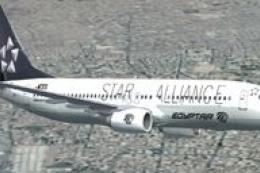 FSX Civil Aircraft
FSX EgyptAir Boeing 737-800. Egypt Air Star Alliance textures for the default…
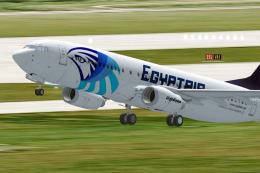 FSX Civil Aircraft
This freeware repaint brings the colorful national Egyptian airline livery to…
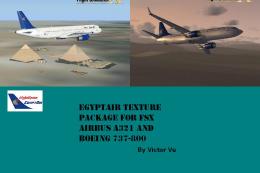 FSX Civil Aircraft
FSX EgyptAir Texture Pack For A321 And 737. This is the EgyptAir Texture Pack…
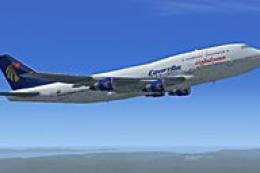 FSX Civil Aircraft
This freeware repaint of the EgyptAir Boeing 747-400 is designed to work seam…
 FSX Civil Aircraft
Textures only for the payware Aerosim Boeing 787-8 in Egyptair livery. Curren…
 FSX Civil Aircraft
EgyptAir Airbus A321-231. EgyptAir is the flag carrier airline of Egypt and a…
Be the first to leave a comment on this download.
Be the first to share your thoughts on this download.