

 FSX Civil Aircraft
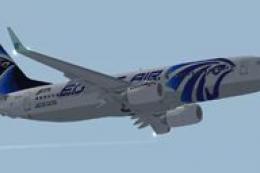
EgyptAir Boeing 737-800 new livery
FSX EgyptAir Boeing 737-800. Egypt Air new logo textures for the default B737…
EgyptAir’s Boeing 747-400 livery brings the carrier’s Horus tail emblem, national colors, and clean titles to the default jumbo in Microsoft Flight Simulator X, with crisp textures that follow the fuselage curves, windows, engines, and winglets for consistent viewing. Requires the default 747-400 base model.
 Rate
Rate
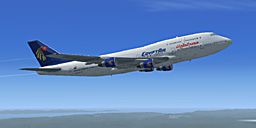
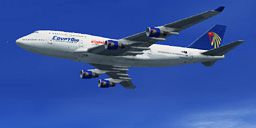
This freeware repaint of the EgyptAir Boeing 747-400 is designed to work seamlessly with the default jumbo jet in Microsoft Flight Simulator X. Developed by Sammy Dowidar, it visually represents Egypt’s national flag carrier on the famous wide-body aircraft. It does not include the base (default FSX) model, so make sure you have that installed beforehand. The required freeware model is located in the Fly Away Simulation library.
Expect a crisp exterior texture layer that mirrors the real-world style of EgyptAir’s color scheme. The cabin windows, engine cowlings, and fuselage textures align accurately with the original layout of the Boeing 747-400 design. Transitioning between views offers a smooth experience, as the paintwork is rendered to match the distinctive curves of this aircraft variant.
The 747-400, often praised for its four high-thrust powerplants and advanced avionics (meaning specialized electronic systems used in aviation), has long been a workhorse for long-haul operations. This repaint retains the classic winglet structure, accurately scaling the registration markings and logos to fit the real aircraft’s proportions. The realism extends to fine details, such as the unique tail band used in EgyptAir’s livery.
EgyptAir, which is the state-owned airline of Egypt, is recognized for its stylized Horus emblem. This repaint includes bold tail branding and the national colors placed precisely to celebrate the airline’s heritage. The EgyptAir name, as depicted beneath the cockpit windows, is rendered in a way to maintain visual clarity at various zoom levels inside the simulator.
aircraft.cfg) to integrate this new paint scheme.No core modifications to the flight dynamics have been made, so the aircraft performs identically to the standard 747-400 behavior you’re accustomed to. Per the developer’s intent, all modeling aspects are untouched, which preserves the original look and performance of the default FSX wide-body. Any enhancements to lighting and ground handling will depend on your simulator’s graphic settings.
This livery is authored by Sammy Dowidar. It offers flight simulation enthusiasts an authentic touch of EgyptAir’s classic presence on the “Queen of the Skies.” Remember that you will require the freeware base model, readily accessible in the Fly Away Simulation mod library, to see these textures properly within Microsoft Flight Simulator X.
Free for all simmers · 1.35 MB · Scanned clean Sep 2026
Download speed: Free tier is capped at 0.5 Mbps. PRO members download at full line speed.
texture.{airline}) inside FSX\SimObjects\Airplanes\{base-aircraft}\.aircraft.cfg in Notepad. Add a new [fltsim.X] section per the readme.readme.txt or README file. It tells you exactly where files go, what dependencies are needed, and any quirks specific to this add-on.The archive b74740ea.zip has 11 files and directories contained within it.
This list displays the first 500 files in the package. If the package has more, you will need to download it to view them.
| Filename/Directory | File Date | File Size |
|---|---|---|
| b747_1_t_specular.dds | 09.04.06 | 1.33 MB |
| Fresnel_Ramp.dds | 09.04.06 | 640 B |
| Fresnel_Ramp_1.dds | 09.04.06 | 640 B |
| texture.cfg | 07.28.06 | 137 B |
| thumbnail.jpg | 04.19.07 | 19.99 kB |
| Readme.txt | 04.29.07 | 1.10 kB |
| B747_1_T.dds | 04.29.07 | 1.33 MB |
| thumbnail2.jpg | 04.30.07 | 20.37 kB |
| FILE_ID.DIZ | 05.07.07 | 98 B |
| flyawaysimulation.txt | 10.29.13 | 959 B |
| Go to Fly Away Simulation.url | 01.22.16 | 52 B |
Only PRO members can place votes.
More FSX & P3D add-ons hand-picked based on this download.
FSX Civil Aircraft
FSX EgyptAir Boeing 737-800. Egypt Air new logo textures for the default B737…
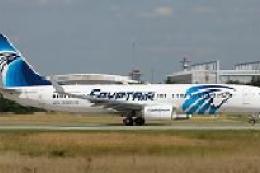 FSX Civil Aircraft
Egyptair Boeing 737-800, registration SU-GCZ. Textures only for the default B…
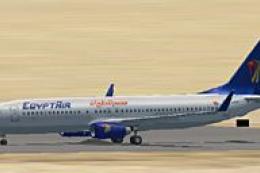 FSX Civil Aircraft
This free release provides an authentic EgyptAir Boeing 737-800 external repa…
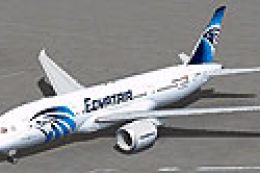 FSX Civil Aircraft
Textures only for the payware Aerosim Boeing 787-8 in Egyptair livery. Curren…
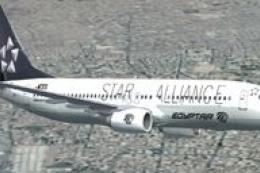 FSX Civil Aircraft
FSX EgyptAir Boeing 737-800. Egypt Air Star Alliance textures for the default…
 FSX Civil Aircraft
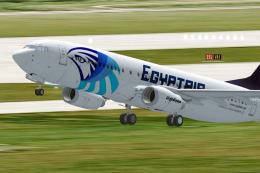
This freeware repaint brings the colorful national Egyptian airline livery to…
 FSX Civil Aircraft
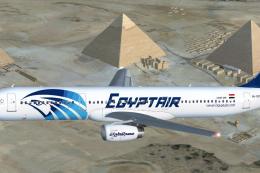
EgyptAir Airbus A321-231. EgyptAir is the flag carrier airline of Egypt and a…
 FSX Civil Aircraft
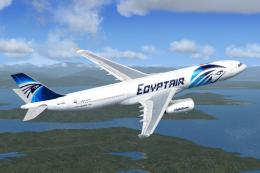
EgyptAir Airbus A330-343X. A repaint of EgyptAir on the Commercial Level Simu…
Be the first to leave a comment on this download.
Be the first to share your thoughts on this download.