

 FSX Civil Aircraft
Air France Airbus A321-211
This all-in-one release features an Air France Airbus A321-211 simulation for…
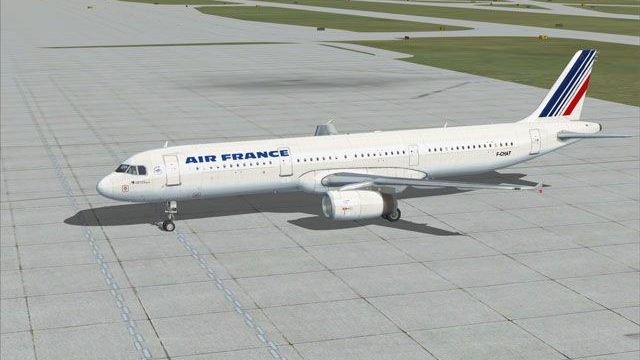
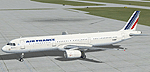
Air France Airbus A321 livery for the default model recreates registration F-CHAT with crisp airline branding, accurate fuselage markings, and refined details like door outlines, wing text, and engine textures. Built exclusively for Microsoft Flight Simulator X, it requires the stock A321 aircraft and drops in cleanly for authentic short-to-medium haul operations.
 Rate
Rate
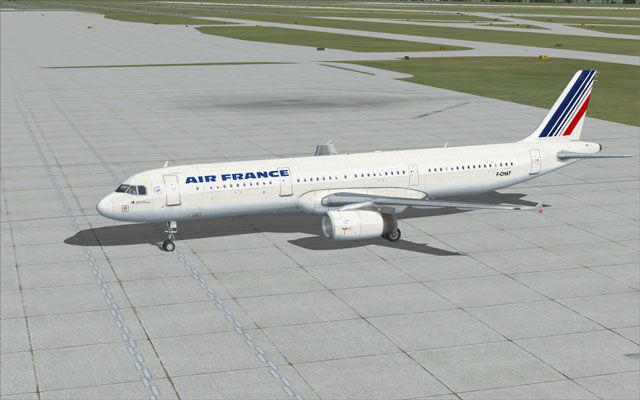
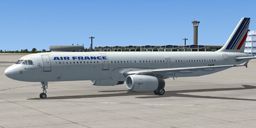
This freeware release showcases an accurate Air France Airbus A321 repaint (registration F-CHAT) developed by the creators behind this texture set. It has been designed exclusively for Microsoft Flight Simulator X and is tailored to fit the default A321 model. Users will appreciate the detailed fuselage markings, precise airline branding, and the distinctive registration number, all optimized for seamless integration into the simulator.
This livery depicts Air France’s A321 in its recognizable scheme. The Airbus A321 (part of the popular A320 family) is well-known for its short-to-medium haul capabilities and efficient passenger capacity. Air France, a major European operator, utilizes this variant to serve domestic and continental routes due to its balanced performance and reliability. By applying this repaint, enthusiasts can replicate real-world operations that mirror Air France procedures.
To install, first ensure you have the default A321 present in your simulator’s directory. Extract the new texture folder into the main aircraft folder. Then, update your aircraft configuration file by adding the included [fltsim.X] entry (replace “X” with the next sequential number). Double-check that your “texture=” line points to the correct folder. A readme file notes any additional guidance or considerations.
Free for all simmers · 2.79 MB · Scanned clean Oct 2026
Download speed: Free tier is capped at 0.5 Mbps. PRO members download at full line speed.
texture.{airline}) inside FSX\SimObjects\Airplanes\{base-aircraft}\.aircraft.cfg in Notepad. Add a new [fltsim.X] section per the readme.readme.txt or README file. It tells you exactly where files go, what dependencies are needed, and any quirks specific to this add-on.The archive fx32-afr.zip has 14 files and directories contained within it.
This list displays the first 500 files in the package. If the package has more, you will need to download it to view them.
| Filename/Directory | File Date | File Size |
|---|---|---|
| A321-Air_France | 04.16.07 | 0 B |
| Texture.afr | 04.16.07 | 0 B |
| A321_1_T.dds | 04.16.07 | 1.33 MB |
| A321_1_T_spec.dds | 04.16.07 | 1.33 MB |
| A321_2_T.dds | 09.04.06 | 1.33 MB |
| A321_2_T_spec.dds | 09.04.06 | 1.33 MB |
| Aircraft.txt | 04.16.07 | 808 B |
| Fresnel_Ramp.dds | 09.04.06 | 640 B |
| Install.txt | 04.16.07 | 480 B |
| texture.cfg | 08.14.06 | 137 B |
| thumbnail.jpg | 04.16.07 | 46.35 kB |
| thumbnail2.jpg | 04.16.07 | 45.08 kB |
| flyawaysimulation.txt | 10.29.13 | 959 B |
| Go to Fly Away Simulation.url | 01.22.16 | 52 B |
Only PRO members can place votes.
More FSX & P3D add-ons hand-picked based on this download.
FSX Civil Aircraft
This all-in-one release features an Air France Airbus A321-211 simulation for…
 FSX Civil Aircraft
Air France A321 Skyteam textures for the Project Airbus A321 CFM model. Featu…
 FSX Civil Aircraft
This is a repaint of the payware Aerosoft A321-200 in the livery of Air Franc…
 FSX Civil Aircraft
This release presents a freeware Air France Airbus A380-800 for enthusiasts s…
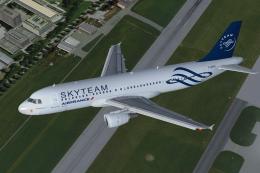 FSX Civil Aircraft
SkyTeam (Air France) Airbus A320-211. SkyTeam is an airline alliance and was …
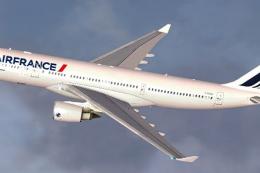 FSX Civil Aircraft
Air France Airbus A330-200 (new livery). Textures only for Thomas Ruth's A330…
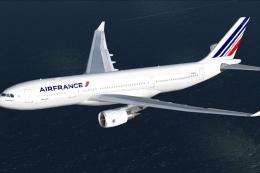 FSX Civil Aircraft
This freeware Airbus A330-200 repaint showcases the modern Air France color s…
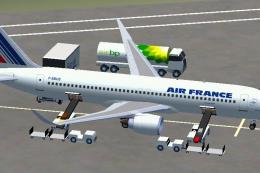 FSX Civil Aircraft
FSX Air France Airbus A360. The A360 should become, with a design based on th…
Read what other simmers think, or add your own.

yes it uses everything from the default a321 apart from the air france paint, but you can download different panels and sounds to make it more realistic thats what im going to do.

I'm not gona download cuz 1 i'm at school rigt now and...... migh when i get home. Does this use the def A32 panels ect as the orignal shipped one?? pleas help