

 FSX Civil Aircraft
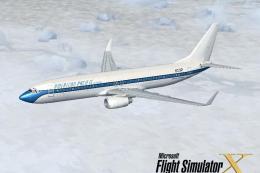
American Pacific Airways Boeing 737-800
This Boeing 737-800 repaint depicts the American Pacific Airways livery in Mi…
American Pacific Boeing 737-800 livery brings a sleek, fictional corporate scheme to the default airliner with crisp logo placement, refined fuselage accents, and paintwork that follows the nose, wings, and tail for a cohesive finish in Microsoft Flight Simulator X. Requires the stock FSX Boeing 737-800 base model.
 Rate
Rate
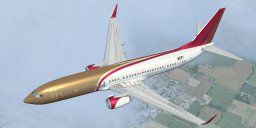
This repaint set offers a detailed rendition of the fictional American Pacific theme for the stock Boeing 737-800 in Microsoft Flight Simulator X. Designed by the creators at American Pacific Design Studio, these textures capture a modern corporate feel that aligns well with Boeing’s renowned twin-engine airliner.
The repaint highlights subtle fuselage accent lines and cabin markings inspired by American Pacific’s stylish color palette. You will notice meticulously placed logos along the forward doors and tail section, which give the aircraft a definitive visual identity. Every paint layer has been refined to match the contours of the 737-800’s nose, wings, and empennage, thus delivering a unified look.
The Boeing 737-800 is a popular narrow-body aircraft frequently utilized for short and medium-haul operations worldwide. Designed with CFM56 turbofan engines, it offers excellent fuel economy and reliable overall performance. Real-world carriers rely on its advanced flight deck features, and simulator pilots often appreciate its blend of versatile handling and automated systems.
These files were produced by the developers at American Pacific Design Studio, ensuring an authentic paint finish that complements the original 737-800 model. Their attention to detail results in a simulation experience that feels cohesive and polished.
Note: If you do not already have the default Boeing 737-800, be sure to download the freeware base model provided in the Fly Away Simulation mod library. You must install that before applying these textures.
Free for all simmers · 3.14 MB · Scanned clean Oct 2026
Download speed: Free tier is capped at 0.5 Mbps. PRO members download at full line speed.
texture.{airline}) inside FSX\SimObjects\Airplanes\{base-aircraft}\.aircraft.cfg in Notepad. Add a new [fltsim.X] section per the readme.readme.txt or README file. It tells you exactly where files go, what dependencies are needed, and any quirks specific to this add-on.The archive repaint2.zip has 11 files and directories contained within it.
This list displays the first 500 files in the package. If the package has more, you will need to download it to view them.
| Filename/Directory | File Date | File Size |
|---|---|---|
| Read me.shs | 07.25.07 | 23.00 kB |
| Texture.custom | 07.25.07 | 0 B |
| b737_800_1_T.dds | 07.23.07 | 1.33 MB |
| b737_800_1_T_Specular.dds | 09.04.06 | 1.33 MB |
| b737_800_2_T.dds | 09.04.06 | 1.33 MB |
| b737_800_2_T_Specular.dds | 09.04.06 | 1.33 MB |
| Fresnel_Ramp.dds | 09.04.06 | 640 B |
| texture.cfg | 08.14.06 | 137 B |
| thumbnail.jpg | 08.13.06 | 6.32 kB |
| flyawaysimulation.txt | 10.29.13 | 959 B |
| Go to Fly Away Simulation.url | 01.22.16 | 52 B |
Only PRO members can place votes.
More FSX & P3D add-ons hand-picked based on this download.
FSX Civil Aircraft
This Boeing 737-800 repaint depicts the American Pacific Airways livery in Mi…
 FSX Civil Aircraft
This freeware package offers an American Pacific Boeing 777-200ER enhanced fo…
 FSX Civil Aircraft
This complete freeware package features a meticulous rendition of an American…
 FSX Civil Aircraft
This freeware add-on provides a fictional American Pacific Airways repaint fo…
 FSX Civil Aircraft
FSX American Pacific Bombardier CRJ-700. Textures only. Repaint by Victor Vu.
 FSX Civil Aircraft
FSX American Pacific Airways Airbus A321. A repaint of the default A321. Alth…
 FSX Civil Aircraft
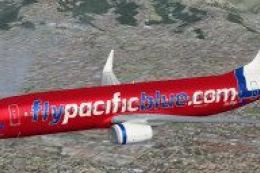
Registration ZK-PBD "Pacific Pearl" and Polynesian Blue ZK-PBF "Tapu'itea". T…
 FSX Civil Aircraft
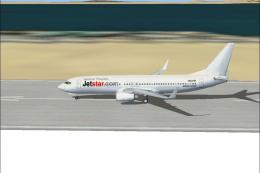
Jetstar Pacific Boeing 737-800, registration VN-A191. Jetstar Pacific offers …
Read what other simmers think, or add your own.
