

 FSX General Aviation Aircraft
Piper PA-28 Archer
This repaint offers a detailed rendition of the Piper PA28-181 Archer for Mic…
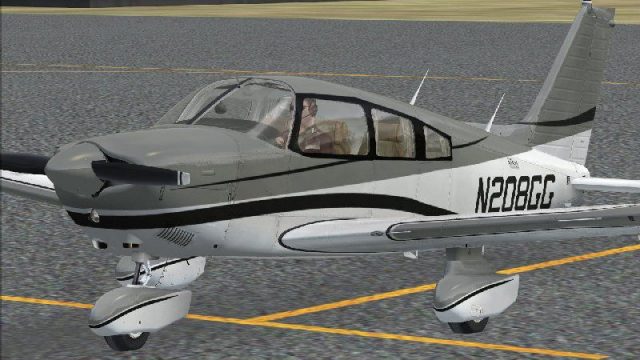
AOPA Sweepstakes-inspired livery brings the 2008 N208GG look to the Piper PA-28 Archer with crisp striping, authentic colors, and a clean finish that suits close-up views in the virtual cockpit and exterior. Built for Microsoft Flight Simulator X, it requires the Carenado PA-28 Archer II and installs as texture-only repaint files.
 Rate
Rate
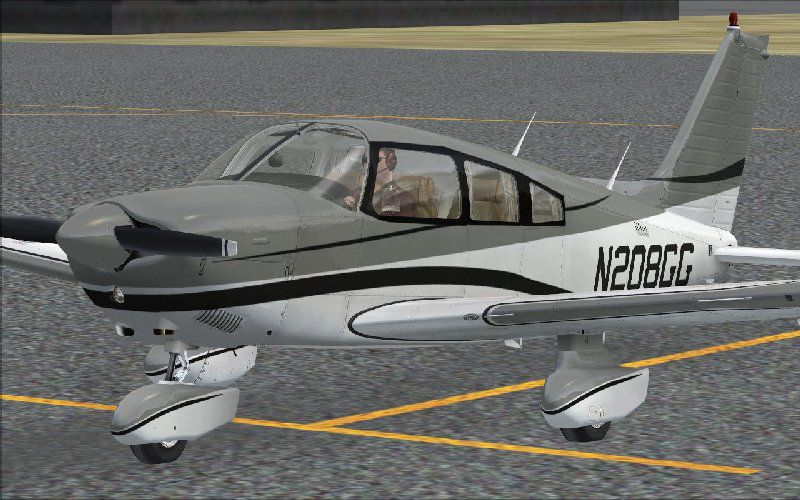
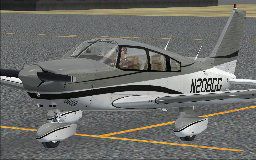
This add-on provides a custom repaint inspired by the 2008 Aircraft Owners and Pilots Association (AOPA) Sweepstakes giveaway for the Piper PA-28 Archer. It is designed exclusively for Microsoft Flight Simulator X and requires the payware Carenado PA-28 Archer II. Created by developer John Barner, it showcases a classic aesthetic that replicates the distinctive striping and color scheme associated with the real-world aircraft.
The Piper PA-28 Archer is an integral part of the Piper Cherokee lineage. Introduced in the mid-1970s, the “Archer” designation gained popularity for its dependable flight characteristics and user-friendly design, making it a prominent choice among flight schools worldwide. The real-life AOPA organizes sweepstakes featuring notable general aviation aircraft each year, and the 2008 event included a customized Archer as a prize. These textures emulate that special livery.
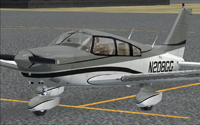
Screenshot of AOPA Piper PA-28 Archer on the ground.
Below are streamlined steps for integrating the repaint into your simulator environment:
texture") and rename this copy to "texture.n208gg".texture.n208gg" folder, overwriting when prompted.aircraft.cfg" file. It is highly recommended to back up this file before any edits. Append the following segment at the bottom, adjusting xx to a suitable number sequentially after the last [fltsim.*] entry:[fltsim.xx]
title=PA-28 Archer N208GG
sim=Archer_Carenado
model=
panel=
sound=
texture=n208gg
kb_checklists=Check_List_Archer
kb_reference=Reference_Archer
atc_id=N208GG
ui_manufacturer="Carenado"
ui_type=Archer II
ui_typerole="Single Engine Prop"
ui_createdby="Carenado"
ui_variation=N208GG
description="The Archer belongs to the PA-28 family (or Cherokee family) of aircraft model. It was born in 1974 when the ?Challenger? was renamed to ?Archer? (PA-28-181). Four seat, single piston engine (180 HP), unpressurized, low wing and tricycle landing gear. It is a direct competitor to the C172."
atc_heavy=0
atc_airline=
atc_flight_number=
atc_id_color=0000000000
visual_damage=1
ui_thumbnailfile=thumbnail8.jpg
thumbnail8.jpg image in the temporary folder and place it in the main Carenado PA28 Archer II folder.This freeware repaint is by John Barner. It is neither an official Piper product nor a standalone model. You must own the payware Carenado PA-28 Archer II to utilize these textures.
Free for all simmers · 6.35 MB · Scanned clean Oct 2026
Download speed: Free tier is capped at 0.5 Mbps (this file takes approximately 2 mins at the cap). PRO members download at full line speed.
texture.{airline}) inside FSX\SimObjects\Airplanes\{base-aircraft}\.aircraft.cfg in Notepad. Add a new [fltsim.X] section per the readme.readme.txt or README file. It tells you exactly where files go, what dependencies are needed, and any quirks specific to this add-on.The archive pa28arch.zip has 14 files and directories contained within it.
This list displays the first 500 files in the package. If the package has more, you will need to download it to view them.
| Filename/Directory | File Date | File Size |
|---|---|---|
| thumbnail8.jpg | 10.10.09 | 14.52 kB |
| Archer.jpg | 10.11.09 | 19.50 kB |
| CARARCHERa.bmp | 10.09.09 | 4.00 MB |
| CARARCHERb.bmp | 10.09.09 | 4.00 MB |
| CARARCHERc.bmp | 10.09.09 | 4.00 MB |
| CARARCHERd2.bmp | 10.09.09 | 4.00 MB |
| CARARCHERd.bmp | 10.09.09 | 4.00 MB |
| CARARCHERe.bmp | 10.09.09 | 4.00 MB |
| FILE_ID.DIZ | 10.11.09 | 291 B |
| pa28arch.gif | 10.11.09 | 13.09 kB |
| pa28arch.jpg | 10.11.09 | 93.97 kB |
| Read Me First.txt | 10.11.09 | 2.79 kB |
| flyawaysimulation.txt | 10.29.13 | 959 B |
| Go to Fly Away Simulation.url | 01.22.16 | 52 B |
Only PRO members can place votes.
More FSX & P3D add-ons hand-picked based on this download.
FSX General Aviation Aircraft
This repaint offers a detailed rendition of the Piper PA28-181 Archer for Mic…
 FSX General Aviation Aircraft
This is Hauke Keitel's Piper PA28-201 updated for Flight Simulator X. This ai…
 FSX General Aviation Aircraft
This complete freeware package introduces a refined Piper PA-28-201R-T Turbo …
 FSX General Aviation Aircraft
Get acquainted with an exceptional freeware repaint crafted exclusively for t…
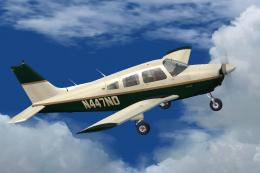 FSX General Aviation Aircraft
This aircraft, registration N447ND, is used by the Fort Pierce based flight s…
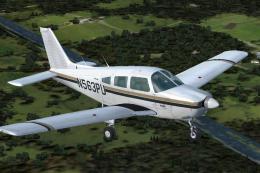 FSX General Aviation Aircraft
This aircraft, registration N563PU, is one of the several Cherokees the Fort …
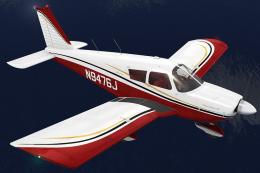 FSX General Aviation Aircraft
This repaint depicts a 1966 Piper PA-28-180 bearing the registration N9476J, …
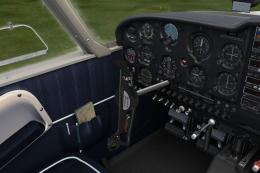 FSX General Aviation Aircraft
This repaint offers the recognizable D-ECSI registration for a German-operate…
Be the first to leave a comment on this download.
Be the first to share your thoughts on this download.