

 FSX Civil Aircraft
KLM Boeing 737-8K2 (WL) PH-BCB
Complete package for FSX only of the Project Open Sky B737-800 WL model in KL…
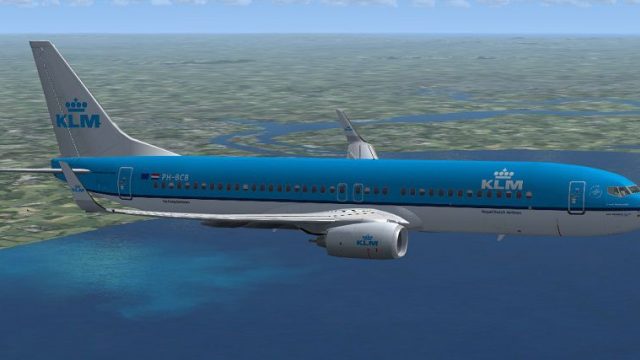
KLM’s Boeing 737-8K2 with winglets, registration PH-BCB, brings a crisp Dutch livery to a detailed Project Open Sky exterior model with smooth animations and authentic 737NG proportions. Built for Microsoft Flight Simulator X, it uses the default Boeing 737-800 virtual cockpit and avionics for a familiar, immersive short-haul workflow.
 Rate
Rate
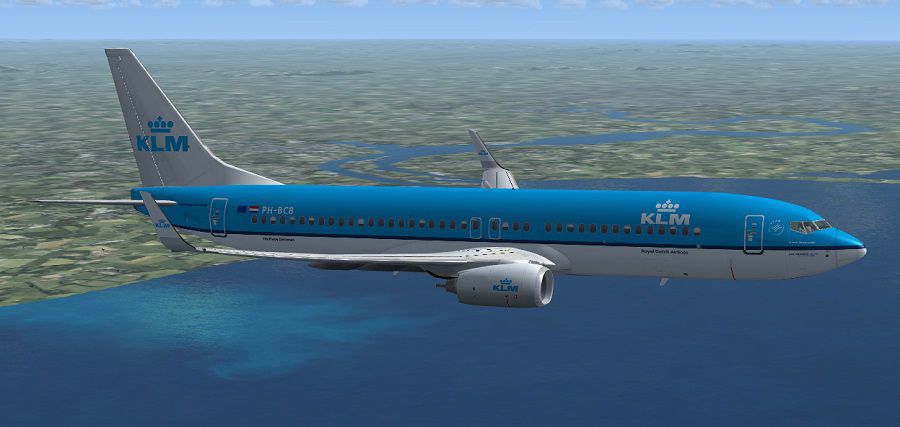
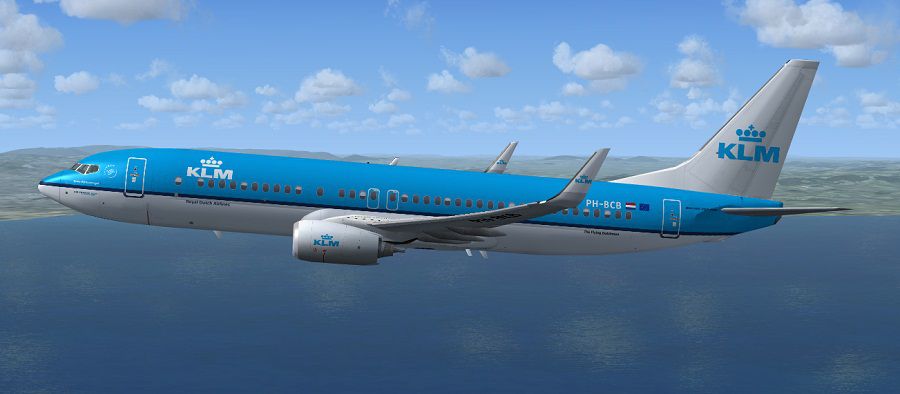
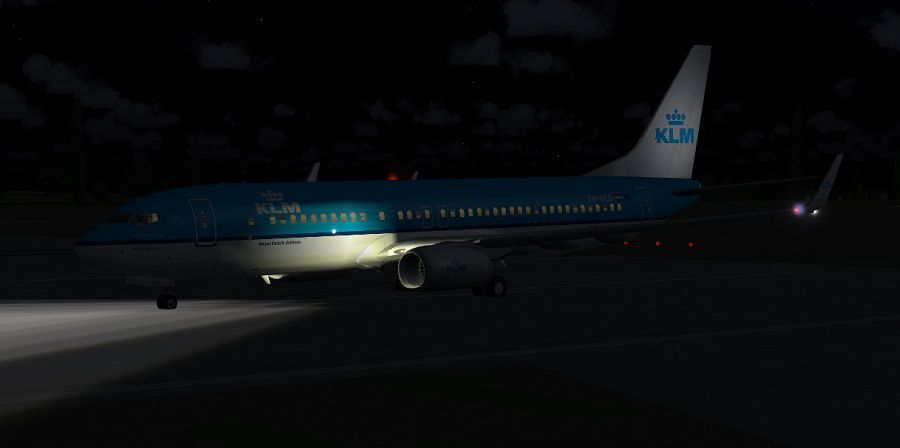
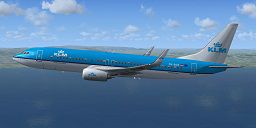
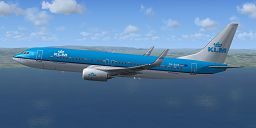
This complete freeware package introduces a faithfully recreated Boeing 737-800WL carrying the KLM (Koninklijke Luchtvaart Maatschappij) insignia, specifically registration PH-BCB (c/n 39443/3648). It is developed for Microsoft Flight Simulator X with contribution from Project Open Sky’s original B737-800WL model and a repaint crafted by Paul Craig. Designed to integrate seamlessly, it incorporates the default Boeing 737-800 virtual cockpit and includes all essential components for an authentic piloting experience.
The KLM Boeing 737-800WL captures the operational essence of this medium-range twinjet. Serving routes across continental Europe and beyond, the real PH-BCB embodies KLM’s dedication to efficiency and reliability. In this simulation package, enthusiasts will find numerous details aligned with actual 737NG (Next Generation) specifications, such as the distinctive winglets (marked as WL) that enhance aerodynamics.
-fsx-1.jpg)
Visual of PH-BCB soaring above virtual skies.
Thanks to Project Open Sky’s refined exterior rendition, the aircraft showcases finely tuned animations and a high-resolution paint scheme. Internally, the included default B738 cockpit carries over a range of standardized avionics systems and displays. This blend of official features and advanced modeling ensures a high level of immersion, especially during pushback, taxi, and approach procedures.
This package adopts a shared texture folder approach. In essence, the primary “texture” folder holds common surface graphics, while each “texture.xxx” subfolder contains livery-specific images. If you wish to add further KLM or alternative paint schemes, delete any unneeded files in the new texture folder and insert a copy of the existing texture.cfg file. This mechanism reduces duplicated graphics and saves disk resources without sacrificing performance.
This release would not be possible without the meticulous work of Project Open Sky for the base model and Paul Craig for applying the KLM paint. The outcome is a fully operational Boeing 737-800WL that sits proudly in the hangar of any flight simulation enthusiast seeking to enjoy realistic short-haul European flights under the Dutch carrier’s iconic livery.
Free for all simmers · 15.99 MB · Scanned clean Oct 2026
Download speed: Free tier is capped at 0.5 Mbps (this file takes approximately 4 mins at the cap). PRO members download at full line speed.
FSX\SimObjects\Airplanes\. The folder must contain an aircraft.cfg file. Effects go into FSX\Effects\; gauges go into FSX\Gauges\.readme.txt or README file. It tells you exactly where files go, what dependencies are needed, and any quirks specific to this add-on.The archive posky_klm_b737-8k2wl_fsx.zip has 82 files and directories contained within it.
This list displays the first 500 files in the package. If the package has more, you will need to download it to view them.
| Filename/Directory | File Date | File Size |
|---|---|---|
| effects | 06.06.12 | 0 B |
| Opensky_737NG_sparks.fx | 03.18.06 | 7.05 kB |
| Opensky_beacon.fx | 02.12.02 | 3.04 kB |
| Opensky_Boeing_vclight.fx | 10.02.02 | 1.31 kB |
| Opensky_conden.fx | 10.03.02 | 3.15 kB |
| Opensky_nacelle_refl.fx | 09.29.02 | 1.29 kB |
| Opensky_nav_yellow.fx | 03.24.04 | 3.07 kB |
| Opensky_vortex.fx | 10.08.03 | 1.23 kB |
| Opensky_wing_light.fx | 09.29.02 | 1.31 kB |
| FILE_ID.DIZ | 06.06.12 | 245 B |
| Installation Readme.txt | 06.06.12 | 1.61 kB |
| KLM Boeing 737-8K2 WL Screenshot (1).jpg | 06.07.12 | 78.48 kB |
| KLM Boeing 737-8K2 WL Screenshot (2).jpg | 06.07.12 | 93.59 kB |
| KLM Boeing 737-8K2 WL Screenshot (3).jpg | 06.06.12 | 47.67 kB |
| manual's | 06.06.12 | 0 B |
| 737700PERFORMANCE.PDF | 01.09.02 | 219.02 kB |
| 737LIMITATIONS.PDF | 01.09.02 | 124.80 kB |
| 737PROCEDURES.PDF | 01.09.02 | 2.13 MB |
| B737NG_OPERATIONS_MANUAL_v5.pdf | 01.01.06 | 1.28 MB |
| Posky Readme.txt | 06.06.12 | 2.68 kB |
| Project Opensky B737-800 | 06.06.12 | 0 B |
| Aircraft.cfg | 06.06.12 | 22.50 kB |
| boeing737-800_check.htm | 12.31.05 | 77.28 kB |
| boeing737-800_ref.htm | 12.31.05 | 27.17 kB |
| Model.WE | 06.06.12 | 0 B |
| B737_800_interior.mdl | 08.22.07 | 1.33 MB |
| model.cfg | 06.13.09 | 53 B |
| OSX738WE.MDL | 11.01.08 | 1.35 MB |
| panel | 06.06.12 | 0 B |
| 737_compass.BMP | 05.12.06 | 95.51 kB |
| 737_Panel_Decals_2.bmp | 05.12.06 | 257.05 kB |
| 737-800_panel_background.bmp | 05.12.06 | 769.05 kB |
| 737-800_panel_background_night.bmp | 05.12.06 | 769.05 kB |
| B737_800.cab | 05.11.07 | 2.01 MB |
| panel.cfg | 06.06.12 | 6.08 kB |
| upper_640.bmp | 05.12.06 | 18.99 kB |
| Posky_B737-800WL.air | 01.01.06 | 8.90 kB |
| Sound | 06.06.12 | 0 B |
| sound.cfg | 03.18.09 | 32 B |
| Texture.KLM | 06.06.12 | 0 B |
| Os737ng_ANTCOL_RED.BMP | 09.05.06 | 1.43 kB |
| Os737ng_Cockpitgray.bmp | 06.22.08 | 5.40 kB |
| Os737ng_darkgray.bmp | 06.23.08 | 5.40 kB |
| Os737ng_engine_L.bmp | 02.16.06 | 64.07 kB |
| Os737ng_engine_t.bmp | 06.05.12 | 4.00 MB |
| Os737ng_WINGROOT_GRAY.BMP | 06.24.08 | 5.40 kB |
| Os737ng_WINGTIP_GREEN_GLASS.bmp | 09.05.06 | 1.43 kB |
| Os737ng_WINGTIP_RED_GLASS.bmp | 09.05.06 | 1.43 kB |
| Os737ngstair_l.bmp | 06.26.08 | 341.40 kB |
| Os737ngstair_t.bmp | 02.19.06 | 1.00 MB |
| Os738body_l_l.bmp | 06.05.12 | 4.00 MB |
| Os738body_l_t.bmp | 06.07.12 | 4.00 MB |
| Os738body_r_l.bmp | 06.05.12 | 4.00 MB |
| Os738body_r_t.bmp | 06.07.12 | 4.00 MB |
| OS738Option.bmp | 06.05.12 | 48.05 kB |
| os738parts_L.bmp | 03.30.08 | 4.00 MB |
| Os738parts_t.bmp | 03.27.09 | 4.00 MB |
| Os738w_wing_l_l.bmp | 12.15.05 | 1.00 MB |
| Os738w_wing_l_t.bmp | 06.06.12 | 4.00 MB |
| Os738w_wing_r_l.bmp | 12.15.05 | 1.00 MB |
| Os738w_wing_r_t.bmp | 06.06.12 | 4.00 MB |
| ostug_L.bmp | 12.15.05 | 1.00 MB |
| ostug_T.bmp | 09.10.11 | 1.00 MB |
| texture.cfg | 08.14.06 | 137 B |
| thumbnail.jpg | 06.06.12 | 10.19 kB |
| texture | 06.06.12 | 0 B |
| 737_Refection.dds | 09.04.06 | 170.79 kB |
| B737_800_1_C.dds | 09.04.06 | 682.79 kB |
| B737_800_1_night_C.dds | 09.04.06 | 682.79 kB |
| B737_800_2_C.dds | 09.04.06 | 682.79 kB |
| B737_800_2_night_C.dds | 09.04.06 | 682.79 kB |
| B737_800_3_C.dds | 09.04.06 | 682.79 kB |
| B737_800_3_night_C.dds | 09.04.06 | 682.79 kB |
| B737_800_4_C.dds | 09.04.06 | 682.79 kB |
| B737_800_4_night_C.dds | 09.04.06 | 682.79 kB |
| B737_800_5_C.dds | 09.04.06 | 170.79 kB |
| B737_800_5_night_C.dds | 09.04.06 | 170.79 kB |
| B737_800_C.bmp | 05.12.06 | 682.74 kB |
| texture.cfg | 08.14.06 | 137 B |
| thumbnail.png | 06.06.12 | 57.31 kB |
| flyawaysimulation.txt | 10.29.13 | 959 B |
| Go to Fly Away Simulation.url | 01.22.16 | 52 B |
Only PRO members can place votes.
More FSX & P3D add-ons hand-picked based on this download.
FSX Civil Aircraft
Complete package for FSX only of the Project Open Sky B737-800 WL model in KL…
 FSX Civil Aircraft
Complete package for FSX only of the Project Open Sky B737-800WL model in Fly…
 FSX Civil Aircraft
This complete freeware release introduces a fully integrated Transavia Airlin…
 FSX Civil Aircraft
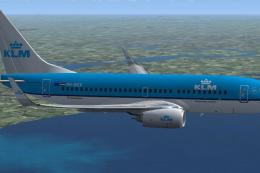
This fully integrated Boeing 737-700WL package, featuring KLM’s distinctive l…
 FSX Civil Aircraft
Complete package of the Project Open Sky B737-800WE model in Japan Airlines n…
 FSX Civil Aircraft
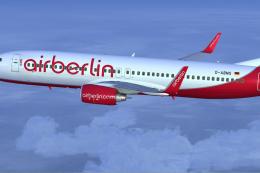
AirBerlin D-ABMS the lastest new member of AB s 738 fleet in shiny new colors…
 FSX Civil Aircraft
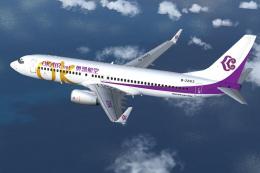
Okay Airways Boeing 737-800 WL. The Project Open Sky B737-800 winglets versio…
 FSX Civil Aircraft
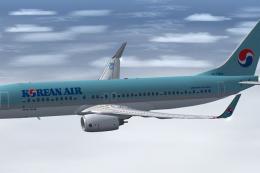
Complete package of the Project Open Sky B737-800W model in KAL livery, regis…
Be the first to leave a comment on this download.
Be the first to share your thoughts on this download.