

 FSX Civil Aircraft
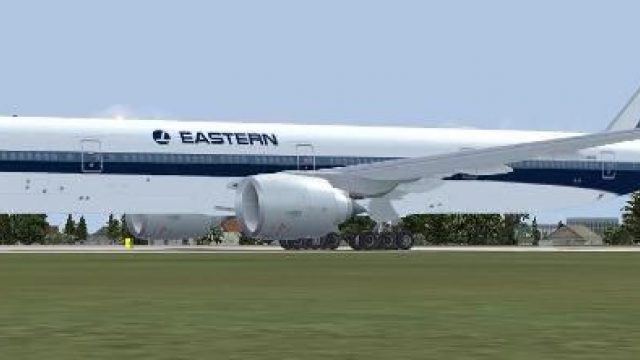
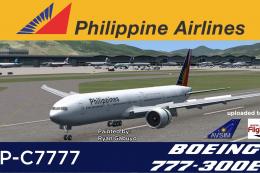
Philippine Airlines Boeing 777-300ER
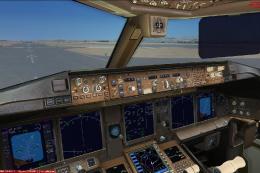
The SkySpirit2012 Boeing 777-300ER model painted in the Philippine Airlines l…
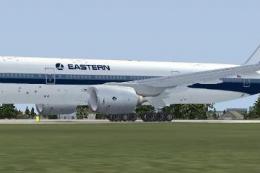
Eastern Airlines livery textures bring a clean, period-inspired look to the Boeing 777-300ER, updating the exterior with authentic markings and registration for convincing airline operations. Built for FSX, this repaint requires the payware Overland SMS 777-300ER model and pairs well with the aircraft’s included animations and flight deck presentation.
 Rate
Rate
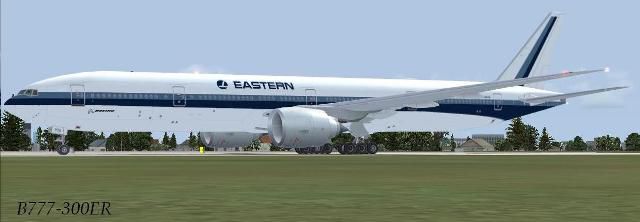
Textures only for the payware Overland SMS B773ER model. Repaint by Carlos Armenteros.
Screenshot of Eastern Airlines Boeing 777-300ER on the ground.
Installation:
[fltsim.XX]

title=FSPAP 777-300ER EA

sim=Boeing777-300ER

model=

panel=

sound=

texture=EA

atc_id=B-16701

atc_airline=EA

atc_flight_number=673

atc_heavy=1

ui_manufacturer=Boeing

ui_type="777-300ER "

ui_variation=Eastern Airlines

ui_createdby="Simmer's Sky"

ui_typerole="Commercial Airliner"

description=Overland Co.,Ltd. Products --- Boeing 777-300ER\n\nL1 Cabin Door [Shift+E] then [1]\nL2 Cabin Door Wing Fold\/Extend\nCargo Door [Shift+E] then [2]\nAPU Door Tailhook Extend\/Retruct
Free for all simmers · 1.11 MB · Scanned clean Oct 2026
Download speed: Free tier is capped at 0.5 Mbps. PRO members download at full line speed.
texture.{airline}) inside FSX\SimObjects\Airplanes\{base-aircraft}\.aircraft.cfg in Notepad. Add a new [fltsim.X] section per the readme.readme.txt or README file. It tells you exactly where files go, what dependencies are needed, and any quirks specific to this add-on.The archive b773er_ea.zip has 18 files and directories contained within it.
This list displays the first 500 files in the package. If the package has more, you will need to download it to view them.
| Filename/Directory | File Date | File Size |
|---|---|---|
| Read Me.txt | 08.23.12 | 1.45 kB |
| texture.ea | 08.23.12 | 0 B |
| b773fuseL_l.bmp | 04.14.12 | 1.00 MB |
| b773fuseL_t.bmp | 04.14.12 | 1.00 MB |
| b773fuseR_l.bmp | 04.14.12 | 1.00 MB |
| b773fuseR_t.bmp | 04.14.12 | 1.00 MB |
| b773tail_t.bmp | 04.14.12 | 1.00 MB |
| b773wing_t.bmp | 04.14.12 | 1.00 MB |
| b777antenna.bmp | 04.14.12 | 32.07 kB |
| b777forehead.bmp | 04.14.12 | 32.07 kB |
| b777ge90_t.bmp | 04.14.12 | 512.07 kB |
| texture.cfg | 05.25.07 | 137 B |
| thumbnail.JPG | 04.18.12 | 19.18 kB |
| B773ERea Preview.JPG | 04.18.12 | 19.18 kB |
| B773ERea Preview.gif | 08.23.12 | 4.52 kB |
| file_id.txt | 08.23.12 | 241 B |
| flyawaysimulation.txt | 10.29.13 | 959 B |
| Go to Fly Away Simulation.url | 01.22.16 | 52 B |
Only PRO members can place votes.
More FSX & P3D add-ons hand-picked based on this download.
FSX Civil Aircraft
The SkySpirit2012 Boeing 777-300ER model painted in the Philippine Airlines l…
 FSX Civil Aircraft
FSX Eastern Airlines Boeing 777-200 (fictional). The Project Open Sky B777-20…
 FSX Civil Aircraft
This freeware package brings you a carefully enhanced Eastern Airlines Boeing…
 FSX Civil Aircraft
Textures only for the payware Overland SMS B772ER model. Repaint by Carlos Ar…
 FSX Civil Aircraft
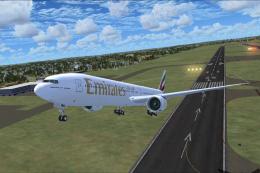
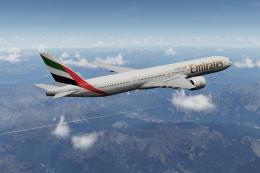
This package offers a detailed simulation of an Emirates Boeing 777-300ER (re…
 FSX Civil Aircraft
A fully complete and highly detailed freeware "mega pack" release featuring t…
 FSX Civil Aircraft
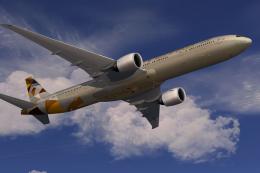
Etihad Airways Boeing 777-300ER Registration "A6-ETA" Painted on SkySpirit201…
 FSX Civil Aircraft
THY Barcelona Boeing 777-300ER. A Boeing 777-300ER from Turkish Airlines, in …
Be the first to leave a comment on this download.
Be the first to share your thoughts on this download.