

 FSX Civil Aircraft
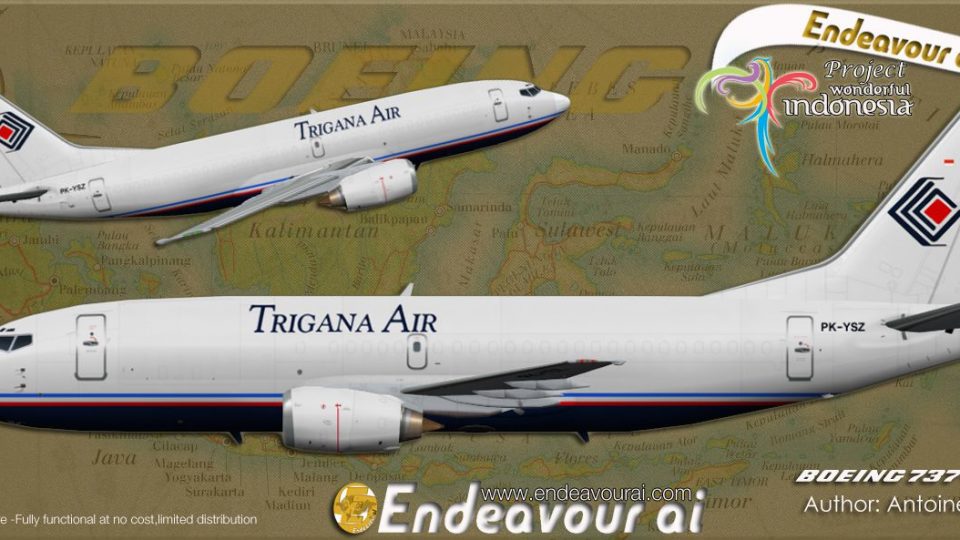
Trigana Air Boeing 737-300/F PK-YSY
This freeware repaint depicts the Trigana Air Boeing 737-300/F registered as …
Trigana Air Boeing 737-300/F PK-YSZ textures bring an authentic Indonesian cargo operator look to AI traffic, with crisp registration markings and freight-specific details around the fuselage, tail, and cargo door. Built for Microsoft Flight Simulator X and FS2004, it requires the FAIB Boeing 737-300 base model (FAIB_B7373.ZIP).
 Rate
Rate
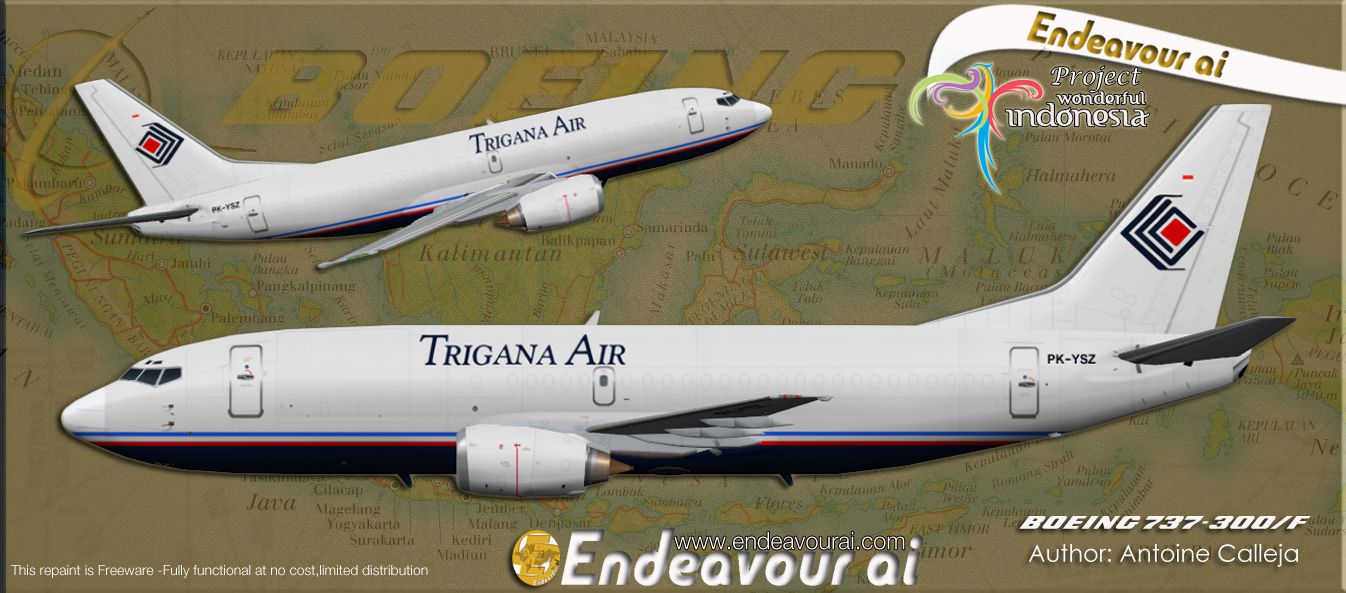
This release offers a dedicated repaint of the Boeing 737-300/F operated by Trigana Air, specifically tailored by Antoine Calleja and Endeavour AI. It is designed for use as AI traffic within Microsoft Flight Simulator X or Microsoft Flight Simulator 2004, but please remember that this package only contains the external textures. To make this repaint functional, download the freeware base model FAIB_B7373.ZIP (Boeing 737-300 by FAIB) from the Fly Away Simulation library. Below, you will find detailed installation steps, along with extra insights into both the aircraft and the operator.
The Boeing 737-300 has long been recognized for its reliable performance and versatility in both passenger and cargo operations. Trigana Air, an Indonesian carrier, operates a variety of services, including freight missions that often employ converted 737-300 airframes to serve remote regions. This repaint accurately reflects that specialized role, incorporating the airline’s visual identity and subtle details around the fuselage, tail, and cargo door. The unique registration PK-YSZ is prominently displayed on the tail and under the wings to mirror real-world markings.
Profile view of Trigana Air Boeing 737-300/F.
This package comprises the Trigana Air Services texture folder labeled texture.Trigana Air_PK-YSZ. Since it is exclusively a repaint, you will need the FAIB_B7373.ZIP base file to correctly utilize the model in either Microsoft Flight Simulator X or Microsoft Flight Simulator 2004. For added realism, these textures have been tailored for AI usage, ensuring they will populate airports in traffic simulations.
[fltsim.x]

title=Boeing 737-300 Trigana Air PK-YSZ

sim=FAIB_7373

model=logolight

texture=Trigana Air_PK-YSZ

atc_id=PK-YSZ

atc_airline=TRIGANA

atc_flight_number=

ui_manufacturer=FAIB

ui_type=737-300

ui_variation=Trigana Air PK-YSZ

ui_created by=FAIB

description=For AI use only, Trigana Air PK-YSZ:: Repaint by Antoine Calleja.

atc_parking_types=CARGO/RAMP

atc_parking_codes=TGN
This repaint is strictly intended for AI implementation and will not include a cockpit or other elements of a flyable aircraft. Should you desire advanced AI behavior, you may consider additional AI traffic enhancements available from the Fly Away Simulation library.
With the above steps completed, you will have a visually authentic representation of Trigana Air’s Boeing 737-300/F PK-YSZ in your simulator. The entire repaint process reflects the meticulous effort of Antoine Calleja and Endeavour AI to replicate the livery, ensuring maximum immersion as you observe cargo operations across both major hubs and smaller airfields.
Free for all simmers · 1.41 MB · Scanned clean Oct 2026
Download speed: Free tier is capped at 0.5 Mbps. PRO members download at full line speed.
texture.{airline}) inside FSX\SimObjects\Airplanes\{base-aircraft}\.aircraft.cfg in Notepad. Add a new [fltsim.X] section per the readme.readme.txt or README file. It tells you exactly where files go, what dependencies are needed, and any quirks specific to this add-on.The archive endeavourai_triganaair_733_pk-ysz_fsx.zip has 7 files and directories contained within it.
This list displays the first 500 files in the package. If the package has more, you will need to download it to view them.
| Filename/Directory | File Date | File Size |
|---|---|---|
| Terms of use.txt | 06.24.12 | 1.01 kB |
| FAIB_737_300_L.bmp | 07.24.12 | 4.00 MB |
| Read_Me_Endeavour_.txt | 07.23.12 | 2.32 kB |
| FAIB_737_300_T.bmp | 07.24.12 | 4.00 MB |
| Trigana air_733_project.jpg | 07.24.12 | 626.77 kB |
| flyawaysimulation.txt | 10.29.13 | 959 B |
| Go to Fly Away Simulation.url | 01.22.16 | 52 B |
Only PRO members can place votes.
More FSX & P3D add-ons hand-picked based on this download.
FSX Civil Aircraft
This freeware repaint depicts the Trigana Air Boeing 737-300/F registered as …
 FSX Civil Aircraft
This repaint showcases a Merpati Nusantara Boeing 737-300 (PK-MDQ) for AI tra…
 FSX Civil Aircraft
Lion Air Boeing 737-800, registration PK-LJQ (the first Boeing 737-800 in Lio…
 FSX Civil Aircraft
Sriwijaya Air Boeing 737-800, registration PK-CLA (the first Boeing 737-800 i…
 FSX Civil Aircraft
Sriwijaya Air Boeing 737-500wl, registration PK-CLC (the first Boeing 737-500…
 FSX Civil Aircraft
This package offers a carefully crafted Lion Air Boeing 737-800W repaint (reg…
 FSX Civil Aircraft
Sriwijaya Air is the actual largest B737-200 operator in the world. Textures …
 FSX Civil Aircraft
This repaint captures the Lion Air Boeing 737-800W, meticulously adapted for …
Be the first to leave a comment on this download.
Be the first to share your thoughts on this download.