

 FSX Civil Aircraft
Portuguese Texture For The FSX Boeing 737-800
Includes pictures of the plane, a mini guide to help you and the texture fold…
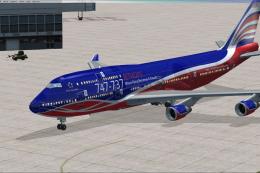
Portuguese-inspired livery brings a clean, minimalist white finish and subtle national detailing to the default Boeing 747-400 in Microsoft Flight Simulator X, adding a fresh long-haul look for screenshots and airline lineups. The repaint includes a dedicated texture folder, reference images, and a brief guide, and requires the freeware base model.
 Rate
Rate
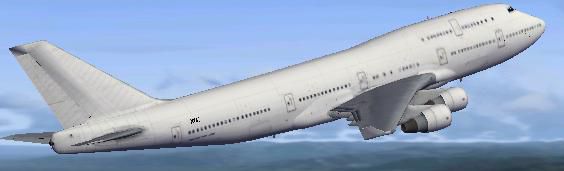
This repaint package offers a distinctive Portuguese-themed livery for the default Boeing 747-400 in Microsoft Flight Simulator X. It includes a dedicated texture folder, visual references, and a short user guide. Developed by Pedro de Castro e Silva, this add-on requires a separate base model, which is freely available in the Fly Away Simulation mod library. Below you will find technical details, instructions, and information to help you incorporate this skin into your simulator.
The Boeing 747-400 has long been recognized as a leading wide-body aircraft for intercontinental travel, and this repaint pays tribute to both the airframe’s iconic design and the rich Portuguese influence reflected in the chosen color palette. The (livery) showcases a minimalistic white exterior with additional details that subtly reference Portugal’s aviation heritage.
Captured view of the 747-400 in mid-flight showcasing the crisp Portuguese repaint.
This texture set has been authored by Pedro de Castro e Silva. It was crafted to enhance realism and provide an alternative aesthetic for the well-known wide-body airliner. Please remember that this package is freeware and relies on you having the freeware base model available from the Fly Away Simulation library.
Free for all simmers · 7.96 MB · Scanned clean Oct 2026
Download speed: Free tier is capped at 0.5 Mbps (this file takes approximately 2 mins at the cap). PRO members download at full line speed.
texture.{airline}) inside FSX\SimObjects\Airplanes\{base-aircraft}\.aircraft.cfg in Notepad. Add a new [fltsim.X] section per the readme.readme.txt or README file. It tells you exactly where files go, what dependencies are needed, and any quirks specific to this add-on.The archive b747_400_ptguese_textures.zip has 28 files and directories contained within it.
This list displays the first 500 files in the package. If the package has more, you will need to download it to view them.
| Filename/Directory | File Date | File Size |
|---|---|---|
| Texture | 07.06.12 | 0 B |
| B747_1_LM.dds | 09.04.06 | 170.79 kB |
| B747_1_T.dds | 07.06.12 | 682.80 kB |
| B747_1_T_bump.dds | 09.04.06 | 1.00 MB |
| B747_1_T_Specular.dds | 09.04.06 | 1.33 MB |
| B747_2_T.dds | 09.04.06 | 1.33 MB |
| B747_2_T_bump.dds | 09.04.06 | 1.00 MB |
| B747_2_T_specular.dds | 09.04.06 | 1.33 MB |
| B747_400_1_C.dds | 09.04.06 | 682.79 kB |
| B747_400_2_C.dds | 09.04.06 | 682.79 kB |
| B747_400_3_C.dds | 09.04.06 | 682.79 kB |
| B747_400_4_C.dds | 09.04.06 | 682.79 kB |
| B747_400_5_C.dds | 09.04.06 | 170.79 kB |
| B747_400_6_C.dds | 09.04.06 | 170.79 kB |
| B747_400_7_C.dds | 09.04.06 | 170.79 kB |
| B747_400_interior.dds | 09.04.06 | 170.79 kB |
| B747_400_reflection.dds | 09.04.06 | 170.79 kB |
| Fresnel_Ramp.dds | 09.04.06 | 640 B |
| fresnel_ramp_1.dds | 09.04.06 | 640 B |
| pilots.dds | 09.04.06 | 42.79 kB |
| texture.cfg | 08.14.06 | 137 B |
| thumbnail.jpg | 04.07.10 | 12.80 kB |
| Thumbs.db | 04.07.10 | 7.50 kB |
| readme first.txt | 07.06.12 | 839 B |
| thumb.1.BMP | 07.06.12 | 3.00 MB |
| thumb.ByeBye TAP.BMP | 07.06.12 | 3.00 MB |
| flyawaysimulation.txt | 10.29.13 | 959 B |
| Go to Fly Away Simulation.url | 01.22.16 | 52 B |
Only PRO members can place votes.
More FSX & P3D add-ons hand-picked based on this download.
FSX Civil Aircraft
Includes pictures of the plane, a mini guide to help you and the texture fold…
 FSX Civil Aircraft
Contains pictures of the plane, a mini guide to help you and the texture fold…
 FSX Civil Aircraft
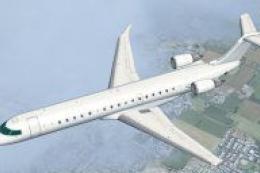
Textures for the invented Portuguese airline but this time is the private air…
 FSX Civil Aircraft
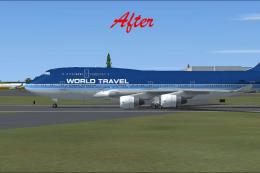
This package resolves the blurry exterior textures that sometimes appear on t…
 FSX Civil Aircraft
FSX Aerolineas Argentinas Boeing 747-400 GE, registration LV-BBU. Textures on…
 FSX Civil Aircraft
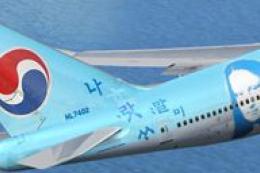
FSX Korean Airlines Boeing 747-400 "Mona Lisa". Textures only for the payware…
 FSX Civil Aircraft
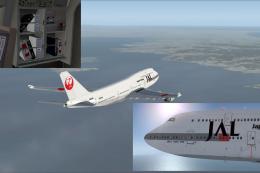
This carefully crafted repaint for the default Boeing 747-400 in Microsoft Fl…
 FSX Civil Aircraft
This repaint set introduces a custom Jet Hops livery to the Boeing 747-400 in…
Be the first to leave a comment on this download.
Be the first to share your thoughts on this download.