

 FSX Civil Aircraft
Airbus A321 FD Special Version V3
This comprehensive freeware release for Microsoft Flight Simulator X features…
Airbus A321 FD Special Version V3 CFM delivers a polished Project Airbus model with a fully operational virtual cockpit and an expanded Stefan Liebes panel for FSX. Expect richer PFD and Navigation Display data, practical flight planning and ILS pages, plus refined animations, lighting, wingflex, engine effects, and smoother ground handling.
 Rate
Rate

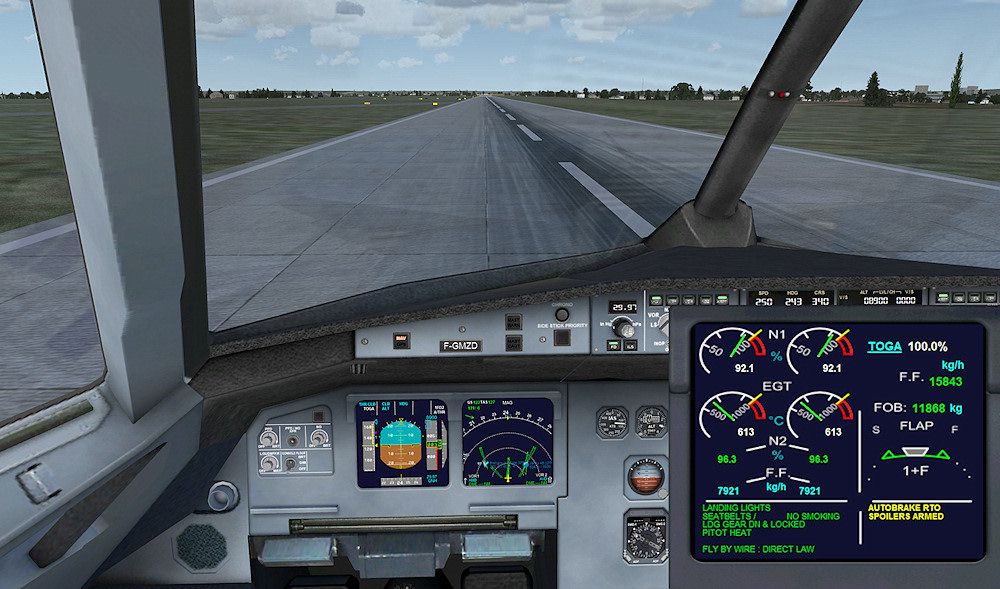
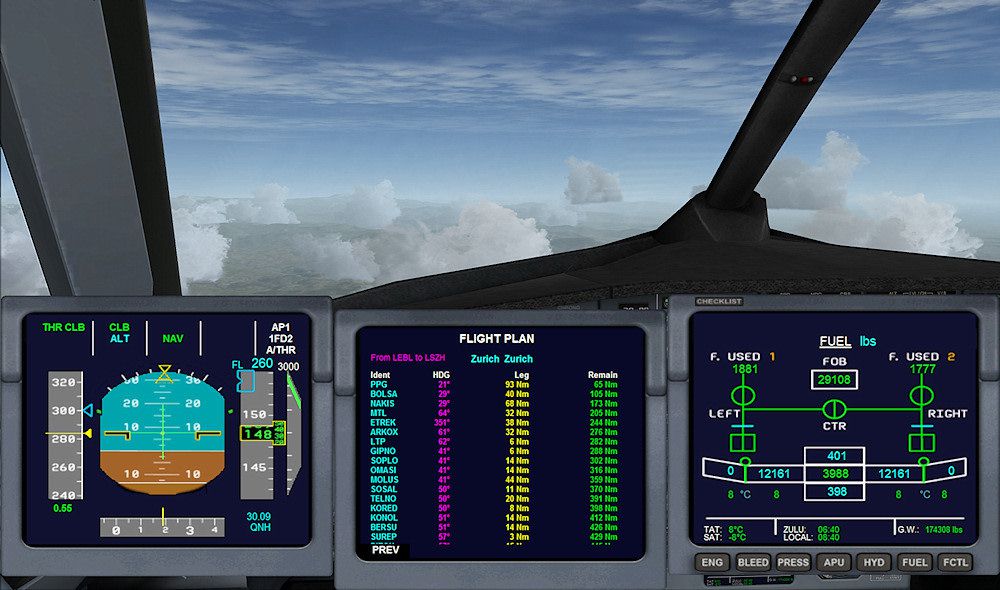
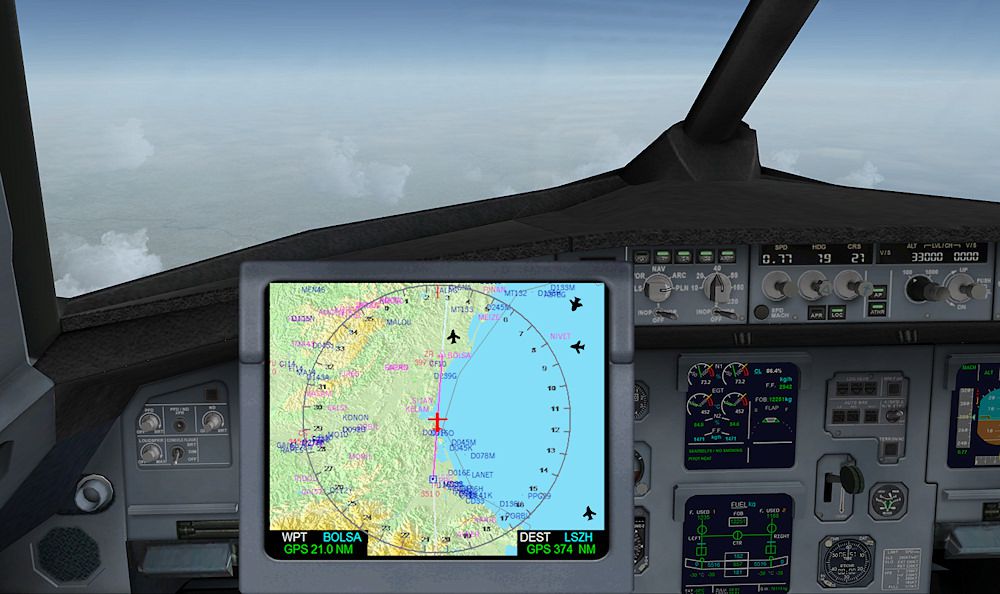
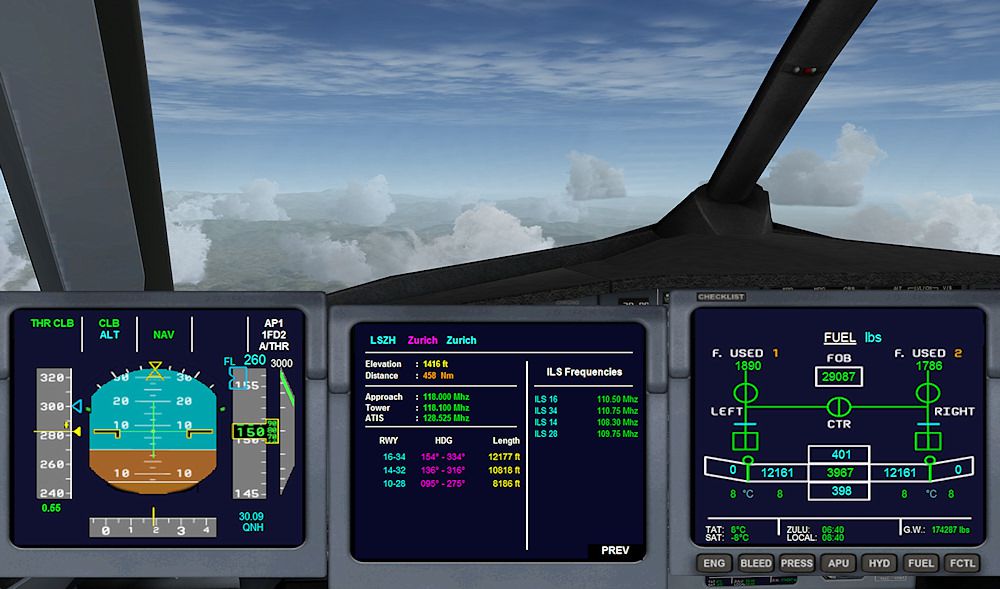
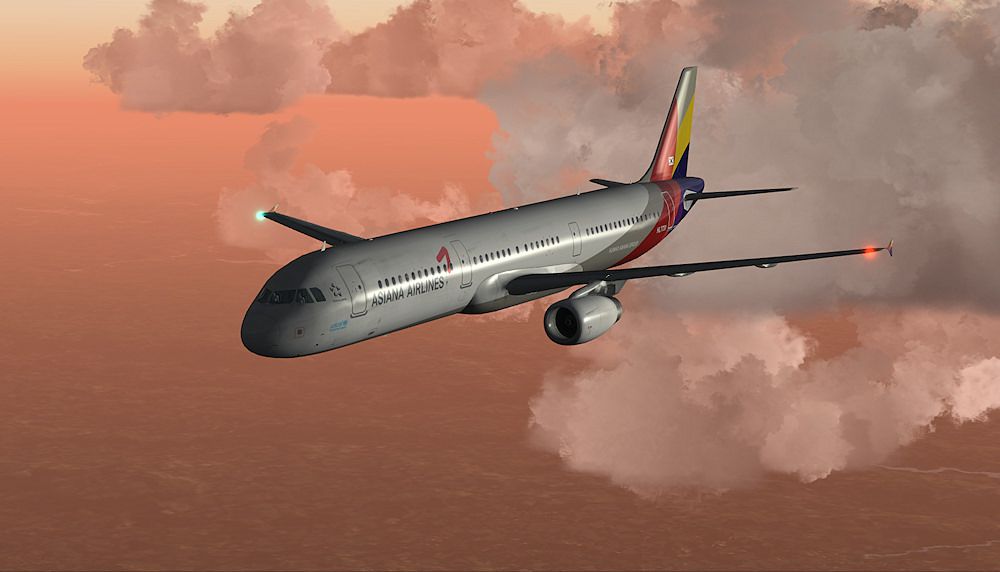
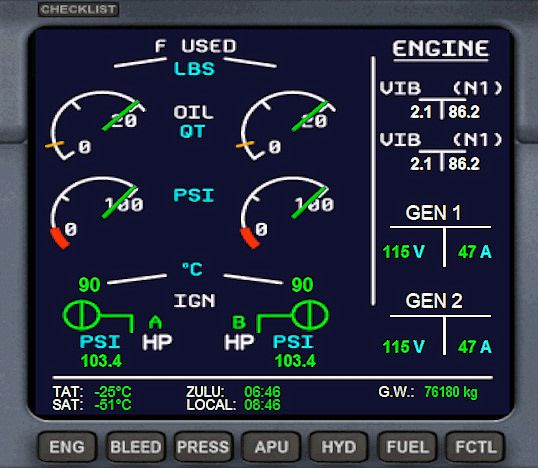
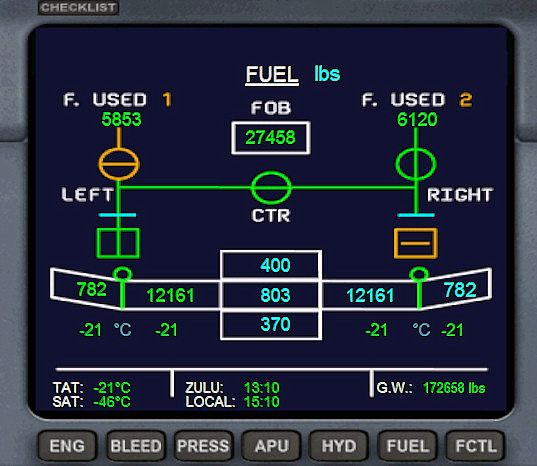

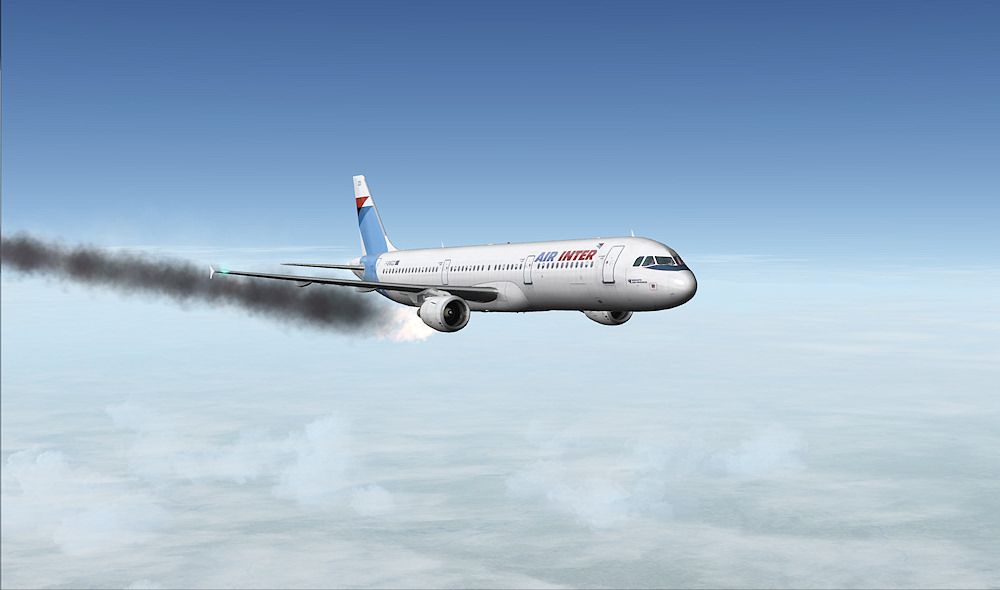
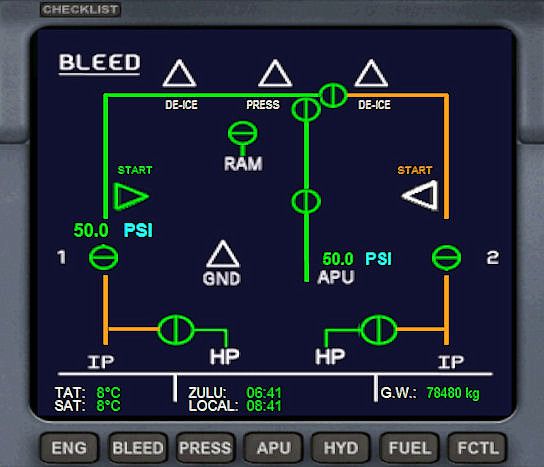
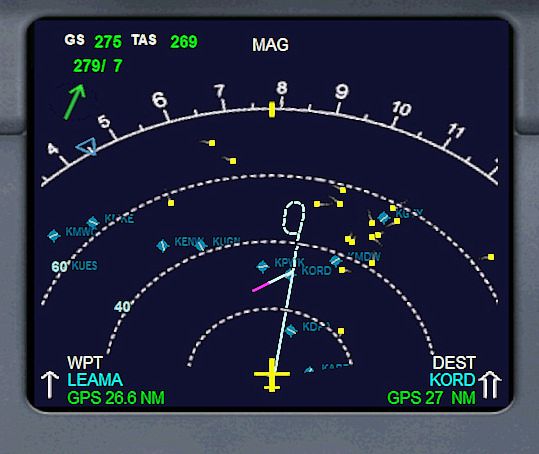

This special release presents an updated rendition of the Project Airbus A321 with a fully operational virtual cockpit. Developed by the Project Airbus team, enhanced by Francois Dore, and featuring the panel work of Stefan Liebes, it integrates newly refined elements such as advanced Primary Flight Display (PFD), improved Navigation Display (ND), and practical pages for flight planning, destination fields, ILS data, and more. (Also references UPDATED_PANEL_3_05_FOR_AIRBBUS_A321_SPECIAL_VERSION_V3.ZIP)
The heart of this modification lies in its cockpit enhancements. It adopts a specialized panel that augments the Airbus A321’s functionality within Microsoft Flight Simulator X. The Stefan Liebes panel is extended with comprehensive PFD and ND information, including thorough flight management readouts, TransControl Systems (TCS), updated approach guidance, and configurable runways with corresponding radio frequencies. These adjustments cater to varied flight profiles—whether flying short hops or medium-haul routes typical of actual A321 operations.
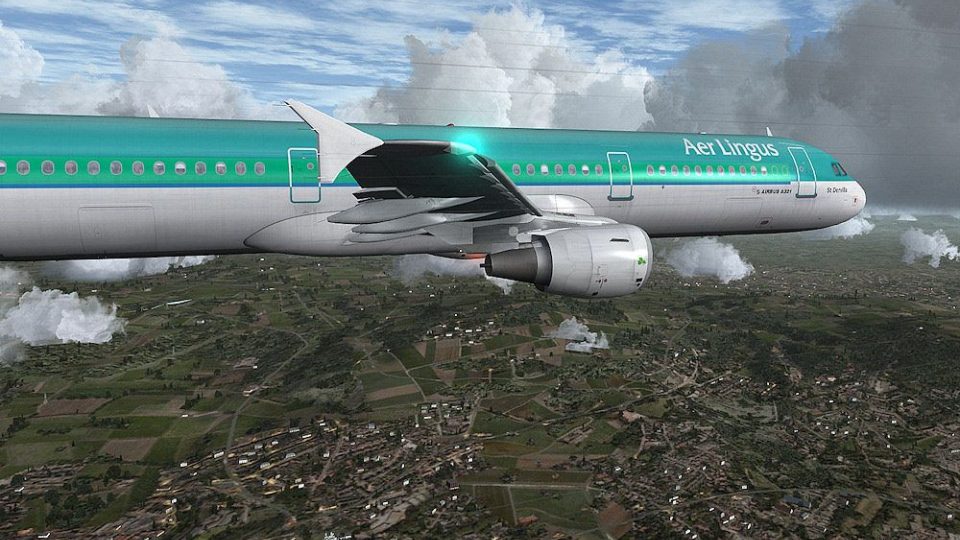
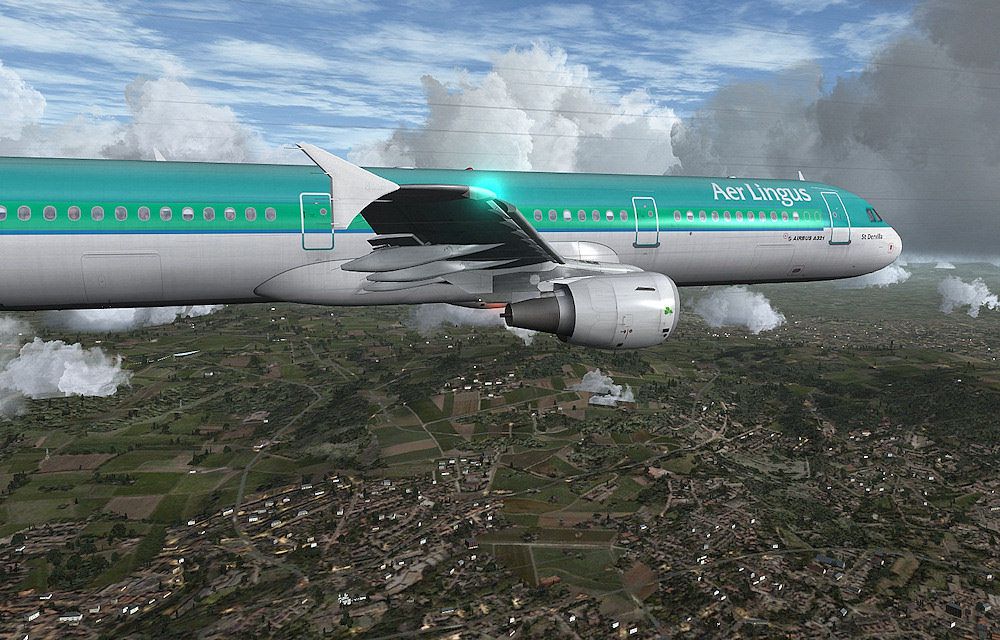
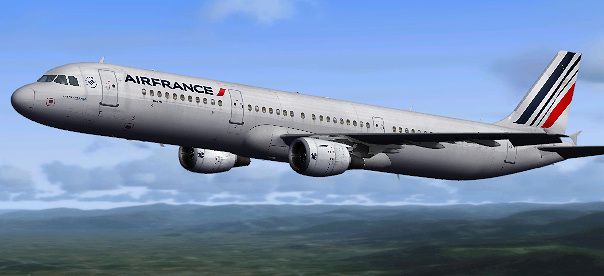
Airbus A321 in flight, showcasing the external model.
The Project Airbus A321 is delivered as a base pack plus individual liveries. To set up the base content, extract its folder directly into your core FSX directory. Because this core download does not provide any paint schemes, please install one or more separate liveries to fly the aircraft.
For livery packs, place the uncompressed folder under the “SimObjects/Airplanes” directory in your primary simulator installation. If the CFM variant is used, open the “Project Airbus A321-211” folder; for the IAE option, select “Project Airbus A321-231.” Double-click the file named _Livery Installer_PA.bat to finalize the process. The system will generate an aircraft.backup file if you need to revert your installation.
The Airbus A321 represents a popular stretch within the A320 family, often operating regional routes around the world. Its efficient range capabilities allow airlines to optimize medium-haul travel while maintaining the conveniences of a narrow-body design. By incorporating these numerous system improvements, Project Airbus, Francois Dore, and Stefan Liebes ensure that this freeware package offers a thorough aircraft simulation experience under real-life operational conditions. All these refinements are fully contained in this release, so no additional base model is required.
Free for all simmers · 86.89 MB · Scanned clean Oct 2026
Download speed: Free tier is capped at 0.5 Mbps (this file takes approximately 24 mins at the cap). PRO members download at full line speed.
This add-on may require the following files to function properly. If this is a repaint, the dependency below is likely the base aircraft package.
FSX\SimObjects\Airplanes\. The folder must contain an aircraft.cfg file. Effects go into FSX\Effects\; gauges go into FSX\Gauges\.readme.txt or README file. It tells you exactly where files go, what dependencies are needed, and any quirks specific to this add-on.The archive pa321fd_v3_cfm.zip has 239 files and directories contained within it.
This list displays the first 500 files in the package. If the package has more, you will need to download it to view them.
| Filename/Directory | File Date | File Size |
|---|---|---|
| COPYRIGHT AND DISCLAIMER.pdf | 06.02.12 | 56.88 kB |
| FD Special version 3 readme.txt | 06.03.12 | 409 B |
| Installation de l'avion [French].pdf | 06.03.12 | 53.07 kB |
| Liveries Copyright CFM pack.pdf | 06.03.12 | 15.67 kB |
| Project Airbus readme.txt | 06.03.12 | 2.47 kB |
| thumbnail.jpg | 06.03.12 | 10.38 kB |
| Bonus | 06.03.12 | 0 B |
| EZDok camera & vibs | 06.03.12 | 0 B |
| A321 Overhead.cam | 05.28.12 | 6.58 kB |
| A321 Pedestal.cam | 04.14.12 | 6.58 kB |
| A321 Pilot-In-Command.cam | 05.23.12 | 6.53 kB |
| A321.vib | 05.07.12 | 5.59 kB |
| Effects | 06.03.12 | 0 B |
| fx_beacon3202pa.fx | 07.24.02 | 3.03 kB |
| fx_beacon320pa.fx | 07.24.02 | 3.01 kB |
| fx_beaconh.fx | 08.03.06 | 3.55 kB |
| fx_contrail_320.fx | 07.24.02 | 1.17 kB |
| fx_engFire.fx | 08.10.06 | 4.85 kB |
| fx_engstrt.fx | 05.12.06 | 5.14 kB |
| fx_landing.fx | 05.12.06 | 3.37 kB |
| fx_navgre320pa.fx | 07.24.02 | 4.56 kB |
| fx_navred320pa.fx | 07.24.02 | 4.56 kB |
| fx_navwhi320pa.fx | 07.24.02 | 3.03 kB |
| fx_navwhih.fx | 05.12.06 | 2.99 kB |
| fx_pa380logo.fx | 11.10.08 | 1.21 kB |
| fx_PAland.fx | 11.20.08 | 1.15 kB |
| fx_sparks.fx | 05.12.06 | 5.04 kB |
| fx_spray.fx | 05.12.06 | 4.97 kB |
| fx_strobe.fx | 08.03.06 | 4.75 kB |
| fx_strobe2320pa.fx | 07.24.02 | 2.44 kB |
| fx_strobe320pa.fx | 07.24.02 | 4.80 kB |
| fx_strobeh.fx | 08.03.06 | 4.75 kB |
| fx_T332logo.fx | 11.11.08 | 1.21 kB |
| fx_tchdrt.fx | 05.12.06 | 3.74 kB |
| fx_tchdwn.fx | 05.12.06 | 3.71 kB |
| fx_tchdwn320.fx | 07.24.02 | 4.54 kB |
| fx_tchdwn_m.fx | 04.06.05 | 3.53 kB |
| fx_vclight.fx | 08.10.06 | 1.26 kB |
| fx_vclighth.fx | 08.11.06 | 1.26 kB |
| Gauges | 06.03.12 | 0 B |
| CALLOUT_SOUND.dll | 01.14.10 | 95.68 kB |
| Screenshots | 06.03.12 | 0 B |
| 1.jpg | 06.03.12 | 115.29 kB |
| 2.jpg | 06.03.12 | 180.82 kB |
| 3.jpg | 06.03.12 | 92.08 kB |
| 4.jpg | 06.03.12 | 189.26 kB |
| 5.jpg | 06.03.12 | 192.04 kB |
| Batterie.jpg | 06.03.12 | 177.18 kB |
| Bleed 5.jpg | 06.03.12 | 74.26 kB |
| ECAM page ENG.jpg | 06.03.12 | 95.94 kB |
| fsx 2012-05-07 10-13-21-84.jpg | 06.03.12 | 192.68 kB |
| fsx 2012-05-10 07-14-06-76.jpg | 06.03.12 | 201.98 kB |
| ND approche 0.jpg | 06.03.12 | 84.38 kB |
| ND approche 2.jpg | 06.03.12 | 105.61 kB |
| Panne moteur 3 crossfeed equilibre .jpg | 06.03.12 | 88.91 kB |
| radar popu.jpg | 06.03.12 | 197.82 kB |
| SimObjects | 06.03.12 | 0 B |
| Airplanes | 06.03.12 | 0 B |
| PA321FD_CFM | 06.03.12 | 0 B |
| AirbusA321_check.htm | 05.28.12 | 338.98 kB |
| AirbusA321_ref.htm | 06.02.12 | 160.19 kB |
| aircraft-backup.AES | 11.19.11 | 21.49 kB |
| aircraft.cfg | 06.03.12 | 16.15 kB |
| intelliscene.cfg | 11.19.11 | 143 B |
| Mode d'emploi PA A321 FD Special Version V3.pdf | 06.02.12 | 8.08 MB |
| model.cfm | 06.03.12 | 0 B |
| A321_200_CFM_WV.mdl | 04.20.11 | 1.91 MB |
| Airbus_A321_interior.mdl | 03.19.12 | 1.06 MB |
| model.cfg | 10.19.11 | 63 B |
| pa321-cfm56.air | 04.20.11 | 8.80 kB |
| panel | 06.03.12 | 0 B |
| A321_FD.cab | 06.02.12 | 2.79 MB |
| airbus_a321_panel_background.bmp | 05.12.06 | 769.05 kB |
| airbus_a321_panel_background_night.bmp | 05.12.06 | 769.05 kB |
| original stefan Liebe readme.pdf | 08.18.10 | 316.99 kB |
| panel.cfg | 06.02.12 | 5.12 kB |
| Version panel.txt | 06.02.12 | 93 B |
| Printable Checklist A321 FD v3.pdf | 06.02.12 | 263.81 kB |
| Printable Reference data A321 FD v3.pdf | 06.02.12 | 149.19 kB |
| Project Airbus readme.txt | 12.25.11 | 2.45 kB |
| sound.CFM | 06.03.12 | 0 B |
| A320_APU.wav | 02.09.11 | 689.18 kB |
| A320_APU_INT.WAV | 02.09.11 | 316.38 kB |
| A320_COCKPIT.wav | 02.09.11 | 1.04 MB |
| A320_FLAPS.WAV | 02.09.11 | 269.30 kB |
| A320_GEAR_DN.WAV | 02.09.11 | 591.38 kB |
| A320_GEAR_UP.WAV | 02.09.11 | 554.53 kB |
| A320_ROLL.wav | 02.09.11 | 584.76 kB |
| A320_ROLL2.wav | 02.09.11 | 584.76 kB |
| A320_TOUCH_C.wav | 02.09.11 | 111.74 kB |
| A320_TOUCH_L.wav | 02.09.11 | 111.74 kB |
| A320_TOUCH_R.wav | 02.09.11 | 111.74 kB |
| A320_WIND.wav | 02.09.11 | 1.19 MB |
| Autopilot_Disengage.wav | 02.09.11 | 223.08 kB |
| A_CMB_0.wav | 02.09.11 | 90.64 kB |
| A_CMB_1.wav | 02.09.11 | 144.15 kB |
| A_CMB_2.wav | 02.09.11 | 98.16 kB |
| A_CMB_3.wav | 02.09.11 | 81.86 kB |
| A_REVRS.wav | 02.09.11 | 1.27 MB |
| A_WHN_0.wav | 02.09.11 | 1.51 MB |
| A_WHN_1.wav | 02.09.11 | 244.81 kB |
| A_WHN_2.wav | 02.09.11 | 1.18 MB |
| A_WHN_3.wav | 02.09.11 | 1.45 MB |
| B_CMB_0.wav | 02.09.11 | 90.64 kB |
| B_CMB_1.wav | 02.09.11 | 144.27 kB |
| B_CMB_2.wav | 02.09.11 | 98.75 kB |
| B_CMB_3.wav | 02.09.11 | 81.72 kB |
| B_REVRS.wav | 02.09.11 | 1.27 MB |
| B_WHN_0.wav | 02.09.11 | 1.51 MB |
| B_WHN_1.wav | 02.09.11 | 244.81 kB |
| B_WHN_2.wav | 02.09.11 | 1.18 MB |
| B_WHN_3.wav | 02.09.11 | 1.45 MB |
| door-close.wav | 06.23.06 | 131.81 kB |
| door-open.wav | 06.23.06 | 116.30 kB |
| IAE V2500 V2 EXT SPOOL UP.mp3 | 02.09.11 | 631.84 kB |
| IAE V2500 V2 INT SPOOL UP.mp3 | 02.09.11 | 2.44 MB |
| No_Smoking.wav | 02.09.11 | 65.59 kB |
| Seatbelts.wav | 02.09.11 | 33.28 kB |
| Sound.cfg | 05.03.12 | 14.43 kB |
| T_COMB_SHUT.wav | 02.09.11 | 397.09 kB |
| T_COMB_START.wav | 02.09.11 | 194.23 kB |
| T_START.wav | 02.09.11 | 1.26 MB |
| X_A_COMB_1.wav | 02.09.11 | 1.69 MB |
| X_A_COMB_2.wav | 02.09.11 | 97.27 kB |
| X_A_COMB_3.wav | 02.09.11 | 168.11 kB |
| X_A_COMB_4.wav | 02.09.11 | 74.67 kB |
| X_A_REVRS.wav | 02.09.11 | 876.21 kB |
| X_B_COMB_1.wav | 02.09.11 | 1.69 MB |
| X_B_COMB_2.WAV | 02.09.11 | 143.93 kB |
| X_B_COMB_3.WAV | 02.09.11 | 225.74 kB |
| X_B_COMB_4.WAV | 02.09.11 | 171.74 kB |
| X_B_REVRS.wav | 02.09.11 | 876.21 kB |
| X_B_WHN_0.wav | 02.09.11 | 2.86 MB |
| X_B_WHN_1.wav | 02.09.11 | 521.66 kB |
| X_B_WHN_2.wav | 02.09.11 | 1.36 MB |
| X_T_COMB_SHUT.wav | 02.09.11 | 863.55 kB |
| X_T_COMB_START.wav | 02.09.11 | 194.23 kB |
| X_T_START.wav | 02.09.11 | 357.09 kB |
| X_T_WHN_0.wav | 02.09.11 | 2.86 MB |
| X_T_WHN_1.wav | 02.09.11 | 521.66 kB |
| X_T_WHN_2.wav | 02.09.11 | 4.21 MB |
| Support questions and updates.pdf | 06.03.12 | 30.12 kB |
| Texture | 06.03.12 | 0 B |
| A321_1_IAE_l.bmp | 04.13.11 | 4.00 MB |
| A321_1_l.bmp | 10.10.11 | 1.00 MB |
| A321_1_T.dds | 06.18.07 | 1.33 MB |
| A321_1_T_Bump.dds | 06.18.07 | 1.00 MB |
| A321_1_T_LM.dds | 06.18.07 | 170.79 kB |
| A321_1_T_spec.dds | 06.18.07 | 1.33 MB |
| A321_2_IAE_l.bmp | 04.13.11 | 1.00 MB |
| A321_2_l.bmp | 10.10.11 | 256.07 kB |
| A321_2_T.dds | 06.18.07 | 1.33 MB |
| A321_2_T_Bump.dds | 06.18.07 | 1.00 MB |
| A321_2_T_LM.dds | 06.18.07 | 170.79 kB |
| A321_2_T_spec.dds | 06.18.07 | 1.33 MB |
| A321_Interior_T.dds | 06.18.07 | 341.45 kB |
| A321_misc_1.bmp | 05.30.11 | 256.07 kB |
| A321_misc_2.bmp | 05.30.11 | 4.00 MB |
| A321_reflection.dds | 06.18.07 | 170.79 kB |
| A321_wing_1_l.bmp | 09.30.11 | 1.00 MB |
| A321_wing_2_l.bmp | 09.30.11 | 1.00 MB |
| Airbus_A321_1_C.dds | 06.18.07 | 682.79 kB |
| Airbus_A321_1_night_C.dds | 06.18.07 | 682.79 kB |
| Airbus_A321_2_C.dds | 06.18.07 | 682.79 kB |
| Airbus_A321_2_night_C.dds | 06.18.07 | 682.79 kB |
| Airbus_A321_3_C.dds | 06.18.07 | 682.79 kB |
| Airbus_A321_3_night_C.dds | 06.18.07 | 682.79 kB |
| Airbus_A321_4_C.dds | 06.18.07 | 682.79 kB |
| Airbus_A321_4_night_C.dds | 06.18.07 | 682.79 kB |
| Airbus_Pilots.dds | 06.18.07 | 42.79 kB |
| Fresnel_Ramp.dds | 09.04.06 | 640 B |
| Thumbs.db | 05.21.12 | 17.00 kB |
| Window_L.bmp | 03.07.11 | 1.34 MB |
| Window_R.bmp | 03.07.11 | 1.34 MB |
| texture.Aer Lingus | 06.03.12 | 0 B |
| A321_1_l.bmp | 06.29.10 | 1.07 kB |
| A321_1_t.bmp | 05.31.11 | 4.00 MB |
| A321_2_l.bmp | 06.29.10 | 1.07 kB |
| A321_2_t.bmp | 05.31.11 | 4.00 MB |
| A321_fuse_1_l.bmp | 06.01.11 | 1.00 MB |
| A321_fuse_1_t.bmp | 05.31.11 | 4.00 MB |
| A321_fuse_2_l.bmp | 06.01.11 | 1.00 MB |
| A321_fuse_2_t.bmp | 05.31.11 | 4.00 MB |
| A321_fuse_3_l.bmp | 06.01.11 | 1.00 MB |
| A321_fuse_3_t.bmp | 05.31.11 | 4.00 MB |
| A321_fuse_4_l.bmp | 06.01.11 | 512.07 kB |
| A321_fuse_4_t.bmp | 05.31.11 | 2.00 MB |
| A321_misc_1.bmp | 05.30.11 | 256.07 kB |
| A321_misc_2.bmp | 05.30.11 | 4.00 MB |
| A321_wing_1_l.bmp | 06.29.10 | 1.07 kB |
| A321_wing_1_t.bmp | 05.31.11 | 4.00 MB |
| A321_wing_2_l.bmp | 06.29.10 | 1.07 kB |
| A321_wing_2_t.bmp | 05.31.11 | 4.00 MB |
| texture.cfg | 08.14.06 | 137 B |
| thumbnail.jpg | 06.01.11 | 28.91 kB |
| texture.gtam | 06.03.12 | 0 B |
| A321_1_l.bmp | 05.27.11 | 1.00 MB |
| A321_1_t.bmp | 05.27.11 | 4.00 MB |
| A321_2_l.bmp | 05.27.11 | 256.07 kB |
| A321_2_t.bmp | 05.27.11 | 4.00 MB |
| A321_fuse_1_l.bmp | 05.27.11 | 1.00 MB |
| A321_fuse_1_t.bmp | 05.26.11 | 4.00 MB |
| A321_fuse_2_l.bmp | 05.27.11 | 1.00 MB |
| A321_fuse_2_t.bmp | 05.27.11 | 4.00 MB |
| A321_fuse_3_l.bmp | 05.27.11 | 1.00 MB |
| A321_fuse_3_t.bmp | 05.27.11 | 4.00 MB |
| A321_fuse_4_l.bmp | 05.27.11 | 512.07 kB |
| A321_fuse_4_t.bmp | 05.27.11 | 2.00 MB |
| A321_misc_1.bmp | 05.24.11 | 256.07 kB |
| A321_misc_2.bmp | 05.24.11 | 4.00 MB |
| A321_wing_1_l.bmp | 05.27.11 | 256.07 kB |
| A321_wing_1_t.bmp | 05.27.11 | 4.00 MB |
| A321_wing_2_l.bmp | 05.27.11 | 256.07 kB |
| A321_wing_2_t.bmp | 05.27.11 | 4.00 MB |
| texture.cfg | 08.14.06 | 137 B |
| thumbnail.jpg | 10.25.11 | 71.51 kB |
| Thumbs.db | 05.27.11 | 58.00 kB |
| User manual PA A321 FD Special Version V3.pdf | 06.02.12 | 8.06 MB |
| Sound | 06.03.12 | 0 B |
| CALLOUT_FD | 06.03.12 | 0 B |
| CA_1000FT.wav | 05.01.10 | 260.11 kB |
| CA_100FT.wav | 05.01.10 | 248.77 kB |
| CA_10FT.wav | 05.01.10 | 168.19 kB |
| CA_200FT.wav | 05.02.10 | 229.35 kB |
| CA_20FT.wav | 05.01.10 | 208.20 kB |
| CA_2500FT.wav | 05.01.10 | 367.55 kB |
| CA_300FT.wav | 05.01.10 | 197.98 kB |
| CA_30FT.wav | 05.01.10 | 202.50 kB |
| CA_400FT.wav | 04.26.10 | 383.23 kB |
| CA_40FT.wav | 05.01.10 | 202.94 kB |
| CA_500FT.wav | 05.01.10 | 249.21 kB |
| CA_50FT.wav | 05.01.10 | 213.96 kB |
| ding.wav | 09.06.02 | 78.96 kB |
| Fuel_low.WAV | 05.12.06 | 21.67 kB |
| Sound.ini | 05.29.12 | 951 B |
| version.txt | 06.03.12 | 71 B |
| Aircraft INSTALLATION [eng].pdf | 06.03.12 | 36.60 kB |
| flyawaysimulation.txt | 10.29.13 | 959 B |
| Go to Fly Away Simulation.url | 01.22.16 | 52 B |
Only PRO members can place votes.
More FSX & P3D add-ons hand-picked based on this download.
FSX Civil Aircraft
This comprehensive freeware release for Microsoft Flight Simulator X features…
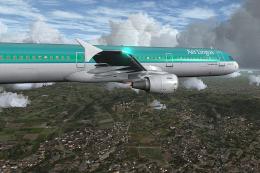 FSX Civil Aircraft
This extensive freeware package brings together a refined Airbus A321 (IAE-en…
 FSX Civil Aircraft
This complete package is a special version of the Project Airbus A318 called …
 FSX Civil Aircraft
This freeware release brings an Airbus A320 model enhanced with an FD-FMC sui…
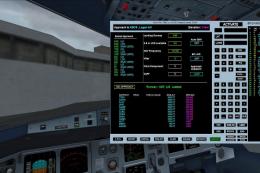 FSX Civil Aircraft
Project Airbus A319 FD-FMC version 1.55. Requires FSX+SP2 or acceleration pac…
 FSX Civil Aircraft
Expand your virtual fleet with this meticulously detailed Royal Jordanian Air…
 FSX Civil Aircraft
This is a fictional Air Canada Airlines Airbus A321 with CFM engines, for the…
 FSX Civil Aircraft
Vamjoo Airline Airbus A321-200 extended with two CFM engines. A business clas…
Read what other simmers think, or add your own.
