

 FSX Civil Aircraft
Iran Air Airbus A300-600 V3.0 Final
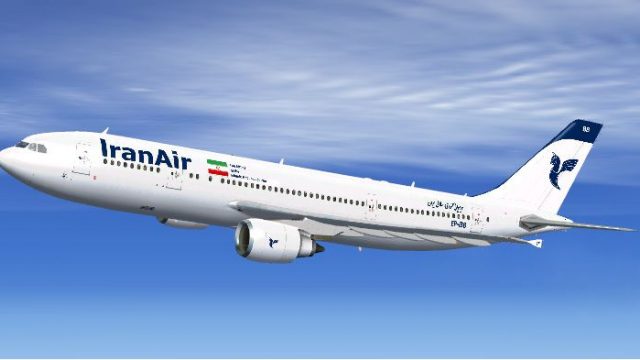
This specialized repaint depicts an Iran Air Airbus A300-600 widebody in regi…
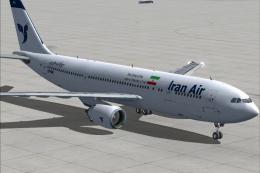
Iran Air’s EP-IBB Airbus A300-600 repaint brings crisp flag-carrier branding, accurate markings, and subtle fuselage detailing to Thomas Ruth’s freeware widebody, complementing its General Electric-powered profile for believable midrange and long-haul ops in Microsoft Flight Simulator X. Requires the Thomas Ruth A300-600 base model.
 Rate
Rate
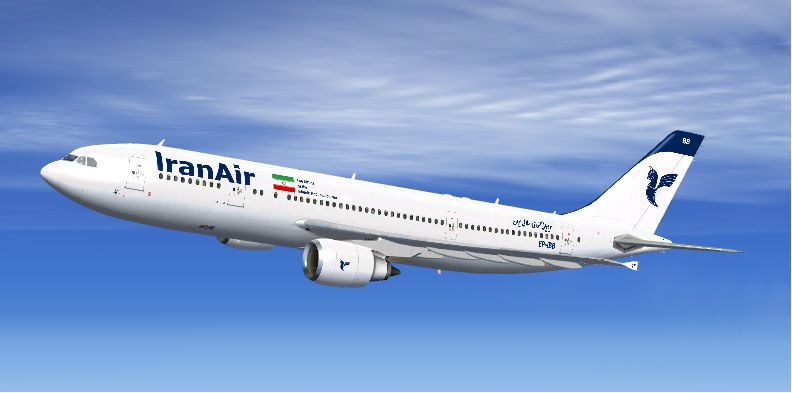
This refined repaint package features the Iran Air livery on the Airbus A300-600, registration EP-IBB. Created by Ali Heravi for the well-known freeware Thomas Ruth A300 model, it highlights numerous authentic details from the Iranian flag carrier’s real-world fleet. Enthusiasts seeking realism within Microsoft Flight Simulator X will appreciate the accurate markings and subtle fuselage lines reproduced here. Meanwhile, the A300-600’s General Electric engines and aerodynamic profile give simmers a memorable long-haul or midrange flight experience.
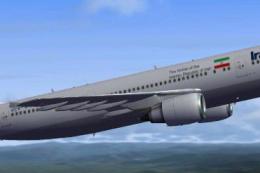
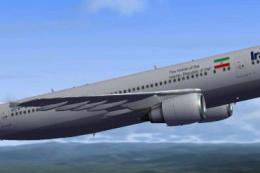
This image shows the repaint flying at altitude, highlighting the airline's signature tail emblem.
The real Airbus A300-600, first introduced in the 1980s, offers a two-man cockpit design (meaning it does not require a flight engineer) and leverages advanced avionics of its generation. Iran Air has operated various airframes across the Middle East and beyond, relying on the A300 for its cargo and passenger capacity. This freeware repaint reflects the airline’s layout, call signs, and EP-IBB registration identifiers.
Below is the necessary repaint configuration for your aircraft.cfg file:
[fltsim.xx]
title=Tom Airbus A300-600R IRAN AIR
sim=Tom_A300-600R
model=RGE
panel=306GE
sound=
texture=IBB
atc_id=EP-IBB
atc_airline=IRAN AIR
atc_flight_number=711
atc_parking_types=GATE,RAMP
atc_parking_codes=IR
ui_manufacturer=Airbus
ui_type=A300-600R
ui_typerole=Commercial Airliner
ui_createdby=Thomas Ruth
ui_variation=IRAN AIR
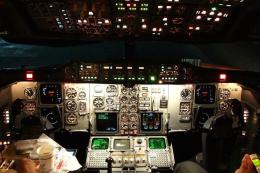
Important: Copy the folders named panel.310GE and model.GE to your main “tom 310” directory to ensure proper cockpit and external model functionalities. If these are missing, you may encounter display or gauge load issues.
Enjoy each flight with this Iran Air rendition, and be sure to explore diverse routes typical of Iran Air’s operational network. This distinctive scheme is bound to enhance both visual immersion and geographic realism whenever you power up your Airbus A300-600 in the simulator.
Free for all simmers · 12.87 MB · Scanned clean Oct 2026
Download speed: Free tier is capped at 0.5 Mbps (this file takes approximately 4 mins at the cap). PRO members download at full line speed.
texture.{airline}) inside FSX\SimObjects\Airplanes\{base-aircraft}\.aircraft.cfg in Notepad. Add a new [fltsim.X] section per the readme.readme.txt or README file. It tells you exactly where files go, what dependencies are needed, and any quirks specific to this add-on.The archive ep-ibb3.zip has 55 files and directories contained within it.
This list displays the first 500 files in the package. If the package has more, you will need to download it to view them.
| Filename/Directory | File Date | File Size |
|---|---|---|
| EP-IBB3 | 07.18.14 | 0 B |
| EP-IBB | 02.12.14 | 0 B |
| model.RGE | 02.12.14 | 0 B |
| model.cfg | 12.04.09 | 57 B |
| multiplayer | 02.12.14 | 0 B |
| TomA306RGE.MDL | 01.31.10 | 6.50 MB |
| TomA306RGE.MDL | 01.28.10 | 6.50 MB |
| TomA306R_interior.MDL | 01.24.10 | 1.55 MB |
| panel.306GE | 02.12.14 | 0 B |
| $vc.bmp | 12.25.09 | 3.00 MB |
| overhead.bmp | 01.19.10 | 332.77 kB |
| overheadL.bmp | 01.19.10 | 332.77 kB |
| panel.cfg | 01.24.10 | 8.00 kB |
| panelmain.bmp | 01.14.10 | 2.25 MB |
| panelmainL.bmp | 01.16.10 | 2.25 MB |
| panelpedestal.bmp | 12.25.09 | 674.00 kB |
| panelpedestalL.bmp | 01.19.10 | 674.00 kB |
| panelradio.bmp | 01.17.10 | 275.01 kB |
| panelradioL.bmp | 01.17.10 | 275.01 kB |
| systems.bmp | 01.20.10 | 738.38 kB |
| systemsL.bmp | 01.19.10 | 738.38 kB |
| TRuth_A300.cfg | 05.14.10 | 386 B |
| readme.txt | 02.12.14 | 652 B |
| texture.IBB | 07.18.14 | 0 B |
| glass.dds | 11.14.09 | 64.12 kB |
| glass_spec.dds | 11.24.08 | 4.12 kB |
| main.dds | 07.18.14 | 4.00 MB |
| main_bump.dds | 07.07.14 | 4.00 MB |
| main_light.dds | 11.14.09 | 1.00 MB |
| main_spec.dds | 07.07.14 | 1.00 MB |
| texture.cfg | 10.18.09 | 137 B |
| thumbnail.jpg | 07.18.14 | 56.29 kB |
| vc01.dds | 01.17.10 | 1.00 MB |
| vc01_L.dds | 01.17.10 | 1.00 MB |
| vc02.dds | 02.12.14 | 1.00 MB |
| vc02_L.dds | 01.16.10 | 1.00 MB |
| vc03.dds | 01.13.10 | 1.00 MB |
| vc03_L.dds | 01.14.10 | 1.00 MB |
| vc04.dds | 01.11.10 | 1.00 MB |
| vc04_L.dds | 02.02.10 | 1.00 MB |
| vc05.dds | 01.13.10 | 1.00 MB |
| vc05_L.dds | 01.15.10 | 1.00 MB |
| vc2_L.dds | 01.24.10 | 256.12 kB |
| vc3_L.dds | 01.24.10 | 256.12 kB |
| VCblend.dds | 01.15.10 | 1.12 kB |
| vcreflect.dds | 01.13.10 | 384.12 kB |
| vc_L.dds | 01.24.10 | 1.00 MB |
| wingbump_l.dds | 11.11.09 | 1.00 MB |
| wingbump_r.dds | 11.11.09 | 1.00 MB |
| wingspec_l.dds | 11.11.09 | 256.12 kB |
| wingspec_r.dds | 11.11.09 | 256.12 kB |
| wing_l.dds | 11.16.09 | 1.00 MB |
| wing_r.dds | 02.12.14 | 1.00 MB |
| flyawaysimulation.txt | 10.29.13 | 959 B |
| Go to Fly Away Simulation.url | 01.22.16 | 52 B |
Only PRO members can place votes.
More FSX & P3D add-ons hand-picked based on this download.
FSX Civil Aircraft
This specialized repaint depicts an Iran Air Airbus A300-600 widebody in regi…
 FSX Civil Aircraft
FSX FedEx Airbus A300-600R. Textures only for the payware Overland A300-600 m…
 FSX Civil Aircraft
Final version of Iran Air A300-600, registration EP-IBB. Model by Thomas Ruth…
 FSX Civil Aircraft
Iran Air Airbus A300-600R. Model by Thomas Ruth. Repaint by Peyman Javanbakht…
 FSX Civil Aircraft
This freeware repaint brings an Iran Air Airbus A300-600R rendition into Micr…
 FSX Civil Aircraft
Model by Thomas Ruth has VC and seven wing views. Repaint by Mohammad Taghi E…
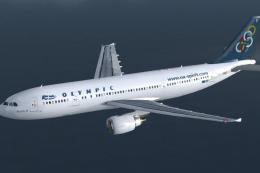 FSX Civil Aircraft
Textures only for the Thomas Ruth A330-600 model (TOMA333B-1.ZIP). Repaint by…
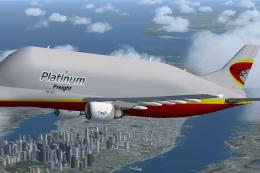 FSX Civil Aircraft
Thomas Ruth A300-600ST Beluga. Full aircraft, repainted in Platinum Airways' …
Be the first to leave a comment on this download.
Be the first to share your thoughts on this download.