

 FSX Civil Aircraft
Tame Airbus A320 HC-CPB
This aircraft, registered HC-CPB, is one of the few Airbus A320 the main Ecua…
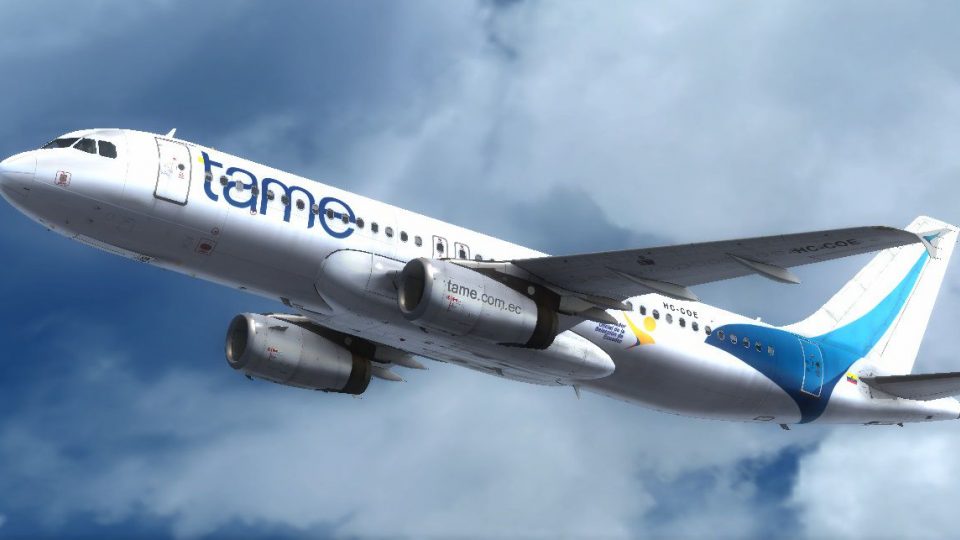
Tame Airbus A320 HC-COE livery brings Ecuador’s flagship carrier to life with crisp HD textures, accurate exterior markings, and a believable reflective finish on the IAE-powered A320-232. Built for Microsoft Flight Simulator X, it requires the payware Aerosoft Airbus X Extended and delivers a clean, airline-faithful look for regional and longer routes.
 Rate
Rate
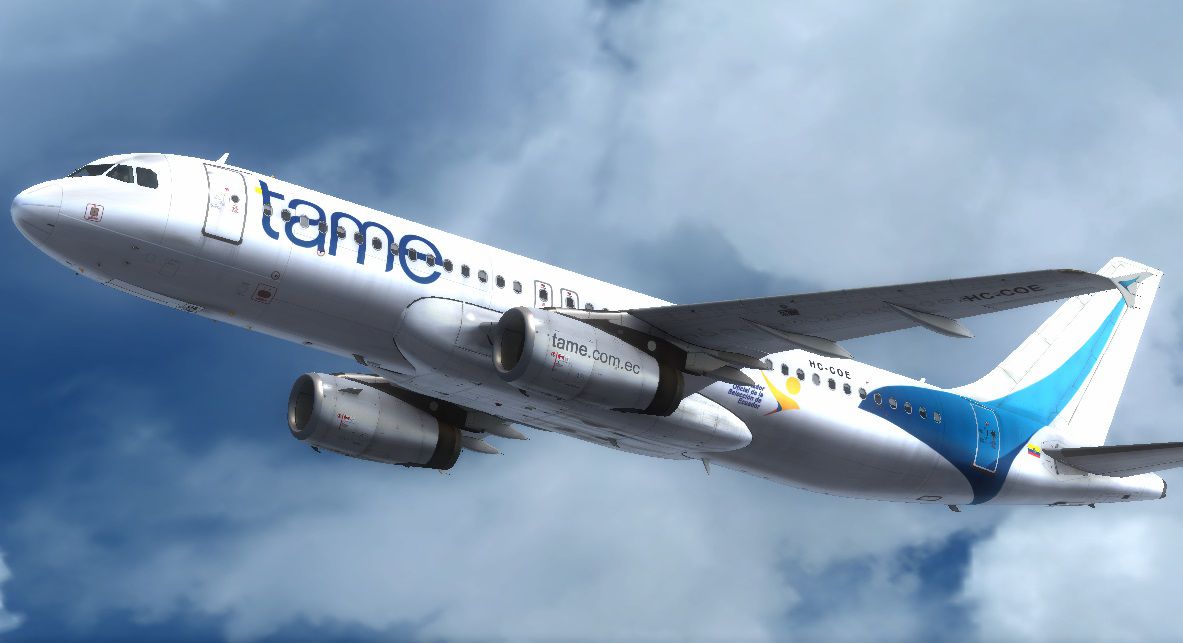

Experience an authentic livery of one of Ecuador’s principal carriers through these meticulously designed high-resolution textures, exclusively intended for the payware Aerosoft Airbus X Extended in Microsoft Flight Simulator X. Tail number HC-COE belongs to Tame, a key airline operating across domestic and intercontinental routes. This repaint set, crafted with attention to detail by Rodolfo Estrella C., showcases the realistic exterior markings and reflective properties you would expect from the real aircraft.
Tame (Transportes Aéreos Militares Ecuatorianos) has been instrumental in connecting various cities within Ecuador and beyond. The Airbus A320 fleet supports frequent flights catering to both domestic business travelers and international tourists. With optimized performance from the IAE engines, this aircraft provides balanced handling and fuel efficiency, making it well-suited for mountainous terrain and variable weather commonly encountered in the region. This texture package embodies the essence of Tame’s commitment to reliably expanding travel opportunities throughout South America.

Screenshot of Tame’s Airbus A320 livery at cruise altitude.
[FLTSIM.XX]

title = Airbus A320 Tame HC-COE

sim = A320

model =

panel =

sound =

texture = tameCOE

kb_checklists = AirbusA321_check

kb_reference = AirbusA321_ref

atc_id = HC-COE

atc_airline = Tame

atc_flight_number =

ui_manufacturer = Airbus

ui_type = A320-232 IAE

ui_variation = Tame

ui_typerole = Commercial Airliner

ui_createdby = Aerosoft

atc_parking_types = GATE

description = Airbus X Extended - A320 IAE / Tame HC-COE Repaint by Rodolfo Estrella C.
Free for all simmers · 16.78 MB · Scanned clean Oct 2026
Download speed: Free tier is capped at 0.5 Mbps (this file takes approximately 5 mins at the cap). PRO members download at full line speed.
texture.{airline}) inside FSX\SimObjects\Airplanes\{base-aircraft}\.aircraft.cfg in Notepad. Add a new [fltsim.X] section per the readme.readme.txt or README file. It tells you exactly where files go, what dependencies are needed, and any quirks specific to this add-on.The archive fsxcoe.zip has 25 files and directories contained within it.
This list displays the first 500 files in the package. If the package has more, you will need to download it to view them.
| Filename/Directory | File Date | File Size |
|---|---|---|
| Texture.tameCOE | 10.22.14 | 0 B |
| AIRBUSX_V2_VC_MAINPANEL_C.dds | 10.22.14 | 4.00 MB |
| AIRBUSX_V2_VC_MAINPANEL_L.dds | 10.22.14 | 4.00 MB |
| AIRBUS_EX320_AFTSEC_C.dds | 10.22.14 | 4.00 MB |
| AIRBUS_EX320_BAREMETALGLOSS_IAE_C.dds | 10.07.14 | 4.00 MB |
| AIRBUS_EX320_ELEVATOR_C.dds | 09.16.13 | 1.00 MB |
| AIRBUS_EX320_MIDSEC_C.dds | 10.22.14 | 4.00 MB |
| AIRBUS_EX320_NOSESEC_C.dds | 10.22.14 | 4.00 MB |
| AIRBUS_EX320_STABIS_C.dds | 10.07.14 | 4.00 MB |
| AIRBUS_EX320_STABIS_L.dds | 10.08.14 | 4.00 MB |
| AIRBUS_EX320_TAILSEC_C.dds | 10.22.14 | 4.00 MB |
| AIRBUS_EX320_TURBINE_C.dds | 09.16.13 | 1.00 MB |
| AIRBUS_EX320_TURBINE_IAE_C.dds | 10.07.14 | 4.00 MB |
| AIRBUS_EX320_TURBINMETAL_C.dds | 09.16.13 | 1.00 MB |
| AIRBUS_EX320_TURBINMETAL_IAE_C.dds | 10.06.14 | 512.12 kB |
| AIRBUS_EX320_WANNE_C.dds | 10.11.14 | 4.00 MB |
| AIRBUS_EX320_WINGOUTER_C.dds | 10.22.14 | 4.00 MB |
| AIRBUS_EX320_WINGOUTER_RIGHT_C.dds | 10.22.14 | 4.00 MB |
| airbus_vc_enviromap.dds | 09.16.13 | 192.12 kB |
| texture.cfg | 09.16.13 | 326 B |
| thumbnail.jpg | 10.22.14 | 127.55 kB |
| Read Me COE.txt | 10.22.14 | 1.00 kB |
| COE preview.jpg | 10.30.14 | 124.01 kB |
| flyawaysimulation.txt | 10.29.13 | 959 B |
| Go to Fly Away Simulation.url | 01.22.16 | 52 B |
Only PRO members can place votes.
More FSX & P3D add-ons hand-picked based on this download.
FSX Civil Aircraft
This aircraft, registered HC-CPB, is one of the few Airbus A320 the main Ecua…
 FSX Civil Aircraft
This aircraft, registered HC-CGW, is one of the few Airbus A320 the main Ecua…
 FSX Civil Aircraft
This special repaint features Tame’s registered Airbus A320, HC-COC, which ma…
 FSX Civil Aircraft
This freeware repaint provides an authentic TAME Ecuador texture set for the …
 FSX Civil Aircraft
TAME Airbus A330-243 Fix for TAEA332RR_V1.ZIP including HD logos and 32 bit t…
 FSX Civil Aircraft
This aircraft, registered HC-BKN, was one of the few DC-8's Aeca used to fly …
 FSX Civil Aircraft
This aircraft, registered HC-CFR, was part of the airline's big B737-200 flee…
 FSX Civil Aircraft
FSX Austrian Airbus A320-200, registration OE-LBP, retro livery. Textures onl…
Be the first to leave a comment on this download.
Be the first to share your thoughts on this download.