

 FSX Military Aircraft
Swiss Air Force Pilatus PC-7
Experience a refreshed level of Swiss-themed turboprop training in Microsoft …
Swiss Air Force livery for the Pilatus PC-7 brings crisp national insignia, accurate striping, and authentic training identifiers to Tim Conrad’s model in Microsoft Flight Simulator X. The repaint targets real-world visual fidelity across the airframe and requires the separate freeware PC-7 base aircraft to display correctly.
 Rate
Rate
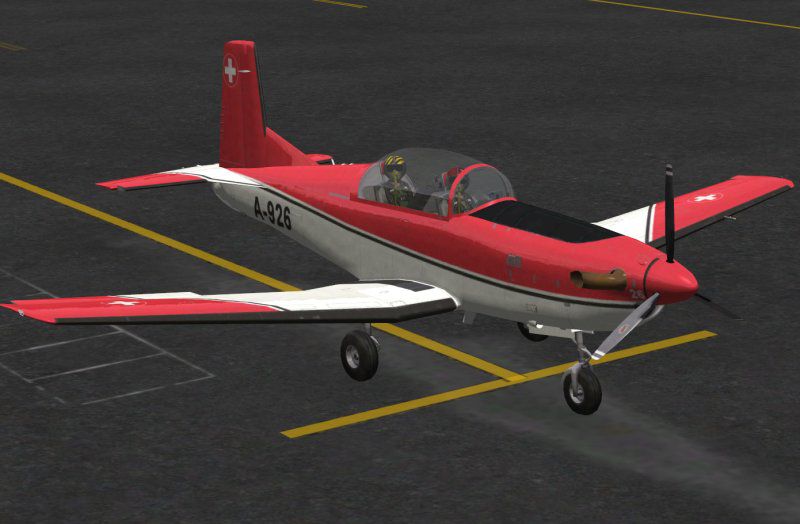
This freeware download supplies an authentic Swiss Air Force paint scheme for Tim Conrad’s Pilatus PC-7 model, originally tailored for Microsoft Flight Simulator X. Crafted by John Barner, it recreates the appearance of a real-world training aircraft used by Swiss military instructors. The package focuses on detailed markings and accurate color placement, ensuring a credible depiction of this celebrated Swiss turboprop trainer. It does not include the underlying aircraft model, so acquiring Tim Conrad’s freeware PC-7 is necessary prior to installation.
This specialized repaint showcases external markings inspired by an actual Swiss Air Force PC-7. The vivid insignia, fuselage striping, and operational identifiers have all been adapted to mirror photoreal standards. Given Pilatus’ reputation for crafting versatile trainer planes, this additional layer of visual fidelity highlights the aircraft’s role in advanced pilot instruction. Enthusiasts of Swiss aviation will appreciate the faithful replication of national emblems.
Manufactured by Pilatus Aircraft in Stans, Switzerland, the PC-7 is recognized worldwide for its robust flight envelope and reliability. This two-seat turboprop frequently undergoes intensive use in primary and advanced training scenarios. Its design supports a wide range of maneuvers, equipping trainees with the skills required for further operational readiness. The Swiss Air Force remains a significant operator, utilizing this platform for streamlined pilot development and routine mission proficiency.
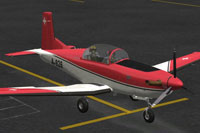
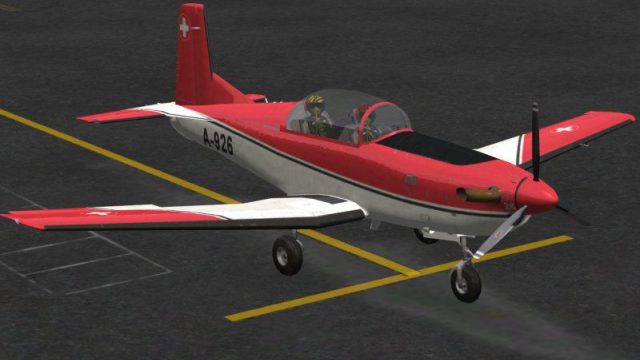
Screenshot of Swiss Air Force Pilatus P-7 on the ground.
[fltsim.xx]

title=PC-7 Swiss

sim=PC-7

model=

panel=

sound=

texture=swiss

kb_checklists=

kb_reference=

atc_id_color=0x00ff0000

atc_id=302

ui_manufacturer=Pilatus

ui_type="PC-7"

ui_variation="swiss"

description="Swiss turboprop basic and advanced training aircraft. In service throughout the world my many air forces. Several can found on the civil registries of several countries"

atc_heavy=0

atc_id_font=Verdana,-11,1,600,0

ui_createdby="Piglet's Peculiar Planes"

visual_damage=1
Keep in mind that this add-on solely supplies textures reflecting the Swiss Air Force scheme. The foundational PC-7 model developed by Tim Conrad is a prerequisite and should be installed beforehand. You can obtain the freeware installment from the Fly Away Simulation mod library. Once the model is set up, this Swiss-inspired variant will seamlessly integrate, providing an accurate depiction of the venerable PC-7 in Swiss Air Force service.
Free for all simmers · 7.93 MB · Scanned clean Oct 2026
Download speed: Free tier is capped at 0.5 Mbps (this file takes approximately 2 mins at the cap). PRO members download at full line speed.
This file is a repaint — the package below is the base model it paints onto. Install it first, or the textures will have nothing to load onto.
texture.{airline}) inside FSX\SimObjects\Airplanes\{base-aircraft}\.aircraft.cfg in Notepad. Add a new [fltsim.X] section per the readme.readme.txt or README file. It tells you exactly where files go, what dependencies are needed, and any quirks specific to this add-on.The archive pc-7swiss.zip has 21 files and directories contained within it.
This list displays the first 500 files in the package. If the package has more, you will need to download it to view them.
| Filename/Directory | File Date | File Size |
|---|---|---|
| 150.gif | 09.18.13 | 7.93 kB |
| FILE_ID.DIZ | 09.18.13 | 160 B |
| Read Me First.txt | 09.18.13 | 2.27 kB |
| Swiss.jpg | 09.18.13 | 56.38 kB |
| pc7_01.dds | 09.18.13 | 5.33 MB |
| pc7_01_bump.dds | 07.10.10 | 4.00 MB |
| pc7_01_spec.dds | 08.12.13 | 5.33 MB |
| pc7_02.dds | 07.14.10 | 4.00 MB |
| pc7_02_lm.dds | 07.05.10 | 4.00 MB |
| pc7_02_spec.dds | 07.04.10 | 4.00 MB |
| pc7_aircrew.dds | 06.26.10 | 1.00 MB |
| pc7_glass.dds | 06.29.10 | 256.12 kB |
| pc7_panels.dds | 07.13.10 | 4.00 MB |
| pc7_panels_lm.dds | 07.03.10 | 4.00 MB |
| pc7_panels_spec.dds | 07.03.10 | 4.00 MB |
| pc7_prop.dds | 06.22.10 | 64.12 kB |
| pc7_reflect.dds | 07.02.10 | 256.12 kB |
| thumbnail.jpg | 08.28.13 | 15.86 kB |
| texture.swiss | 09.18.13 | 0 B |
| flyawaysimulation.txt | 10.29.13 | 959 B |
| Go to Fly Away Simulation.url | 01.22.16 | 52 B |
Only PRO members can place votes.
More FSX & P3D add-ons hand-picked based on this download.
FSX Military Aircraft
Experience a refreshed level of Swiss-themed turboprop training in Microsoft …
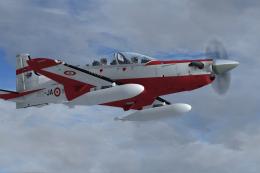 FSX Military Aircraft
A repaint for the Iris Pilatus PC21 payware aircraft. Repaint by Martial Fero…
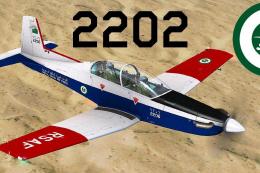 FSX Military Aircraft
This is a repaint pack for the Iris Simulations PC9. The repaints are of the …
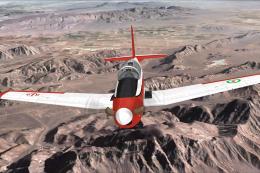 FSX Military Aircraft
This is a repaint for the Tim Conrad PC7 v2.0 (PC-7_V20.ZIP). The Iranians op…
 FSX Military Aircraft
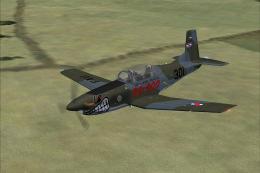
Uruguay Air Force Pilatus PC-7 in shark mouth paint scheme. Textures only, re…
 FSX Military Aircraft
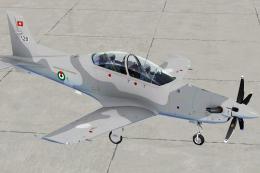
A repaint of the payware Iris Pilatus PC-21. It is painted as PC-21 "128" fro…
 FSX Military Aircraft
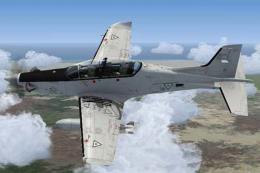
A Fuerza Aerea Mexicana (Mexican Air Force) Pilatus PC21 ficticious repaint. …
 FSX Military Aircraft
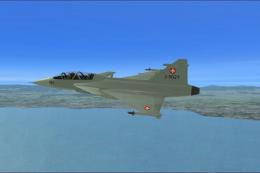
FSX Swiss Air Force SAAB JAS-39C/D Gripen (fictional). Textures only. A repai…
Be the first to leave a comment on this download.
Be the first to share your thoughts on this download.