

 FSX Military Aircraft
US Navy Project Magnet EC-27J Spartan
US Navy Project Magnet EC-27J Spartan. This is a repaint for IRIS Simulations…
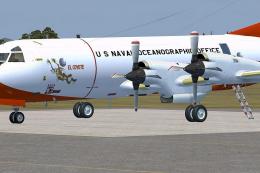
Lockheed NP-3D Orion “Paisano Tres” (BuNo 158227) brings VXN-8 Project Magnet markings from the US Naval Oceanographic Office to the KBT P-3 v3 in FSX, delivered as crisp .dds textures. Requires the KBT P-3 v3 base aircraft and includes squadron-specific details that suit Cold War-era naval research operations.
 Rate
Rate
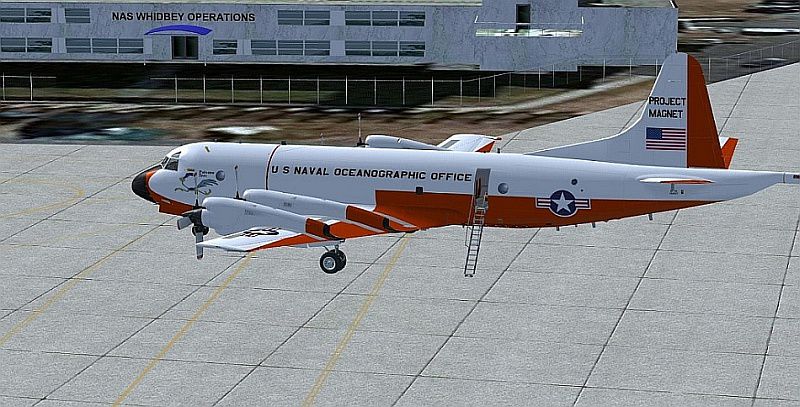
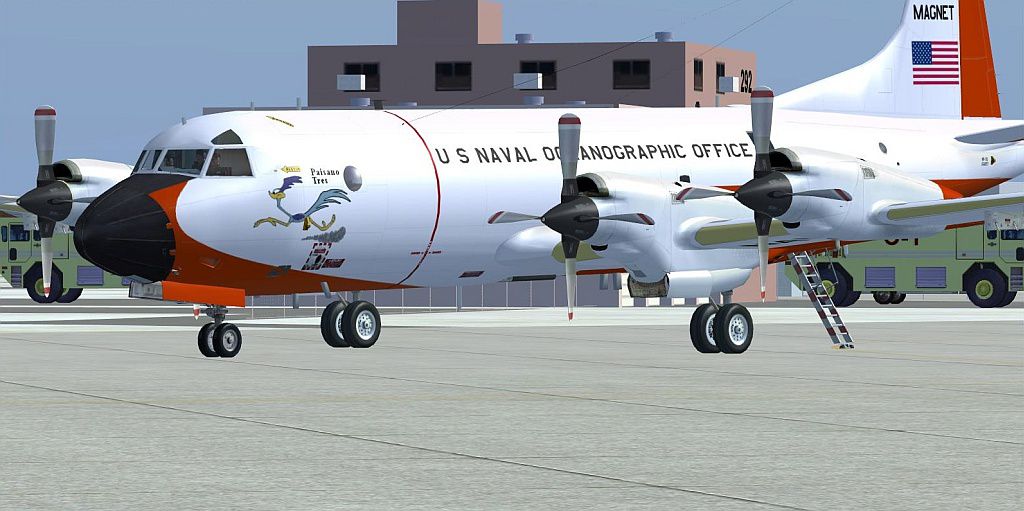

A texture set for the KBT P3 v3. The first of three texture sets of the Lockheed P-3 Orion aircraft operated by VXN-8. This paint represents NP-3D, BuNo 158227, "Paisano Tres" (Roadrunner) of Project Magnet for the US Naval Oceanographic Office. The textures are in .dds format for FSX. By Joe Bowers.
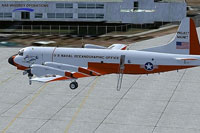
Screenshot of Lockheed P-3 Orion on the ground.
Installation:
[fltsim.xx]

title=P-3C Orion FSX US NAVY VXN-8 "Paisano Tres"

sim=P-3

model=USN_Type0

panel=The general-purpose virtual cockpit for the P-3 series

sound=

texture=USN_VXN-8_Paisano Tres

kb_checklists=

kb_reference=

atc_id=

atc_airline=NAVY

atc_flight_number=227

atc_heavy=0

atc_parking_types=MIL_COMBAT

ui_manufacturer=Lockheed

ui_type=NP-3D FSX

ui_variation=VXN-8 Paisano Tres

atc_parking_codes=M002,P-3

description=This NP-3D is one of the P-3 project aircraft comprising the US Navy's VXN-8 Squadron operating for the US Naval Oceanographic Office in the 1970s and '80s. "Paisano Tres" BuNo 158227, was retired to AMARC after VXN-8 was disestablished Oct. 1, 1993.
Free for all simmers · 1.65 MB · Scanned clean Oct 2026
Download speed: Free tier is capped at 0.5 Mbps. PRO members download at full line speed.
texture.{airline}) inside FSX\SimObjects\Airplanes\{base-aircraft}\.aircraft.cfg in Notepad. Add a new [fltsim.X] section per the readme.readme.txt or README file. It tells you exactly where files go, what dependencies are needed, and any quirks specific to this add-on.The archive vxn-8_p-3_project_magnet.zip has 17 files and directories contained within it.
This list displays the first 500 files in the package. If the package has more, you will need to download it to view them.
| Filename/Directory | File Date | File Size |
|---|---|---|
| vxn8patch_01_27jul2005.jpg | 02.28.14 | 37.47 kB |
| p3_eg01_t.dds | 02.28.14 | 1.33 MB |
| p3_fuseb_t.dds | 02.28.14 | 1.33 MB |
| p3_fusel01_t.dds | 02.28.14 | 1.33 MB |
| p3_fusel02_t.dds | 02.28.14 | 1.33 MB |
| p3_fuser01_t.dds | 02.28.14 | 1.33 MB |
| p3_fuser02_t.dds | 02.28.14 | 1.33 MB |
| p3_lwg_t.dds | 02.28.14 | 1.33 MB |
| p3_rwg_t.dds | 02.28.14 | 1.33 MB |
| texture.cfg | 01.06.14 | 183 B |
| thumbnail.jpg | 02.25.14 | 11.48 kB |
| VXN-8 Readme.txt | 02.28.14 | 3.96 kB |
| Roadrunner screenshot 2.JPG | 02.28.14 | 170.68 kB |
| Roadrunner thumbnail.gif | 02.25.14 | 7.82 kB |
| Roadrunner screenshot 1.JPG | 02.25.14 | 174.01 kB |
| flyawaysimulation.txt | 10.29.13 | 959 B |
| Go to Fly Away Simulation.url | 01.22.16 | 52 B |
Only PRO members can place votes.
More FSX & P3D add-ons hand-picked based on this download.
FSX Military Aircraft
US Navy Project Magnet EC-27J Spartan. This is a repaint for IRIS Simulations…
 FSX Military Aircraft
A texture set for the KBT P3 v3. The second of three texture sets of the Lock…
 FSX Military Aircraft
A texture set for the KBT P3 v3. The third of three texture sets of the Lockh…
 FSX Military Aircraft
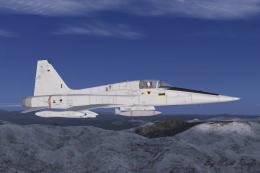
F-5 Project. This is Tim Conrad's F-5 Tiger II modified for Flight Simulator …
 FSX Military Aircraft
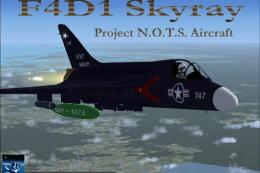
FSX F4D1 N.O.T.S. Project. This is a modified version of Kazunori Ito's F4D1 …
 FSX Military Aircraft
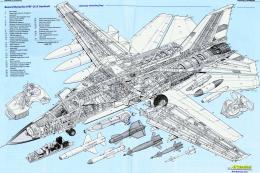
F-111 Build Std 08 - WEF 08AUG2013 -- complete aircraft. Global reach strike-…
 FSX Military Aircraft
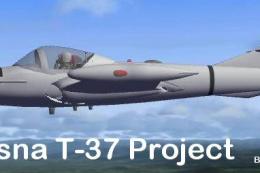
FSX Project T-37 / A-37. A repaint of Capt. I. D'Attomo's T-37 Dragonfly modi…
 FSX Military Aircraft
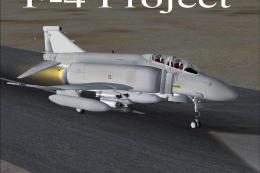
FSX Project F-4 Phantom. A repaint of Kazunori Ito's McDonnell Douglas F-4 Ph…
Be the first to leave a comment on this download.
Be the first to share your thoughts on this download.