

 FS2004 Propeller Aircraft
DeHavilland Dash 8 100 Ai Flyable Repaint Package
Variants of the Default Dash 8 100 Repaints By Robert "Hawk".
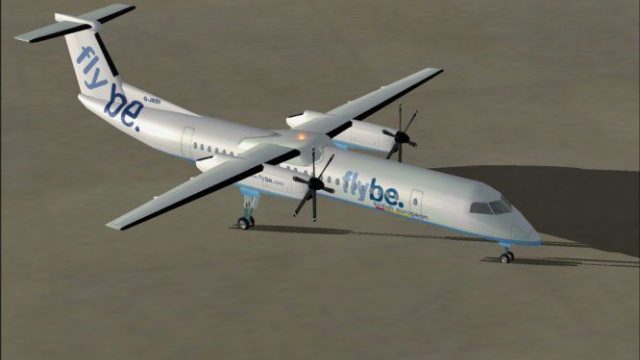
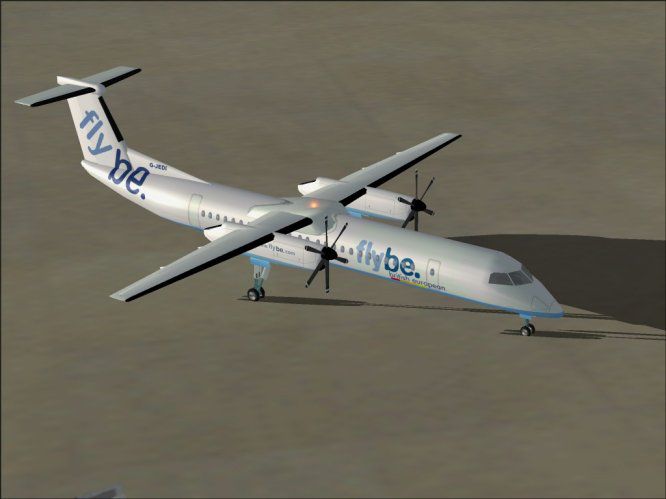
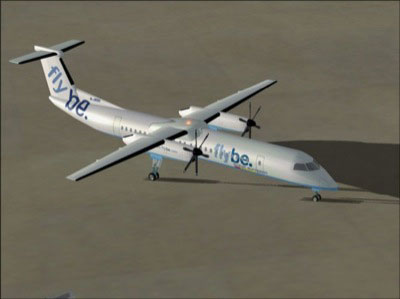
The Flybe DeHavilland Dash 8-Q400 brings a freshly built Gmax model to FS2004, featuring animated moving parts, opening doors, and clearly visible propeller pitch changes. It works well for AI traffic while still offering an engaging virtual cockpit experience for hands-on regional flying, finished in authentic Flybe colors.
 Rate
Rate
Free for all simmers · 533.18 KB · Scanned clean Oct 2026
Download speed: Free tier is capped at 0.5 Mbps. PRO members download at full line speed.
FS9\Aircraft\, FS9\Addon Scenery\, FS9\Gauges\, or FS9\Effects\.readme.txt or README file. It tells you exactly where files go, what dependencies are needed, and any quirks specific to this add-on.The archive d8400fbe.zip has 37 files and directories contained within it.
This list displays the first 500 files in the package. If the package has more, you will need to download it to view them.
| Filename/Directory | File Date | File Size |
|---|---|---|
| Dash8 FlyBe | 10.19.03 | 0 B |
| Aircraft.cfg | 10.19.03 | 13.41 kB |
| dash80.jpg | 10.19.03 | 29.97 kB |
| dhc84.air | 10.17.03 | 14.87 kB |
| DHC84.PDF | 10.11.03 | 96.62 kB |
| file_id.diz | 10.19.03 | 235 B |
| MODEL | 10.19.03 | 0 B |
| dhc84.mdl | 10.05.03 | 504.23 kB |
| Model.cfg | 09.30.03 | 24 B |
| PANEL | 10.19.03 | 0 B |
| Copy of panel.cfg | 08.08.03 | 41 B |
| Panel.cfg | 10.17.03 | 42 B |
| read me first.txt | 10.19.03 | 545 B |
| SOUND | 10.19.03 | 0 B |
| Sound.cfg | 09.26.03 | 42 B |
| texture.be | 10.19.03 | 0 B |
| blades.bmp | 07.08.01 | 170.75 kB |
| blades_fast.bmp | 10.19.03 | 192.05 kB |
| dhc84_engines_l.bmp | 10.11.03 | 256.07 kB |
| dhc84_engines_t.bmp | 10.19.03 | 256.07 kB |
| dhc84_flaps_l.bmp | 10.11.03 | 256.07 kB |
| dhc84_flaps_t.bmp | 10.02.03 | 256.07 kB |
| dhc84_fuse_l.bmp | 10.11.03 | 1.00 MB |
| dhc84_fuse_t.bmp | 10.19.03 | 1.00 MB |
| dhc84_geardoors_l.bmp | 10.11.03 | 256.07 kB |
| dhc84_geardoors_t.bmp | 10.19.03 | 256.07 kB |
| dhc84_gear_l.bmp | 10.11.03 | 256.07 kB |
| dhc84_gear_t.bmp | 10.03.03 | 64.07 kB |
| dhc84_inside.bmp | 07.01.02 | 65.05 kB |
| dhc84_pylons.bmp | 10.02.03 | 64.07 kB |
| dhc84_spinner.bmp | 01.22.02 | 17.05 kB |
| dhc84_wings_l.bmp | 10.11.03 | 256.07 kB |
| dhc84_wings_t.bmp | 10.02.03 | 1.00 MB |
| wheels.bmp | 09.23.03 | 5.05 kB |
| wheels_f.bmp | 09.23.03 | 5.05 kB |
| flyawaysimulation.txt | 10.29.13 | 959 B |
| Go to Fly Away Simulation.url | 01.22.16 | 52 B |
Only PRO members can place votes.
More FS2004 add-ons hand-picked based on this download.
FS2004 Propeller Aircraft
Variants of the Default Dash 8 100 Repaints By Robert "Hawk".
 FS2004 Propeller Aircraft
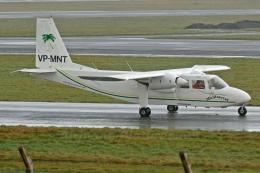
This airline uses only Britten Norman Islanders; this one is VP-MNT. Model by…
 FS2004 Propeller Aircraft
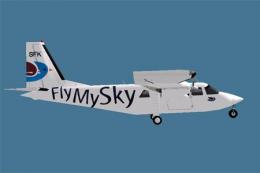
This repaint requires the Britten-Norman BN-2 model from HTAI. Repaint by Dip…
 FS2004 Propeller Aircraft
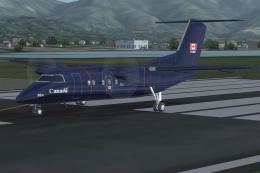
De Havilland Dash8-Q200 in the livery of the Canadian Forces Navigator Traini…
 FS2004 Propeller Aircraft
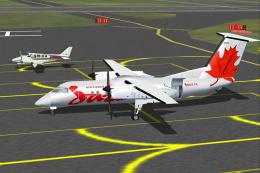
A 37 seat advanced turboprop regional airliner. Air Canada JAZZ Reg_ID: C-GAB…
 FS2004 Propeller Aircraft
Canadian Forces 440 Transport Squadron based at Yellowknife, NW Territories. …
 FS2004 Propeller Aircraft
37 seat turboprop regional airliner. Factory Demonstrator Reg: C-FBCS This is…
 FS2004 Propeller Aircraft
Done in White w/ Blue Texture, Simple repaint By Robert "Hawk" (R_Hawk_ zone …
Read what other simmers think, or add your own.


