

 FSX Civil Aircraft
Tarom Boeing 737-800 YR-BGR
Enhance your virtual fleet with this freeware Tarom Boeing 737-800 (YR-BGR) a…
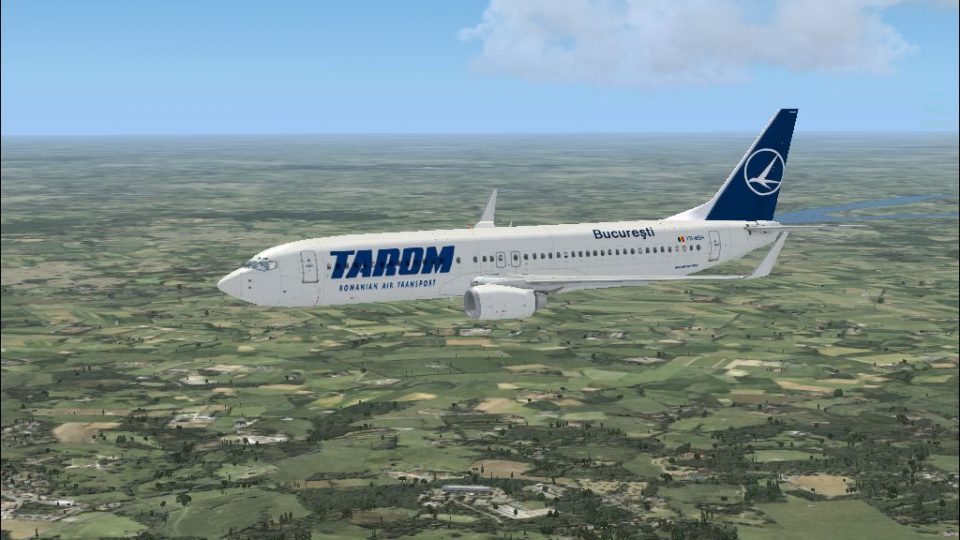
Tarom’s Boeing 737-800 livery brings Romania’s flag carrier to the default jet with crisp external textures, accurate tail artwork, and faithful fuselage and cabin decals. Built for Microsoft Flight Simulator X, it preserves the original flight model and systems and requires the stock FSX 737-800 base aircraft.
 Rate
Rate


This repaint package for Microsoft Flight Simulator X showcases Tarom’s Boeing 737-800 in sharp detail, offering enthusiasts a closer look at the flag carrier of Romania. Created by developer Felix Prüfer, this freeware add-on applies authentic Tarom markings and tail design to the default 737-800 without altering the jet’s core flight dynamics or system modeling. While it only contains the textures, it provides a thorough representation of the airline’s real-world livery, complete with accurate cabin and fuselage decals.
The Boeing 737-800, bearing the Next Generation (NG) series label, brings a modernized flight deck, improved aerodynamics, and enhanced fuel efficiency. It retains the tried-and-true narrow-body layout that has been a hallmark of Boeing’s single-aisle jets for decades. Tarom operates several short-to-medium haul routes using this variant, capitalizing on its reliable, cost-effective structure. This repaint closely replicates the airline’s official color scheme and corporate branding, portraying the correct tail styling and fuselage titles.
[fltsim.X]
title=Boeing 737-800 Tarom
sim=Boeing737-800
model=
panel=
sound=
texture=Tarom
kb_checklists=Boeing737-800_check
kb_reference=Boeing737-800_ref
atc_id=
atc_airline=Tarom
atc_flight_number=1419
ui_manufacturer=Boeing
ui_type=737-800
ui_variation=Tarom
ui_typerole=Kommerzielles Linienflugzeug
ui_createdby=Felix Prüfer
description=The Boeing 737 has long stood out as a leading narrow-body airliner, renowned for its operational efficiency. This Tarom repaint is crafted by Felix Prüfer for use on the default 737-800 in FSX.
Free for all simmers · 1.79 MB · Scanned clean Oct 2026
Download speed: Free tier is capped at 0.5 Mbps. PRO members download at full line speed.
texture.{airline}) inside FSX\SimObjects\Airplanes\{base-aircraft}\.aircraft.cfg in Notepad. Add a new [fltsim.X] section per the readme.readme.txt or README file. It tells you exactly where files go, what dependencies are needed, and any quirks specific to this add-on.The archive 737tarom-1.zip has 10 files and directories contained within it.
This list displays the first 500 files in the package. If the package has more, you will need to download it to view them.
| Filename/Directory | File Date | File Size |
|---|---|---|
| 738tarom.jpg | 07.08.09 | 610.50 kB |
| Readme.txt | 07.08.09 | 1.52 kB |
| b737_800_1_LM.dds | 09.04.06 | 170.79 kB |
| b737_800_1_T.dds | 07.02.09 | 1.00 MB |
| b737_800_1_T_Specular.dds | 09.04.06 | 1.33 MB |
| Fresnel_Ramp.dds | 09.04.06 | 640 B |
| texture.cfg | 08.14.06 | 137 B |
| thumbnail.jpg | 01.13.09 | 181.09 kB |
| flyawaysimulation.txt | 10.29.13 | 959 B |
| Go to Fly Away Simulation.url | 01.22.16 | 52 B |
Only PRO members can place votes.
More FSX & P3D add-ons hand-picked based on this download.
FSX Civil Aircraft
Enhance your virtual fleet with this freeware Tarom Boeing 737-800 (YR-BGR) a…
 FSX Civil Aircraft
BlueAir And TAROM Boeing 737-800. Realistic repaints of Romanian Blue Air and…
 FSX Civil Aircraft
FSX/FS2004 Tarom Boeing 737-800WL. A paint for the Project Open Sky B737-800 …
 FSX Civil Aircraft
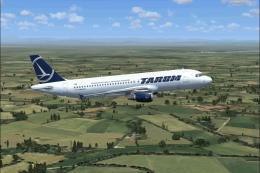
Tarom Airbus A321 / A320. A fictional repaint of the Project Airbus A321-211 …
 FSX Civil Aircraft
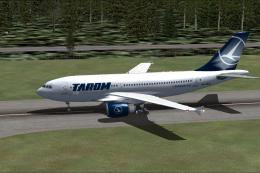
Tarom Airbus A310-300. This repaint is for the Thomas Ruth A310-300 model (TO…
 FSX Civil Aircraft
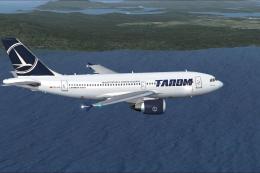
Repaint by Mathieu Vos (APSS), model by Thomas Ruth. Screenshot of Tarom Airb…
 FSX Civil Aircraft
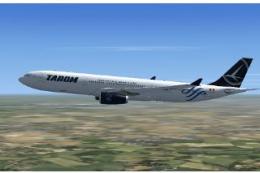
Tarom livery Airbus A330-300, registration YR-CTA (fictional). Fictional repa…
 FSX Civil Aircraft
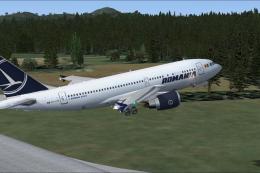
Repaint by Mathieu Vos (APSS), model by Thomas Ruth. Screenshot of Tarom Airb…
Be the first to leave a comment on this download.
Be the first to share your thoughts on this download.