

 FSX Civil Aircraft
Jet Blue McDonnell Douglas DC-9-20 N683JB
This repaint showcases a fictional Jet Blue livery for the McDonnell Douglas …
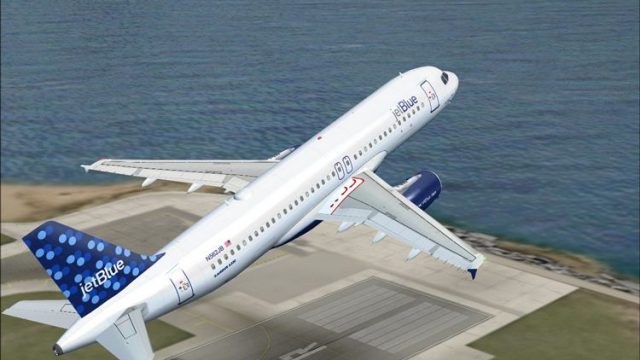
JetBlue Airbus A320-200 brings iFDG’s narrowbody to life in FSX with reflective, high-detail textures, animated control surfaces, flaps, flaperons, and wing views, plus enhanced lighting throughout. A complete package includes model, panel, sounds, and authentic door animations for cabin and cargo access.
 Rate
Rate
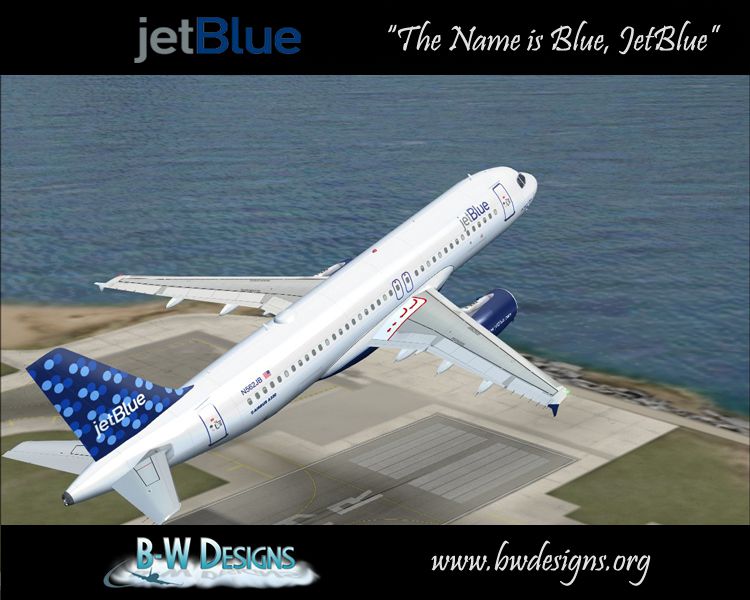
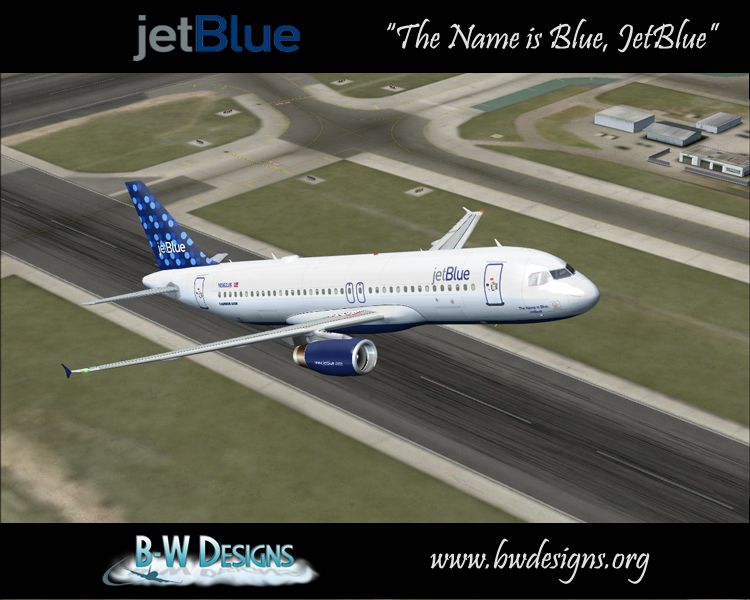
Jet Blue Airbus A320-200. The iFDG Airbus A320-200 in the colors of JetBlue. Features moving parts, enhanced lighting, a moving door. Also features panel, sounds, texture and model folders. By Ramiro Vogel.
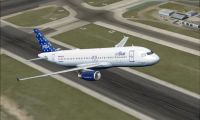
Jet Blue Airbus A320-200 in flight.
---iFDG Airbus A320 (JetBlue Bubbles "The Name is Blue, JetBlue")---
--------------------------------------------
TURN ON WORD WRAP!
INTRODUCTION:
iFDG is proud to present the Airbus A320. The aircraft model includes
most of the standard features including animated control surfaces, wingviews, flaps, flaperons, full lighting configuration, and highly detailed, reflective textures.
"The A320 was launched on March 2, 1984. It is the first subsonic commercial aircraft with fly-by-wire controls. First flight took place on February 22, 1987. The A320-100 was the initial version and was superseded by the A320-200 from the third quarter of 1988. The A320-200 differs from the A320-100 in having wingtip fences, a wing center-section fuel tank, and a higher MTOW". - Description by Pedro Oliveria
---------------------------------------------------------------------
This aircraft is made by iFDG (international Flightsim Design Group),
For more information visit our homepage at http://ifdg.net
Model : Albaro Villegas and Ric Barker
FDE : Pedro Oliveira
Master textures : Ben Jones
Testing : The A320 Beta Team
Livery : Timothy Wong | B-W Designs
Documentation : Albaro Villegas (English)
Translation : N/A
---------------------------------------------------------------------
INSTALLATION:
- Extract the folder contained in the zip archive into your FS Aircraft folder. The aircraft will be located under the manufacturer "iFDG Airbus".
- Copy all files in the EFFECTS folder into your Flight Simulator EFFECTS folder.
DOOR OPERATION:
Shift+E+1 - Opens L1 door
Shift+E+2 - Opens other cabin doors
Tailhook - Opens cargo doors
---------------------------------------------------------------------
SPECIAL THANKS:
Pedro Oliveira for allowing use of his excellent A320 FDE.
Airbus Industrie for A320 technical documents.
The A320 Beta team for finding the bugs.
---------------------------------------------------------------------
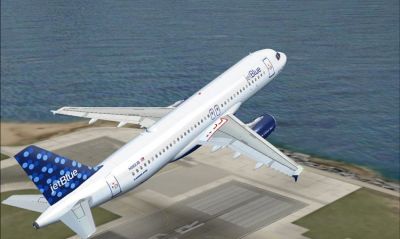
Jet Blue Airbus A320-200.
Free for all simmers · 14.51 MB · Scanned clean Oct 2026
Download speed: Free tier is capped at 0.5 Mbps (this file takes approximately 4 mins at the cap). PRO members download at full line speed.
FSX\SimObjects\Airplanes\. The folder must contain an aircraft.cfg file. Effects go into FSX\Effects\; gauges go into FSX\Gauges\.readme.txt or README file. It tells you exactly where files go, what dependencies are needed, and any quirks specific to this add-on.The archive jblue320.zip has 133 files and directories contained within it.
This list displays the first 500 files in the package. If the package has more, you will need to download it to view them.
| Filename/Directory | File Date | File Size |
|---|---|---|
| Airbus320-200IAE.air | 02.13.04 | 9.19 kB |
| Aircraft.cfg | 03.06.10 | 12.73 kB |
| effects | 04.05.10 | 0 B |
| iFDG_A320_flap.fx | 02.10.04 | 1.23 kB |
| iFDG_A320_greennav.fx | 02.08.04 | 4.56 kB |
| iFDG_A320_inspection.fx | 02.08.04 | 3.06 kB |
| iFDG_A320_logo.fx | 02.09.04 | 3.06 kB |
| iFDG_A320_redbeacon_bottom.fx | 03.16.05 | 2.08 kB |
| iFDG_A320_redbeacon_top.fx | 03.16.05 | 2.08 kB |
| iFDG_A320_rednav.fx | 02.08.04 | 4.55 kB |
| iFDG_A320_startup.fx | 02.10.04 | 1.34 kB |
| iFDG_A320_touchdown.fx | 02.10.04 | 4.61 kB |
| iFDG_A320_whitenav.fx | 02.09.04 | 3.05 kB |
| iFDG_A320_whitestrobe.fx | 03.16.05 | 2.47 kB |
| iFDG_A320_whitestrobe_tail.fx | 03.16.05 | 1.30 kB |
| model | 04.05.10 | 0 B |
| A3202IAEJB.mdl | 03.25.05 | 2.47 MB |
| Model.cfg | 06.29.07 | 29 B |
| name.gif | 08.07.07 | 16.35 kB |
| name1.jpg | 08.07.07 | 298.41 kB |
| panel | 04.05.10 | 0 B |
| annunciator_640.bmp | 05.12.06 | 7.18 kB |
| Bombardier_CRJ_700.cab | 09.04.06 | 2.20 MB |
| bombardier_CRJ700_panel_background.bmp | 05.12.06 | 769.05 kB |
| bombardier_CRJ700_panel_background_night.bmp | 05.12.06 | 769.05 kB |
| forward_1024.bmp | 05.12.06 | 534.05 kB |
| Lear_compass.BMP | 05.12.06 | 96.42 kB |
| panel.cfg | 08.06.06 | 5.09 kB |
| panel_decal_lear_2.bmp | 05.12.06 | 257.05 kB |
| throttle_quadrant_640.bmp | 05.12.06 | 42.69 kB |
| readme.txt | 08.07.07 | 4.77 kB |
| sound | 04.05.10 | 0 B |
| door_large_close.wav | 05.12.06 | 131.81 kB |
| door_large_open.wav | 05.12.06 | 116.30 kB |
| laapdis.wav | 05.12.06 | 11.25 kB |
| lagear.wav | 05.12.06 | 18.25 kB |
| lan11.wav | 08.01.06 | 68.23 kB |
| lan12.wav | 08.01.06 | 68.73 kB |
| lan13.wav | 08.01.06 | 60.23 kB |
| lan14.wav | 08.01.06 | 63.19 kB |
| lan1shut.wav | 08.01.06 | 243.77 kB |
| lan1strt.wav | 08.01.06 | 493.84 kB |
| lan21.wav | 08.01.06 | 46.23 kB |
| lan22.wav | 08.01.06 | 68.23 kB |
| lan23.wav | 08.01.06 | 59.73 kB |
| lan24.wav | 08.01.06 | 44.69 kB |
| lan2shut.wav | 08.01.06 | 59.30 kB |
| lan2strt.wav | 08.01.06 | 100.27 kB |
| lan2t.wav | 08.01.06 | 101.34 kB |
| laover.wav | 05.12.06 | 13.25 kB |
| lbn11.wav | 08.01.06 | 69.23 kB |
| lbn12.wav | 08.01.06 | 69.73 kB |
| lbn13.wav | 08.01.06 | 63.73 kB |
| lbn14.wav | 08.01.06 | 61.19 kB |
| lbn1shut.wav | 08.01.06 | 211.77 kB |
| lbn1strt.wav | 08.01.06 | 459.34 kB |
| lbn21.wav | 08.01.06 | 57.23 kB |
| lbn22.wav | 08.01.06 | 33.73 kB |
| lbn23.wav | 08.01.06 | 37.23 kB |
| lbn24.wav | 08.01.06 | 44.73 kB |
| lbn2shut.wav | 08.01.06 | 65.30 kB |
| lbn2strt.wav | 08.01.06 | 96.77 kB |
| lbn2t.wav | 08.01.06 | 97.34 kB |
| lmflaps.wav | 05.12.06 | 68.31 kB |
| lmgeardn.wav | 05.12.06 | 54.27 kB |
| lmgearup.wav | 05.12.06 | 59.27 kB |
| lncrash1.wav | 05.12.06 | 70.19 kB |
| lncrash2.wav | 05.12.06 | 102.69 kB |
| lncrash3.wav | 05.12.06 | 136.19 kB |
| lnsplash.wav | 05.12.06 | 85.69 kB |
| sound (2).cfg | 07.05.06 | 18.63 kB |
| sound.cfg | 07.05.06 | 18.63 kB |
| xlan11.wav | 05.12.06 | 67.73 kB |
| xlan12.wav | 05.12.06 | 68.23 kB |
| xlan13.wav | 05.12.06 | 65.23 kB |
| xlan14.wav | 05.12.06 | 62.69 kB |
| xlan1shut.wav | 05.12.06 | 220.75 kB |
| xlan1strt.wav | 05.12.06 | 464.31 kB |
| xlan21.wav | 05.12.06 | 62.23 kB |
| xlan22.wav | 05.12.06 | 56.73 kB |
| xlan23.wav | 05.12.06 | 60.73 kB |
| xlan24.wav | 05.12.06 | 64.23 kB |
| xlan2shut.wav | 05.12.06 | 195.25 kB |
| xlan2strt.wav | 05.12.06 | 71.75 kB |
| xlan2t.wav | 05.12.06 | 100.81 kB |
| xlbn11.wav | 05.12.06 | 68.73 kB |
| xlbn12.wav | 05.12.06 | 69.23 kB |
| xlbn13.wav | 05.12.06 | 60.23 kB |
| xlbn14.wav | 05.12.06 | 64.19 kB |
| xlbn1shut.wav | 05.12.06 | 203.75 kB |
| xlbn1strt.wav | 05.12.06 | 459.81 kB |
| xlbn21.wav | 05.12.06 | 41.69 kB |
| xlbn22.wav | 05.12.06 | 53.69 kB |
| xlbn23.wav | 05.12.06 | 69.19 kB |
| xlbn24.wav | 05.12.06 | 68.19 kB |
| xlbn2shut.wav | 05.12.06 | 192.25 kB |
| xlbn2strt.wav | 05.12.06 | 72.25 kB |
| xlbn2t.wav | 05.12.06 | 96.81 kB |
| xlmflap.wav | 05.12.06 | 67.81 kB |
| xlncras1.wav | 05.12.06 | 70.19 kB |
| xlncras2.wav | 05.12.06 | 102.69 kB |
| xlncras3.wav | 05.12.06 | 136.19 kB |
| xlnsplash.wav | 05.12.06 | 85.69 kB |
| texture.namesblue | 04.05.10 | 0 B |
| airbusblack.bmp | 02.01.04 | 4.06 kB |
| airbusblue.bmp | 02.01.04 | 4.06 kB |
| airbusdarkblue.bmp | 02.01.04 | 4.06 kB |
| airbusseats.bmp | 02.12.04 | 17.05 kB |
| airbusseats_L.bmp | 02.06.04 | 16.63 kB |
| Antenna.bmp | 03.16.05 | 598 B |
| cargo.bmp | 01.25.04 | 1.00 MB |
| Cargo_l.bmp | 02.08.04 | 1.00 MB |
| EngineIAE.bmp | 06.19.07 | 4.00 MB |
| Fuse.bmp | 06.29.07 | 4.00 MB |
| Fuse_l.bmp | 12.20.06 | 4.00 MB |
| Gear.bmp | 02.08.04 | 256.07 kB |
| Gear_l.bmp | 01.24.04 | 4.07 kB |
| Gear2.bmp | 06.29.07 | 4.00 MB |
| Gear2_l.bmp | 01.24.04 | 4.07 kB |
| Misc.bmp | 06.19.07 | 4.00 MB |
| Misc_l.bmp | 01.23.04 | 1.00 MB |
| Misc2.bmp | 02.12.04 | 4.00 MB |
| Misc2_l.bmp | 01.24.04 | 1.00 MB |
| name2.jpg | 08.07.07 | 317.44 kB |
| PortWing.bmp | 06.19.07 | 4.00 MB |
| PortWing_l.bmp | 01.25.04 | 1.00 MB |
| StarWing.bmp | 06.19.07 | 4.00 MB |
| StarWing_l.bmp | 01.25.04 | 1.00 MB |
| Thumbs.db | 12.14.09 | 56.00 kB |
| VStab.bmp | 06.29.07 | 1.00 MB |
| VStab_l.bmp | 08.28.04 | 1.00 MB |
| flyawaysimulation.txt | 10.29.13 | 959 B |
| Go to Fly Away Simulation.url | 01.22.16 | 52 B |
Only PRO members can place votes.
More FSX & P3D add-ons hand-picked based on this download.
FSX Civil Aircraft
This repaint showcases a fictional Jet Blue livery for the McDonnell Douglas …
 FSX Civil Aircraft
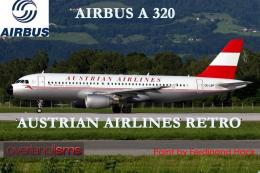
FSX Austrian Airbus A320-200, registration OE-LBP, retro livery. Textures onl…
 FSX Civil Aircraft
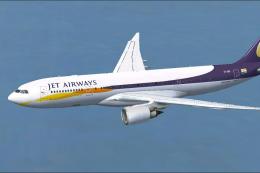
Jet Airways Airbus A330-200. Repaint of Tom Ruth's A330-200 in Jet Airways li…
 FSX Civil Aircraft
A rewritten aircraft config for the Jet City Aircraft B717-200. This will all…
 FSX Civil Aircraft
This is a complete Project Open Sky aircraft but it uses the default Microsof…
 FSX Civil Aircraft
This comprehensive freeware release for Microsoft Flight Simulator X incorpor…
 FSX Civil Aircraft
Jet Airways Airbus A340-313E. This is the only 4-engined aircraft operated by…
 FSX Civil Aircraft
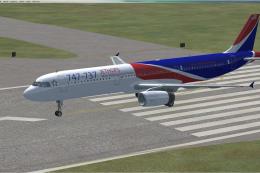
Adding logos for A321 default model for 747-737 Jet Hops livery. This file co…
Read what other simmers think, or add your own.


Nice download, however, not so nice when it comes to holding heading on takeoff and when disengaging ILS settings, only to have it pull to the left on both these scenarios. I have tried everything to make this right, without success! I like the download flies nice, but I can't find the fix for this!