

 FSX Civil Aircraft
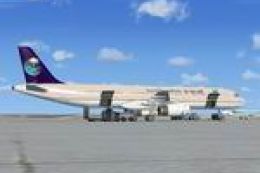
Airbus A321 Saudi Arabian Airlines Textures
This is a repaint of the default FSX Airbus A321 in Saudi Arabian Airlines. S…
Saudi Arabian Airlines Airbus A330-200 repaint brings Saudia’s long-haul look to the CLS A330-200 PW model, matching Pratt & Whitney engine details and a clean, authentic exterior finish for Middle East, Africa, Europe, and Asia routes. Designed for Microsoft Flight Simulator X and requires the CLS payware package.
 Rate
Rate

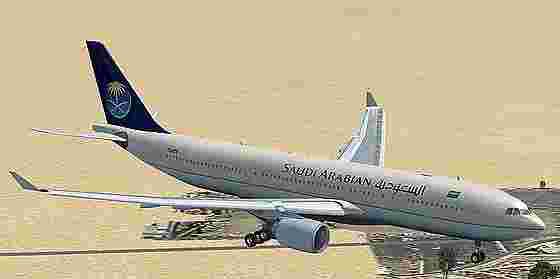
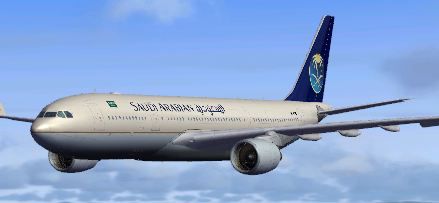
This repaint package depicts a Saudi Arabian Airlines Airbus A330-200 powered by Pratt & Whitney (PW) engines. It was carefully created by Sebastian Szucs for the Commercial Level Simulations (CLS) payware A330 package, and it is fully compatible with Microsoft Flight Simulator X and Microsoft Flight Simulator 2004. Enthusiasts who enjoy simulating long-haul services in the Middle East will find this repaint especially appealing, as Saudi Arabian Airlines (often referred to simply as “Saudia”) operates extensive routes connecting major cities across Asia, Africa, and Europe.
The Airbus A330-200 variant is notable for its optimized fuselage length, which strikes a balance between overall range and adequate passenger capacity. Equipped with PW engines, it demonstrates reliable power delivery and efficient cruise performance over extended distances. In real-world operations, Saudia utilizes this type for various medium- to long-haul routes, taking advantage of the aircraft’s mid-sized capacity and fuel economy.

Saudi Arabian Airbus A330-200 in flight.
Below is a snippet of the aircraft.cfg editing information. Remember to increment the [fltsim.XX] index properly:
[fltsim.XX]
productfolder=A330-200-PW
title=Airbus A330-200 Saudi Arabian
sim=CLS-A330-200-PW
model=pw
panel=pw
sound=
texture=saudia
kb_checklists=CLS-A330_check
kb_reference=CLS-A330_ref
atc_airline=SAUDI ARABIAN
atc_heavy=1
atc_id=TC-ETK
ui_typerole="Commercial Airliner"
ui_createdby="Commercial Level Simulations"
ui_manufacturer=Airbus
ui_type=A330-200
ui_variation=Saudi Arabian
description=Commercial Level Simulations\nAirbus 330-200\nVersion - 2006.9.0-FSX\n\nFSX and FS2004 Compatible\n\nEngine Types: RR / GE / PW
aircraft.cfg file.This procedure ensures that the repaint integrates smoothly with the underlying payware files.
Because this repaint references a payware model, users must already own the original CLS A330-200. The visual fidelity and functional details in this package complement some of the real-world features found on the Saudi Arabian Airlines’ fleet. Pilots can appreciate the airline’s signature exterior style while flying realistic long-haul sectors in and out of hub airports such as Jeddah’s King Abdulaziz International.
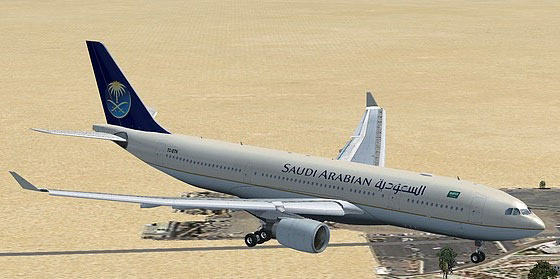
Saudi Arabian Airbus A330-200 in flight.
All intellectual property in this repaint remains with Sebastian Szucs. Whether flying short regional hops or intercontinental stretches, enjoy piloting this carefully rendered A330-200 livery across your virtual skies.
Free for all simmers · 17.64 MB · Scanned clean Oct 2026
Download speed: Free tier is capped at 0.5 Mbps (this file takes approximately 5 mins at the cap). PRO members download at full line speed.
texture.{airline}) inside FSX\SimObjects\Airplanes\{base-aircraft}\.aircraft.cfg in Notepad. Add a new [fltsim.X] section per the readme.readme.txt or README file. It tells you exactly where files go, what dependencies are needed, and any quirks specific to this add-on.The archive a332_pw_cls_saudia.zip has 54 files and directories contained within it.
This list displays the first 500 files in the package. If the package has more, you will need to download it to view them.
| Filename/Directory | File Date | File Size |
|---|---|---|
| FILE_ID.diz | 03.10.11 | 61 B |
| installerinfo.txt | 03.10.11 | 621 B |
| Readme.txt | 03.10.11 | 315 B |
| Compressed_0020.jpg | 03.10.11 | 224.02 kB |
| Compressed_0005.jpg | 03.10.11 | 58.84 kB |
| a333v2_l.bmp | 02.27.07 | 1.00 MB |
| a333v2_t.bmp | 02.06.08 | 341.43 kB |
| a333v2door_l.bmp | 02.27.07 | 1.00 MB |
| a333v2door_t.bmp | 02.27.07 | 1.00 MB |
| cls_a330vcM_l.bmp | 11.19.07 | 1.33 MB |
| cls_a330vcM_t.bmp | 11.18.07 | 5.33 MB |
| cls_a330vcOHM_l.bmp | 10.21.07 | 1.00 MB |
| cls_a330vcOHM_t.bmp | 10.14.07 | 5.33 MB |
| cls_a330vcP1_l.bmp | 07.09.07 | 4.00 MB |
| cls_a330vcP1_t.bmp | 10.13.07 | 5.33 MB |
| cls_a330vcP2_l.bmp | 10.15.07 | 1.33 MB |
| cls_a330vcP2_t.bmp | 10.15.07 | 1.33 MB |
| cls_a330vcP3_l.bmp | 07.09.07 | 4.00 MB |
| cls_a330vcP3_t.bmp | 07.06.07 | 5.33 MB |
| cls_a330vcP4_l.bmp | 11.19.07 | 1.33 MB |
| cls_a330vcP4_t.bmp | 11.19.07 | 5.33 MB |
| cls_a330vcR_l.bmp | 10.21.07 | 1.00 MB |
| cls_a330vcR_t.bmp | 10.14.07 | 5.33 MB |
| cls_a340vcOHM_l.bmp | 08.16.07 | 1.33 MB |
| cls_a340vcOHM_t.bmp | 08.16.07 | 5.33 MB |
| cls_stairs_l.bmp | 07.09.07 | 16.07 kB |
| cls_stairs_t.bmp | 03.12.07 | 256.07 kB |
| CLSa330_gau_l.bmp | 11.19.07 | 1.33 MB |
| CLSFMC_l.bmp | 11.19.07 | 1.33 MB |
| CLSpush_l.bmp | 07.09.07 | 1.00 MB |
| CLSpush_t.bmp | 07.09.07 | 1.00 MB |
| fuse1and2200l_l.bmp | 05.21.07 | 4.00 MB |
| fuse1and2200l_t.bmp | 02.25.11 | 4.00 MB |
| fuse1and2200r_l.bmp | 05.21.07 | 4.00 MB |
| fuse1and2200r_t.bmp | 02.25.11 | 4.00 MB |
| fusetail200r_l.bmp | 05.21.07 | 4.00 MB |
| fusetail200r_t.bmp | 02.25.11 | 4.00 MB |
| ltwing_l.bmp | 07.09.07 | 1.00 MB |
| ltwing_t.bmp | 04.25.07 | 4.00 MB |
| pwengmisc_l.bmp | 07.17.07 | 1.00 MB |
| pwengmisc_t.bmp | 02.25.11 | 4.00 MB |
| rtwing_l.bmp | 07.09.07 | 1.00 MB |
| rtwing_t.bmp | 04.25.07 | 4.00 MB |
| satcom.bmp | 07.17.07 | 16.07 kB |
| satcom_l.bmp | 06.30.07 | 1.00 MB |
| thumbnail.JPG | 02.26.11 | 19.24 kB |
| vcbutton_l.bmp | 07.09.07 | 1.00 MB |
| vcbutton_t.bmp | 10.14.07 | 341.43 kB |
| vcceil_l.bmp | 10.15.07 | 1.33 MB |
| vcceil_t.bmp | 10.15.07 | 5.33 MB |
| VCswitches_t.bmp | 08.25.07 | 85.43 kB |
| Compressed_0081.jpg | 03.10.11 | 8.51 kB |
| flyawaysimulation.txt | 10.29.13 | 959 B |
| Go to Fly Away Simulation.url | 01.22.16 | 52 B |
Only PRO members can place votes.
More FSX & P3D add-ons hand-picked based on this download.
FSX Civil Aircraft
This is a repaint of the default FSX Airbus A321 in Saudi Arabian Airlines. S…
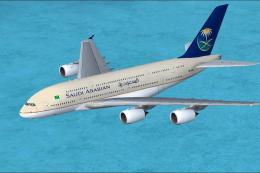 FSX Civil Aircraft
Expand your Microsoft Flight Simulator X collection with a detailed adaptatio…
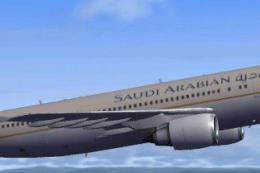 FSX Civil Aircraft
This highly detailed repaint showcases the distinctive Saudia (Saudi Arabian …
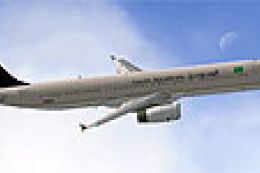 FSX Civil Aircraft
A repaint of the default Airbus A321 in Saudi Arabian Airlines livery. Saudi …
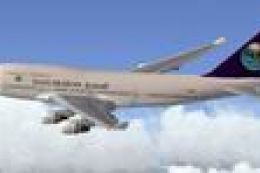 FSX Civil Aircraft
This is a repaint of the FSX default Boeing 747-400 in Saudi Arabian colours.…
 FSX Civil Aircraft
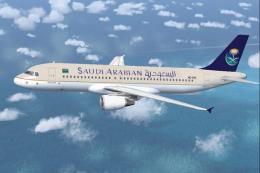
Experience a meticulously repainted Airbus A320-214 bearing the livery of Sau…
 FSX Civil Aircraft
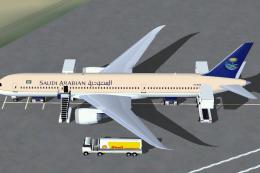
FSX Saudi Arabian Airlines Boeing 787-9 with Animated Ground Servicing (AGS).…
 FSX Civil Aircraft
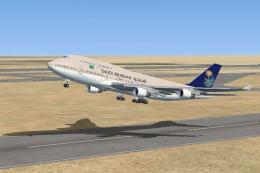
A repaint of the FSX default Boeing 747-400 in Saudi Arabian colors. Today Sa…
Be the first to leave a comment on this download.
Be the first to share your thoughts on this download.