

 FSX Civil Aircraft
FedEx Airbus A300-600R repaint for Overland A300-600
FSX FedEx Airbus A300-600R. Textures only for the payware Overland A300-600 m…
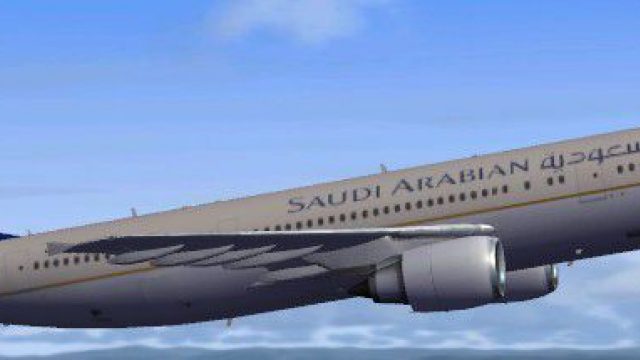
Saudia’s classic gold-and-blue livery is recreated on the Airbus A300-600R with crisp titles, tail emblem, and carefully aligned markings for a convincing wide-body presence in Microsoft Flight Simulator X. The textures also complement the matching virtual cockpit and GE engine look, and requires Thomas Ruth’s freeware A300-600R base model.
 Rate
Rate
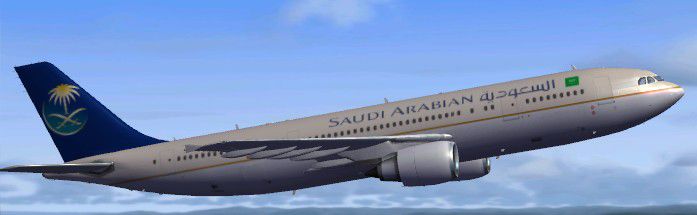
This highly detailed repaint showcases the distinctive Saudia (Saudi Arabian Airlines) color scheme on an Airbus A300-600R airframe for Microsoft Flight Simulator X. It is a freeware creation based on Thomas Ruth’s original A300-600R series and repainted by Christophe Bonneville. Incorporating the airline’s signature palette and markings, this release offers a faithful adaptation for enthusiasts seeking an authentic mid-range, twin-engine Airbus experience.
This repaint reflects the operational branding used by the Jeddah-based carrier. The fuselage art includes golden tail insignia and precise lettering along the cabin windows. Such attention to detail brings a realistic visual presence reminiscent of Saudia’s real-world fleet.
The A300-600R model introduced aerodynamic updates and efficient powerplant options to the Airbus A300 family. Known for its wide-body cabin layout, it has served medium- to long-haul routes for decades. This repaint showcases the unique wingspan and outboard leading-edge devices characteristic of the A300 series.
Serving as the flagship airline of the Kingdom of Saudi Arabia, this carrier often deploys the A300-600R for regional flights and some international routes. Its network extends to destinations throughout the Middle East and beyond, making this aircraft a familiar presence across airports in the region.
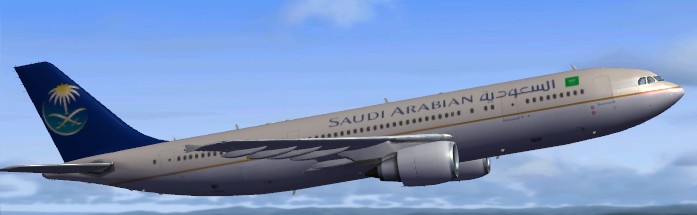
Visible livery details on the Saudi Arabian Airbus A300-600R.
This package is supplied as a repaint only. You will need to locate and install the freeware base model from Thomas Ruth’s collection (A300-600R) in the Fly Away Simulation library beforehand. Once the main aircraft files are in place, simply merge this repaint texture folder and update your aircraft’s configuration file.
[fltsim.xx]
title=Saudia Arabian A300-600R
sim=TomA306
model=RGE
panel=306GE
sound=
texture=saudi
kb_checklists=
kb_reference=
atc_id=N70074
atc_airline=Saudi Arabian
atc_flight_number=1124
atc_heavy=1
ui_manufacturer=Airbus
ui_typerole=Commercial Airliner
ui_createdby=Thomas Ruth
ui_type=A300-600R
ui_variation=Saudia Arabian
This entry within your aircraft configuration correctly aligns the Saudia markings with Thomas Ruth’s A300-600R model. All credits go to Thomas Ruth for the base model and to Christophe Bonneville for the repaint.
Free for all simmers · 4.15 MB · Scanned clean Oct 2026
Download speed: Free tier is capped at 0.5 Mbps (this file takes approximately 1 min at the cap). PRO members download at full line speed.
This file is a repaint — the package below is the base model it paints onto. Install it first, or the textures will have nothing to load onto.
texture.{airline}) inside FSX\SimObjects\Airplanes\{base-aircraft}\.aircraft.cfg in Notepad. Add a new [fltsim.X] section per the readme.readme.txt or README file. It tells you exactly where files go, what dependencies are needed, and any quirks specific to this add-on.The archive saudi-1.zip has 33 files and directories contained within it.
This list displays the first 500 files in the package. If the package has more, you will need to download it to view them.
| Filename/Directory | File Date | File Size |
|---|---|---|
| texture.saudi | 02.08.10 | 0 B |
| glass.dds | 11.14.09 | 64.12 kB |
| glass_spec.dds | 11.24.08 | 4.12 kB |
| main.dds | 02.07.10 | 5.33 MB |
| main_bump.dds | 11.12.09 | 4.00 MB |
| main_light.dds | 11.14.09 | 1.00 MB |
| main_spec.dds | 11.13.09 | 1.00 MB |
| texture.cfg | 10.17.09 | 137 B |
| thumbnail.jpg | 02.08.10 | 27.20 kB |
| vc01.dds | 01.17.10 | 1.00 MB |
| vc01_L.dds | 01.17.10 | 1.00 MB |
| vc02.dds | 01.11.10 | 1.00 MB |
| vc02_L.dds | 01.16.10 | 1.00 MB |
| vc03.dds | 01.13.10 | 1.00 MB |
| vc03_L.dds | 01.14.10 | 1.00 MB |
| vc04.dds | 01.11.10 | 1.00 MB |
| vc04_L.dds | 02.02.10 | 1.00 MB |
| vc05.dds | 01.13.10 | 1.00 MB |
| vc05_L.dds | 01.15.10 | 1.00 MB |
| vc2_L.dds | 01.23.10 | 256.12 kB |
| vc3_L.dds | 01.23.10 | 256.12 kB |
| VCblend.dds | 01.15.10 | 1.12 kB |
| vcreflect.dds | 01.13.10 | 384.12 kB |
| vc_L.dds | 01.23.10 | 1.00 MB |
| wingbump_l.dds | 11.11.09 | 1.00 MB |
| wingbump_r.dds | 11.11.09 | 1.00 MB |
| wingspec_l.dds | 11.11.09 | 256.12 kB |
| wingspec_r.dds | 11.11.09 | 256.12 kB |
| wing_l.dds | 11.16.09 | 1.00 MB |
| wing_r.dds | 11.16.09 | 1.00 MB |
| Aircraft.txt | 02.08.10 | 344 B |
| flyawaysimulation.txt | 10.29.13 | 959 B |
| Go to Fly Away Simulation.url | 01.22.16 | 52 B |
Only PRO members can place votes.
More FSX & P3D add-ons hand-picked based on this download.
FSX Civil Aircraft
FSX FedEx Airbus A300-600R. Textures only for the payware Overland A300-600 m…
 FSX Civil Aircraft
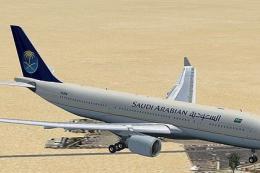
This repaint package depicts a Saudi Arabian Airlines Airbus A330-200 powered…
 FSX Civil Aircraft
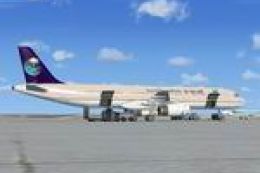
This is a repaint of the default FSX Airbus A321 in Saudi Arabian Airlines. S…
 FSX Civil Aircraft
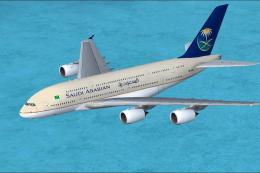
Expand your Microsoft Flight Simulator X collection with a detailed adaptatio…
 FSX Civil Aircraft
A repaint of the default Airbus A321 in Saudi Arabian Airlines livery. Saudi …
 FSX Civil Aircraft
Airbus A300-600R. American Airlines plus Thai Air classic Airbus model for FS…
 FSX Civil Aircraft
Iran Air Airbus A300-600R. Model by Thomas Ruth. Repaint by Peyman Javanbakht…
 FSX Civil Aircraft
This repaint features United Parcel Services (UPS) markings on the Airbus A30…
Be the first to leave a comment on this download.
Be the first to share your thoughts on this download.