

 FSX Civil Aircraft
AirOne Airbus A320-214
FSX AirOne Airbus A320-214. Aircraft has been updated to match new FSX functi…
Air One’s distinctive CRJ900 livery brings an authentic Italian regional-jet look to Microsoft Flight Simulator X, with crisp, correctly aligned textures across the fuselage, tail, and winglets for convincing ramp and enroute views. It requires the freeware Project Open Sky CRJ-900 base model and delivers sharp 32-bit paintwork for realistic short-haul operations.
 Rate
Rate
This repaint showcases Air One’s distinctive livery on a CRJ900, meticulously crafted for use with the freeware Project Open Sky CRJ-900 base model. Created by Sebastian Szucs, this add-on integrates smoothly with Microsoft Flight Simulator X and provides aviation enthusiasts with a vivid representation of this twin-engined regional jet. Air One, once an Italian carrier under the Alitalia group, commonly deployed smaller aircraft like the CRJ series for short-haul routes, leveraging their efficient performance characteristics and comfortable cabin layout.
The CRJ900 model, known for its sophisticated avionics suite and reliable flight dynamics, is favored in many regional operations around the globe. Pilots appreciate the aircraft’s optimized wing design and enhanced fuel efficiency, which make it ideal for routes that demand flexibility and swift turnaround times. Air One’s branding features a high-contrast color arrangement that stands out during taxi operations and offers an authentic look in the virtual sky. This repaint by Project Open Sky delivers those design elements with refined texture details and correct alignment across the fuselage, tail, and winglets.

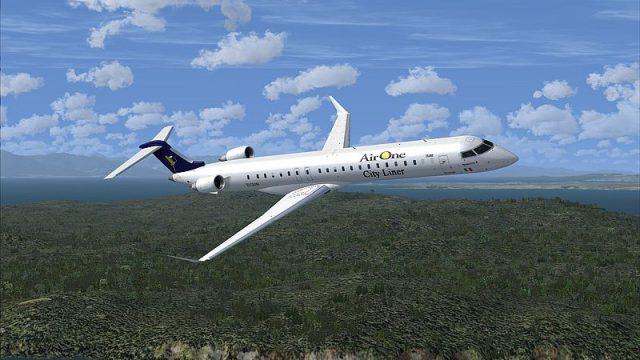
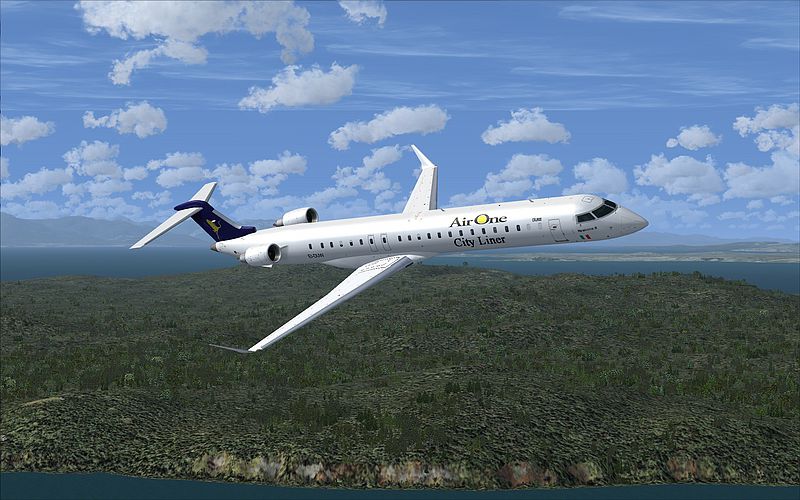
Aircraft performing a test flight with the new repaint.
This repaint is distributed in 32-bit format and does not include Mip-Maps, ensuring sharp texture fidelity across all viewpoints.
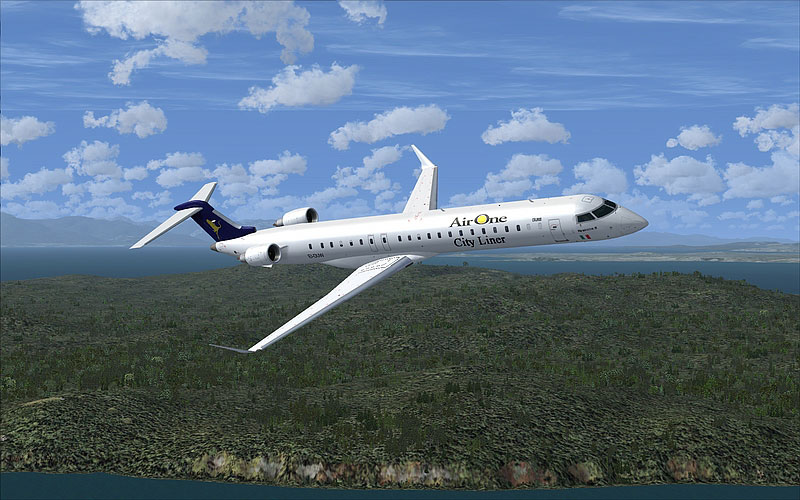
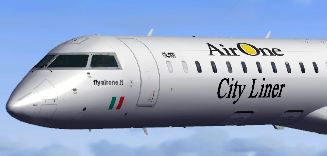
A closer look at the refined Air One livery details.
Please note that this livery repaint does not contain the full aircraft model. The freeware Project Open Sky CRJ-900 base package is required prior to installation, which is available in the Fly Away Simulation library. Once the base files are installed, these textures will override the default scheme with Air One’s authentic design.
This repaint highlights the dedication of Sebastian Szucs and the Project Open Sky team in bringing unique airline designs to the flight simulation community. By keeping each element historically accurate, enthusiasts can recreate genuine flight scenarios that reflect Air One’s operational routes. The enhanced texturing and vivid surfaces offer a high-quality visual experience for virtual pilots seeking a deeper connection with regional jet flight realism.
Free for all simmers · 9.78 MB · Scanned clean Oct 2026
Download speed: Free tier is capped at 0.5 Mbps (this file takes approximately 3 mins at the cap). PRO members download at full line speed.
texture.{airline}) inside FSX\SimObjects\Airplanes\{base-aircraft}\.aircraft.cfg in Notepad. Add a new [fltsim.X] section per the readme.readme.txt or README file. It tells you exactly where files go, what dependencies are needed, and any quirks specific to this add-on.The archive posky_crj900_airone.zip has 41 files and directories contained within it.
This list displays the first 500 files in the package. If the package has more, you will need to download it to view them.
| Filename/Directory | File Date | File Size |
|---|---|---|
| 800_0023.jpg | 03.20.11 | 313.28 kB |
| aircraft.cfg | 03.20.11 | 876 B |
| FILE_ID.diz | 03.20.11 | 96 B |
| README!.txt | 03.20.11 | 530 B |
| texture.airone | 03.20.11 | 0 B |
| OSCRJ9_Antenna.bmp | 01.09.10 | 1.00 MB |
| OSCRJ9_Cabin_l.bmp | 02.02.10 | 4.00 MB |
| OSCRJ9_Cabin_t.bmp | 07.13.08 | 4.00 MB |
| OSCRJ9_Cockpit_l.bmp | 08.31.08 | 1.00 MB |
| OSCRJ9_Cockpit_t.bmp | 02.01.10 | 1.00 MB |
| OSCRJ9_COCKPITWINDOW.bmp | 03.16.08 | 64.07 kB |
| OSCRJ9_CURTAIN_1.BMP | 02.25.07 | 4.07 kB |
| OSCRJ9_CURTAIN_2.BMP | 11.25.06 | 3.05 kB |
| OSCRJ9_door_l.bmp | 02.01.10 | 4.00 MB |
| OSCRJ9_door_T.bmp | 01.09.10 | 4.00 MB |
| OSCRJ9_ENG_cone.bmp | 03.16.08 | 256.07 kB |
| OSCRJ9_ENGfanblurred.bmp | 03.16.08 | 256.07 kB |
| OSCRJ9_ENGfanSlow.bmp | 03.16.08 | 256.07 kB |
| OSCRJ9_Longwinglet_l.BMP | 12.05.07 | 1.07 kB |
| OSCRJ9_Longwinglet_T.bmp | 02.19.11 | 1.00 MB |
| Oscrj9_Noselight.bmp | 02.25.07 | 16.07 kB |
| OSCRJ9_Parts_l.BMP | 02.01.10 | 4.00 MB |
| OSCRJ9_Parts_T.BMP | 01.10.10 | 4.00 MB |
| OSCRJ9_SPRING_l.BMP | 12.05.07 | 1.07 kB |
| OSCRJ9_SPRING_T.BMP | 03.16.08 | 16.07 kB |
| Oscrj9_Twing_l.bmp | 09.04.08 | 1.00 MB |
| Oscrj9_Twing_t.bmp | 02.06.11 | 1.00 MB |
| Oscrj9_wing_l_l.bmp | 02.01.10 | 4.00 MB |
| Oscrj9_wing_l_t.bmp | 02.19.11 | 4.00 MB |
| Oscrj9_wing_r_l.bmp | 02.01.10 | 4.00 MB |
| Oscrj9_wing_r_t.bmp | 02.16.11 | 4.00 MB |
| Oscrj9_wingrootlight.bmp | 05.26.08 | 5.05 kB |
| Oscrj9body_l_l.bmp | 02.02.10 | 4.00 MB |
| Oscrj9body_l_t.bmp | 02.19.11 | 4.00 MB |
| Oscrj9body_r_l.bmp | 02.02.10 | 4.00 MB |
| Oscrj9body_r_t.bmp | 02.19.11 | 4.00 MB |
| osLEKTRO_l.bmp | 09.04.08 | 4.00 MB |
| osLEKTRO_T.bmp | 07.02.08 | 4.00 MB |
| thumbnail.JPG | 02.19.11 | 16.19 kB |
| flyawaysimulation.txt | 10.29.13 | 959 B |
| Go to Fly Away Simulation.url | 01.22.16 | 52 B |
Only PRO members can place votes.
More FSX & P3D add-ons hand-picked based on this download.
FSX Civil Aircraft
FSX AirOne Airbus A320-214. Aircraft has been updated to match new FSX functi…
 FSX Civil Aircraft
Air One has received the first one of 30 A320's.
 FSX Civil Aircraft
AirOne Airbus A330-200, registration "EI-DIP", one of the two A330-200 owned …
 FSX Civil Aircraft
This add-on introduces a detailed Air Mekong paint for a Bombardier CRJ-900, …
 FSX Civil Aircraft
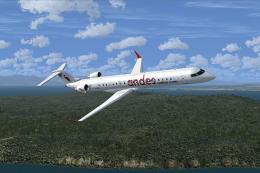
This freeware release by developer Sebastian Szucs introduces a meticulously …
 FSX Civil Aircraft
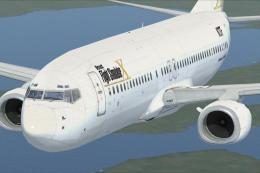
This freeware repaint features a custom interpretation of the default Boeing …
 FSX Civil Aircraft
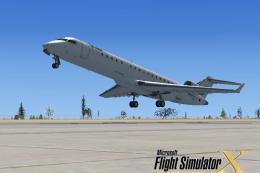
This specialized repaint showcases a distinctive homage to Microsoft Flight S…
 FSX Civil Aircraft
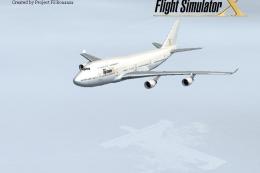
Elevate your virtual flight experience with this specialized repaint designed…
Be the first to leave a comment on this download.
Be the first to share your thoughts on this download.