

 FSX Civil Aircraft
Jet Link Kenya CRJ200
This repaint brings a regional jet from Jet Link Kenya into your simulator en…
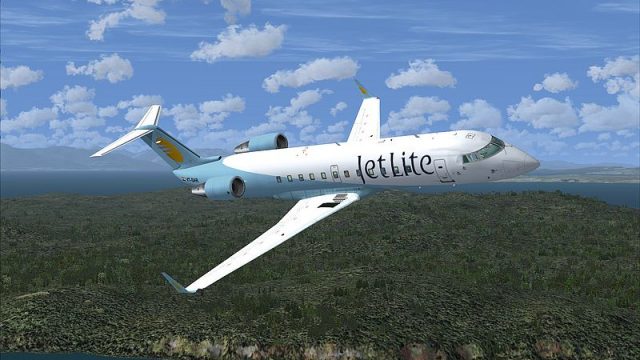
JetLite livery for the Bombardier CRJ200 brings the Indian low-fare look to your hangar with crisp, enhanced 32-bit textures and sharp markings across fuselage and tail in Microsoft Flight Simulator X. Designed for realistic regional operations, it requires the Project Open Sky CRJ-200 base model.
 Rate
Rate
This downloadable package presents a detailed repaint of the Bombardier CRJ200 in JetLite livery for Microsoft Flight Simulator X. Created by developer and painter Sebastian Szucs, it showcases this Indian low-cost carrier’s signature colors while requiring the Project Open Sky CRJ-200 as the base model, which can be obtained from the Fly Away Simulation library.
The CRJ200 (Canadian Regional Jet 200) is known for its short- to medium-haul capabilities, fuel efficiency, and reliable General Electric CF34 turbofan engines. This repaint, carefully layered onto the original Project Open Sky paintkit, depicts the JetLite variant once used for domestic operations. Even though the original paintkit was developed for older simulators, the textures have been enhanced to a high standard and saved in 32-bit format.
JetLite was an Indian low-fare airline, operating regional routes across the subcontinent. This livery reflects the airline’s distinct branding and provides an immersive experience for pilots who enjoy replicating real-world operations. The aircraft’s compact airframe makes it well-suited for smaller airports and shorter runways, offering a versatile and realistic experience in the virtual skies.

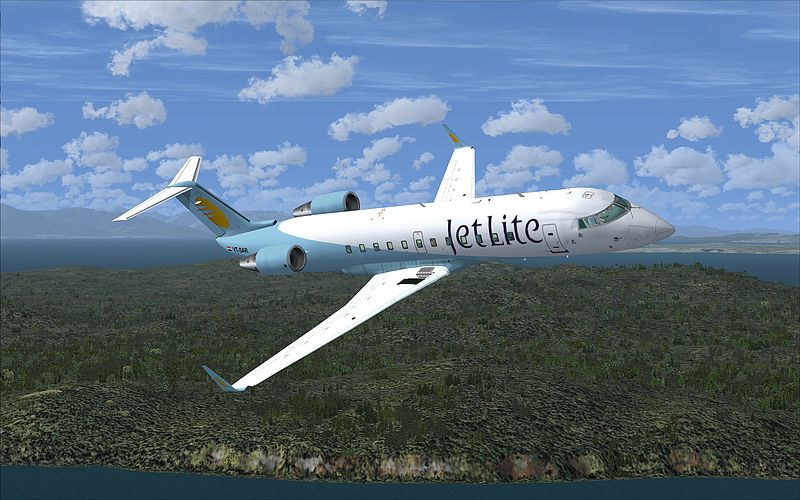
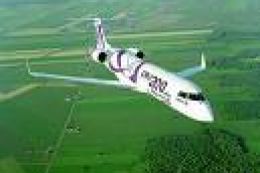
Representation of the JetLite colors at cruising altitude.
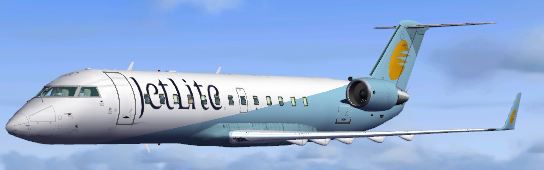
The repaint uses 32-bit textures without Mip-Maps to maintain crisp details. Although the core paintkit was originally designed for older platforms, the included enhancements give this livery a modern feel. The distinctive JetLite markings are visible on the fuselage and tail, ensuring accurate representation.

Another angle highlighting fuselage details.
The repaint was produced by Sebastian Szucs. The CRJ200 model originates from the Project Open Sky development team. The base package is free to download, so you will need to acquire it from the Fly Away Simulation library to use this repaint successfully.
Free for all simmers · 2.83 MB · Scanned clean Oct 2026
Download speed: Free tier is capped at 0.5 Mbps. PRO members download at full line speed.
texture.{airline}) inside FSX\SimObjects\Airplanes\{base-aircraft}\.aircraft.cfg in Notepad. Add a new [fltsim.X] section per the readme.readme.txt or README file. It tells you exactly where files go, what dependencies are needed, and any quirks specific to this add-on.The archive posky_crj200_jetlite.zip has 49 files and directories contained within it.
This list displays the first 500 files in the package. If the package has more, you will need to download it to view them.
| Filename/Directory | File Date | File Size |
|---|---|---|
| 800_0014.jpg | 03.20.11 | 314.91 kB |
| Aircraft.cfg | 03.20.11 | 657 B |
| FILE_ID.diz | 03.20.11 | 96 B |
| README!.txt | 03.20.11 | 699 B |
| texture.jetlite | 03.20.11 | 0 B |
| panel1_l.bmp | 08.09.02 | 5.40 kB |
| panel2_l.bmp | 08.09.02 | 5.40 kB |
| panel3_l.bmp | 08.09.02 | 5.40 kB |
| panel4_l.bmp | 08.09.02 | 5.40 kB |
| posky_crj2_cabin.bmp | 05.13.02 | 257.05 kB |
| posky_crj2_cabin_l.bmp | 08.16.02 | 64.07 kB |
| posky_crj2_cabin2.bmp | 07.07.02 | 256.07 kB |
| posky_crj2_cabin2_l.bmp | 08.16.02 | 256.07 kB |
| posky_crj2_cabin2_t.bmp | 07.21.02 | 1.00 MB |
| posky_crj2_ckpt.bmp | 07.07.02 | 256.07 kB |
| posky_crj2_ckpt_l.bmp | 08.16.02 | 256.07 kB |
| posky_crj2_ckpt_t.bmp | 08.25.02 | 1.00 MB |
| posky_crj2_fan_t.bmp | 05.13.02 | 65.05 kB |
| posky_crj2_fanspin_t.bmp | 05.18.02 | 65.05 kB |
| posky_crj2_fr1_l.bmp | 07.21.02 | 1.00 MB |
| posky_crj2_fr1_t.bmp | 02.20.11 | 1.00 MB |
| posky_crj2_fr2_l.bmp | 07.21.02 | 1.00 MB |
| posky_crj2_fr2_t.bmp | 02.20.11 | 1.00 MB |
| posky_crj2_nlt_l.bmp | 08.31.02 | 410 B |
| posky_crj2_nlt_t.bmp | 08.31.02 | 410 B |
| posky_crj2_stab_l.bmp | 07.21.02 | 1.00 MB |
| posky_crj2_stab_t.bmp | 02.20.11 | 1.00 MB |
| posky_crj2_visor.bmp | 07.19.02 | 256.07 kB |
| posky_crj200_panel.bmp | 07.07.02 | 1.00 MB |
| posky_crj200_panel_l.bmp | 08.25.02 | 4.00 MB |
| posky_crj200_panel_t.bmp | 08.25.02 | 4.00 MB |
| posky_crj2bdy_l.bmp | 07.21.02 | 4.00 MB |
| posky_crj2bdy_t.bmp | 02.20.11 | 4.00 MB |
| posky_crj2eng_l.bmp | 07.21.02 | 1.00 MB |
| posky_crj2eng_t.bmp | 02.20.11 | 1.00 MB |
| posky_crj2wingL_l.bmp | 07.21.02 | 1.00 MB |
| posky_crj2wingL_t.bmp | 09.15.02 | 1.00 MB |
| posky_crj2wingR_l.bmp | 07.21.02 | 1.00 MB |
| posky_crj2wingR_t.bmp | 09.07.02 | 1.00 MB |
| posky747_P_uniform_l.bmp | 07.11.02 | 64.07 kB |
| posky747_P_uniform_t.bmp | 05.13.02 | 17.05 kB |
| thumbnail.JPG | 02.20.11 | 20.38 kB |
| your_face1_l.bmp | 07.21.02 | 64.07 kB |
| your_face1_t.bmp | 07.21.02 | 64.07 kB |
| your_face2_l.bmp | 07.21.02 | 64.07 kB |
| your_face2_t.bmp | 07.21.02 | 64.07 kB |
| Thumbs.db | 09.05.02 | 27.50 kB |
| flyawaysimulation.txt | 10.29.13 | 959 B |
| Go to Fly Away Simulation.url | 01.22.16 | 52 B |
Only PRO members can place votes.
More FSX & P3D add-ons hand-picked based on this download.
FSX Civil Aircraft
This repaint brings a regional jet from Jet Link Kenya into your simulator en…
 FSX Civil Aircraft
Tropicair CRJ200 (fictional). Model by Project Open Sky. Tropicair CRJ200 in …
 FSX Civil Aircraft
This comprehensive freeware repaint features the Scandinavian Airlines (SAS) …
 FSX Civil Aircraft
This repaint package offers a detailed SA Express Bombardier CRJ200 rendition…
 FSX Civil Aircraft
This freeware repaint offers the Air France livery for the Project Open Sky C…
 FSX Civil Aircraft
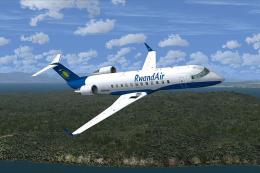
This add-on provides a specially crafted RwandAir livery for the CRJ200, inte…
 FSX Civil Aircraft
This add-on provides a comprehensive UTair repaint designed for the freeware …
 FSX Civil Aircraft
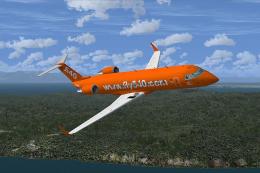
This modified package offers a detailed repaint for the freeware Project Open…
Be the first to leave a comment on this download.
Be the first to share your thoughts on this download.