

 FSX Civil Aircraft
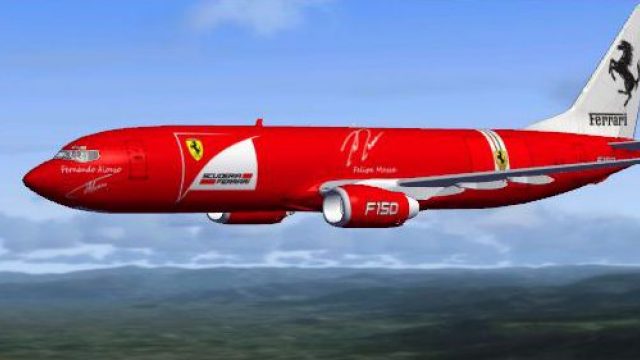
Formel 1 Ferrari Airbus A319-112
FSX Formel 1 Ferrari Airbus A319-112. Model by Project Airbus. Repaint by And…
Ferrari-inspired Boeing 737-800 liveries bring bold passenger and cargo paint schemes to the default jet in Microsoft Flight Simulator X, adding a distinctive ramp presence without changing flight dynamics. The package includes separate texture sets and matching aircraft configuration entries, creating two selectable variants for airline-style and freight operations.
 Rate
Rate
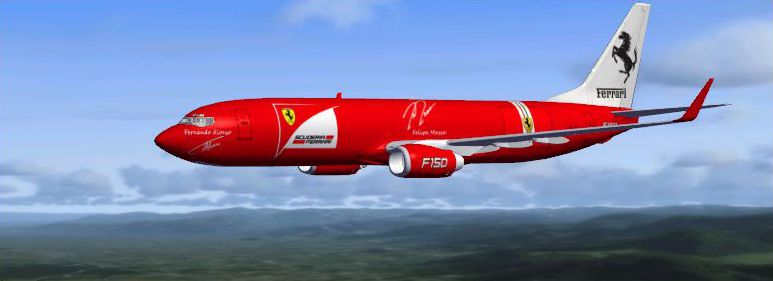

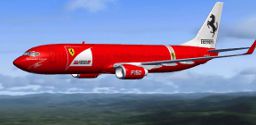
Ferrari Boeing 737-800. "Ferrari" passenger and cargo textures for the default B737-800.
Ferrari Boeing 737-800 in flight.
HOW TO INSTALL: copy all "texture. .... " folder(s) into your MFSX Airplane B737-800 folder (c:\.......\Microsoft Flight Simulator X\SimObjects\Airplanes\B737-800)
Add text below to your B737-800 aircraft.cfg XX - dont forgot to change it
Enjoy ....
[fltsim.XX] title=Boeing 737-800 Ferrari sim=Boeing737-800 model= panel= sound= texture=ferrari kb_checklists=Boeing737-800_check kb_reference=Boeing737-800_ref atc_id= atc_airline="Alitalia" atc_flight_number="F150" ui_manufacturer="Boeing" ui_type="737-800" ui_variation="Ferrari" ui_typerole="Commercial Airliner" ui_createdby="Microsoft Corporation" description="One should hardly be surprised that the world's most prolific manufacturer of commercial aircraft is also the producer of the world's most popular jetliner. The 737 became the best-selling commercial jetliner worldwide when orders for it hit 1,831 in June 1987 (surpassing Boeing's own 727 as the previous champ). However, it wasn't always that way\s in the first few years of production, there were so few orders that Boeing considered canceling the program. They didn't, and the airplane has more than proven itself in over three decades of service."


[fltsim.XX] title=Boeing 737-800 Ferrari Cargo sim=Boeing737-800 model= panel= sound= texture=ferrari_cargo kb_checklists=Boeing737-800_check kb_reference=Boeing737-800_ref atc_id= atc_airline="Alitalia" atc_flight_number="F150" ui_manufacturer="Boeing" ui_type="737-800" ui_variation="Ferrari Cargo" ui_typerole="Cargo" ui_createdby="Microsoft Corporation" description="One should hardly be surprised that the world's most prolific manufacturer of commercial aircraft is also the producer of the world's most popular jetliner. The 737 became the best-selling commercial jetliner worldwide when orders for it hit 1,831 in June 1987 (surpassing Boeing's own 727 as the previous champ). However, it wasn't always that way\s in the first few years of production, there were so few orders that Boeing considered canceling the program. They didn't, and the airplane has more than proven itself in over three decades of service."
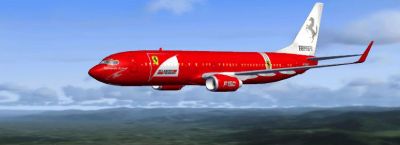
Ferrari Boeing 737-800 in flight.
Free for all simmers · 7.39 MB · Scanned clean Oct 2026
Download speed: Free tier is capped at 0.5 Mbps (this file takes approximately 2 mins at the cap). PRO members download at full line speed.
texture.{airline}) inside FSX\SimObjects\Airplanes\{base-aircraft}\.aircraft.cfg in Notepad. Add a new [fltsim.X] section per the readme.readme.txt or README file. It tells you exactly where files go, what dependencies are needed, and any quirks specific to this add-on.The archive sasq_b737-800_ferrari_pack_textures.zip has 30 files and directories contained within it.
This list displays the first 500 files in the package. If the package has more, you will need to download it to view them.
| Filename/Directory | File Date | File Size |
|---|---|---|
| texture.ferrari | 05.09.11 | 0 B |
| B737_800_1_C.dds | 05.08.11 | 512.12 kB |
| b737_800_1_T.dds | 05.10.11 | 4.00 MB |
| B737_800_2_C.dds | 05.08.11 | 512.12 kB |
| b737_800_2_T.dds | 05.10.11 | 4.00 MB |
| B737_800_3_C.dds | 05.08.11 | 512.12 kB |
| B737_800_4_C.dds | 05.08.11 | 512.12 kB |
| B737_800_5_C.dds | 05.08.11 | 512.12 kB |
| texture.cfg | 07.28.06 | 137 B |
| thumbnail.jpg | 05.09.11 | 39.23 kB |
| thumbnail2.jpg | 05.09.11 | 168.75 kB |
| texture.ferrari_cargo | 05.09.11 | 0 B |
| B737_800_1_C.dds | 05.08.11 | 512.12 kB |
| b737_800_1_LM.dds | 05.08.11 | 128.12 kB |
| b737_800_1_T.dds | 05.10.11 | 4.00 MB |
| b737_800_1_T_Bump.dds | 05.07.11 | 1.00 MB |
| b737_800_1_T_Specular.dds | 05.10.11 | 4.00 MB |
| B737_800_2_C.dds | 05.08.11 | 512.12 kB |
| b737_800_2_T.dds | 05.10.11 | 4.00 MB |
| B737_800_3_C.dds | 05.08.11 | 512.12 kB |
| B737_800_4_C.dds | 05.08.11 | 512.12 kB |
| B737_800_5_C.dds | 05.08.11 | 512.12 kB |
| texture.cfg | 07.28.06 | 137 B |
| thumbnail.jpg | 05.09.11 | 39.54 kB |
| thumbnail2.jpg | 05.09.11 | 168.20 kB |
| readme.TXT | 05.09.11 | 2.08 kB |
| thumbnail2.jpg | 05.09.11 | 168.75 kB |
| thumbnail.jpg | 05.09.11 | 168.20 kB |
| flyawaysimulation.txt | 10.29.13 | 959 B |
| Go to Fly Away Simulation.url | 01.22.16 | 52 B |
Only PRO members can place votes.
More FSX & P3D add-ons hand-picked based on this download.
FSX Civil Aircraft
FSX Formel 1 Ferrari Airbus A319-112. Model by Project Airbus. Repaint by And…
 FSX Civil Aircraft
Continental Boeing 737-800. Fictional textures for the default B737-800. Repa…
 FSX Civil Aircraft
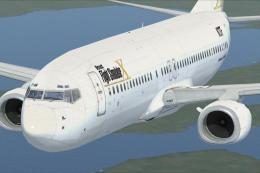
This freeware repaint features a custom interpretation of the default Boeing …
 FSX Civil Aircraft
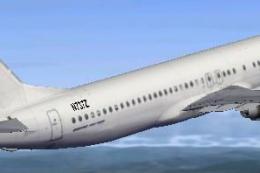
Includes pictures of the plane, a mini guide to help you and the texture fold…
 FSX Civil Aircraft
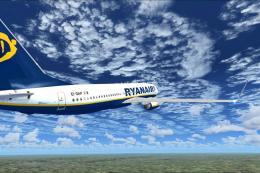
FSX Ryanair Boeing 737-800. EI-DAP textures for the default FSX B737-800. By …
 FSX Civil Aircraft
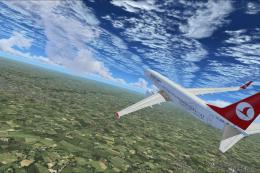
Turkish Airlines Boeing 737-800. Textures by Alex James for the default B737-…
 FSX Civil Aircraft
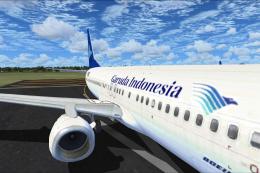
FSX Garuda Indonesia Boeing 737-800, registration PK-GEE. Textures only for t…
 FSX Civil Aircraft
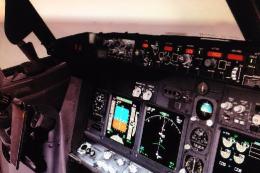
Includes: EZDok cameras and effects; FSForce profile; ShockWave lights; landi…
Be the first to leave a comment on this download.
Be the first to share your thoughts on this download.