

 FSX Civil Aircraft
SAA Airbus A340-313 Panel Fix
Adds the missing gauges to A3403SAA.ZIP. Gauges by Hector Molina. Extract the…
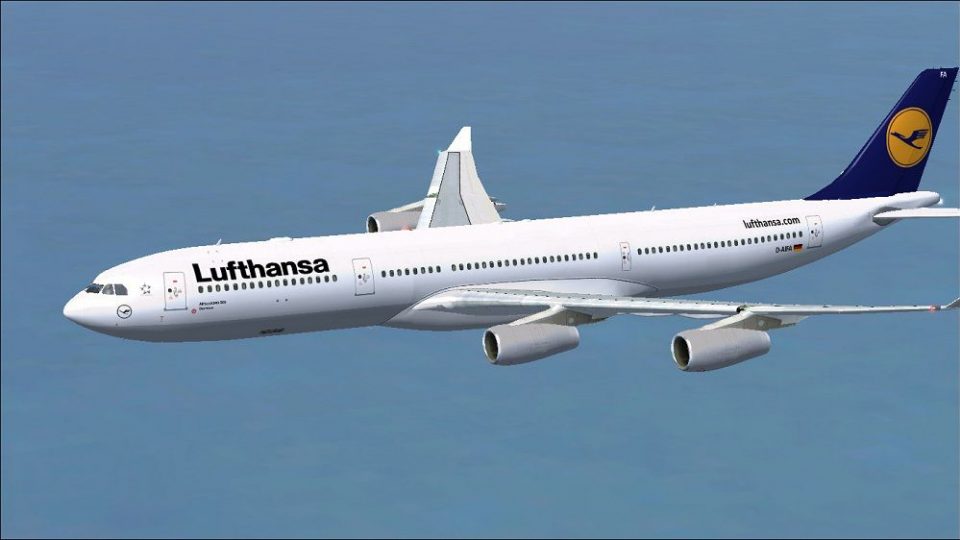
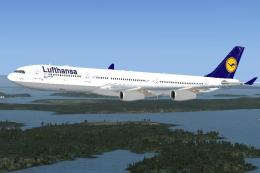
Lufthansa Airbus A340-313 livery for registration D-AIFA brings a crisp, long-haul look to the quad‑engine widebody, capturing the carrier’s clean tail and subtle markings for convincing ramp and cruise visuals. Built for Microsoft Flight Simulator X, it requires the Tom Ruth A340-300 freeware base model for seamless integration.
 Rate
Rate
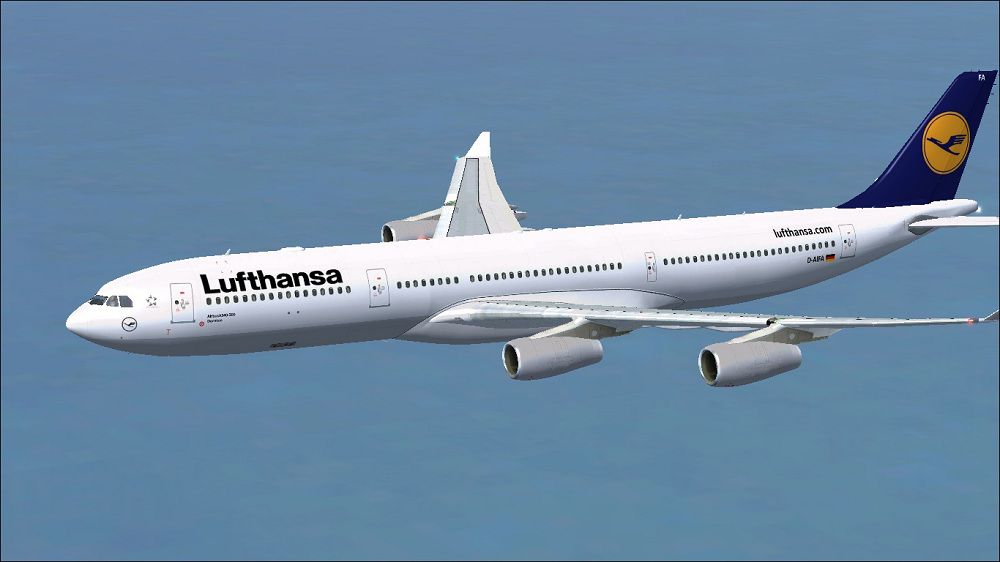
This robust repaint showcases Lufthansa’s striking Airbus A340-313 registration D-AIFA for Microsoft Flight Simulator X. It integrates seamlessly with the Tom Ruth A340-300 freeware base package, offering an authentic visual tribute to Germany’s flagship carrier. Created by Paul Craig, these textures capture subtle details of the airline’s livery and are designed for smooth compatibility.
Quad-Engine Design: The Airbus A340 series is famous for its four-engine configuration, which offers improved redundancy and a noteworthy long-haul track record. The -300 variant typically handles intercontinental flights, making it ideal for sim pilots who enjoy extended routes.
Lufthansa Roots: Founded decades ago, Lufthansa has evolved into one of the most recognizable European operators. Its fleet often includes widebody aircraft such as the A340, which has been a familiar fixture on overseas journeys. The airline’s livery is particularly known for minimalistic yet refined styling, and this repaint carefully reflects that approach.

Lufthansa Airbus A340-313 in flight.
This repaint is dependent on the freeware “Tom_A340-300” model, commonly archived as TOMA343B.ZIP. You will need that base package in your simulator’s aircraft directory. These textures do not include the foundational files; be sure to download the A340-300 package from the Fly Away Simulation mod library.
OS (C)/Program Files(x86)/Microsoft Games/Microsoft Flight Simulator X/SimObjects/Airplanes/Tom_A340-300
Next, modify the aircraft configuration (aircraft.cfg) to include the Lufthansa repaint. Back up your original file first. Then open the config and append the following lines below the existing [fltsim.x] entries, ensuring you replace “X” with the next available index:
[fltsim.X]

title=Lufthansa A340-313

sim=TomA343

model=

panel=340

sound=

texture=Lufthansa

kb_checklists=

kb_reference=

atc_id=D-AIFA

atc_airline=Lufthansa

atc_flight_number=1123

atc_heavy=1

ui_manufacturer=Airbus

ui_type="A340-313"

ui_variation="Lufthansa"

ui_typerole="Commercial Airliner"

ui_createdby="Thomas Ruth"

description=
If you run into issues saving the configuration, try editing the file outside of the main FSX folder. Once finished, move it back to the Tom_A340-300 directory to ensure all new liveries are recognized.
Disclaimer: All texture files are provided “as is,” and any installation or operational problems that may occur are the sole responsibility of the user. The developer (Paul Craig) will not be liable for damages to your simulator installation or system.
Author: Paul Craig – Repaint Developer
Base Model: Thomas Ruth – Creator of Original A340-300
Free for all simmers · 3.7 MB · Scanned clean Oct 2026
Download speed: Free tier is capped at 0.5 Mbps (this file takes approximately 1 min at the cap). PRO members download at full line speed.
texture.{airline}) inside FSX\SimObjects\Airplanes\{base-aircraft}\.aircraft.cfg in Notepad. Add a new [fltsim.X] section per the readme.readme.txt or README file. It tells you exactly where files go, what dependencies are needed, and any quirks specific to this add-on.The archive lufthansaa340-313.zip has 33 files and directories contained within it.
This list displays the first 500 files in the package. If the package has more, you will need to download it to view them.
| Filename/Directory | File Date | File Size |
|---|---|---|
| FILE_ID.DIZ | 06.04.11 | 184 B |
| Lufthansa Airbus A340-313 Picture.jpg | 06.04.11 | 96.91 kB |
| Readme.txt | 06.04.11 | 1.51 kB |
| texture.Lufthansa | 06.04.11 | 0 B |
| A321_1_L.dds | 03.25.09 | 1.00 MB |
| A321_2_L.dds | 02.22.09 | 256.12 kB |
| A330_VC01L.dds | 03.25.09 | 1.00 MB |
| A340_VC01.dds | 03.19.09 | 1.00 MB |
| Airbus_A321_1_C.dds | 09.04.06 | 682.79 kB |
| Airbus_A321_1_L.dds | 02.19.09 | 1.00 MB |
| Airbus_A321_2_C.dds | 09.04.06 | 682.79 kB |
| Airbus_A321_2_L.dds | 02.19.09 | 1.00 MB |
| Airbus_A321_3_C.dds | 09.04.06 | 682.79 kB |
| Airbus_A321_3_L.dds | 02.19.09 | 4.12 kB |
| Airbus_A321_4_C.dds | 09.04.06 | 682.79 kB |
| Airbus_A321_4_L.dds | 02.19.09 | 1.00 MB |
| glass.dds | 03.02.09 | 64.12 kB |
| glass_spec.dds | 11.24.08 | 4.12 kB |
| main.dds | 06.04.11 | 4.00 MB |
| main_bump.dds | 04.12.09 | 4.00 MB |
| main_light.dds | 04.13.09 | 1.00 MB |
| main_spec.dds | 03.23.09 | 64.12 kB |
| texture.cfg | 04.17.09 | 140 B |
| thumbnail.jpg | 06.04.11 | 9.88 kB |
| Thumbs.db | 09.30.08 | 7.00 kB |
| VCblend.dds | 02.09.09 | 1.12 kB |
| wing_bump.dds | 03.17.09 | 1.00 MB |
| wing_l.dds | 06.04.11 | 1.00 MB |
| wing_r.dds | 06.04.11 | 1.00 MB |
| wing_spec.dds | 11.21.08 | 64.12 kB |
| thumbnail.jpg | 06.04.11 | 9.88 kB |
| flyawaysimulation.txt | 10.29.13 | 959 B |
| Go to Fly Away Simulation.url | 01.22.16 | 52 B |
Only PRO members can place votes.
More FSX & P3D add-ons hand-picked based on this download.
FSX Civil Aircraft
Adds the missing gauges to A3403SAA.ZIP. Gauges by Hector Molina. Extract the…
 FSX Civil Aircraft
Textures only, requires TOMA333B.ZIP. Model by Thomas Ruth. Textures by Migue…
 FSX Civil Aircraft
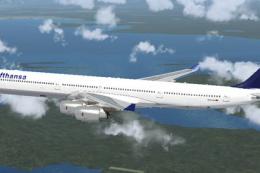
Lufthansa Airbus A340-300, registration D-AIGI "Worms". Textures only for the…
 FSX Civil Aircraft
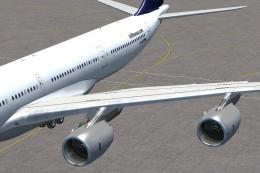
Lufthansa Airbus A340-600. Textures for the A340-600 model by Thomas Ruth (TO…
 FSX Civil Aircraft
New version of Lufthansa repaint including new windows, logo, more realistic …
 FSX Civil Aircraft
Lufthansa Airbus A340-600. Textures for the A340-600 model by Thomas Ruth. Re…
 FSX Civil Aircraft
Lufthansa Airbus A340-600, registration D-AIHA. Model by Thomas Ruth (TOMA346…
 FSX Civil Aircraft
Etihad Airbus Airbus A340-642. xsRepaint of Etihad Airways A340-600 A6-EHI fo…
Be the first to leave a comment on this download.
Be the first to share your thoughts on this download.