

 FSX General Aviation Aircraft
Mooney M-18C "Mite" Repaint
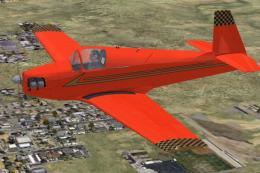
Mooney M-18C "Mite" Repaint. Textures for Tim Conrad's Mooney M-18C "Mite" (M…
Mooney M-18C Mite textures in N4155 markings refresh the look and correct the aircraft ID plaque in the virtual cockpit for a more authentic cabin presentation in FSX. Requires Tim Conrad’s Mooney M-18C model and replaces the key livery bitmap to match the real-world registration details.
 Rate
Rate
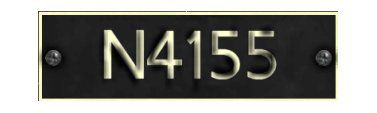

Mooney M-18C Mite Repaint Update. Textures for Tim Conrad's Mooney M-18C "Mite" (M-18C.ZIP). These textures are based on the aircraft N4155. This will replace the airplane ID plaque in the virtual cockpit with corrrect ID. The original file is M18CX1.ZIP. By John Barner.
Mooney M-18C 'Mite' registration palte.
-----------------------------------------------------------------------------------------------------------
Texture Installation:
1 - You need to have the Mooney M-18C by Tim Contrad installed in your FSX aircraft folder.
2 - Unzip the contents of the zip file to a temporary folder of your choice.
3 - In your FSX airplane folder find and open the folder named "M-18C". Open the file texture.N4155 and copy the file m18c_01bmp from you temp folder to th texture.N155 folder over writing the existing file.
3 - That's it.
---------------------------------------------------------------------------------------
---------------------------------------------------------------------------------------
Barnyard Repaints
Free for all simmers · 726.38 KB · Scanned clean Oct 2026
Download speed: Free tier is capped at 0.5 Mbps. PRO members download at full line speed.
This add-on may require the following files to function properly. If this is a repaint, the dependency below is likely the base aircraft package.
texture.{airline}) inside FSX\SimObjects\Airplanes\{base-aircraft}\.aircraft.cfg in Notepad. Add a new [fltsim.X] section per the readme.readme.txt or README file. It tells you exactly where files go, what dependencies are needed, and any quirks specific to this add-on.The archive m18cud.zip has 7 files and directories contained within it.
This list displays the first 500 files in the package. If the package has more, you will need to download it to view them.
| Filename/Directory | File Date | File Size |
|---|---|---|
| Read Me First.txt | 10.04.08 | 1.73 kB |
| 150.gif | 10.04.08 | 4.48 kB |
| 300.jpg | 10.04.08 | 6.88 kB |
| FILE_ID.DIZ | 10.04.08 | 281 B |
| m18c_01.bmp | 10.04.08 | 4.00 MB |
| flyawaysimulation.txt | 10.29.13 | 959 B |
| Go to Fly Away Simulation.url | 01.22.16 | 52 B |
Only PRO members can place votes.
More FSX & P3D add-ons hand-picked based on this download.
FSX General Aviation Aircraft
Mooney M-18C "Mite" Repaint. Textures for Tim Conrad's Mooney M-18C "Mite" (M…
 FSX General Aviation Aircraft
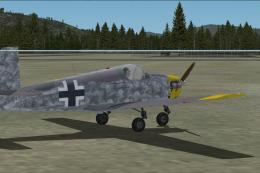
This repainted package brings a distinctive look to a vintage single-seat cru…
 FSX General Aviation Aircraft
This freeware package delivers a custom WWII-inspired paint scheme for Tim Co…
 FSX General Aviation Aircraft
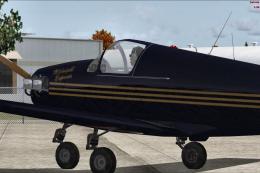
Mooney M-18C Mite "Midnight Express". Textures only for Tim Conrad's Mooney M…
 FSX General Aviation Aircraft
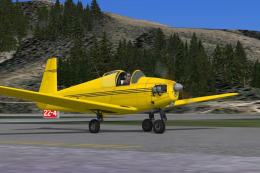
Mooney M-18C "Mite". The first of Al Mooney's designs to be produced, first f…
 FSX General Aviation Aircraft
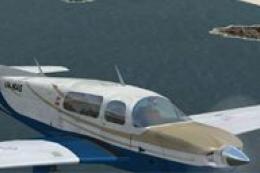
Mooney Bravo. A repaint of the default Mooney Bravo. Mooney Bravo in flight. …
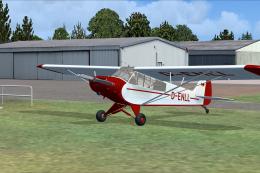 FSX General Aviation Aircraft
Owned by Luftsportverein. Construction Number c/n 18-1578. Built 1951. Former…
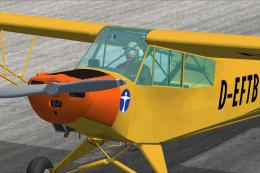 FSX General Aviation Aircraft
Piper Super Cub PA-18-95 L-18C, registration D-EFTB. Owned by Bundeswehr Spor…
Be the first to leave a comment on this download.
Be the first to share your thoughts on this download.