

 FSX Military Aircraft
HuAF L-39 Albatros Capali
This freeware repaint brings the Hungarian Air Force “135” markings known as …
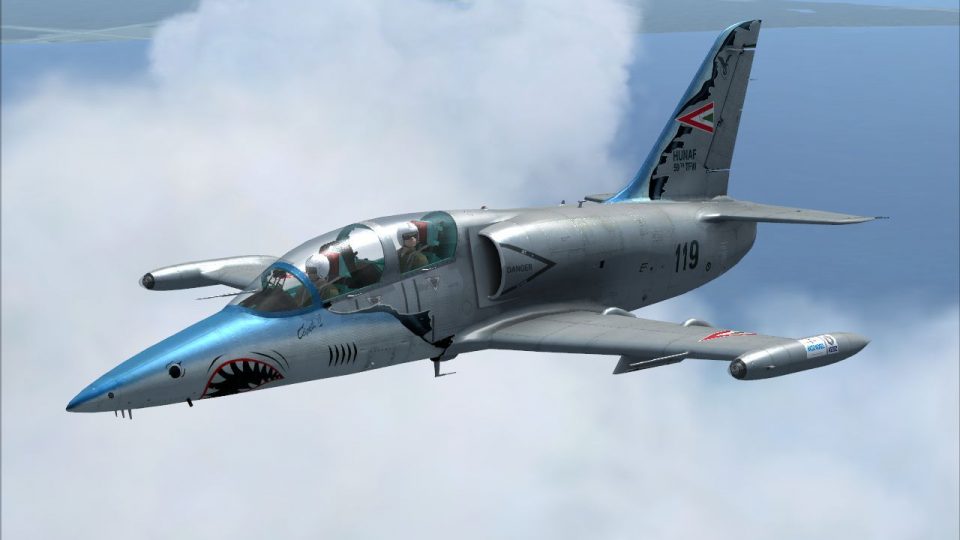
Hungarian Air Force “119” Capeti II livery brings the Aero Vodochody L-39 Albatros to life with carefully matched camouflage, crisp unit markings, and detailed stenciling, plus a bespoke cockpit exterior texture for extra visual depth. Built for Microsoft Flight Simulator X, it requires the payware LotusSim L-39 base aircraft.
 Rate
Rate

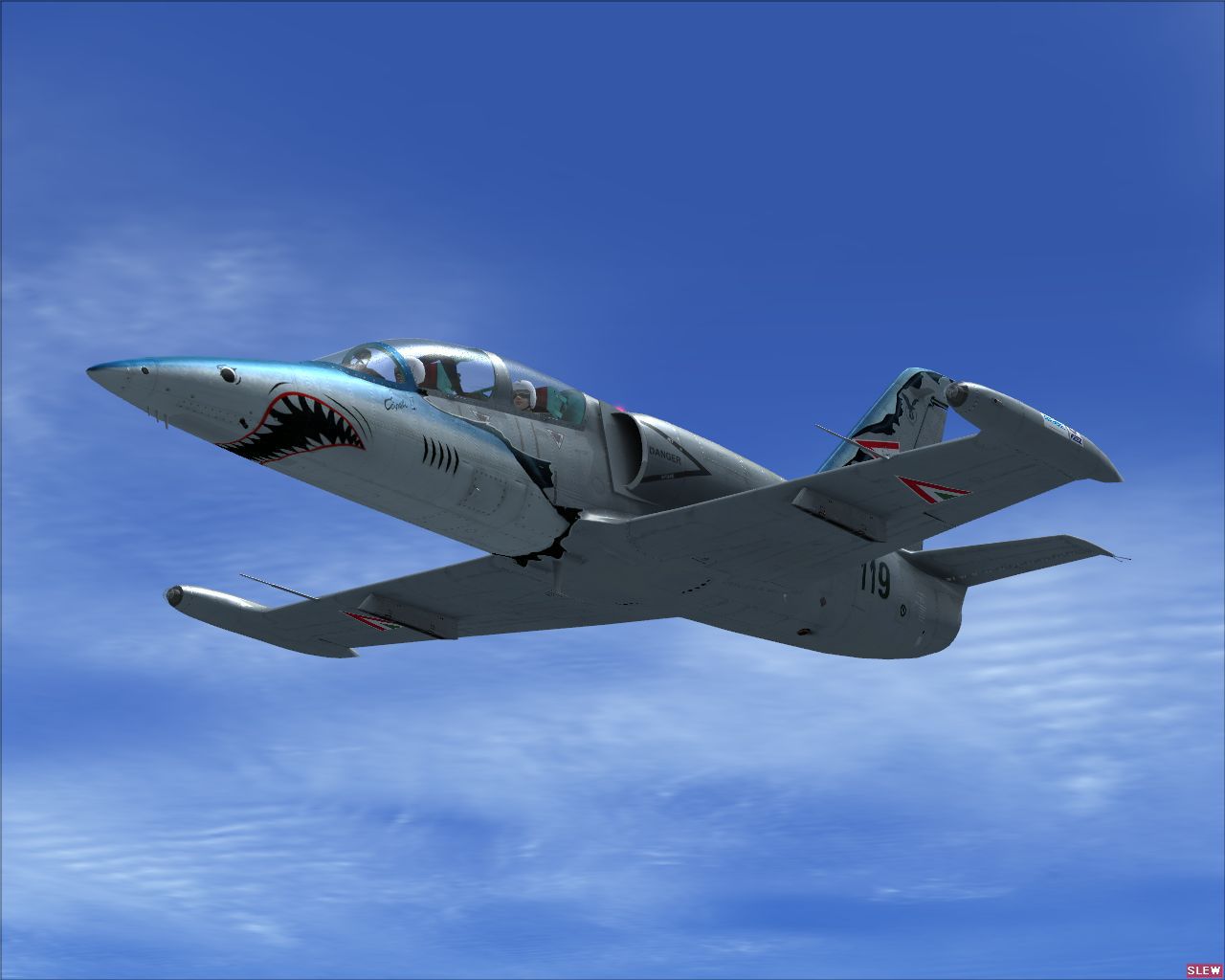
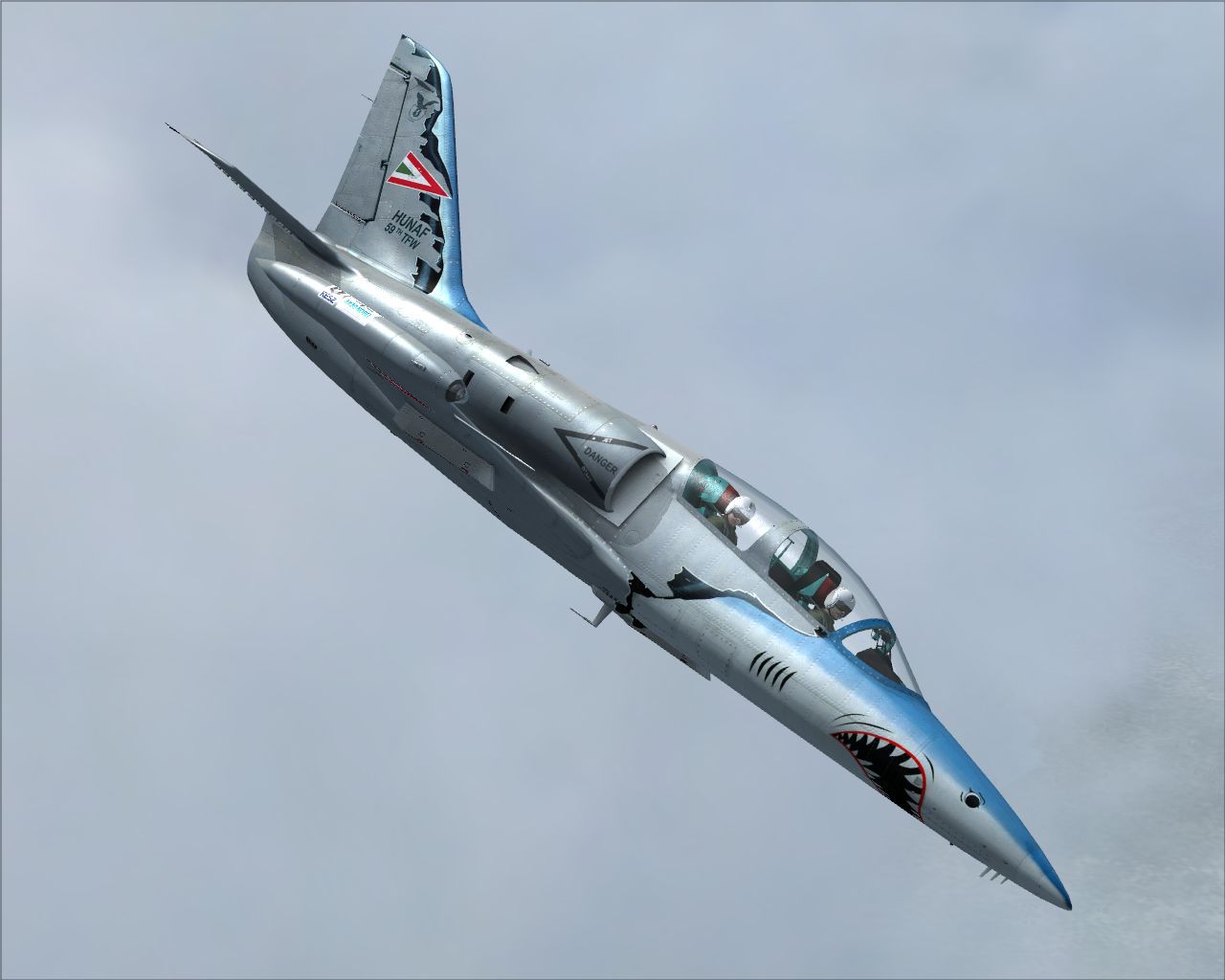


This freeware package offers a specialized HuAF “119” Capeti II exterior paint scheme crafted by developer Tibor Kókai for the payware LotusSim Aero Vodochody L-39 Albatros. It is intended exclusively for Microsoft Flight Simulator X and delivers intricate markings alongside a custom cockpit exterior texture, reflecting the unique style of the Hungarian Air Force’s L-39 variant.
The Aero L-39 Albatros is widely recognized as a versatile jet trainer that has served in numerous air forces. In Hungarian service, it has been valued for both initial and advanced pilot training. This specific “Capeti II” livery honors the real-world HuAF “119” aircraft, combining distinctive camouflage elements with carefully replicated insignia to achieve historical accuracy. LotusSim’s payware model amplifies this dynamic representation through in-depth flight handling, detailed avionics, and a high-fidelity virtual cockpit that accurately depicts the Albatros’s layout.

HuAF L-39 Albatros Capeti II in flight.
All artwork is produced by Tibor Kókai. Any modifications, unauthorized redistribution, or uploads outside the original files are not permitted without prior consent from the author. Full appreciation goes to LotusSim (Mike) for developing the base Aero Vodochody L-39 Albatros.
After obtaining the payware LotusSim Aero Vodochody L-39 Albatros, follow these steps:
...\Simobjects\Airplanes\ directory.
[fltsim.x+1]
title=Aero L-39 Albatros Hungarian 119 - Clean
sim=L-39
model=rusaf
panel=
sound=
texture=hun119
kb_checklists=lotus_l39c_check
kb_reference=lotus_l39c_ref
ui_manufacturer=Aero
ui_type=L-39C Albatros
ui_variation=Hungarian Military 119
ui_typerole=Single Engine Jet Trainer
ui_createdby=Lotus
atc_id_enable=1
atc_id=125
atc_heavy=0
atc_airline=
atc_flight_number=
description=Aero Vodochody L-39 Single Engine Jet Trainer \nDeveloped by Lotus Simulations \nVariant: HuAF '119' \nDetails: \n\nFull featured Dual Cockpit Aircraft \n\nPlease see manual for performance specifications. \nRepainted by Tibor Kókai
visual_damage=0
atc_parking_types=MIL_COMBAT
atc_parking_codes=102E
atc_id_color=0x00000000
atc_id_font=Verdana,-11,1,600,0
[fltsim.x+1]
title=Aero L-39 Albatros Hungarian 119 - Formation
sim=L-39
model=vjazmam
panel=
sound=
texture=hun119
kb_checklists=lotus_l39c_check
kb_reference=lotus_l39c_ref
ui_manufacturer=Aero
ui_type=L-39C Albatros
ui_variation=Hungarian Military 119
ui_typerole=Single Engine Jet Trainer
ui_createdby=Lotus
atc_id_enable=1
atc_id=125
atc_heavy=0
atc_airline=
atc_flight_number=
description=Aero Vodochody L-39 Single Engine Jet Trainer \nDeveloped by Lotus Simulations \nVariant: HuAF '119' \nDetails: \n\nFull featured Dual Cockpit Aircraft \n\nPlease see manual for performance specifications. \nRepainted by Tibor Kókai
visual_damage=0
atc_parking_types=MIL_COMBAT
atc_parking_codes=102E
atc_id_color=0x00000000
atc_id_font=Verdana,-11,1,600,0
Once you have inserted these entries, save both aircraft.cfg files and close your editor. Your Hungarian Air Force “Capeti II” repaint will now be available.
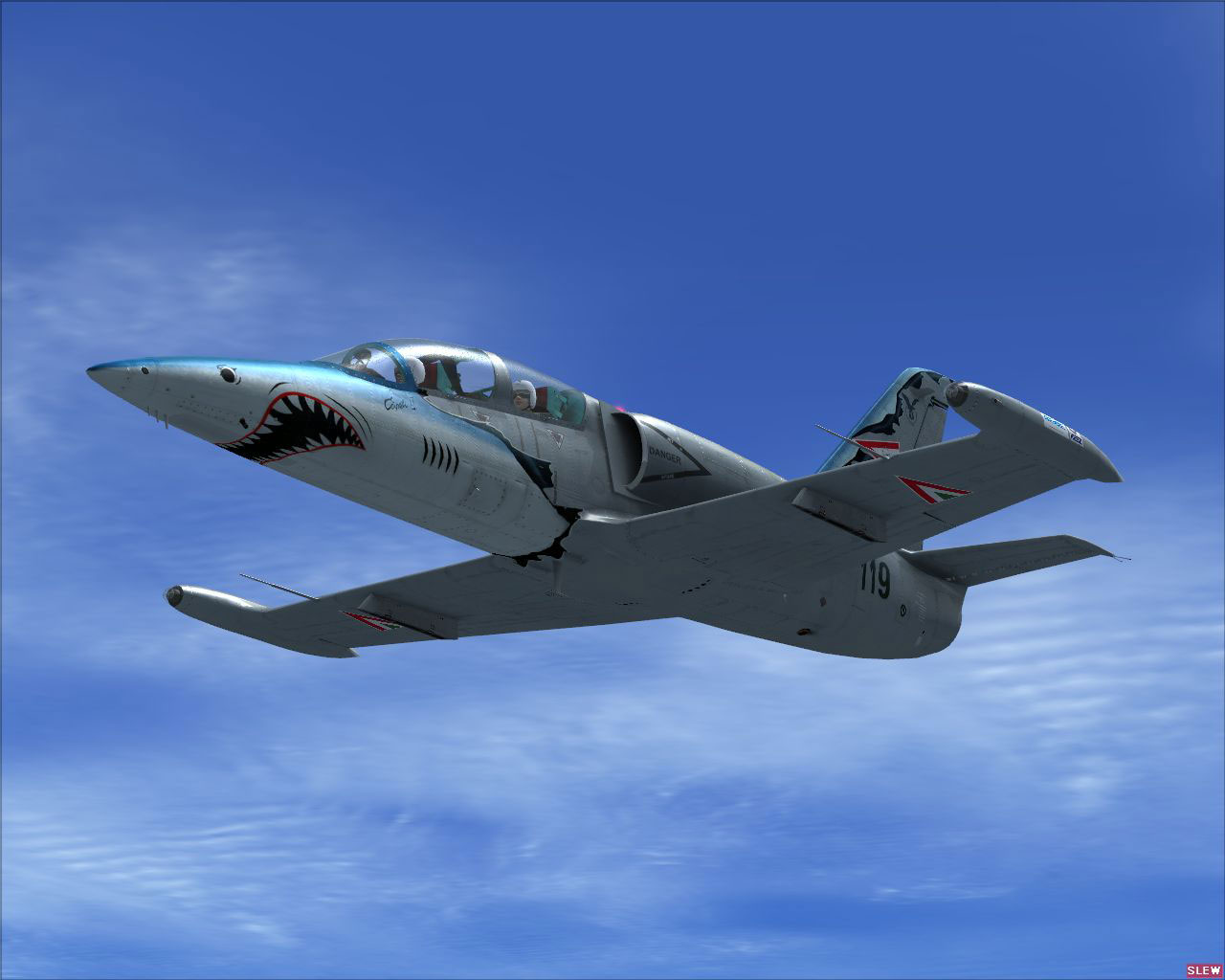
HuAF L-39 Albatros Capeti II in flight.
Free for all simmers · 6.78 MB · Scanned clean Oct 2026
Download speed: Free tier is capped at 0.5 Mbps (this file takes approximately 2 mins at the cap). PRO members download at full line speed.
texture.{airline}) inside FSX\SimObjects\Airplanes\{base-aircraft}\.aircraft.cfg in Notepad. Add a new [fltsim.X] section per the readme.readme.txt or README file. It tells you exactly where files go, what dependencies are needed, and any quirks specific to this add-on.The archive lotussim_l-39_albatros_huaf119.zip has 42 files and directories contained within it.
This list displays the first 500 files in the package. If the package has more, you will need to download it to view them.
| Filename/Directory | File Date | File Size |
|---|---|---|
| 2009-8-13_17-31-41-253.jpg | 08.13.09 | 83.88 kB |
| 2009-8-13_17-31-54-809.jpg | 08.13.09 | 80.86 kB |
| 2009-8-13_17-33-15-790.jpg | 08.13.09 | 78.25 kB |
| readme.txt | 08.13.09 | 2.79 kB |
| thumb.jpg | 08.13.09 | 23.62 kB |
| Lotus L-39 | 08.13.09 | 0 B |
| texture.hun119 | 08.13.09 | 0 B |
| FresnelCanopyExt.dds | 03.21.09 | 4.12 kB |
| FresnelCanopyVC.dds | 06.10.08 | 4.12 kB |
| FresnelRamp.dds | 06.01.07 | 2.14 kB |
| fresnel_ramp.dds | 09.05.06 | 640 B |
| fresnel_ramp_canopy.dds | 03.05.09 | 4.12 kB |
| glass2_t.dds | 03.21.09 | 4.12 kB |
| glass3_t.dds | 03.26.09 | 4.12 kB |
| glass_dark.dds | 04.08.09 | 1.12 kB |
| glass_spec.dds | 03.02.09 | 4.12 kB |
| glass_t.dds | 03.21.09 | 4.12 kB |
| L39Ext1.dds | 08.13.09 | 1.00 MB |
| L39Ext11.dds | 08.13.09 | 1.00 MB |
| L39Ext1_Spec.dds | 08.13.09 | 1.00 MB |
| L39Ext2.dds | 08.13.09 | 1.00 MB |
| L39Ext2_spec.dds | 08.13.09 | 1.00 MB |
| L39Ext3.dds | 08.13.09 | 1.00 MB |
| L39Ext3_spec.dds | 08.13.09 | 1.00 MB |
| L39Ext4.dds | 08.13.09 | 1.00 MB |
| L39Ext4_spec.dds | 08.13.09 | 1.00 MB |
| L39Ext5.dds | 08.13.09 | 1.00 MB |
| L39Ext5_spec.dds | 08.13.09 | 1.00 MB |
| L39Ext6.dds | 08.13.09 | 1.00 MB |
| L39Ext6_Spec.dds | 08.13.09 | 1.00 MB |
| L39Ext7.dds | 08.13.09 | 1.00 MB |
| L39Ext7_spec.dds | 08.13.09 | 1.00 MB |
| L39Ext8.dds | 08.13.09 | 1.00 MB |
| L39pilot1.dds | 06.10.09 | 128.12 kB |
| texture.cfg | 08.13.09 | 195 B |
| thumbnail.jpg | 08.13.09 | 23.62 kB |
| Lotus L-39-multi | 08.13.09 | 0 B |
| texture.hun119 | 08.13.09 | 0 B |
| texture.cfg | 08.13.09 | 139 B |
| thumbnail.jpg | 08.13.09 | 23.92 kB |
| flyawaysimulation.txt | 10.29.13 | 959 B |
| Go to Fly Away Simulation.url | 01.22.16 | 52 B |
Only PRO members can place votes.
More FSX & P3D add-ons hand-picked based on this download.
FSX Military Aircraft
This freeware repaint brings the Hungarian Air Force “135” markings known as …
 FSX Military Aircraft
This freeware repaint showcases the Hungarian Air Force “125” scheme for the …
 FSX Military Aircraft
Algerian Aero L-39 Albatros. The Lotus Sim L39 Albatros - Algerian Air Force …
 FSX Military Aircraft
Aero Vodochody L-39 Albatros N101PX. The Lotussim L39 in N101PX scheme. By Ma…
 FSX Military Aircraft
Fictional repaint for Lotus Simulation L-39C Albatros. Screenshot of Aero L-3…
 FSX Military Aircraft
Hungarian Air Force Aero L-39 Albatros, Hungary Air Force 59th HRE, Kecskemet…
 FSX Military Aircraft
Hungarian Air Force L-39 Albatros. Lotus Sim Aero Vodochody L39 Albatros repa…
 FSX Military Aircraft
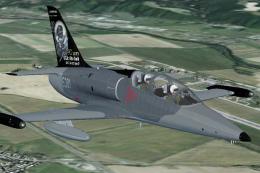
This is repaint of an L39 with anniversary coat with Otto Smik for Lotussim m…
Be the first to leave a comment on this download.
Be the first to share your thoughts on this download.