

 FSX Panels & Gauges
Glass Cockpit Mini Panel
Glass Cockpit Mini Panel version 2.1. The glass cockpit mini panel has been u…
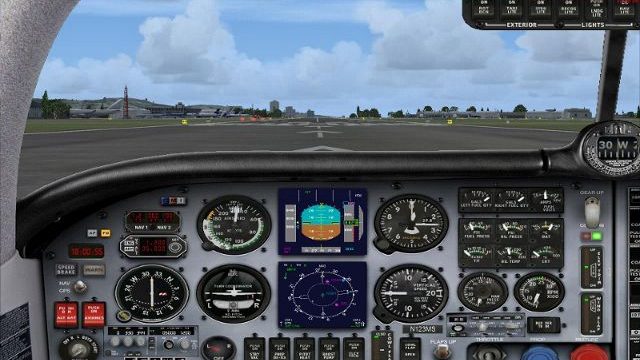
Mooney Bravo pilots get a refreshed virtual cockpit with a partial-glass default panel built entirely from stock gauges, delivering a clean new layout while keeping familiar performance and compatibility. An added autopilot on the dashboard streamlines workload by putting key controls front and center in Microsoft Flight Simulator X.
 Rate
Rate

Mooney Default Panel Partial Glass. This is a Mooney Bravo default panel with partial glass. It has been reworked using all default gauges for a different look. It's always good to have more than one kind of cockpit to choose from. With added autopilot on the dash board so you don't have to use the radio stack any more. Reworked by J. D. Starseed.
Mooney Default Panel Partial Glass.
This a FSX Mooney Bravo partial glass panel. Created using default gauges for a different look. Panel reworked with all Microsoft gauges.
1. Un- zip file to your desk top.
2. Copy to:
For example= C:\Program Files (x86)\Microsoft Games\Microsoft Flight Simulator X\Simobjects\Airplanes\Mooney Bravo
3. Don't forget to make a back up of the original Mooney panel file first and name it [Panel.1] . Restart Flight Sim thats it !!
Free for all simmers · 4.41 MB · Scanned clean Oct 2026
Download speed: Free tier is capped at 0.5 Mbps (this file takes approximately 1 min at the cap). PRO members download at full line speed.
FSX\SimObjects\Airplanes\{aircraft}\panel\. Back up the existing panel folder first.readme.txt or README file. It tells you exactly where files go, what dependencies are needed, and any quirks specific to this add-on.The archive mooneypanel_parglass.zip has 16 files and directories contained within it.
This list displays the first 500 files in the package. If the package has more, you will need to download it to view them.
| Filename/Directory | File Date | File Size |
|---|---|---|
| panel | 07.25.11 | 0 B |
| Airbus_A321.cab | 10.13.09 | 2.71 MB |
| compass.bmp | 05.12.06 | 96.42 kB |
| mooney_background.bmp | 05.12.06 | 769.05 kB |
| mooney_background_night.bmp | 05.12.06 | 769.04 kB |
| Mooney_Panel_Decals.bmp | 05.12.06 | 257.05 kB |
| PANEL.CFG | 07.25.11 | 8.41 kB |
| PAPA320_W.CAB | 02.23.08 | 1.32 MB |
| Partial Glass Mooney Bravo.jpg | 07.25.11 | 187.09 kB |
| Read Me !.txt | 07.25.11 | 1.51 kB |
| upper_1024.bmp | 05.12.06 | 22.77 kB |
| upper_1024_night.bmp | 05.12.06 | 23.24 kB |
| upper_640.bmp | 05.12.06 | 9.30 kB |
| upper_640_night.bmp | 07.22.06 | 9.28 kB |
| flyawaysimulation.txt | 10.29.13 | 959 B |
| Go to Fly Away Simulation.url | 01.22.16 | 52 B |
Only PRO members can place votes.
More FSX & P3D add-ons hand-picked based on this download.
FSX Panels & Gauges
Glass Cockpit Mini Panel version 2.1. The glass cockpit mini panel has been u…
 FSX Panels & Gauges
For use with Alphasim Westland Future Lynx helicopters (LYNXUPDATE.ZIP requir…
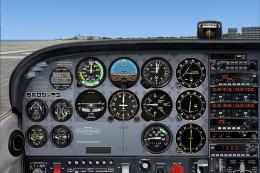 FSX Panels & Gauges
Panel And FDE For Default Cessna 172SP. This package includes new instrument …
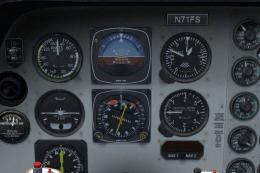 FSX Panels & Gauges
Panel Files For Default Beechcraft Baron. Panel config files for RealityXP Fl…
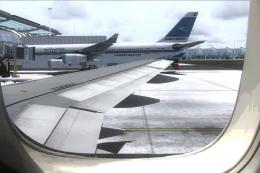 FSX Panels & Gauges
For use with wing views in FSX. As we all know, FSX doesn't provide this func…
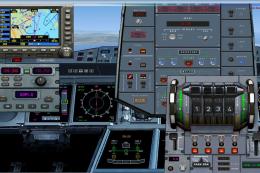 FSX Panels & Gauges
Airbus A380 Panel. Highly detailed panel for Airbus A380. By Pasquale Rinaldi…
 FSX Panels & Gauges
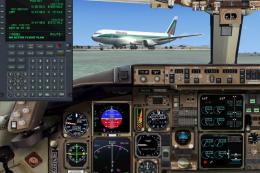
Boeing 767-300 Panel. Reworked B767-300 panel by M. Spada. Uses default and t…
 FSX Panels & Gauges
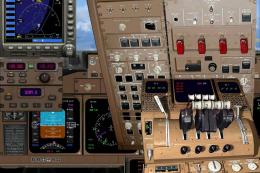
A complete panel, highly detailed for the B747-400. By Pasquale Rinaldi. Scre…
Be the first to leave a comment on this download.
Be the first to share your thoughts on this download.