


 Brazil
  FSX Scenery
Uberlandia City - SRTM Meshes Correction
Enhance your Microsoft Flight Simulator X experience by resolving altitude in…
Parauapebas City SRTM mesh correction improves terrain and airport elevation accuracy around Carajás Airport (SBCJ/CKS) in Brazil, delivering a more believable runway profile and surrounding relief for both VFR and IFR flying. Built for Microsoft Flight Simulator X, it refines local altitude data with targeted flattening to smooth ground operations.
Improve altitude accuracy around Carajás Airport in Parauapebas City, Brazil with this free scenery correction that fine-tunes Shuttle Radar Topography Mission (SRTM) meshes and ensures a more authentic terrain profile. Developed by Cesar Marinho for Microsoft Flight Simulator X, this enhancement addresses elevation discrepancies at SBCJ, offering a refined runway environment and more lifelike surroundings.
Positioned in a region renowned for large-scale mining activities, Carajás Airport (IATA code: CKS) sits near Parauapebas, which lies in southeastern Pará. The default topography in many simulators can lead to inaccurate elevation data. To rectify this, the add-on adjusts altitudes in critical spots, ensuring that virtual pilots experience terrain relief consistent with reality. By implementing a specialized flatten parameter, the runway maintains correct elevation, which benefits both visual (VFR) and instrument (IFR) approaches.
This file handles the flattening process. In flight simulator environments, “flattening” ensures that any irregularities on the airfield’s surface are minimized or removed, enabling authentic taxiway alignment and smoother ground operations. Placing this BGL in the appropriate folder significantly improves Gates, taxi routes, and overall apron accuracy.
Found in the simulator’s “0404” scenery folder, this component ensures that airport-related data aligns with the real-world altitude. The developer has fine-tuned elevation references to sync with official coordinates, thereby reducing unwanted terrain anomalies. It is vital to preserve an original backup of this file in case you need to revert to default data in the future.
C:\Program Files\Microsoft Games\Microsoft Flight Simulator X\Scenery\0404\scenery, and create a safe backup copy.C:\Program Files\Microsoft Games\Microsoft Flight Simulator X\Addon Scenery\scenery, or whichever directory you use for custom mesh installations.C:\Program Files\Microsoft Games\Microsoft Flight Simulator X\Scenery\0404\scenery, making sure the old file is safely stored away.This configuration applies exclusively to Microsoft Flight Simulator X. Other simulators, such as the more recent Microsoft Flight Simulator or earlier versions like Microsoft Flight Simulator 2004, are not supported by these mesh corrections.
While this add-on primarily addresses incorrect altitude data, it can also subtly enhance visual immersion around the broader Carajás mining territory. The changes may affect various approach angles and navigation calculations, so it’s advisable to become familiar with altered charts, if any, when planning flights.
All coding and mesh refinements were implemented by Cesar Marinho, who has generously provided this freeware solution for enthusiasts looking to optimize terrain fidelity in the virtual skies of Parauapebas. Enjoy the revamped environment and advanced topographical realism as you come in to land at SBCJ.
Free for all simmers · 6.09 KB · Scanned clean Oct 2026
Download speed: Free tier is capped at 0.5 Mbps. PRO members download at full line speed.
FSX\Addon Scenery\ containing scenery and texture sub-folders.readme.txt or README file. It tells you exactly where files go, what dependencies are needed, and any quirks specific to this add-on.Use these coordinates to fly directly to this location once the mod is installed.
-6.11820000,-50.00110000
Launch FSX or Prepar3D and use Flights → Load to open the downloaded .pln file. Your aircraft will be positioned at this location.
The archive sbcj_cor.zip has 6 files and directories contained within it.
This list displays the first 500 files in the package. If the package has more, you will need to download it to view them.
| Filename/Directory | File Date | File Size |
|---|---|---|
| File_ID.diz | 06.11.07 | 177 B |
| readme.txt | 06.11.07 | 812 B |
| APX34340.BGL | 06.11.07 | 9.31 kB |
| SBCJ_FLATTEN.BGL | 06.11.07 | 283 B |
| flyawaysimulation.txt | 10.29.13 | 959 B |
| Go to Fly Away Simulation.url | 01.22.16 | 52 B |
Only PRO members can place votes.
More FSX & P3D add-ons hand-picked based on this download.
FSX Scenery
Enhance your Microsoft Flight Simulator X experience by resolving altitude in…
FSX Scenery
Scenery SRTM Meshes Correction. Corrects the wrong altitude on lakes and dams…
FSX Scenery
SDJD SRTM Meshes Correction. Corrects the wrong altitude at SDJD airport Jund…
 FSX Scenery
FSX World Wide Coverage SRTM 3, version 2, mesh of Europe. Includes the compl…
 FSX Scenery
Oceania - Asia SRTM Terrain Mesh. Covers Australia, New Zealand (including Au…
 FSX Scenery
FSX World Wide Coverage SRTM 3, version 2, mesh of Africa. Includes the compl…
 FSX Scenery
FSX SRTM 76 m South America, Central America and the Caribbean. Designed with…
 FSX Scenery
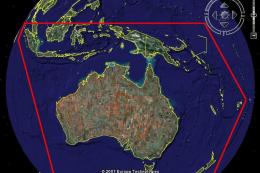
STRM Mesh For Australia, New Zealand and PNG. This SRTM mesh will update your…
Be the first to leave a comment on this download.
Be the first to share your thoughts on this download.