

 FSX Scenery
Bagram Air Force Base
Bagram Air Force Base v3. Bagram, Afghanistan (AF). Bagram AFB (OAIX) is for …
Bassingbourn Air Base scenery recreates the historic UK bomber station used from 1942 to 1945, including airfield layout updates that capture the home of Memphis Belle and Nine O Nine. Built for Microsoft Flight Simulator X, it requires Ted Andrews’s RAF Hangars Library plus related RAF buildings for authentic wartime atmosphere.
 Rate
Rate
 United Kingdom
Bassingbourn Air Base, UK. Bassingbourn was used from 19 August 1942 though 25 June 1945 and served as headquarters for the 1st Combat Bombardment Wing of the 1st Bomb Division. By Scotty Berge.
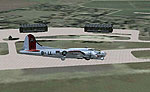
Bassingbourn Air Base Scenery.
Thank you for downloading my first scenery. This is for a correct version of Bassingborun air base in England that was used From 19 August 1942 though 25 June 1945, Bassingbourn served as headquarters for the 1st Combat Bombardment Wing of the 1st Bomb Division. The famous Memphis Belle and Nine O Nine flew out of there. This is
for FSX and you will need to have Ted Andrews's RAF Hangars Library and his other great RAF Buildings.
First after you unzip this folder you will see 2 files called:
UKBA_ADE_SCOTTY.BGL
UKBA_ADE_SCOTTY_CVX.bgl
Move these 2 files into your addon scenery scenery folder. The path will look like this:
C:\Program Files\Microsoft Games\Microsoft Flight Simulator X\Addon Scenery\scenery
Start up FSX and then go into your settings, Scenery Library then once the scenery window pops up just click ok. The scenery will load automaticly.
This scenery was created by me using the great program Airport Desing Editor (ADE) and with help from Ian P.
I used the scenery from just flights VFR Scenery volume 1 and 2.
Thanks for downloading.
Scotty Berge
Free for all simmers · 9.83 KB · Scanned clean Oct 2026
Download speed: Free tier is capped at 0.5 Mbps. PRO members download at full line speed.
FSX\Addon Scenery\ containing scenery and texture sub-folders.readme.txt or README file. It tells you exactly where files go, what dependencies are needed, and any quirks specific to this add-on.Use these coordinates to fly directly to this location once the mod is installed.
52.08110000,-0.03940000
Launch FSX or Prepar3D and use Flights → Load to open the downloaded .pln file. Your aircraft will be positioned at this location.
The archive ukbaades.zip has 5 files and directories contained within it.
This list displays the first 500 files in the package. If the package has more, you will need to download it to view them.
| Filename/Directory | File Date | File Size |
|---|---|---|
| UKBA_ADE_SCOTTY.BGL | 01.10.09 | 23.50 kB |
| UKBA_ADE_SCOTTY_CVX.bgl | 01.10.09 | 281 B |
| Read Me!!!!.txt | 01.10.09 | 1.39 kB |
| flyawaysimulation.txt | 10.29.13 | 959 B |
| Go to Fly Away Simulation.url | 01.22.16 | 52 B |
Only PRO members can place votes.
More FSX & P3D add-ons hand-picked based on this download.
FSX Scenery
Bagram Air Force Base v3. Bagram, Afghanistan (AF). Bagram AFB (OAIX) is for …
 FSX Scenery
Andrews Air Force Base (KADW), Camp Springs, Maryland (MD). An improved versi…
 FSX Scenery
Nellis Air Force Base (KLSV), Nevada (NV). Adds ramp parking and some scenery…
 FSX Scenery
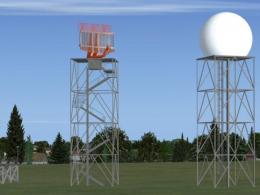
Aviano Air Base Scenery, Italy. Scenery for Aviano Air Base (LIPA), done with…
 FSX Scenery
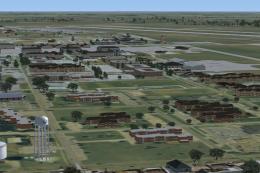
Sheppard Air Force Base (KSPS), Wichita Falls, Texas (TX). So you want to be …
 FSX Scenery
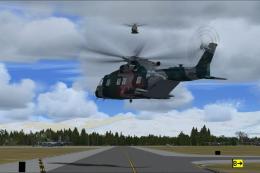
Bagram Air Force Base V3 Update 1. Bagram, Afghanistan (AF). Portions of some…
 FSX Scenery
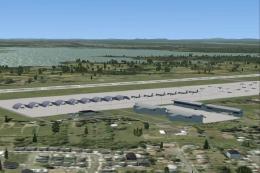
Pease Air Force Base, New Hampshire (NH), v2.8. This is Pease AFB as it was i…
 FSX Scenery
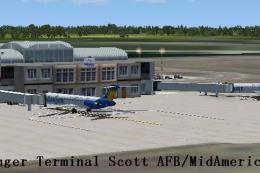
Scott Air Force Base (IATA: BLV, ICAO: KBLV, FAA LID: BLV) is a base of the U…
Be the first to leave a comment on this download.
Be the first to share your thoughts on this download.