

 FSX Scenery
NL2000 V4.02 Lelystad Airport
This add-on enhances Microsoft Flight Simulator X with a finely detailed rend…
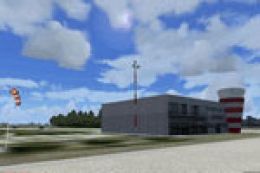
EHLE Lelystad Airport is recreated in high detail with photoreal ground textures, accurate runway and taxiway layout, signage, lighting, and distinctive buildings and nearby landmarks, tuned for smooth performance in FSX. It requires NL2000 v4 and blends cleanly with the modular Netherlands coverage for consistent terrain and elevations.
 Rate
Rate
 Netherlands
Enhance your flight simulator library with an intricate recreation of EHLE Lelystad Airport that seamlessly integrates with NL2000 version 4. This freeware package is brought to you by The Netherlands 2000 Scenery Design Team, and it showcases a comprehensive depiction of one of the most notable general aviation airports in the Netherlands, all while maintaining excellent performance in FSX. It represents part of the broader effort to replicate the entire country in high detail through modular components, so it aligns perfectly with other NL2000 v4 offerings.
Lelystad Airport (EHLE), situated in the province of Flevoland, serves as a major center for various aviation services, including private flying, flight training, and light aircraft maintenance. This package meticulously models its primary runway, taxiways, aprons, and characteristic structures. In addition, nearby landmarks and ground details capture the unique terraced layout of the airport’s surroundings, adding to the immersion. The rental hangars, terminal areas, and control towers have been recreated with close attention to texture quality and positioning.
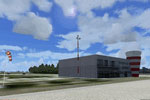
NL2000 V4.0 Lelystad Airport Scenery.
Because NL2000 Scenery is divided into modules, you can install only the areas you want. Lelystad Airport integrates seamlessly with the main NL2000 v4 setup, ensuring that runway markings, approach lights, and AFCAD data all operate smoothly with the rest of the Netherlands coverage. Moreover, users benefit from consistent elevations and terrain transitions, avoiding any sudden shifts between adjacent scenery tiles.
Before installing EHLE Lelystad Airport, you must have the NL2000 v4 installer, which manages all modules in the package. Once the installer detects the Lelystad scenery content, you can pick which elements to include and set configuration preferences for best results. Many simmers combine this airport scenery with other NL2000 region files to achieve a cohesive simulation environment across the Netherlands.
This free scenery is courtesy of The Netherlands 2000 Scenery Design Team. Their dedication to replicating Dutch airports and surrounding terrain with high fidelity has been a longstanding benefit to the flight simulation community. This particular package reflects countless hours of refining architectural details, testing performance, and ensuring accuracy, making it a worthy addition to any virtual pilot’s setup.
Free for all simmers · 39.99 MB · Scanned clean Oct 2026
Download speed: Free tier is capped at 0.5 Mbps (this file takes approximately 11 mins at the cap). PRO members download at full line speed.
FSX\Addon Scenery\ containing scenery and texture sub-folders.readme.txt or README file. It tells you exactly where files go, what dependencies are needed, and any quirks specific to this add-on.Use these coordinates to fly directly to this location once the mod is installed.
52.46027800,5.52722200
Launch FSX or Prepar3D and use Flights → Load to open the downloaded .pln file. Your aircraft will be positioned at this location.
The archive nl2k_v4_ehle.zip has 8 files and directories contained within it.
This list displays the first 500 files in the package. If the package has more, you will need to download it to view them.
| Filename/Directory | File Date | File Size |
|---|---|---|
| nl2k_v4_ehle.gif | 05.24.10 | 10.24 kB |
| FILE_ID.DIZ | 05.24.10 | 352 B |
| nl2k_v4_ehle.nl2 | 04.26.10 | 40.06 MB |
| nl2k_v4_ehle.txt | 05.22.10 | 344 B |
| copyright.txt | 05.24.10 | 4.43 kB |
| auteursrecht.txt | 05.24.10 | 5.06 kB |
| flyawaysimulation.txt | 10.29.13 | 959 B |
| Go to Fly Away Simulation.url | 01.22.16 | 52 B |
Only PRO members can place votes.
More FSX & P3D add-ons hand-picked based on this download.
FSX Scenery
This add-on enhances Microsoft Flight Simulator X with a finely detailed rend…
 FSX Scenery
Enhance your simulator’s portrayal of one of the Netherlands’ busiest regiona…
 FSX Scenery
This comprehensive scenery package brings an authentic representation of Eind…
 FSX Scenery
This free add-on offers a precisely modeled depiction of EHEH Eindhoven Airpo…
 FSX Scenery
This comprehensive package brings an updated rendition of Maastricht Aachen A…
 FSX Scenery
Enhance your virtual journey in FSX by adding a meticulously detailed renditi…
 FSX Scenery
This airport enhancement transforms Groningen Airport Eelde (EHGG) within Mic…
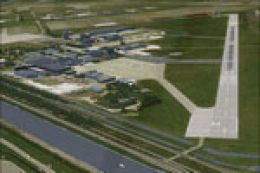 FSX Scenery
Experience the intricacies of Den Helder Airport (EHKD) with this free FSX sc…
Be the first to leave a comment on this download.
Be the first to share your thoughts on this download.