

 FSX Scenery
Houston Hobby New Terminal
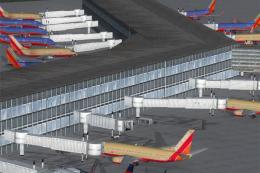
Scenery Houston Hobby New Terminal (KHOU), Texas (TX). Removes the old termin…
Houston Hobby (KHOU) terminal scenery traffic fix restores proper AI routing to runway 12R for departures, eliminating the default AFCAD flaw that blocked access and improved ground flow around the new terminal layout. Built for FSX, it requires the Houston_Hobby.zip scenery package and replaces the airport data file for smoother operations.
 Rate
Rate
 United States of America
Houston Hobby New Terminal Scenery Fix, for use with HOUSTON_HOBBY.ZIP, (KHOU), Texas (TX). Fixes bug from the default file that prevented traffic from properly accessing runway 12R for takeoff. By Carlyle Sharpe.
Fixes bug from the default file that prevented traffic from properly accessing runway 12R for takeoff. For use with the new terminal scenery houston_hobby.zip.
INSTALLATION:
Unzip and drop "2_Hobby_KHOU_AFCAD.bgl" in the "Houston_Hobby\scenery" folder, overwriting the old file.
Carlyle Sharpe
Free for all simmers · 17.48 KB · Scanned clean Oct 2026
Download speed: Free tier is capped at 0.5 Mbps. PRO members download at full line speed.
This add-on may require the following files to function properly. If this is a repaint, the dependency below is likely the base aircraft package.
FSX\Addon Scenery\ containing scenery and texture sub-folders.readme.txt or README file. It tells you exactly where files go, what dependencies are needed, and any quirks specific to this add-on.Use these coordinates to fly directly to this location once the mod is installed.
29.64540000,-95.27890000
Launch FSX or Prepar3D and use Flights → Load to open the downloaded .pln file. Your aircraft will be positioned at this location.
The archive hobby_new_term_afcad_fix.zip has 4 files and directories contained within it.
This list displays the first 500 files in the package. If the package has more, you will need to download it to view them.
| Filename/Directory | File Date | File Size |
|---|---|---|
| Readme.txt | 07.10.10 | 400 B |
| 2_Hobby_KHOU_AFCAD.bgl | 07.10.10 | 35.87 kB |
| flyawaysimulation.txt | 10.29.13 | 959 B |
| Go to Fly Away Simulation.url | 01.22.16 | 52 B |
Only PRO members can place votes.
More FSX & P3D add-ons hand-picked based on this download.
FSX Scenery
Scenery Houston Hobby New Terminal (KHOU), Texas (TX). Removes the old termin…
 FSX Scenery
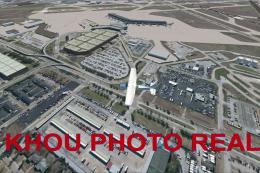
Houston Hobby Airport (KHOU), Texas (TX). This is a photoreal scenery redesig…
 FSX Scenery
Haneda New International Terminal. By Akihiro. This scenery is new Haneda int…
 FSX Scenery
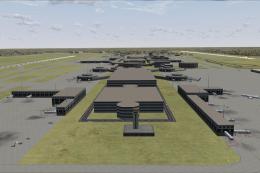
Experience a detailed modification of Houston’s George Bush Intercontinental …
FSX Scenery
Terminal Crash Fix for Istanbul Ataturk Airport (LTBA2009.ZIP), Sabiha Gokcen…
 FSX Scenery
This scenery for London Heathrow Airport contains realistic renditions of ter…
 FSX Scenery
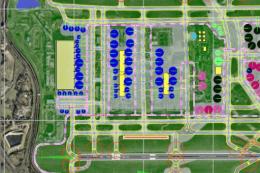
Heathrow With Terminal 5 (EGLL), UK, parking and docking in accordance with N…
 FSX Scenery
This is add-on scenery for the KLAS Janet Terminal. It includes five gate and…
Be the first to leave a comment on this download.
Be the first to share your thoughts on this download.