Skip to content

MSFS · Default aircraft (free) · Liveries

Airbus H125 Liveries for MSFS

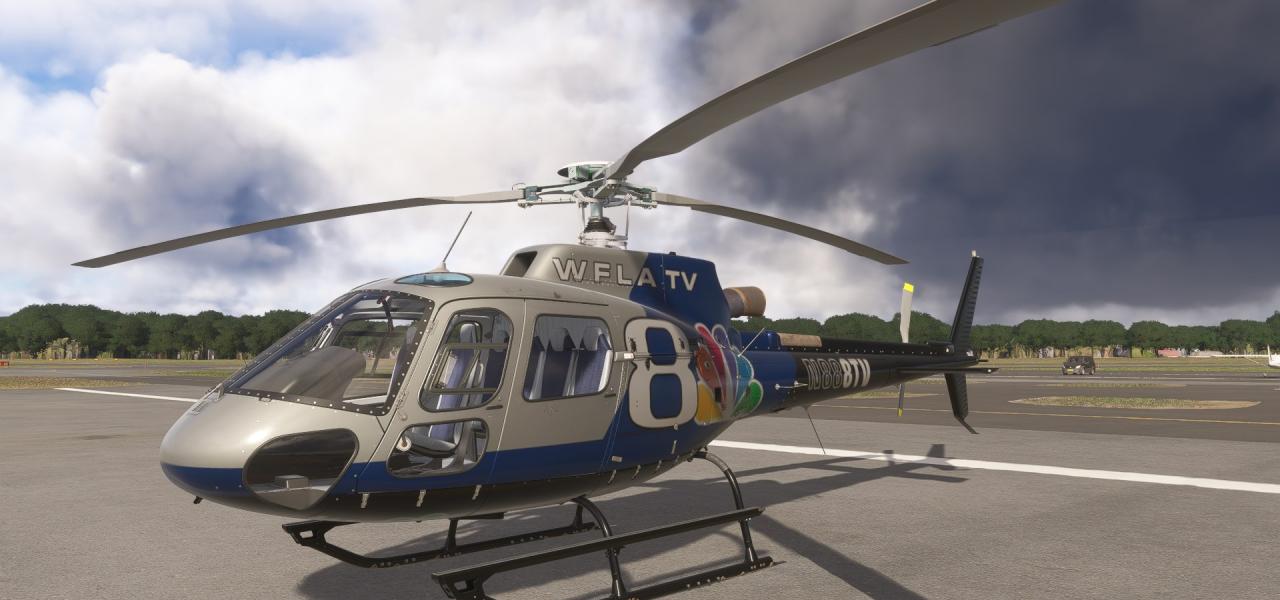
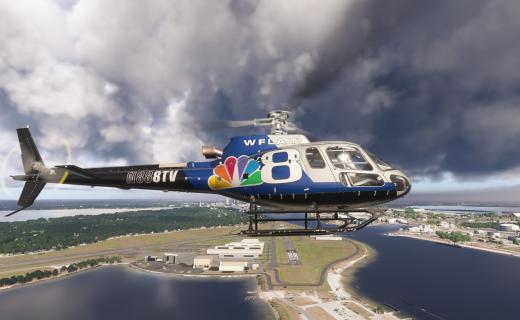
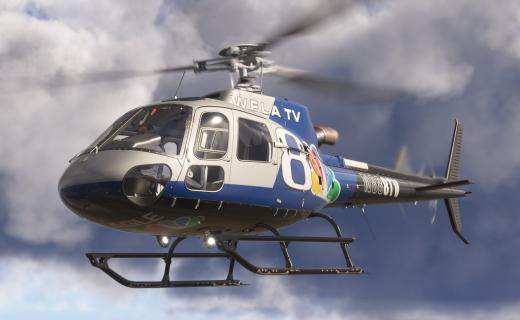
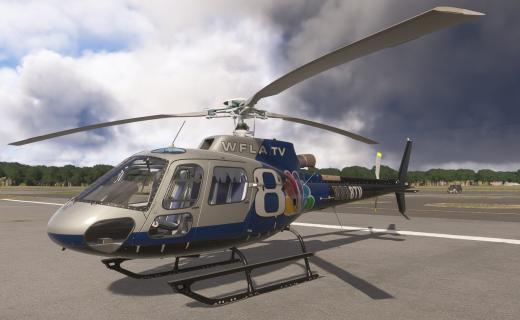
The free WFLA-TV Eagle 8 livery puts a 1997 television news scheme on the H125, bringing a period broadcast identity to the single-engine Écureuil.

1livery
3downloads
26 Nov 2026latest livery
Default aircraft (free)The Airbus H125 is included with the simulator, so these liveries need nothing else installed.

The Airbus H125 livery

Airbus H125 Ecureuil WFLA-TV Eagle 8 1997 Livery in MSFS
New3

Airbus H125 Ecureuil WFLA-TV Eagle 8 1997 Livery

By euroastar350

WFLA-TV’s Eagle 8 helicopter carries circa 1997 colors on the stock Asobo H125 Ecureuil. The treatment uses the existing aircraft rather than a separate model and represents the local television news operations of…

49.02 MB3 downloadsAdded Nov 2026
About the Airbus H125

The Airbus H125 belongs to the single-engine AS350 Écureuil family, known for utility flying, sightseeing, aerial work, and law enforcement. Its three-blade main rotor and single turbine distinguish it from the twin-engine AS355 branch of the family. Developed from the AS350 B3e, the H125 is particularly associated with demanding mountain operations and work in hot-and-high conditions.

The H125 ships with the simulator’s Standard edition, so owners already have the aircraft and need nothing else to use its liveries. The WFLA-TV Eagle 8 scheme brings a specific 1997 broadcast look to flights inspired by television news coverage, placing this versatile helicopter in a different role from its familiar mountain and utility assignments.

More MSFS aircraft with liveries

Browse all 33 MSFS aircraft with liveries

Airbus H125 liveries: questions and answers

Do I need to buy anything to use these Airbus H125 liveries?

No. The Airbus H125 comes with MSFS, so a livery from this page works with the simulator as it is. Check each listing for the simulator version and edition it was made for.

How do I install liveries for the Airbus H125 in MSFS?

In most cases you unzip the download and copy the folder inside it into your Community folder, then restart the simulator; the livery then appears in the aircraft's livery list. Every listing carries the developer's own install notes, and those take priority. Our MSFS install guides cover finding the Community folder.

Do these liveries work in both MSFS 2020 and MSFS 2024?

It depends on the livery. Each listing states the simulator versions it supports, so check that line before you download.

Are the Airbus H125 liveries here free?

Yes. Every livery on Fly Away Simulation is a free download and you do not need an account. More are added as developers publish them.

Can I publish my own livery for the Airbus H125 here?

Yes. Developers publish through the Fly Away Simulation creator portal. Upload the livery with a few screenshots and it is listed on this page once our editors have checked it.

Fly Away Creators

Painted a livery for the Airbus H125?

Publish it here. Every release is reviewed by our editors before it goes live, and you get your own dashboard to track downloads.

  • Human-reviewed, never auto-published
  • Screenshots, listing & hosting handled for you
  • Live download stats on your dashboard
Open the Creators portal

Free for freeware developers · every release reviewed by our editors