

 FSX AFCAD Files
AFCAD KIAD Washington Dulles New Runway Added
Washington Dulles New Runway Added, Washington DC/Chantilly, Virginia (VA), U…
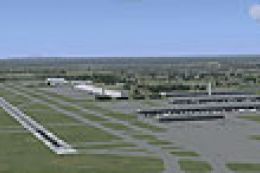
Washington Dulles International (KIAD) is refreshed with an up-to-date AFCAD and scenery touches for Microsoft Flight Simulator X, bringing improved taxiways, signage, gates, cargo areas, and current SID/STAR and approach data, plus Route 28 corridor details. It also includes enhanced apron lighting and requires Jim Dhaenens’ FSX light objects.
 Rate
Rate
 United States of America
Washington Dulles International Airport, Chantilly, Virginia (VA) / Washington DC. KIAD v3a is a modification to the stock FSX airport and represents Dulles International Airport as it exists today. Version 3a includes visual enhancements to the airport, updated terminal airline assignments per July 2010 specifications and additional airport and off-airport scenery added along the Route 28 corridor. By Kambiz Agazi.
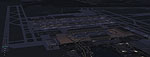
View of Washington Dulles International at night.
IMPORTANT: In order to see the apron and parking lot spot lighting you'll need to install the wonderful lights from Jim Dhaenens. I'm including his light files with this package.
To install Jim's lights, place the lightobj.bgl file in your ...\Microsoft Flight Simulator X\Scenery\Global\scenery folder and almwht.dds and lights1.dds files in ...\Microsoft Flight Simulator X\Scenery\Global\Texture folder.
I'm including update information for versions 1, 2, 2a, 2b, 2c, 2d and 3 below for those who did not download them. Version 3a is a complete file set and includes all previous updates. Previous versions are not needed and if installed will need to be disabled or deleted prior to installing version 3a.
Version 3a is a minor update to version 3. Mainly cleaned up some visuals within the airport. moved Air India (AIC) and Openskies (BOS) from Terminal D to B and Aer Lingus (EIN) from Terminal B to D. Although Air India is not currently operating service out of KIAD, it was recently announced that scheduled service will resume in the fall of 2010. I also added or improved some airport and off-airport scenery along the Route 28 corridor to include buildings, light poles, electrical facilities and the prominent sound barrier wall that separates Route 28 from the airport fuel tanks/facilities. This scenery works well with UTX USA although it's not needed for the scenery to work.
To install KIAD I suggest creating a folder called KIAD and placing the four KIAD bgl files and one Udvar-Hazy bgl file in a scenery folder inside of the KIAD folder. You will need to activate the KIAD folder once in FSX. I suggest placing it at or near the top of the scenery priority list - above ALL regional, state or national scenery including UTX USA.
CREDITS: KIAD v3 was updated using the powerful airport design utility by Jon Masterson (ADE9X V1.47.7).
The approach code was updated using official approach plates and ADE9x V1.47.7. A special thanks to Jim Vile who is a member of the ADE team and is the author of the approach code module of ADE. The approach code updates would not have been possible without Jim's KIAD approach tutorial and help.
SID/STAR waypoints/Navaids included per January 2010 charts.
FSX Lights by Jim Dhaenens provide an excellent set of apron lights. Special thanks to Jim for allowing the use of his lights in freeware packages.
Major Changes to v3:
To install KIAD I suggest creating a folder called KIAD and placing the four KIAD bgl files and one Udvar-Hazy bgl file in a scenery folder inside of the KIAD folder. You will need to activate the KIAD folder once in FSX. I suggest placing it at or near the top of the scenery priority list - above ALL regional, state or national scenery including UTX USA.
CREDITS: KIAD v3 was updated using the powerful airport design utility by Jon Masterson (ADE9X V1.47.7).
The approach code was updated using official approach plates and ADE9x V1.47.7. A special thanks to Jim Vile who is a member of the ADE team and is the author of the approach code module of ADE. The approach code updates would not have been possible without Jim's KIAD approach tutorial and help.
SID/STAR waypoints/Navaids included per January 2010 charts.
FSX Lights by Jim Dhaenens provide an excellent set of apron lights. Special thanks to Jim for allowing the use of his lights in freeware packages.
Free for all simmers · 428.55 KB · Scanned clean Oct 2026
Download speed: Free tier is capped at 0.5 Mbps. PRO members download at full line speed.
AF2_*.bgl or AFX_*.bgl) go into FSX\Addon Scenery\Scenery\ or a dedicated AFCAD folder you create.readme.txt or README file. It tells you exactly where files go, what dependencies are needed, and any quirks specific to this add-on.Use these coordinates to fly directly to this location once the mod is installed.
38.95310000,-77.45650000
Launch FSX or Prepar3D and use Flights → Load to open the downloaded .pln file. Your aircraft will be positioned at this location.
The archive kiad_v3a.zip has 11 files and directories contained within it.
This list displays the first 500 files in the package. If the package has more, you will need to download it to view them.
| Filename/Directory | File Date | File Size |
|---|---|---|
| lightobj.bgl | 09.04.09 | 643.63 kB |
| lights1.dds | 09.04.09 | 32.12 kB |
| almwht.dds | 09.04.09 | 64.12 kB |
| Udvar-Hazy TOWER strobe effect .BGL | 02.27.10 | 372 B |
| KIAD TOWER WITH STROBE EFFECT.BGL | 02.27.10 | 372 B |
| KIAD v3a README.txt | 07.31.10 | 21.90 kB |
| KIAD_KA_v3a_CVX.bgl | 07.16.10 | 2.41 kB |
| KIAD_KA_v3a_OBJ.BGL | 07.16.10 | 73.26 kB |
| KIAD_KA_v3a.BGL | 07.16.10 | 95.72 kB |
| flyawaysimulation.txt | 10.29.13 | 959 B |
| Go to Fly Away Simulation.url | 01.22.16 | 52 B |
Only PRO members can place votes.
More FSX & P3D add-ons hand-picked based on this download.
FSX AFCAD Files
Washington Dulles New Runway Added, Washington DC/Chantilly, Virginia (VA), U…
 FSX AFCAD Files
Reworks aprons, parking, adds buildings, new landclass, roads, etc. By Alexan…
FSX AFCAD Files
AFCAD For Honolulu International (PHNL), HI. Designed for the FSX default PHN…
 FSX AFCAD Files
Enhance the realism of Tampa International Airport in Microsoft Flight Simula…
 FSX AFCAD Files
Myrtle Beach International Airport, Horry County, South Carolina (SC). KMYR r…
 FSX AFCAD Files
Reno, Nevada (NV), USA. KRNO represents a modification to the stock FSX Accel…
 FSX AFCAD Files
South Carolina (SC). This AFCAD has all the bells and whistles: new taxi sign…
 FSX AFCAD Files
This is part of the tenth round of airports issued by Alpha India Group. AIG …
Be the first to leave a comment on this download.
Be the first to share your thoughts on this download.