

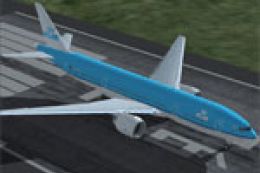
 FS2004 Civil Jet Aircraft
KLM Boeing 777-206ER
This repaint is based on the MelJet B777-200ER from Melvin Rafi and contains …
KLM Boeing 777-206ER V2 refreshes the MelJet 777-200ER with newer photo-based textures and subtly enhanced fuselage tones for a cleaner, more current look in FS2004, while preserving the original model’s lines and detailing. Requires the KLM Boeing 777-200ER base package (KL772.ZIP) installed first.
 Rate
Rate
This download contains newer textures based on more recent photos of the KLM 777-206ER and repaint is based on previous repaint of the KLM B777-200ER. This download requires the KLM Boeing 777-200ER (KL772.ZIP) to first be installed. The fuselage colors have been slightly enhanced with this update. Repainted by Sean Kneppers.
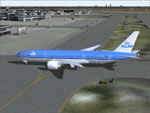
KLM Boeing 777-206ER taxiing to runway.
My thanks go out to Melvin Rafi (MelJet) for making a beutiful model to base my repaint on.
To install this KLM Boeing 777-206ER, make sure you have installed the original package and then just run the executable file called "KLM B777-206ER v2.EXE". The default aircraft directory for FS2004 (C:\Program Files\Microsoft Games\Flight Simulator 9\Aircraft\b777_200er\texture.klm) will come up as the install target. If you have installed FS2004 on another location please browse to that location and fill it in.
Thank you for downloading this repaint package and may you have many hours of pleasure flying it.
Sean Kneppers
Free for all simmers · 504.6 KB · Scanned clean Oct 2026
Download speed: Free tier is capped at 0.5 Mbps. PRO members download at full line speed.
This add-on may require the following files to function properly. If this is a repaint, the dependency below is likely the base aircraft package.
FS9\Aircraft\, FS9\Addon Scenery\, FS9\Gauges\, or FS9\Effects\.readme.txt or README file. It tells you exactly where files go, what dependencies are needed, and any quirks specific to this add-on.The archive kl772_2.zip has 7 files and directories contained within it.
This list displays the first 500 files in the package. If the package has more, you will need to download it to view them.
| Filename/Directory | File Date | File Size |
|---|---|---|
| Temp | 10.16.03 | 0 B |
| file_id.diz | 10.24.03 | 363 B |
| ReadME.txt | 10.24.03 | 661 B |
| KLM B777-206ER v2.exe | 10.16.03 | 546.14 kB |
| kl772_2.gif | 10.16.03 | 12.70 kB |
| flyawaysimulation.txt | 10.29.13 | 959 B |
| Go to Fly Away Simulation.url | 01.22.16 | 52 B |
Only PRO members can place votes.
More FS2004 add-ons hand-picked based on this download.
FS2004 Civil Jet Aircraft
This repaint is based on the MelJet B777-200ER from Melvin Rafi and contains …
 FS2004 Civil Jet Aircraft
KLM Boeing 777-300 NC. A repaint of the default B777-300. Screenshot of KLM B…
 FS2004 Civil Jet Aircraft
This repaint is based on the MelJet b777-200ER from Melvin Rafi. This repaint…
 FS2004 Civil Jet Aircraft
FS2004 KLM Boeing 747-400 Combi GE (new colors), registration PH-BFO. Model b…
 FS2004 Civil Jet Aircraft
Repaint of the new POSKY Boeing 747-300 in the now old colours of KLM Royal D…
 FS2004 Civil Jet Aircraft
KLM Boeing 747-300 combi. Model by Project Open Sky. Livery by Devyn Silverst…
 FS2004 Civil Jet Aircraft
This highly detailed repaint offers a faithful representation of the KLM Roya…
 FS2004 Civil Jet Aircraft
Textures only. Model by PMDG. Repaint by Vincent v/d Hof. Screenshot of KLM B…
Be the first to leave a comment on this download.
Be the first to share your thoughts on this download.