

 FS2004 Civil Jet Aircraft
iFDG Airbus A320 Mega Pack
A complete package containing the iFDG Airbus A320 for Microsoft Flight Simul…
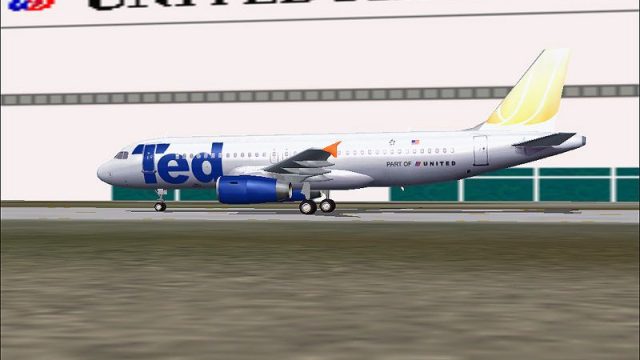
Ted’s United Airlines low-cost livery brings authentic early-2004 color to AI Airbus A320 traffic in FS2004, with reflective, mipmap-free DXT3 textures suited to busy airline schedules and popular traffic packages. Textures only and requires the FSPainter A320 model, delivering a clean ramp presence and convincing airline identity.
 Rate
Rate
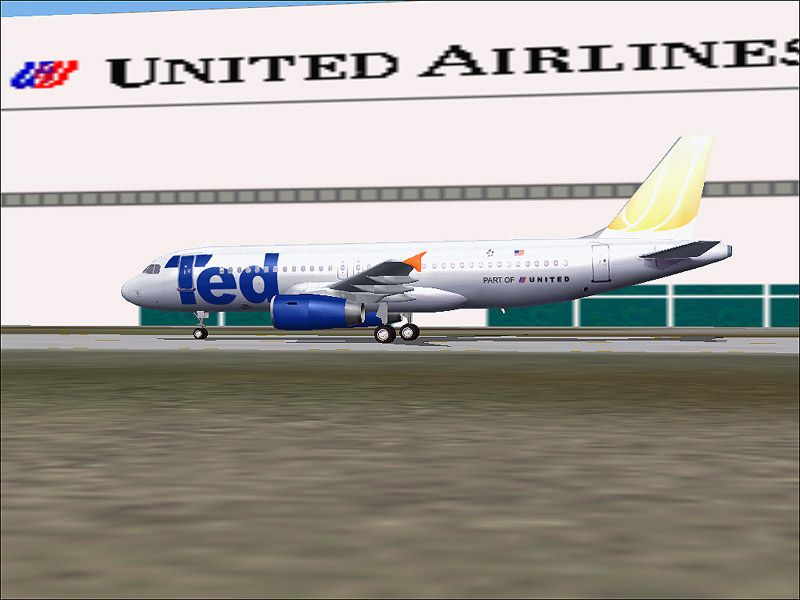
A repaint of FSPainter's Airbus A320 model for AI in the livery of Ted, United Airlines' new low-cost carrier. While Ted will not begin operations until February of 2004, the four A320 aircraft that will be used initially on its routes are being painted. Textures only, requires FSP A320 model. Ted textures by Scott Sherman.
Screenshot of Ted Airbus A320 on the ground.
Textures for United Airlines' new low-cost carrier, Ted. While operations don't begin until February '04, four A320's are being painted in Ted colors, the first of which was unveiled today. Textures are reflective and mipmap free in DXT3 format. Model not included, see readme file for details. All textures by Scott Sherman/ShermanFlight Design.
INSTALLATION (Part A):
If you do not already have them, download the FSP A320 model and install it into your flight simulator.
Airbus A320 (v25)
INSTALLATION (Part B)
Now that the model is installed in either your FS2002 or FS2004 aircraft folder, you are ready to install textures. In this package you will find a folder named "texture.TED" Just copy this folder to the A320 aircraft folder, edit the aircraft.cfg file by adding the lines below, and Ted is ready to grace your AI skies! Works great with Most Realistic AI Flight Plans and Ultimate Traffic! Don't forget reflections!
Add these lines to your aircraft.cfg, replacing the fltsim.x with the appropriate number:
[fltsim.x]

	title=FSP A320 TED

	sim=fsp_a320

	model=v25

	panel=

	sound=

	texture=TED

	kb_checklists=

	kb_reference=

	atc_id=

	atc_id_color=0xffffffff

	atc_airline=United

	atc_flight_number=

	ui_manufacturer=FSPainter

	ui_type=Airbus A320

	ui_variation=Ted

	description=For AI aircraft.By FSPainter,Hiro

	atc_parking_types=GATE,RAMP

	atc_parking_codes=UAL
Free for all simmers · 308.28 KB · Scanned clean Oct 2026
Download speed: Free tier is capped at 0.5 Mbps. PRO members download at full line speed.
FS9\Aircraft\, FS9\Addon Scenery\, FS9\Gauges\, or FS9\Effects\.readme.txt or README file. It tells you exactly where files go, what dependencies are needed, and any quirks specific to this add-on.The archive ai320ted.zip has 8 files and directories contained within it.
This list displays the first 500 files in the package. If the package has more, you will need to download it to view them.
| Filename/Directory | File Date | File Size |
|---|---|---|
| fsp_a320v25_l.bmp | 08.20.03 | 1.00 MB |
| fsp_a320v25_t.BMP | 11.18.03 | 1.00 MB |
| texture.TED | 11.18.03 | 0 B |
| file_id.diz | 11.18.03 | 414 B |
| README FIRST!.txt | 11.18.03 | 2.09 kB |
| Ted1.JPG | 11.18.03 | 90.82 kB |
| flyawaysimulation.txt | 10.29.13 | 959 B |
| Go to Fly Away Simulation.url | 01.22.16 | 52 B |
Only PRO members can place votes.
More FS2004 add-ons hand-picked based on this download.
FS2004 Civil Jet Aircraft
A complete package containing the iFDG Airbus A320 for Microsoft Flight Simul…
 FS2004 Civil Jet Aircraft
Airbus A320-200 CFM56-5B4 CFM, a compilation of the best A320 modules. Compil…
 FS2004 Civil Jet Aircraft
Here is one of the first attempts to produce accurate Airbus A320-200 dynamic…
 FS2004 Civil Jet Aircraft
This is an auto-installer for FS2004 by FSAG. No other files are needed for i…
 FS2004 Civil Jet Aircraft
An Airbus A320 in Air Canada's new livery, utilizing FSPainter's A333 model. …
 FS2004 Civil Jet Aircraft
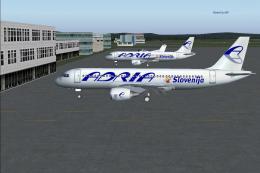
This is an auto-installer for FS2004 by FSAG. No other files are needed for i…
 FS2004 Civil Jet Aircraft
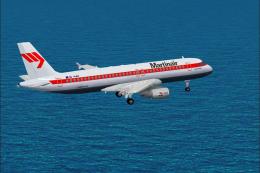
regnr PH-MPD This 180 seats aircraft is one of two aircrafts from SALES, mode…
 FS2004 Civil Jet Aircraft
Original Aircraft by Project Airbus. Repaint by Hugo & Antonia Espinosa.
Be the first to leave a comment on this download.
Be the first to share your thoughts on this download.