

 FS2004 Civil Jet Aircraft
Lufthansa Boeing 767-300 D-ABUC
Experience a finely rendered, twin-aisle jet that merges a polished exterior …
Lufthansa Star Alliance livery brings the classic Boeing 737-300 look to the default 737 family, with crisp airline markings and a matching variation entry for quick selection in FS2004. The repaint keeps the familiar virtual cockpit and flight model while adding an authentic Lufthansa identity, and requires the default Boeing 737-400.
 Rate
Rate
A repaint of the default B737 in Star Alliance livery. By Des Braban.
Installation:
Open up the b737_400 aircraft file and copy both the aircraft cfg and the texture.5 files into it. When asked to overwrite the aircraft cfg file, click yes. Start the simulator.
Now go to select aircraft and then aircraft type. As well as the default 737-400, you will notice that there is now a 737-300 entry added in there, and in the variations window, you will see "Lufthansa" Simply select it and start flying.
Since the default aircraft is very similar to the 737-300, very few alterations have been done. Basically this is just the default aircraft re-painted to look like the 300 version. This is my first attempt at repainting aircraft and I hope you like it.
Free for all simmers · 1.19 MB · Scanned clean Oct 2026
Download speed: Free tier is capped at 0.5 Mbps. PRO members download at full line speed.
FS9\Aircraft\, FS9\Addon Scenery\, FS9\Gauges\, or FS9\Effects\.readme.txt or README file. It tells you exactly where files go, what dependencies are needed, and any quirks specific to this add-on.The archive b737lt.zip has 15 files and directories contained within it.
This list displays the first 500 files in the package. If the package has more, you will need to download it to view them.
| Filename/Directory | File Date | File Size |
|---|---|---|
| B737 Lufthansa textures | 01.02.04 | 0 B |
| aircraft.cfg | 01.02.04 | 22.13 kB |
| README.txt | 01.02.04 | 791 B |
| texture.5 | 01.02.04 | 0 B |
| 737_panel_decals.bmp | 11.21.02 | 170.74 kB |
| 737_Panel_Decals_2.bmp | 10.28.02 | 42.74 kB |
| 737_Panel_Decals_2.psd | 10.28.02 | 242.31 kB |
| 737_Panel_Decals_3.bmp | 02.18.03 | 10.74 kB |
| B737_400_C.bmp | 10.29.02 | 682.74 kB |
| b737_400_L.bmp | 01.02.04 | 170.75 kB |
| b737_400_T.bmp | 01.02.04 | 2.67 MB |
| Thumbs.db | 01.02.04 | 20.00 kB |
| Thumbs.db | 01.02.04 | 19.00 kB |
| flyawaysimulation.txt | 10.29.13 | 959 B |
| Go to Fly Away Simulation.url | 01.22.16 | 52 B |
Only PRO members can place votes.
More FS2004 add-ons hand-picked based on this download.
FS2004 Civil Jet Aircraft
Experience a finely rendered, twin-aisle jet that merges a polished exterior …
 FS2004 Civil Jet Aircraft
This freeware Boeing 767-300 package showcases Lufthansa’s D-ABUV in its stri…
 FS2004 Civil Jet Aircraft
This freeware release is a fully featured Lufthansa Boeing 767-300 (registrat…
 FS2004 Civil Jet Aircraft
The Lufthansa Airbus A340-300 featured here showcases a special Star Alliance…
 FS2004 Civil Jet Aircraft
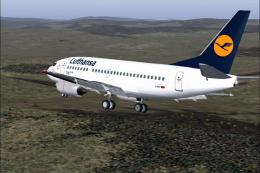
Model by FFX. Repainted by Irhad Durakovic. Screenshot of Lufthansa Boeing 73…
 FS2004 Civil Jet Aircraft
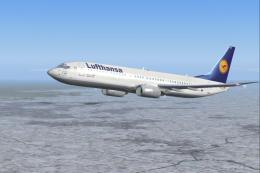
Textures only. Model by PMDG. Livery by Ruud Joosten. Screenshot of Lufthansa…
 FS2004 Civil Jet Aircraft
A repaint of the B737-200 in the colors of Lufthansa. Model by Erick Cantu, F…
 FS2004 Civil Jet Aircraft
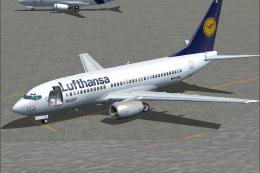
This detailed repaint depicts a classic Lufthansa Boeing 737-700 for Microsof…
Be the first to leave a comment on this download.
Be the first to share your thoughts on this download.