

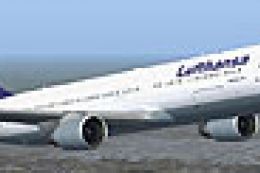
 FS2004 Civil Jet Aircraft
Lufthansa Boeing 767-300 D-ABUC
Experience a finely rendered, twin-aisle jet that merges a polished exterior …
Lufthansa Boeing 767-300 D-ABUW in Star Alliance colors brings a crisp iFDG model to FS2004, pairing reflective textures with smooth animations for flaps, slats, flaperons, and control surfaces. Operational touches include opening passenger and cargo doors plus a cabin view with a virtual flight attendant, using default panel and sounds.
 Rate
Rate
This freeware release is a fully featured Lufthansa Boeing 767-300 (registration D-ABUW) painted in the distinctive Star Alliance scheme and created by the iFDG team. The included model for FS2004 brings together a set of crisp, reflective textures and carefully crafted animations, promising an attentive flying experience for any virtual pilot. The paint was meticulously completed by Dirk Kiefer, capturing the airline’s signature motifs with impressive detail.
The Star Alliance branding stands out elegantly on this aircraft’s fuselage, showcasing global partnership emblems that Lufthansa shares with its partner airlines. Integrating these markings onto the Boeing 767-300’s generously proportioned airframe required precise attention to design alignment and color contrasts. The tail surfaces and fuselage lines reflect the German carrier’s overall aesthetic, ensuring authenticity for anyone seeking realistic liveries.
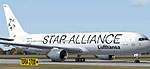
Screenshot of Lufthansa Boeing 767-300 on the ground.
Beyond its visual elegance, the model incorporates numerous animated components typical of advanced FS2004 add-ons. These encompass pivoting flaperons, moving ailerons, and other flight control surfaces, including slats and flaps. Reflective texturing (which offers dynamic shine) adds further depth to the exterior. Additional elements such as an opening passenger exit and cargo door enhance operational realism. Those who enjoy a more immersive cabin environment will find that a virtual flight attendant has been placed within the model, adding an extra layer of immersion in the default cabin view.
The Boeing 767 family is known for its twin-engine, wide-body layout configured for medium to long-range routes. It sits between the 757 (single-aisle) and the 777 (twin-aisle) in Boeing’s product range. Lufthansa once operated various wide-body aircraft, and the 767 series itself has been embraced by many carriers due to its economical design and lower noise output. In addition, the 767 platform formed the basis for dedicated freighter variants, which integrated many of the same aerodynamic and avionics advancements found on passenger editions.
For ease of use, a default FS2004 panel and sound set is featured, allowing simmers to jump into virtual flights without any extra setup. This helps keep systems simple while still providing a familiar environment for those accustomed to standard controls. If any user prefers a specialized panel and sound configuration, it can be substituted via standard FS modifications, ensuring maximum flexibility.
For those who opt to install unofficial repaints, simply extract this package into the FS2004 “aircraft” directory. Once extracted, load up FS2004, locate the Lufthansa Boeing 767-300 with its Star Alliance livery, and take to the skies. By contrast, for official repaints that come with an automated installer, just launch the provided setup application and follow the on-screen prompts to complete the process. With that, you’ll be ready to experience the aircraft in its full detailed glory.
Free for all simmers · 4.54 MB · Scanned clean Oct 2026
Download speed: Free tier is capped at 0.5 Mbps (this file takes approximately 1 min at the cap). PRO members download at full line speed.
FS9\Aircraft\, FS9\Addon Scenery\, FS9\Gauges\, or FS9\Effects\.readme.txt or README file. It tells you exactly where files go, what dependencies are needed, and any quirks specific to this add-on.The archive b767lhst.zip has 51 files and directories contained within it.
This list displays the first 500 files in the package. If the package has more, you will need to download it to view them.
| Filename/Directory | File Date | File Size |
|---|---|---|
| 763pwER.air | 08.13.03 | 8.26 kB |
| Aircraft.cfg | 10.02.04 | 9.10 kB |
| iFDG 767 README.txt | 09.28.04 | 4.41 kB |
| model.pw | 09.28.04 | 0 B |
| 767pw.mdl | 07.09.03 | 2.03 MB |
| Model.cfg | 06.21.03 | 22 B |
| panel | 09.28.04 | 0 B |
| panel.cfg | 08.20.04 | 32 B |
| Repaint Policy.txt | 07.05.03 | 970 B |
| sound | 09.28.04 | 0 B |
| sound.cfg | 08.20.04 | 32 B |
| texture.lh_star | 10.02.04 | 0 B |
| 763fuse_l.bmp | 08.15.03 | 4.00 MB |
| 763fuse_t.bmp | 10.02.04 | 4.00 MB |
| 767-300 Cargo Hold.bmp | 07.05.03 | 768.05 kB |
| 767cargobay_t.bmp | 09.28.04 | 1.00 MB |
| 767enginecone_t.bmp | 09.28.04 | 256.07 kB |
| 767enginefanfast_t.bmp | 09.28.04 | 256.07 kB |
| 767enginefan_t.bmp | 09.28.04 | 256.07 kB |
| 767flag_t.bmp | 06.05.03 | 128.05 kB |
| 767gearbay_t.bmp | 09.28.04 | 256.07 kB |
| 767geardoors_t.bmp | 10.02.04 | 256.07 kB |
| 767gear_t.bmp | 09.28.04 | 256.07 kB |
| 767lwing_l.bmp | 05.25.03 | 1.00 MB |
| 767lwing_t.bmp | 06.23.03 | 4.00 MB |
| 767pw_l.bmp | 05.04.03 | 4.00 MB |
| 767pw_t.bmp | 09.28.04 | 4.00 MB |
| 767rwing_l.bmp | 05.25.03 | 1.00 MB |
| 767rwing_t.bmp | 06.23.03 | 4.00 MB |
| 767wheelfast_t.bmp | 09.28.04 | 64.07 kB |
| 767wheelslow_t.bmp | 09.28.04 | 64.07 kB |
| 767windowframe_t.bmp | 09.28.04 | 256.07 kB |
| 767window_t.bmp | 09.28.04 | 64.07 kB |
| 767wings_l.bmp | 07.05.03 | 256.07 kB |
| 767wings_t.bmp | 09.28.04 | 1.00 MB |
| 767_enginefan_t.bmp | 09.28.04 | 1.00 MB |
| 767_enginefast_t.bmp | 09.28.04 | 256.07 kB |
| 767_ht_l.bmp | 07.05.03 | 256.07 kB |
| 767_ht_t.bmp | 09.28.04 | 1.00 MB |
| 767_landinglight_l.bmp | 06.06.03 | 32.08 kB |
| 767_landinglight_t.bmp | 06.06.03 | 32.08 kB |
| 767_tails_l.bmp | 06.10.03 | 256.07 kB |
| 767_tails_t.bmp | 10.02.04 | 1.00 MB |
| 767_wings_l.bmp | 05.04.03 | 4.00 MB |
| Antennes_t.bmp | 09.28.04 | 1.00 MB |
| apu intake_t.bmp | 09.28.04 | 64.07 kB |
| interior2_t.bmp | 06.20.03 | 1.00 MB |
| interior_t.bmp | 06.15.03 | 257.05 kB |
| Boeing 767-300 IFDG | 10.02.04 | 0 B |
| flyawaysimulation.txt | 10.29.13 | 959 B |
| Go to Fly Away Simulation.url | 01.22.16 | 52 B |
Only PRO members can place votes.
More FS2004 add-ons hand-picked based on this download.
FS2004 Civil Jet Aircraft
Experience a finely rendered, twin-aisle jet that merges a polished exterior …
 FS2004 Civil Jet Aircraft
This freeware Boeing 767-300 package showcases Lufthansa’s D-ABUV in its stri…
 FS2004 Civil Jet Aircraft
32 bit textures only for the AI Aardvark B767-200. Fictional because Lufthans…
 FS2004 Civil Jet Aircraft
A repaint of the default B737 in Star Alliance livery. By Des Braban. Install…
 FS2004 Civil Jet Aircraft
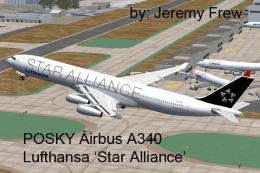
The Lufthansa Airbus A340-300 featured here showcases a special Star Alliance…
 FS2004 Civil Jet Aircraft
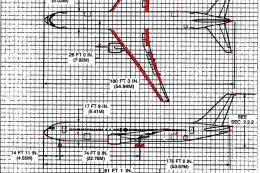
The following download is compatible with Flight Simulator 2004. This downloa…
 FS2004 Civil Jet Aircraft
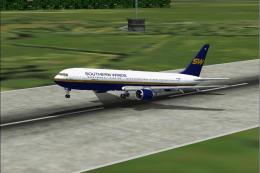
using iFDG's incredible 767-300 aircraft; registration TF-ARB. This is a very…
 FS2004 Civil Jet Aircraft
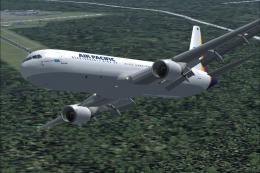
This freeware package features a fully integrated Air Pacific Boeing 767-300 …
Be the first to leave a comment on this download.
Be the first to share your thoughts on this download.