

 FS2004 Civil Jet Aircraft
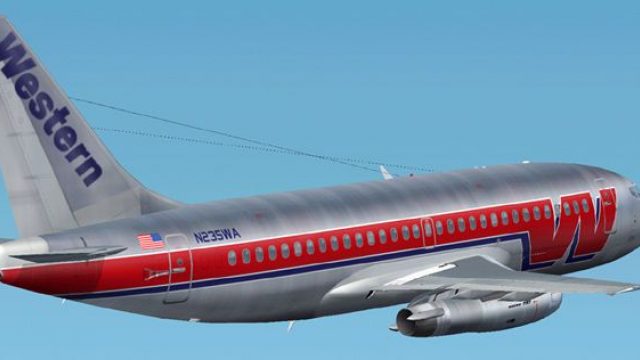
Western old colors Boeing 737-200
This complete freeware package showcases a detailed Boeing 737-200 repaint in…
Western Airlines’ classic Boeing 737-200 livery brings a retro narrow-body icon to life with crisp period-correct markings, detailed exterior texturing, and authentic panel shading. Built as a complete freeware package for Microsoft Flight Simulator 2004, it includes the base model and tuned flight dynamics to match the 737-200’s handling.
 Rate
Rate
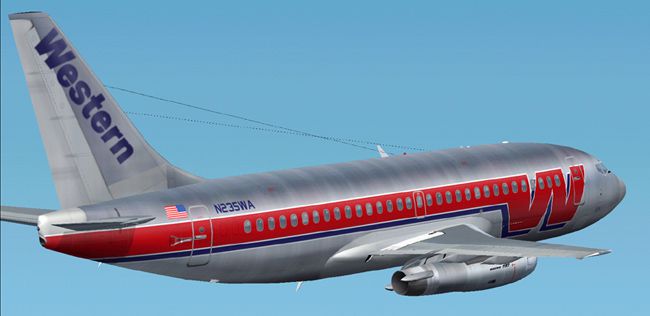
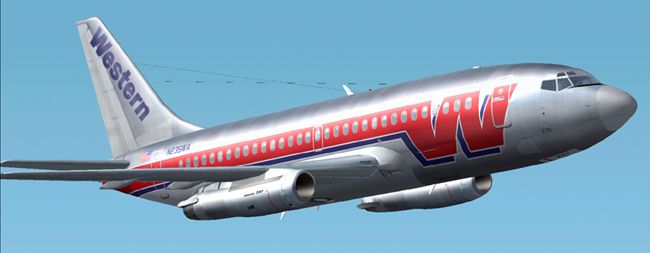
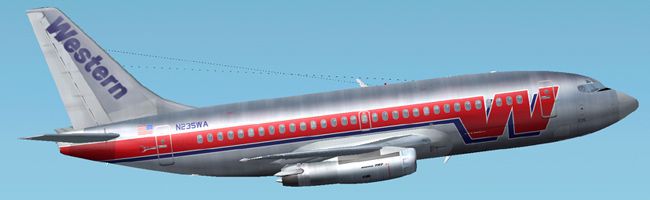
This freeware package injects a beautifully detailed Western Airlines paint scheme onto the classic Boeing 737-200 for Microsoft Flight Simulator 2004. It combines an accurate flight model, eye-catching external textures, and precise details that replicate the vintage carrier’s visual identity.
The Boeing 737-200 (a short-to-medium-range twinjet) emerged in the late 1960s. It introduced enhanced thrust, improved aerodynamics, and increased seating capacity over previous 737 variants. Western Airlines, an early adopter of the 737, deployed these jets for both domestic and regional operations. The retro motif showcased here pays homage to Western’s recognizable color palette and period-specific branding elements.
The external textures highlight classic striping and period lettering, carefully aligned with the aircraft’s fuselage geometry. Rivet lines, panel shading, and wear patterns are integrated to provide an authentic metal sheen. Furthermore, the mod captures the 737-200’s notable low-bypass turbofans, which create the distinctive acoustic profile well known among aviation aficionados.
This repaint is designed exclusively for Microsoft Flight Simulator 2004. After installation, sim enthusiasts can locate the Western Airlines 737-200 within their aircraft selection menu. The add-on aims to replicate the airline’s regional flight experience by combining the correct thrust settings, geometry, and power output with historical graphics.

Screenshot of Western Boeing 737-200 in flight.
No additional payware or separate downloads are required. Simply install the included files into the designated aircraft folder within your Microsoft Flight Simulator 2004 directory. This ensures a streamlined setup process and grants immediate access to one of commercial aviation’s most iconic narrow-body transports in the timeless Western Airlines design.
Free for all simmers · 2.88 MB · Scanned clean Oct 2026
Download speed: Free tier is capped at 0.5 Mbps. PRO members download at full line speed.
FS9\Aircraft\, FS9\Addon Scenery\, FS9\Gauges\, or FS9\Effects\.readme.txt or README file. It tells you exactly where files go, what dependencies are needed, and any quirks specific to this add-on.The archive wstr732z.zip has 31 files and directories contained within it.
This list displays the first 500 files in the package. If the package has more, you will need to download it to view them.
| Filename/Directory | File Date | File Size |
|---|---|---|
| AIRCRAFT.CFG | 03.24.04 | 16.38 kB |
| 7372.air | 11.06.03 | 8.17 kB |
| SMOKE_JT8D.fx | 02.23.04 | 1.87 kB |
| readme.txt | 03.24.04 | 254 B |
| panel | 03.24.04 | 0 B |
| panel.cfg | 03.16.03 | 30 B |
| sound | 03.24.04 | 0 B |
| sound.cfg | 03.16.03 | 31 B |
| Model | 03.24.04 | 0 B |
| B737_200.mdl | 02.21.04 | 1.31 MB |
| MODEL.CFG | 02.08.03 | 25 B |
| texture | 03.24.04 | 0 B |
| 732_B_T.BMP | 02.21.04 | 256.07 kB |
| 737INTERIOR_T.BMP | 12.31.03 | 1.00 MB |
| B732FUSE_L.bmp | 03.09.04 | 1.00 MB |
| b732fuse_t.bmp | 03.24.04 | 4.00 MB |
| B737TAIL_L.BMP | 02.23.04 | 64.07 kB |
| b737tail_t.bmp | 03.24.04 | 1.00 MB |
| ENGINES_L.BMP | 02.23.04 | 64.07 kB |
| engines_t.bmp | 03.21.04 | 1.00 MB |
| MISC_L.BMP | 02.23.04 | 4.07 kB |
| WINGS_L.BMP | 02.23.04 | 256.07 kB |
| WINGS_T.BMP | 02.23.04 | 1.00 MB |
| misc_t.bmp | 03.24.04 | 1.00 MB |
| 2.jpg | 03.24.04 | 77.43 kB |
| 1.jpg | 03.24.04 | 70.70 kB |
| 3.jpg | 03.24.04 | 97.58 kB |
| small.gif | 03.24.04 | 5.61 kB |
| Boeing 737-200 Western silver | 03.24.04 | 0 B |
| flyawaysimulation.txt | 10.29.13 | 959 B |
| Go to Fly Away Simulation.url | 01.22.16 | 52 B |
Only PRO members can place votes.
More FS2004 add-ons hand-picked based on this download.
FS2004 Civil Jet Aircraft
This complete freeware package showcases a detailed Boeing 737-200 repaint in…
 FS2004 Civil Jet Aircraft
Textures only for the Kittyhawk B737-200 by Erick Cantu. DXT3 with no mipmaps…
 FS2004 Civil Jet Aircraft
Experience a highly detailed representation of Western Airlines’ Boeing 727-2…
 FS2004 Civil Jet Aircraft
Experience a classic Boeing 727-200 outfitted with Western Airlines’ 1977 pai…
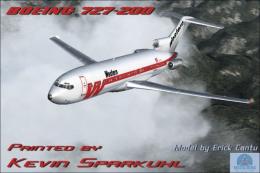 FS2004 Civil Jet Aircraft
This package showcases a shining example of Western Airlines’ distinct 1977 t…
 FS2004 Civil Jet Aircraft
Repaint textures for use with the Flight 1 "Text-O-Matic" utility. Requires G…
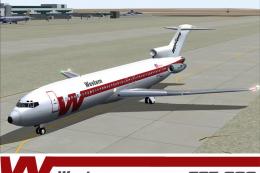 FS2004 Civil Jet Aircraft
Model by FFX. Repainted by Thomas Lo Gerfo. Screenshot of Western Airlines Bo…
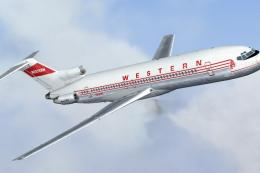 FS2004 Civil Jet Aircraft
This freeware package offers a richly detailed rendition of Western’s classic…
Be the first to leave a comment on this download.
Be the first to share your thoughts on this download.