

 FS2004 Civil Jet Aircraft
FS2002/FS2004 Air France Boeing 737-500
FS2002/FS2004 Air France Boeing 737-500 with dirty textures. Model by FFX. Pa…
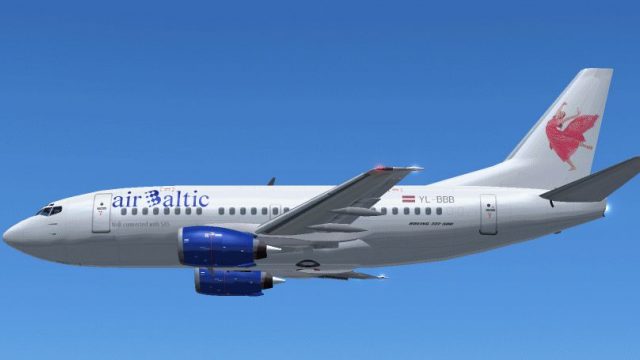
Air Baltic’s Boeing 737-500 YL-BBB brings a classic short-haul jet to Microsoft Flight Simulator 2004 with a detailed GMax exterior, a crisp airline repaint, and an immersive virtual cockpit feel. Smooth animations cover key ground features such as doors, airstairs, and retractable landing lights, complemented by authentic CFM56-3 engine audio.
 Rate
Rate
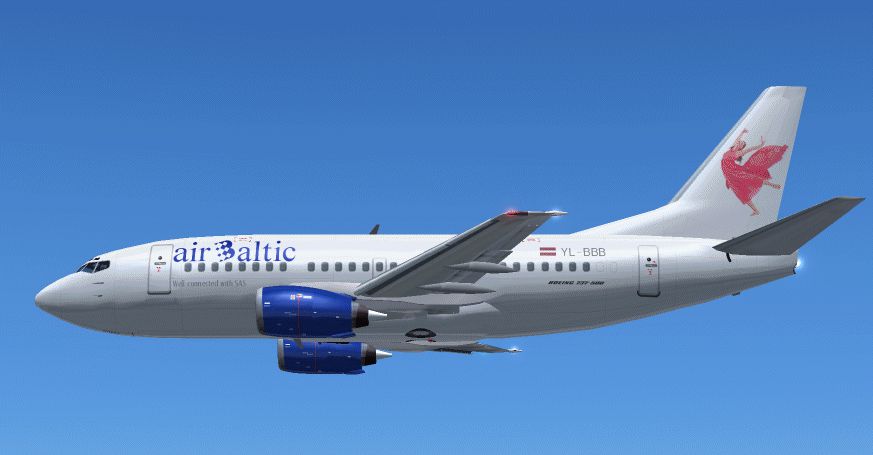
Immerse yourself in the cockpit of this freeware Air Baltic Boeing 737-500 (registration YL-BBB), meticulously put together for Microsoft Flight Simulator 2004. The creators at FFX built the core GMax model, while renowned repainter Atsuo Horiuchi handled the distinctive Air Baltic livery. Together, they deliver a thoroughly accurate package that simmers will appreciate for its focus on detail and realism.
The Boeing 737-500 sits within the 737 Classic lineup, bridging the gap between earlier 737 variants and the Next Generation range. With a typical seating capacity of around 110 to 132 passengers, it offers excellent short- to medium-haul performance. Air Baltic, a Latvia-based carrier, has employed the 737-500 on routes across Europe, taking advantage of the aircraft’s efficient design and nimble feel under varied weather conditions.
Screenshot of Air Baltic Boeing 737-500 in flight.
FFX started developing their 737 series during the FS2000 era, originally using FSDS1. Over time, they transitioned to GMax modeling, which facilitated more precise geometry and smoother animations. This release covers the entire set of 737 Classic variants—from the -300 to the -500—providing simmers with layered detail, from wing surfaces to cockpit elements. This Air Baltic rendition highlights the -500, capturing the compact fuselage, shorter wingspan, and characteristic tail of this variant.
The package can incorporate specialized CFM56-3 sounds gathered from multiple real-world 737 Classics. With these recordings, you can experience the hum and roar of the engines right from the flight deck. If the volume is too high for your environment, you can simply reduce the engine audio within the simulator’s sound settings. This approach preserves sound fidelity while ensuring that all engine nuances remain intact in your Microsoft Flight Simulator 2004 experience.
The following snippet demonstrates part of the aircraft configuration structure used by Microsoft Flight Simulator 2004. You can adapt these lines according to your specific installation and preferences:
[fltsim.XX]
title=Boeing 737-XXX_FX
sim=Boeing737-XXX
model=
panel=
sound=
texture=XX
visual_damage=1
kb_checklists=Boeing737-400_check
kb_reference=Boeing737-400_ref
atc_id=(Your N-number here)
atc_airline=(An Airline)
atc_flight_number=(Some number)
ui_manufacturer=Boeing
ui_type=737-XXX - FFX
ui_variation=(Your variation here)
description=One should hardly be surprised that the world's most prolific manufacturer of commercial aircraft is also the producer of the world's most popular jetliner. The 737 became the best-selling commercial jetliner worldwide when orders for it hit 1,831 in June 1987. However, it wasn't always that way; in the first few years of production, there were so few orders that Boeing considered canceling the program. They didn't, and the airplane has proven itself for decades.
This package features the complete Boeing 737-500 GMax base model by FFX and the dedicated Air Baltic repaint by Atsuo Horiuchi. Model geometry, texture mapping, and animations have all been handled with care, reflecting the aircraft’s real-world dimensions and operational touches. Coupled with carefully sampled engine sounds, the immersion level is substantial—even at default volume settings. For those who want an authentic short- to medium-range passenger jet, the Air Baltic Boeing 737-500 offers a cohesive experience ready to enhance your Microsoft Flight Simulator 2004 hangar.
Free for all simmers · 2.02 MB · Scanned clean Oct 2026
Download speed: Free tier is capped at 0.5 Mbps. PRO members download at full line speed.
FS9\Aircraft\, FS9\Addon Scenery\, FS9\Gauges\, or FS9\Effects\.readme.txt or README file. It tells you exactly where files go, what dependencies are needed, and any quirks specific to this add-on.The archive baltic3b.zip has 76 files and directories contained within it.
This list displays the first 500 files in the package. If the package has more, you will need to download it to view them.
| Filename/Directory | File Date | File Size |
|---|---|---|
| 737README.txt | 04.11.04 | 8.65 kB |
| airbalb.gif | 05.01.04 | 94.15 kB |
| airbals.gif | 05.01.04 | 10.27 kB |
| aircraft.cfg | 05.03.04 | 8.25 kB |
| boeing737-400_check.txt | 03.01.00 | 1.75 kB |
| boeing737-400_notes.txt | 08.07.02 | 82 B |
| boeing737-400_ref.txt | 03.01.00 | 618 B |
| Boeing737-500.air | 04.03.03 | 8.27 kB |
| model | 05.03.04 | 0 B |
| B737_500.mdl | 06.03.03 | 1.21 MB |
| model.cfg | 02.16.03 | 27 B |
| panel | 05.03.04 | 0 B |
| panel.cfg | 06.03.03 | 32 B |
| Readme.txt | 05.03.04 | 154 B |
| sound | 05.03.04 | 0 B |
| sound.cfg | 06.03.03 | 31 B |
| Texture.bbb | 05.03.04 | 0 B |
| 735FUSE_L.BMP | 04.28.04 | 1.00 MB |
| 735FUSE_T.BMP | 04.17.04 | 1.00 MB |
| 737INTERIOR_L.bmp | 05.20.03 | 1.00 MB |
| 737INTERIOR_T.bmp | 05.21.03 | 1.00 MB |
| 737WING_L.BMP | 05.18.03 | 5.43 kB |
| 737WING_T.BMP | 05.03.04 | 1.00 MB |
| AILERON_L.bmp | 05.18.03 | 5.43 kB |
| AILERON_T.bmp | 05.04.03 | 341.43 kB |
| CFM56FAN1.bmp | 05.21.03 | 257.05 kB |
| CFM56FAN2.BMP | 05.21.03 | 257.05 kB |
| CFM56_CONE_L.bmp | 05.18.03 | 5.43 kB |
| CFM56_CONE_T.bmp | 05.03.04 | 32.07 kB |
| CFM56_TAILPIPE_L.bmp | 05.18.03 | 5.43 kB |
| CFM56_TAILPIPE_T.bmp | 05.04.03 | 42.78 kB |
| FLAPGUIDES_L.bmp | 05.18.03 | 5.43 kB |
| FLAPGUIDES_T.BMP | 05.04.03 | 85.46 kB |
| FRAMES_L.bmp | 05.18.03 | 5.43 kB |
| FRAMES_T.BMP | 05.04.03 | 85.43 kB |
| GEARLEGS_L.bmp | 05.18.03 | 5.43 kB |
| GEARLEGS_T.bmp | 05.04.03 | 42.78 kB |
| INNERFLAPS_L.bmp | 05.18.03 | 5.43 kB |
| INNERFLAPS_T.bmp | 05.04.03 | 341.43 kB |
| INSPOILER_L.bmp | 05.18.03 | 5.43 kB |
| INSPOILER_T.BMP | 05.26.03 | 85.43 kB |
| INTAKE_L.bmp | 05.18.03 | 5.43 kB |
| INTAKE_T.BMP | 05.04.03 | 42.78 kB |
| KRAP_L.BMP | 05.18.03 | 5.43 kB |
| KRAP_T.bmp | 05.04.03 | 85.43 kB |
| LENG_L.BMP | 05.18.03 | 341.43 kB |
| LENG_T.BMP | 04.17.04 | 256.07 kB |
| LMAINDOOR_L.bmp | 05.18.03 | 5.43 kB |
| LMAINDOOR_T.bmp | 05.04.03 | 85.43 kB |
| md_83_t.bmp | 09.19.01 | 1.33 MB |
| MESH_L.bmp | 05.18.03 | 5.43 kB |
| MESH_T.BMP | 05.04.03 | 42.78 kB |
| MISC_L.BMP | 05.18.03 | 5.43 kB |
| MISC_T.BMP | 04.12.04 | 256.07 kB |
| MOREKRAP_L.BMP | 05.18.03 | 5.43 kB |
| MOREKRAP_T.BMP | 05.04.03 | 5.43 kB |
| OLEO_L.bmp | 05.18.03 | 5.43 kB |
| OLEO_T.bmp | 05.04.03 | 170.78 kB |
| OUTERFLAPS_L.bmp | 05.18.03 | 5.43 kB |
| OUTERFLAPS_T.bmp | 05.04.03 | 341.43 kB |
| OUTSPOILER_L.bmp | 05.18.03 | 5.43 kB |
| OUTSPOILER_T.bmp | 05.04.03 | 341.43 kB |
| PYLONS_L.bmp | 05.18.03 | 5.43 kB |
| PYLONS_T.bmp | 05.04.03 | 85.46 kB |
| RENG_L.BMP | 05.18.03 | 341.43 kB |
| RENG_T.BMP | 04.17.04 | 256.07 kB |
| RMAINDOOR_L.bmp | 05.18.03 | 5.43 kB |
| RMAINDOOR_T.bmp | 05.04.03 | 85.43 kB |
| STAB_L.bmp | 05.18.03 | 5.43 kB |
| STAB_T.bmp | 05.04.03 | 341.43 kB |
| Tail_l.bmp | 05.18.03 | 85.43 kB |
| TAIL_T.BMP | 04.24.04 | 256.07 kB |
| Thumbs.db | 04.05.04 | 31.50 kB |
| baltic3b | 05.03.04 | 0 B |
| flyawaysimulation.txt | 10.29.13 | 959 B |
| Go to Fly Away Simulation.url | 01.22.16 | 52 B |
Only PRO members can place votes.
More FS2004 add-ons hand-picked based on this download.
FS2004 Civil Jet Aircraft
FS2002/FS2004 Air France Boeing 737-500 with dirty textures. Model by FFX. Pa…
 FS2004 Civil Jet Aircraft
This freeware release provides an authentic AI-compatible rendition of a shor…
 FS2004 Civil Jet Aircraft
The Indian Air Force has three B737's and this repaint is based on these airc…
 FS2004 Civil Jet Aircraft
Features photoreal windows, hand painted textures, 32 bit non-mipped textures…
 FS2004 Civil Jet Aircraft
Air Sahara is an Indian regional airlines and operates a few dozens of these …
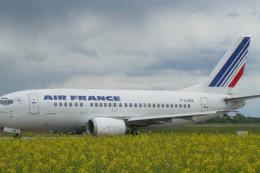 FS2004 Civil Jet Aircraft
Complete aircraft, repainted in dirty colors of Air France. Uses default 734 …
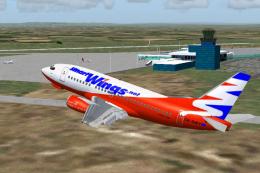 FS2004 Civil Jet Aircraft
Pertner Trawel Service, Czech Republic. Repaint by Jindrich Barta. Aircraft b…
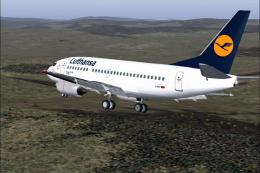 FS2004 Civil Jet Aircraft
Model by FFX. Repainted by Irhad Durakovic. Screenshot of Lufthansa Boeing 73…
Be the first to leave a comment on this download.
Be the first to share your thoughts on this download.