

 FS2004 Civil Jet Aircraft
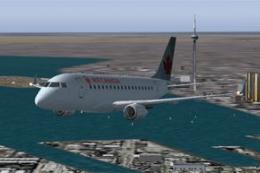
Air Canada 2004 Embraer 170
Repainted by Patrick Morrison. Screenshot of Air Canada 2004 Embraer 170 in f…
Air France livery textures bring the Embraer 170 Version 3 by Dreamwings to life with crisp airline markings, rivet and door detail, and realistic engine shading, complementing the model’s refined flight dynamics and exterior animations in Microsoft Flight Simulator 2004. Requires the Dreamwings E170 V3 base pack (DW170BAS.ZIP).
 Rate
Rate
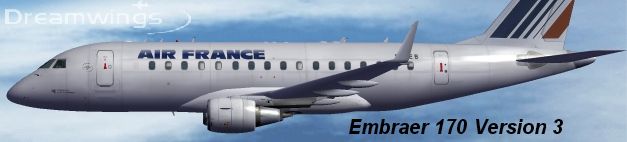
Experience a faithfully rendered Air France repaint tailored for the newly introduced Embraer 170 (Version 3) by Dreamwings. This specialized set of textures enhances Microsoft Flight Simulator 2004 with an authentic representation of the carrier’s short-haul regional service. The package has you covered if you want an extra layer of realism that matches the visual identity of Air France’s real-world fleet.
Crafted by Dreamwings, this Embraer 170 (Origin: Brazil) replicates the aerodynamic nuances of a modern regional jet. The Version 3 release refines several components, including the flight dynamics engine (FDE) and exterior animations. By designing an E-Jet with distinct wing geometry and carefully modeled fuselage contours, the developer ensures that the simulation community can explore high-fidelity cockpit instrumentation and operational performance.
All repaint work showcased here is credited to AJ Nikoley. He skillfully applied Air France’s recognizable tail branding and fuselage logo, preserving subtle details like door outlines, rivet placements, and engine shading. The end result effectively captures the airline’s iconic silhouette.
Air France Embraer 170 soaring above virtual skies.
Air France, known for its extensive operations spanning Europe and intercontinental routes, operates smaller jets like the Embraer 170 for regional connections. These aircraft allow the airline to serve destinations with reduced runway lengths or limited gate space. Incorporating the official color palette ensures compatibility with real-world flight schedules and adds extra immersion during virtual flights.
DW170BAS.ZIPfrom the Fly Away Simulation library. This core pack contains the essential Dreamwings Embraer 170 Version 3 model files.
These textures are exclusively designed for Dreamwings’ Version 3 release. They are not backward compatible with any previous iterations (Versions 1 or 2). Double-check that you have the correct base model to avoid any display anomalies.
While the repaint is free, it brings professional-grade detail to your simulation environment. Whether you fly short regional hops or extended transitions in Microsoft Flight Simulator 2004, the reliable performance and crisp external detailing make this aircraft an engaging option. It’s a seamless way to enhance any Air France virtual roster by integrating a trusted regional jet into your flight operations.
Free for all simmers · 4.73 MB · Scanned clean Oct 2026
Download speed: Free tier is capped at 0.5 Mbps (this file takes approximately 1 min at the cap). PRO members download at full line speed.
This file is a repaint — the package below is the base model it paints onto. Install it first, or the textures will have nothing to load onto.
FS9\Aircraft\, FS9\Addon Scenery\, FS9\Gauges\, or FS9\Effects\.readme.txt or README file. It tells you exactly where files go, what dependencies are needed, and any quirks specific to this add-on.The archive afrem170.zip has 31 files and directories contained within it.
This list displays the first 500 files in the package. If the package has more, you will need to download it to view them.
| Filename/Directory | File Date | File Size |
|---|---|---|
| Civil Pilot.bmp | 01.31.03 | 65.05 kB |
| Engine.bmp | 03.07.04 | 4.00 MB |
| Engine_clean.bmp | 03.07.04 | 4.00 MB |
| Engine_l.bmp | 01.18.04 | 1.00 MB |
| fuse_part.bmp | 01.25.04 | 128.07 kB |
| fuse_part_l.bmp | 05.04.04 | 512.05 kB |
| Fuselage.bmp | 03.07.04 | 4.00 MB |
| Fuselage_clean.bmp | 03.07.04 | 4.00 MB |
| Fuselage_l.bmp | 01.24.04 | 1.00 MB |
| Misc.bmp | 05.04.04 | 4.00 MB |
| Misc_l.bmp | 05.04.04 | 4.00 MB |
| Ny mapp | 03.07.04 | 0 B |
| Tail_elevator.bmp | 03.07.04 | 4.00 MB |
| Tail_elevator_l.bmp | 01.09.04 | 1.00 MB |
| Thumbs.db | 05.04.04 | 23.50 kB |
| vcabin.bmp | 05.04.04 | 4.00 MB |
| vcabinfb.bmp | 05.04.04 | 256.07 kB |
| window.bmp | 01.25.04 | 256.07 kB |
| window_l.bmp | 01.25.04 | 256.07 kB |
| Wing_bottom_left.bmp | 01.25.04 | 1.00 MB |
| Wing_bottom_left_l.bmp | 01.09.04 | 1.00 MB |
| Wing_bottom_right.bmp | 01.25.04 | 1.00 MB |
| Wing_bottom_right_l.bmp | 01.09.04 | 1.00 MB |
| Wing_top_left.bmp | 01.25.04 | 1.00 MB |
| Wing_top_left_l.bmp | 01.24.04 | 1.00 MB |
| Wing_top_right.bmp | 01.25.04 | 1.00 MB |
| Wing_top_right_l.bmp | 01.24.04 | 1.00 MB |
| READ!!!IMPORTANT.txt | 05.04.04 | 1.64 kB |
| af_dr.jpg | 05.04.04 | 42.08 kB |
| flyawaysimulation.txt | 10.29.13 | 959 B |
| Go to Fly Away Simulation.url | 01.22.16 | 52 B |
Only PRO members can place votes.
More FS2004 add-ons hand-picked based on this download.
FS2004 Civil Jet Aircraft
Repainted by Patrick Morrison. Screenshot of Air Canada 2004 Embraer 170 in f…
 FS2004 Civil Jet Aircraft
Presenting the new Embraer 170 version 3. New model, new textures, animated f…
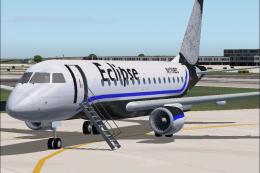 FS2004 Civil Jet Aircraft
A repaint of the fantastic Embraer 170 by Dreamwings! Repainted for the Virtu…
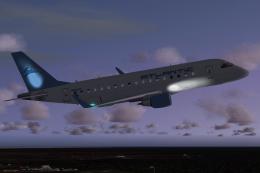 FS2004 Civil Jet Aircraft
This repaint is for Atlantic Aviation Virtual Airlines (AAAV). This model cre…
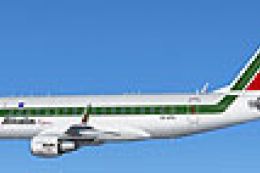 FS2004 Civil Jet Aircraft
Embraer 170 with GE CF34-8E engines. By Carl Selin, Tommy Hansson, John Cilli…
 FS2004 Civil Jet Aircraft
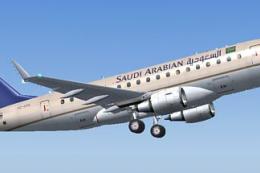
A fictional Saudi Arabian Embraer 170 repaint using the Dreamwings model (v3)…
 FS2004 Civil Jet Aircraft
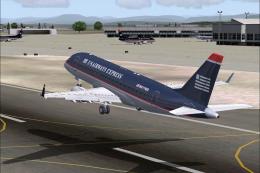
Features DXT3 textures with alpha reflections. Model by Dreamwings. Repaint b…
 FS2004 Civil Jet Aircraft
Immerse yourself in a carefully rendered regional twin-engine jet designed fo…
Be the first to leave a comment on this download.
Be the first to share your thoughts on this download.