

 FS2004 Civil Jet Aircraft
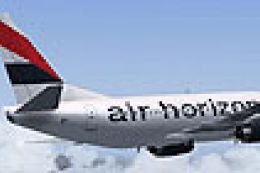
Air Horizons Boeing 737-300 F-GRNV
Textures only for the AI Aardvark model (see AIAFS9UP.ZIP). Livery by Billy R…
Air Horizons Boeing 737-300 repaint textures bring a distinctive French charter-era scheme to AI traffic in FS2004, based on Euralair’s F-GRNV depiction and kept registration-free for flexible fleet use. Designed for the AI Aardvark 737-300 model, it refreshes ramp and enroute visuals with crisp, authentic markings.
 Rate
Rate
Textures only. Model by AI Aardvark. Livery by Billy Rutherford.
Screenshot of Air Horizons Boeing 737-300 in flight.
The repaint I have depicted is Euralair's F-GRNV from Airliners. I wasn't sure whether or not to add the registration (depending on how many aircraft are in service?) so I left it blank for AI purposes.
This is a little mystery of an aircraft/Airline to me. On one hand I have read somewhere (from someone who is obviously better informed than me) that this "new French charter Airline" is taking over the "defunct" Mondair Boeing 737-300 routes from Paris Charles de Gaulle to Moroccan destinations. On the other hand the Mondair website is alive and kicking as it always is? If anyone can inform me what this is all about please e-mail me at the address below. I do recognize this as the old Euralair livery and never realized she was still active in France! The poor old dear deserves a rest!! If this "new Airline" is indeed a separate entity from Euralair or Mondair I'll compile some charters for her/them? In the UK we have major Tour operators like Thomson/Thomas Cook etc. Is there perhaps a French Tour operator called "Horizons"? If any French Aardvark fan downloads this would they be kind enough to get in touch.
Free for all simmers · 212.77 KB · Scanned clean Oct 2026
Download speed: Free tier is capped at 0.5 Mbps. PRO members download at full line speed.
FS9\Aircraft\, FS9\Addon Scenery\, FS9\Gauges\, or FS9\Effects\.readme.txt or README file. It tells you exactly where files go, what dependencies are needed, and any quirks specific to this add-on.The archive air_horz.zip has 6 files and directories contained within it.
This list displays the first 500 files in the package. If the package has more, you will need to download it to view them.
| Filename/Directory | File Date | File Size |
|---|---|---|
| aia_737_300_l.bmp | 11.20.03 | 256.07 kB |
| aia_737_300_t.bmp | 05.16.04 | 1.00 MB |
| readme.txt | 05.16.04 | 1.55 kB |
| texture.Air Horizons | 05.16.04 | 0 B |
| flyawaysimulation.txt | 10.29.13 | 959 B |
| Go to Fly Away Simulation.url | 01.22.16 | 52 B |
Only PRO members can place votes.
More FS2004 add-ons hand-picked based on this download.
FS2004 Civil Jet Aircraft
Textures only for the AI Aardvark model (see AIAFS9UP.ZIP). Livery by Billy R…
 FS2004 Civil Jet Aircraft
This freeware package showcases a Boeing 737-300 livery representing ASIA Air…
 FS2004 Civil Jet Aircraft
"Carabao". Air Asia is a low-cost no frills Malaysian airline which operates …
 FS2004 Civil Jet Aircraft
Textures only for the AI Aardvark model (see AIAFS9UP.ZIP). Also includes AI …
 FS2004 Civil Jet Aircraft
A repaint of the AIS-AI B737-300 model for use as an AI aircraft. Model by Jo…
 FS2004 Civil Jet Aircraft
Model by AI Aardvark (AIAFS9UP.ZIP). Livery by Arjen ter Avest. Screenshot of…
 FS2004 Civil Jet Aircraft
This aircraft is for AI purposes only. Extremely frame rate friendly and feat…
 FS2004 Civil Jet Aircraft
FFX Designed -Boeing 737-3Q8 Ryanair livery. Painted by Hugo & Antonia Espinosa.
Be the first to leave a comment on this download.
Be the first to share your thoughts on this download.