

 FS2004 Civil Jet Aircraft
Kulula McDonnell Douglas MD-82 ZS-OBL
This complete freeware package for Microsoft Flight Simulator 2004 recreates …
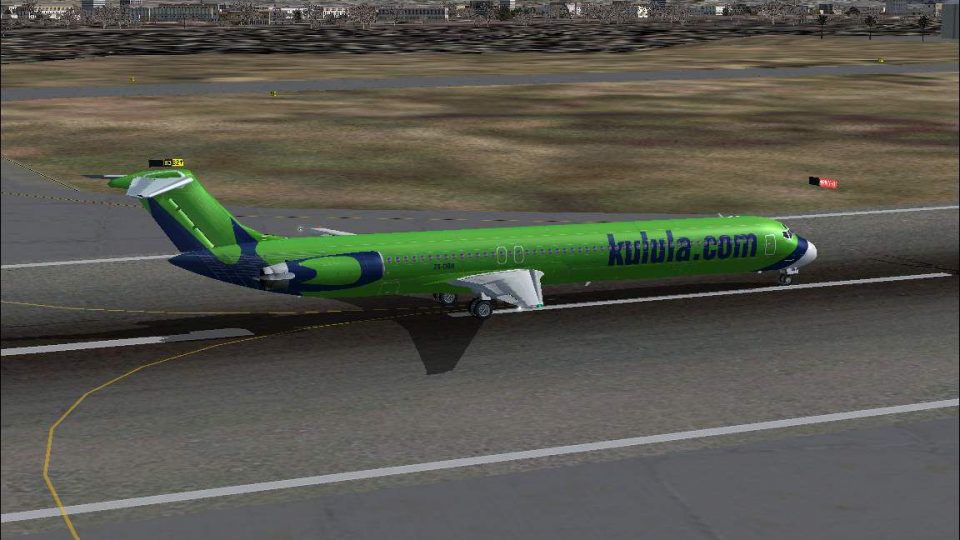
Kulula.com McDonnell Douglas MD-82 ZS-OBH brings a lively South African low-cost jet to Microsoft Flight Simulator 2004, combining the full SGA base model with a detailed, airline-accurate paint. Crisp markings, subtle weathering, and faithful panel lines make regional and domestic sectors feel convincingly real straight from the hangar.
 Rate
Rate
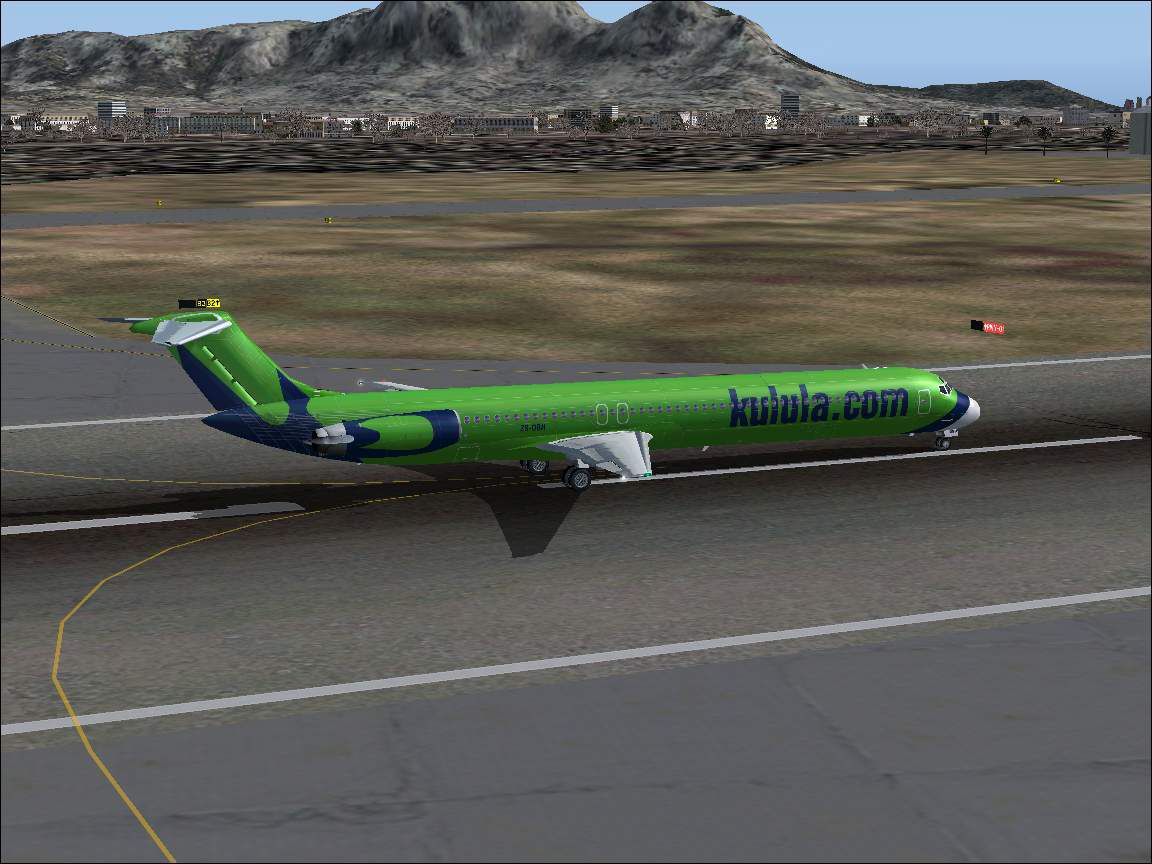
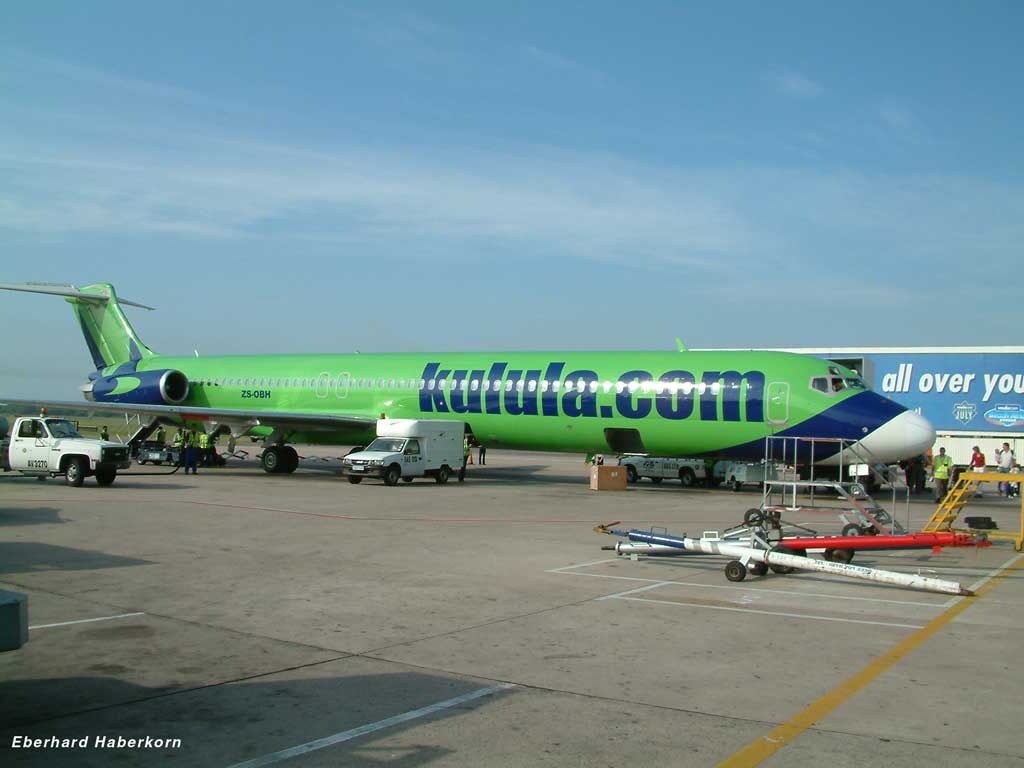
Expand your Microsoft Flight Simulator 2004 experience with this freeware McDonnell Douglas MD-82, featuring the vibrant registration ZS-OBH as flown by kulula.com. This package includes the complete base model developed by SGA together with a carefully crafted livery by Eberhard Haberkorn. It brings a low-cost South African carrier’s flair to your virtual skies, making regional hops or longer domestic segments more immersive.
The MD-82 derives from the DC-9 lineage and incorporates aerodynamic refinements plus upgraded engines. This variant brings a higher thrust rating than earlier Super 80 designs, providing efficient performance for varied route structures. While kulula.com primarily offers affordable travel within South Africa, its MD-80 series jets stand out thanks to unique paint finishes that complement the airline’s casual brand identity.
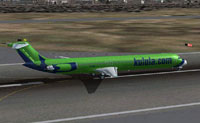
Screenshot of Kulula McDonnell Douglas MD-82 on runway.
Your download includes an aircraft.cfg file ready for immediate usage in FS2004. If you want to merge this aircraft into an existing set of SGA MD-83 liveries, insert the following entries into aircraft.cfg. Adjust the “[fltsim.x]” line to the appropriate sequence, ensuring no conflicting numbers with other livery entries:
[fltsim.x]
title=McDonnell Douglas MD82 Kulula OBH
sim=Super83
model=cone
panel=
sound=
texture=obh
checklists=
ui_manufacturer=McDonnell Douglas
ui_type=MD82
ui_variation=kulula-OBH
description=The DC-9-82 (MD82) is a development of the DC-9 Super 80 and features improved aerodynamics and uprated engines. /nkulula.com is a low budget South African carrier that operates between Johannesburg, Cape Town, Durban, Port Elizabeth, and George /nModel and plane by SGA
atc_airline=kulula.com
atc_id=ZS-OBH
kulula.com connects major destinations such as Cape Town and Johannesburg, which makes it perfect for medium-haul flights within the simulator. Expect well-balanced flight dynamics akin to real-life MD-80 operations, allowing you to explore southern Africa’s diverse airport network. Whether departing from bustling OR Tambo or coastal Durban, the MD-82’s performance is reliable and efficient.
This freeware package from SGA and Eberhard Haberkorn seamlessly enriches domestic flight scenarios while adding a splash of local color to your hangar. Its faithful visual representation, coupled with the MD-82’s operational strength, ensures an outstanding virtual aviation experience for enthusiasts.
Free for all simmers · 2.32 MB · Scanned clean Oct 2026
Download speed: Free tier is capped at 0.5 Mbps. PRO members download at full line speed.
FS9\Aircraft\, FS9\Addon Scenery\, FS9\Gauges\, or FS9\Effects\.readme.txt or README file. It tells you exactly where files go, what dependencies are needed, and any quirks specific to this add-on.The archive sg82-obh.zip has 37 files and directories contained within it.
This list displays the first 500 files in the package. If the package has more, you will need to download it to view them.
| Filename/Directory | File Date | File Size |
|---|---|---|
| fs9 | 06.01.04 | 0 B |
| aircraft | 06.01.04 | 0 B |
| sga_md82 kulula zs-obh | 06.01.04 | 0 B |
| texture.obh | 06.01.04 | 0 B |
| DC9xINTERIOR_L.BMP | 11.16.03 | 1.33 MB |
| DC9xINTERIOR_T.BMP | 11.04.03 | 1.00 MB |
| DC9_B_L.BMP | 11.16.03 | 1.33 MB |
| DC9_B_T.BMP | 05.22.04 | 1.33 MB |
| ENGINES_L.BMP | 11.16.03 | 1.33 MB |
| ENGINES_T.BMP | 05.22.04 | 1.33 MB |
| MD83_A_L.BMP | 11.16.03 | 1.33 MB |
| MD83_A_T.BMP | 05.22.04 | 1.33 MB |
| MD83_B_L.BMP | 11.16.03 | 1.33 MB |
| MD83_B_T.BMP | 05.22.04 | 1.33 MB |
| EULA.doc | 11.11.03 | 41.00 kB |
| README.doc | 11.23.03 | 33.35 kB |
| SMOKE_JT8D.fx | 06.12.03 | 1.22 kB |
| kulula-obh.jpg | 05.31.04 | 109.04 kB |
| model.cone | 06.01.04 | 0 B |
| MD83C.mdl | 11.16.03 | 1.14 MB |
| Model.cfg | 07.19.03 | 22 B |
| sound | 06.01.04 | 0 B |
| Sound.cfg | 11.23.03 | 31 B |
| Aircraft.cfg | 05.31.04 | 11.17 kB |
| Super83.air | 11.05.03 | 8.36 kB |
| panel | 06.01.04 | 0 B |
| panel.cfg | 11.23.03 | 31 B |
| model | 06.01.04 | 0 B |
| MD83.mdl | 11.16.03 | 1.13 MB |
| Model.cfg | 09.05.02 | 21 B |
| kulula-obh.jpg | 05.31.04 | 109.04 kB |
| readme.txt | 06.01.04 | 670 B |
| install-obh.txt | 06.01.04 | 1.04 kB |
| kulula-obh.gif | 06.01.04 | 12.90 kB |
| md-82-kulula.jpg | 06.01.04 | 53.56 kB |
| flyawaysimulation.txt | 10.29.13 | 959 B |
| Go to Fly Away Simulation.url | 01.22.16 | 52 B |
Only PRO members can place votes.
More FS2004 add-ons hand-picked based on this download.
FS2004 Civil Jet Aircraft
This complete freeware package for Microsoft Flight Simulator 2004 recreates …
 FS2004 Civil Jet Aircraft
Feature full animation, lighting effects and reflective textures. Also includ…
 FS2004 Civil Jet Aircraft
A repaint of the FFX/SGA MD83 in Kulula.com Airways colors. Includes dynamic …
 FS2004 Civil Jet Aircraft
Final fix for the panel replacement virtual cockpit textures and gauges (AAMD…
 FS2004 Civil Jet Aircraft
This freeware repaint for Microsoft Flight Simulator 2004 offers a detailed r…
 FS2004 Civil Jet Aircraft
Meridiana McDonnell Douglas MD-82, registration EI-CRW. Textures only for the…
 FS2004 Civil Jet Aircraft
This repaint package for Microsoft Flight Simulator 2004 presents an Alitalia…
 FS2004 Civil Jet Aircraft
This repaint package provides Alitalia textures for the freeware SGA McDonnel…
Be the first to leave a comment on this download.
Be the first to share your thoughts on this download.