

 FS2004 Civil Jet Aircraft
American Airlines Embraer 170
Immerse yourself in a carefully rendered regional twin-engine jet designed fo…
Northwest Airlines-inspired Embraer 170 brings a polished regional-jet look to Microsoft Flight Simulator 2004, pairing Dreamwings’ v3 model with crisp, glossy textures and accurate markings. Fully animated gear, flaps, slats, spoilers, and doors complement a ready-to-fly default 737-400 flight deck and sound, while requiring Dreamwings Embraer 170 base files.
 Rate
Rate
This freeware package offers a fictional Northwest Airlines repaint for the Dreamwings Embraer 170 v3. Designed specifically for Microsoft Flight Simulator 2004, it features the base model by Dreamwings and a custom paint by Dirk Kiefer. It also includes the default Boeing 737-400 flight deck configuration and default audio, though specialized Embraer 170 panel and sound add-ons are mentioned below for those seeking an immersive cockpit environment.
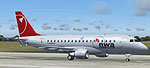
Screenshot of Northwest Airlines Embraer 170 on the tarmac.
The Embraer 170 is part of the E-Jet family, known for efficient performance on short to medium regional routes. It typically features a two-engine, low-wing design and comfortable cabin layout with excellent operating economies. Northwest Airlines, meanwhile, was a major U.S. carrier that traced its history over several decades, eventually merging with another major airline. Although Northwest did not operate this specific E-jet variant in real life, this fictional repaint pays homage to the airline’s recognizable markings, offering simmers a distinctive variant to operate in virtual skies.
This freeware model was originally crafted by Dreamwings, who handled the 3D design and flight dynamics. The fictional Northwest Airlines repaint was created by Dirk Kiefer. Both individuals contributed significant technical expertise to ensure realism, visually and operationally. Thanks to these creators, flight simulation enthusiasts can enjoy a fully configured Embraer 170 that seamlessly fits into Microsoft Flight Simulator 2004.
Free for all simmers · 5.81 MB · Scanned clean Oct 2026
Download speed: Free tier is capped at 0.5 Mbps (this file takes approximately 2 mins at the cap). PRO members download at full line speed.
FS9\Aircraft\, FS9\Addon Scenery\, FS9\Gauges\, or FS9\Effects\.readme.txt or README file. It tells you exactly where files go, what dependencies are needed, and any quirks specific to this add-on.The archive e170nowe.zip has 37 files and directories contained within it.
This list displays the first 500 files in the package. If the package has more, you will need to download it to view them.
| Filename/Directory | File Date | File Size |
|---|---|---|
| Aircraft.cfg | 06.28.04 | 10.44 kB |
| Embraer 170 Readme.txt | 05.11.04 | 4.09 kB |
| embraer170.air | 03.28.04 | 8.74 kB |
| END USER LICENSE AGREEMENT.htm | 07.03.03 | 4.17 kB |
| model | 06.28.04 | 0 B |
| embraer170.mdl | 05.02.04 | 1.69 MB |
| Model.cfg | 08.21.03 | 29 B |
| PANEL | 06.28.04 | 0 B |
| Panel.cfg | 06.27.04 | 32 B |
| README.txt | 06.28.04 | 199 B |
| SOUND | 06.28.04 | 0 B |
| Sound.cfg | 09.01.02 | 32 B |
| texture.northw | 06.28.04 | 0 B |
| Civil Pilot.bmp | 06.28.04 | 256.07 kB |
| Engine.bmp | 06.28.04 | 4.00 MB |
| Engine_l.bmp | 05.04.04 | 1.00 MB |
| Fuselage.bmp | 06.28.04 | 4.00 MB |
| Fuselage_l.bmp | 05.04.04 | 1.00 MB |
| fuse_part.bmp | 06.28.04 | 512.07 kB |
| fuse_part_l.bmp | 05.04.04 | 128.07 kB |
| Misc.bmp | 06.28.04 | 4.00 MB |
| Misc_l.bmp | 05.04.04 | 1.00 MB |
| Tail_elevator.bmp | 06.28.04 | 4.00 MB |
| Tail_elevator_l.bmp | 05.04.04 | 1.00 MB |
| window.bmp | 06.28.04 | 1.00 MB |
| window_l.bmp | 01.25.04 | 256.07 kB |
| Wing_bottom_left.bmp | 05.05.04 | 4.00 MB |
| Wing_bottom_left_l.bmp | 01.09.04 | 1.00 MB |
| Wing_bottom_right.bmp | 06.28.04 | 4.00 MB |
| Wing_bottom_right_l.bmp | 05.04.04 | 1.00 MB |
| Wing_top_left.bmp | 06.28.04 | 4.00 MB |
| Wing_top_left_l.bmp | 05.04.04 | 1.00 MB |
| Wing_top_right.bmp | 06.28.04 | 4.00 MB |
| Wing_top_right_l.bmp | 05.04.04 | 1.00 MB |
| E170NOWE | 06.28.04 | 0 B |
| flyawaysimulation.txt | 10.29.13 | 959 B |
| Go to Fly Away Simulation.url | 01.22.16 | 52 B |
Only PRO members can place votes.
More FS2004 add-ons hand-picked based on this download.
FS2004 Civil Jet Aircraft
Immerse yourself in a carefully rendered regional twin-engine jet designed fo…
 FS2004 Civil Jet Aircraft
This freeware repaint showcases LOT Polish Airlines’ Star Alliance livery on …
 FS2004 Civil Jet Aircraft
This freeware package showcases a fictional Delta Airlines repaint of the Emb…
 FS2004 Civil Jet Aircraft
This freeware release showcases an Embraer 170 in a fictional United Airlines…
 FS2004 Civil Jet Aircraft
Presenting the new Embraer 170 version 3. New model, new textures, animated f…
 FS2004 Civil Jet Aircraft
A repaint of the fantastic Embraer 170 by Dreamwings! Repainted for the Virtu…
 FS2004 Civil Jet Aircraft
This repaint is for Atlantic Aviation Virtual Airlines (AAAV). This model cre…
 FS2004 Civil Jet Aircraft
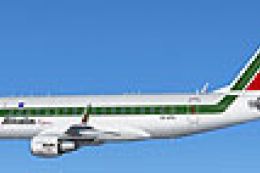
Embraer 170 with GE CF34-8E engines. By Carl Selin, Tommy Hansson, John Cilli…
Be the first to leave a comment on this download.
Be the first to share your thoughts on this download.