

 FS2004 Civil Jet Aircraft
Douglas DC-8-52 Base Kit
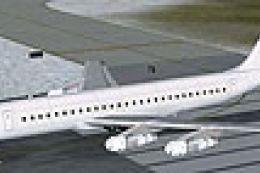
Low polygon aircraft for AI use. Includes base model and paint kit. By Dee Wa…
Douglas DC-8-61 AI base kit for FS2004 delivers a low-polygon model with a layered paint kit for efficient airline traffic. It includes 1024 textures with chrome reflections and night lighting support, plus default-based flight dynamics for dependable AI use, making repaints and community updates straightforward.
 Rate
Rate
For AI. Includes low polygon base model and paint kit. By Dee Waldron and Henry Tomkiewicz.
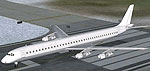
Screenshot of Douglas DC-8-61 on runway.
This is another one of my "community project" models. This model continues to be in development and I'll make more updates to it as I get reports from people who use it. The textures are basic masters, 8-bit, 1024x1024 bitmaps. Chrome reflections, and lightmap for night lighting are activated. User is welcome to repaint the model in any livery(s) desired. Uploads of repainted models are also welcome. No prior permission is required. The lightmap textures (_L) included with this archive is a simple placeholder files. User must build their own lightmap files for end use. Flight dynamics are based on the default B777-300, so it will work as an AI model, but will not operate realistically as a DC-8-61. If anyone makes any improvements to the flight model which lets the AI model fly more realistically as a DC-8-61, please send me a copy and I'll include it in a future update.
Installation:
Unzip the archive directly into your flight simulator's Aircraft folder. It will automatically be setup as a regular, flyable model. To include the model in your ATC traffic, you need to use utilities such as Lee Swordy's "Traffic Tools".
Free for all simmers · 1.66 MB · Scanned clean Oct 2026
Download speed: Free tier is capped at 0.5 Mbps. PRO members download at full line speed.
FS9\Aircraft\, FS9\Addon Scenery\, FS9\Gauges\, or FS9\Effects\.readme.txt or README file. It tells you exactly where files go, what dependencies are needed, and any quirks specific to this add-on.The archive pkdc861.zip has 16 files and directories contained within it.
This list displays the first 500 files in the package. If the package has more, you will need to download it to view them.
| Filename/Directory | File Date | File Size |
|---|---|---|
| Aircraft.cfg | 07.03.04 | 12.79 kB |
| DC-8-61 AI.air | 07.02.04 | 8.50 kB |
| model | 07.02.04 | 0 B |
| DC-8-61 AI.mdl | 07.02.04 | 233.08 kB |
| Model.cfg | 07.02.04 | 29 B |
| Photoshop | 07.03.04 | 0 B |
| paintkit-dc861.psd | 07.03.04 | 2.60 MB |
| paintkit-dc861-wings.psd | 07.03.04 | 1.08 MB |
| Readme.1st | 07.02.04 | 2.44 kB |
| texture.blank | 07.03.04 | 0 B |
| dc861ai.bmp | 07.03.04 | 1.00 MB |
| dc861ai_l.bmp | 07.03.04 | 1.00 MB |
| wings.bmp | 07.03.04 | 1.00 MB |
| wings_l.bmp | 05.12.04 | 1.00 MB |
| flyawaysimulation.txt | 10.29.13 | 959 B |
| Go to Fly Away Simulation.url | 01.22.16 | 52 B |
Only PRO members can place votes.
More FS2004 add-ons hand-picked based on this download.
FS2004 Civil Jet Aircraft
Low polygon aircraft for AI use. Includes base model and paint kit. By Dee Wa…
 FS2004 Civil Jet Aircraft
This freeware release offers a meticulous recreation of the Embraer 170, comp…
 FS2004 Civil Jet Aircraft
An updated version of the DC10-40 aircraft from Stewart Global Aircraft. Incl…
 FS2004 Civil Jet Aircraft
This enhanced rendition of the DC-10-40I from Stewart Global Aircraft merges …
 FS2004 Civil Jet Aircraft
Brand new model from SGA. Includes SGA MD80 with Alaska Airlines and American…
 FS2004 Civil Jet Aircraft
The default LearJet in Alaskan Winds colors and high detail reflective textur…
 FS2004 Civil Jet Aircraft
Take a flight in one of Boeing's newest additions,the Boeing 717-200.This is …
 FS2004 Civil Jet Aircraft
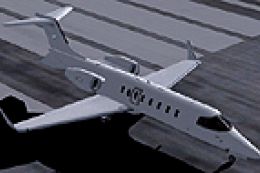
FS2004 Blank Learjet 45 Textures. A repaint of the default Lear 45 in a blank…
Read what other simmers think, or add your own.
