

 FSX General Aviation Aircraft
Blue And White Cessna 152
This lively repaint package offers a detailed blue-and-white paint scheme lab…
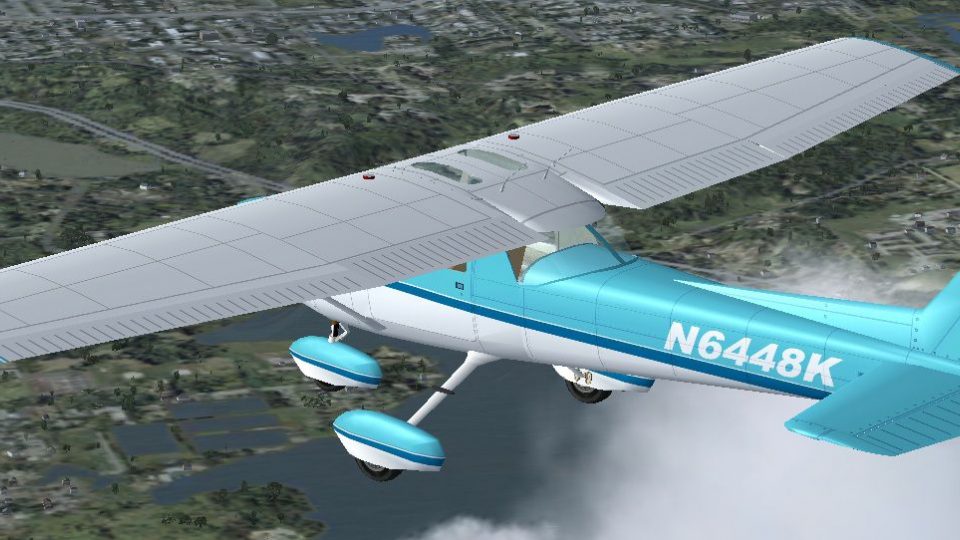
Light blue and white Cessna 152 Aerobat repaint adds a crisp two-tone finish with dark blue accents and fictional registration N6448K, offering both performance-friendly 1024 DXT3 textures and sharper 2048 32-bit option. Designed for Microsoft Flight Simulator X, it requires the freeware Rancho JEN Cessna 150 base model adapted as a 152.
 Rate
Rate
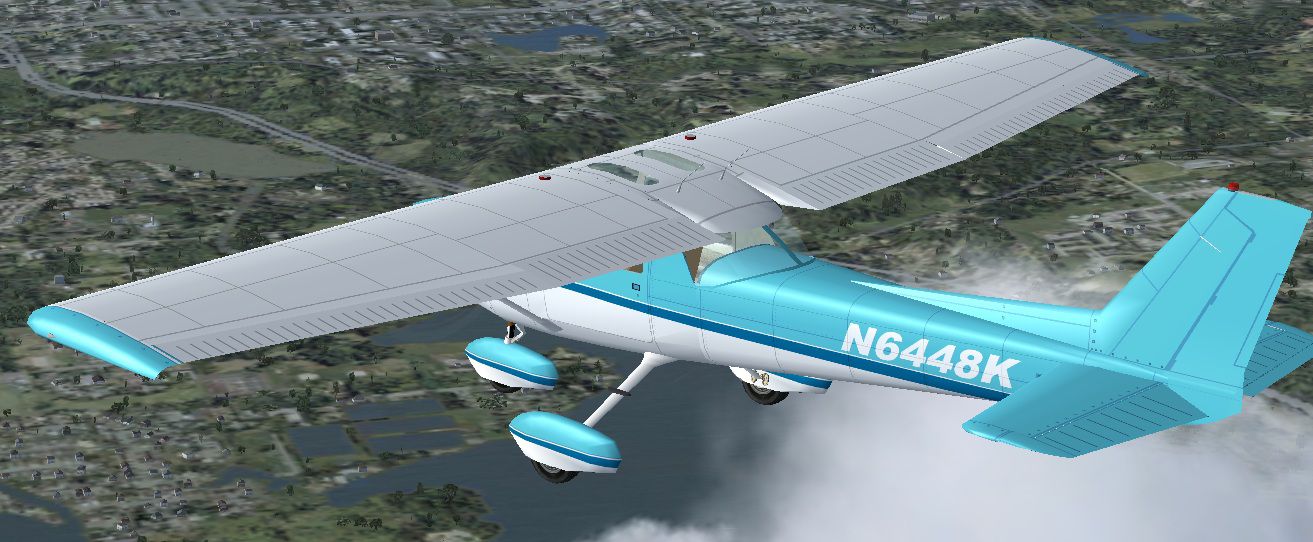
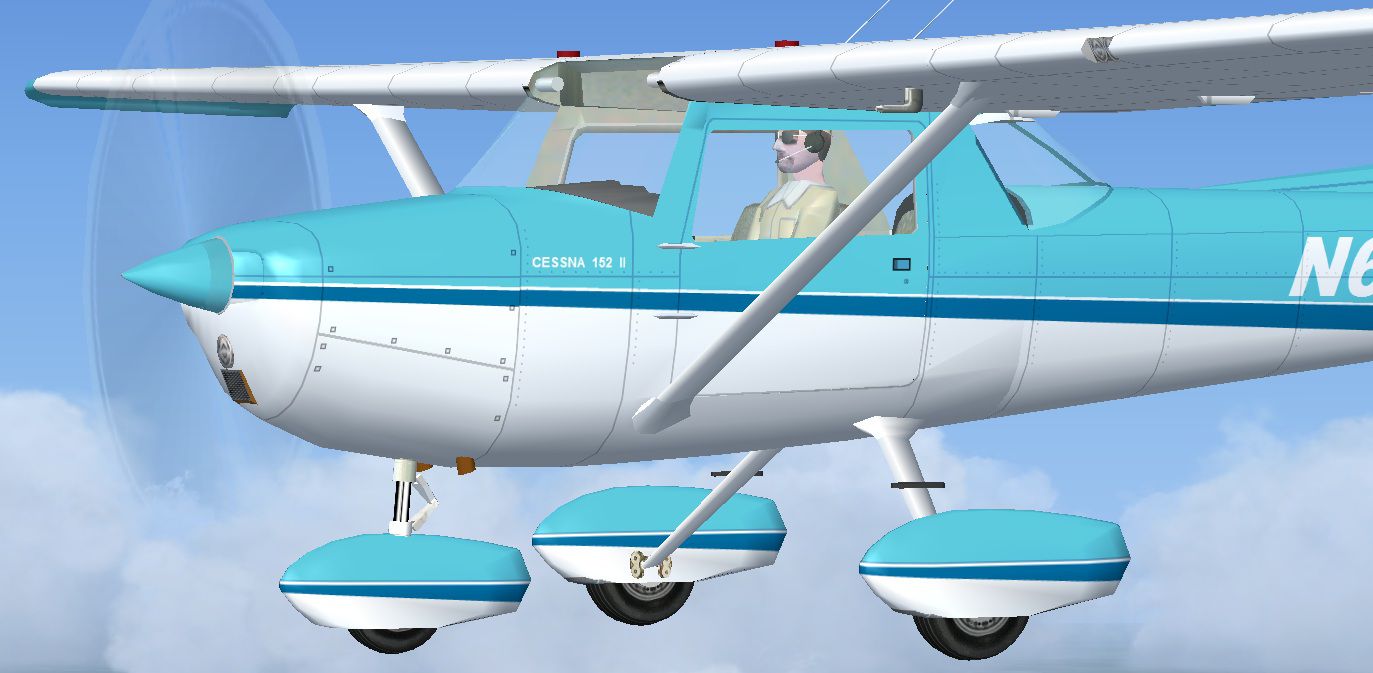
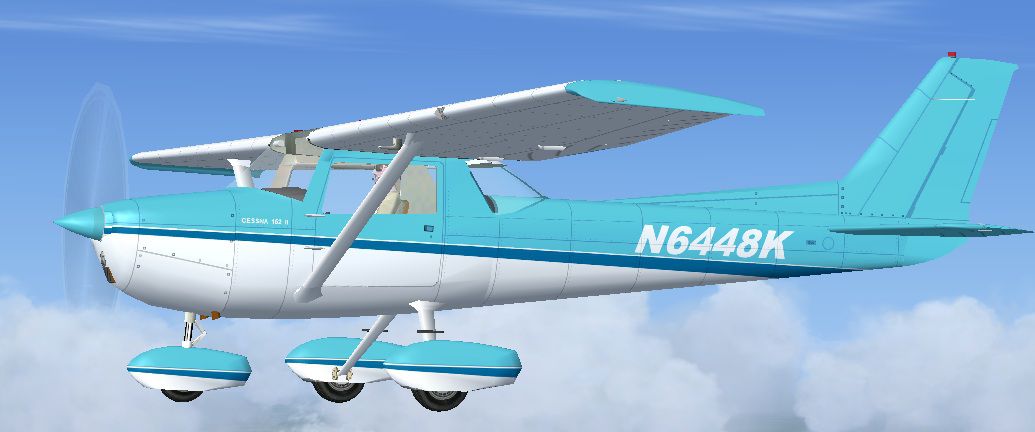
This free repaint brings a custom light blue and white color scheme to the classic Cessna 152. Created by Tom Tiedman, with the core aircraft originally modeled by Rancho JEN and later adapted for Microsoft Flight Simulator X by Mark Rooks, these textures introduce a two-tone exterior that highlights the 152’s simple yet enduring shape. The finished product represents a fictional registration, N6448K, featuring dark blue accents against a lighter base. This add-on is intended for Microsoft Flight Simulator X pilots seeking a distinctive look and stable in-sim performance.
The Cessna 152 has long been a fixture in flight training organizations worldwide. Its economical operating costs, reliable flight characteristics, and compact design make it a prime choice for introductory lessons and short cross-country flights. This repaint preserves the familiar lines of the 152 while adding a fresh color combination that stands out under varying lighting conditions.
Included are two texture sets:
It is possible to install either or both, depending on personal preferences and available hardware resources.

Light blue and white livery in flight.
This repaint requires the freeware Rancho JEN Cessna 150 base model, adapted as a Cessna 152 Aerobat for FSX by Mark Rooks. That base package should be available in the Fly Away Simulation mod library. Install that original aircraft before applying these textures.
Insert the following into your aircraft.cfg file, adjusting the [fltsim.X] block numbers accordingly:
[fltsim.X]
title=Cessna 152 Aerobat Two Tone Blue (32 bit 2048)
sim=Cessna 152
model=F
panel=
sound=
texture=Two Tone Blue (32 bit 2048)
kb_checklists=
ui_manufacturer=Cessna
ui_type=152 Aerobat
ui_variation=Rancho JEN Two Tone Blue (32 bit 2048)
atc_airline=
atc_id=N6448K
atc_flight_number=
description=Two Tone Blue repaint by Tom Tiedman 10-12-2011.
[fltsim.X]
title=Cessna 152 Aerobat Two Tone Blue (DXT3 1024)
sim=Cessna 152
model=F
panel=
sound=
texture=Two Tone Blue (DXT3 1024)
kb_checklists=
ui_manufacturer=Cessna
ui_type=152 Aerobat
ui_variation=Rancho JEN Two Tone Blue (DXT3 1024)
atc_airline=
atc_id=N6448K
atc_flight_number=
description=Two Tone Blue repaint by Tom Tiedman 10-12-2011.
Free for all simmers · 2.06 MB · Scanned clean Oct 2026
Download speed: Free tier is capped at 0.5 Mbps. PRO members download at full line speed.
This file is a repaint — the package below is the base model it paints onto. Install it first, or the textures will have nothing to load onto.
texture.{airline}) inside FSX\SimObjects\Airplanes\{base-aircraft}\.aircraft.cfg in Notepad. Add a new [fltsim.X] section per the readme.readme.txt or README file. It tells you exactly where files go, what dependencies are needed, and any quirks specific to this add-on.The archive fsx_cessna_152_two_tone_blue_on_white.zip has 30 files and directories contained within it.
This list displays the first 500 files in the package. If the package has more, you will need to download it to view them.
| Filename/Directory | File Date | File Size |
|---|---|---|
| file_id.diz | 10.12.11 | 503 B |
| Original J.E. Narcizo Readme.txt | 10.13.10 | 1.95 kB |
| READ ME and INSTALLATION.txt | 10.12.11 | 2.01 kB |
| Screenshot 1.jpg | 10.12.11 | 90.31 kB |
| Screenshot 2.jpg | 10.12.11 | 243.24 kB |
| texture.Two Tone Blue (32 bit 2048) | 10.12.11 | 0 B |
| JEN_C150_fuse.bmp | 10.12.11 | 16.00 MB |
| JEN_C150_glass.bmp | 10.07.11 | 17.05 kB |
| JEN_C150_Parts.bmp | 10.11.11 | 1.00 MB |
| JEN_C150_Prop1.bmp | 10.07.11 | 17.05 kB |
| JEN_C150_Prop2.bmp | 10.07.11 | 17.05 kB |
| JEN_C150_spinner.bmp | 10.12.11 | 64.07 kB |
| JEN_C150_spinner1.bmp | 10.12.11 | 64.07 kB |
| JEN_C150_wheel.bmp | 10.11.11 | 256.07 kB |
| JEN_cromo.bmp | 10.07.11 | 21.43 kB |
| thumbnail.jpg | 10.12.11 | 169.66 kB |
| texture.Two Tone Blue (DXT3 1024) | 10.12.11 | 0 B |
| JEN_C150_fuse.bmp | 10.12.11 | 1.00 MB |
| JEN_C150_glass.bmp | 10.07.11 | 17.05 kB |
| JEN_C150_Parts.bmp | 10.12.11 | 256.07 kB |
| JEN_C150_Prop1.bmp | 10.07.11 | 17.05 kB |
| JEN_C150_Prop2.bmp | 10.07.11 | 17.05 kB |
| JEN_C150_spinner.bmp | 10.12.11 | 16.07 kB |
| JEN_C150_spinner1.bmp | 10.12.11 | 16.07 kB |
| JEN_C150_wheel.bmp | 10.11.11 | 256.07 kB |
| JEN_cromo.bmp | 10.07.11 | 21.43 kB |
| thumbnail.jpg | 10.12.11 | 169.66 kB |
| thumbnail.jpg | 10.12.11 | 169.66 kB |
| flyawaysimulation.txt | 10.29.13 | 959 B |
| Go to Fly Away Simulation.url | 01.22.16 | 52 B |
Only PRO members can place votes.
More FSX & P3D add-ons hand-picked based on this download.
FSX General Aviation Aircraft
This lively repaint package offers a detailed blue-and-white paint scheme lab…
 FSX General Aviation Aircraft
This repaint set features a distinctive red-on-white finish for the Cessna 15…
 FSX General Aviation Aircraft
This repaint package features a fictional registration, N6539H, over a sleek …
 FSX General Aviation Aircraft
Enhance your hangar in Microsoft Flight Simulator X with this fictional N7279…
 FSX General Aviation Aircraft
Cessna 152 flyable blank white textures for the Just Flight/FS Insider freewa…
 FSX General Aviation Aircraft
This release offers a specialized blank white repaint for a freeware Rancho J…
 FSX General Aviation Aircraft
This dedicated repaint package for the payware Carenado C152, crafted by Tom …
 FSX General Aviation Aircraft
Blue And White Cessna 172. Default Cessna 172SP Skyhawk repaint textures for …
Be the first to leave a comment on this download.
Be the first to share your thoughts on this download.