

 FS2004 Civil Jet Aircraft
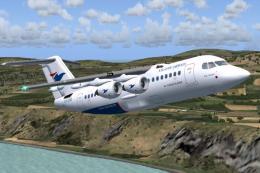
Atlantic Airways BAe 146-200 OY-CRG
Includes Atlantic Airways textures by Julien Scavini, panel by Matthias Liebe…
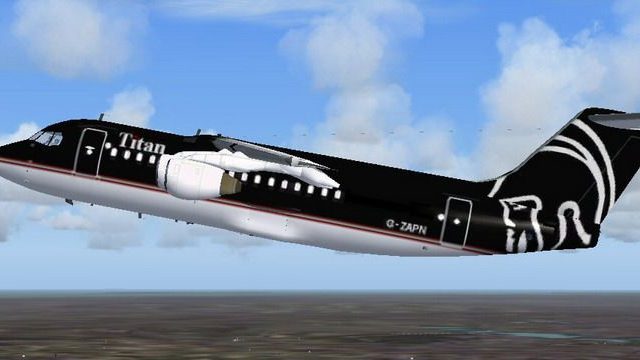
Titan Airways BAe 146-200 livery brings a clean, airline-accurate repaint to the classic regional jet in FS2004, matching the carrier’s real-world markings for convincing AI traffic or scheduled hops. Textures only, it integrates with Jon Murchison’s BAe 146-200/RJ85 package and requires RBAF_RJ.ZIP.
 Rate
Rate
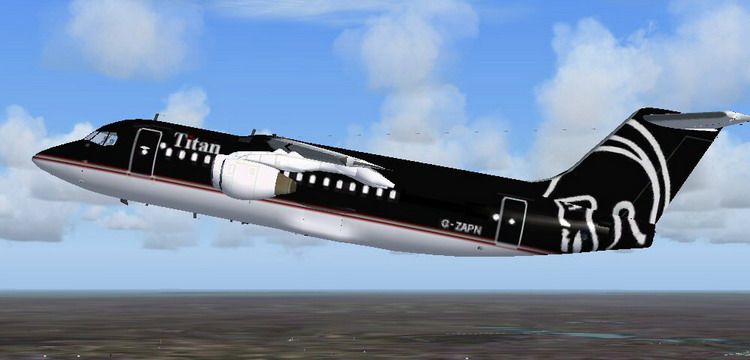
Textures only; requires RBAF_RJ.ZIP. Original model by Jon Murchison. Repaint by Mohammed Al-Khalifa.
Screenshot of Titan Airways BAe 146-200 in the air.
Installation:
[fltsim.x]

	title=Titan Airways 146-200

	sim=bae1462

	model=

	panel=

	sound=

	texture=texture.titan

	checklists=

	ui_manufacturer=British Aerospace

	ui_type=146-200

	ui_variation=Titan Airways

	description=

	atc_heavy=1

	atc_id=ZAPN

	atc_airline=TITAN

	atc_flight_number=146

	atc_type=BaE

	atc_model=BA46

	visual_damage=0
That's it, enjoy !
Free for all simmers · 971.92 KB · Scanned clean Oct 2026
Download speed: Free tier is capped at 0.5 Mbps. PRO members download at full line speed.
FS9\Aircraft\, FS9\Addon Scenery\, FS9\Gauges\, or FS9\Effects\.readme.txt or README file. It tells you exactly where files go, what dependencies are needed, and any quirks specific to this add-on.The archive t1462.zip has 20 files and directories contained within it.
This list displays the first 500 files in the package. If the package has more, you will need to download it to view them.
| Filename/Directory | File Date | File Size |
|---|---|---|
| readme.txt | 10.25.04 | 1.41 kB |
| Titan.gif | 10.22.04 | 7.84 kB |
| Thumbs.db | 10.23.04 | 22.50 kB |
| Titan.jpg | 10.22.04 | 53.75 kB |
| texture.titan | 10.23.04 | 0 B |
| 1462_FUSE.bmp | 10.22.04 | 341.42 kB |
| 1462_FUSE_L.bmp | 12.27.02 | 512.07 kB |
| 1463_ENGINES.bmp | 10.22.04 | 170.77 kB |
| 1463_ENGINES_L.bmp | 12.22.02 | 256.07 kB |
| 1463_OTHER.bmp | 09.27.03 | 2.67 MB |
| 1463_OTHER_L.bmp | 12.18.02 | 32.07 kB |
| 1463_TAIL.bmp | 10.22.04 | 170.75 kB |
| 1463_TAIL_L.bmp | 12.23.02 | 256.07 kB |
| 1463_WINGS_TAIL.bmp | 10.22.04 | 682.75 kB |
| 1463_WINGS_TAIL_L.bmp | 12.23.02 | 256.07 kB |
| Thumbs.db | 10.23.04 | 6.00 kB |
| FILE_ID.DIZ | 10.25.04 | 290 B |
| Titan Airways 146-200 | 10.23.04 | 0 B |
| flyawaysimulation.txt | 10.29.13 | 959 B |
| Go to Fly Away Simulation.url | 01.22.16 | 52 B |
Only PRO members can place votes.
More FS2004 add-ons hand-picked based on this download.
FS2004 Civil Jet Aircraft
Includes Atlantic Airways textures by Julien Scavini, panel by Matthias Liebe…
 FS2004 Civil Jet Aircraft
A British Aerospace built four engine small jetliner. Model by Jon Murchison.…
 FS2004 Civil Jet Aircraft
Textures only; requires any original Jon Murchison/ARNZ model. Repainted by D…
 FS2004 Civil Jet Aircraft
A repaint of the BAe 146 by Jon Murchinson in Singapore Airways colors. Purel…
 FS2004 Civil Jet Aircraft
Original model by Jon Murchison. Repaint by Amy Gardner. Screenshot of Sebena…
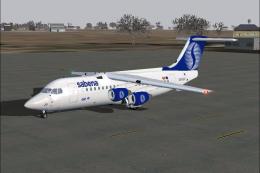 FS2004 Civil Jet Aircraft
Sabena BAe 146-200 / Avro RJ-85 and Avro RJ-100. Original model by Jon Murchi…
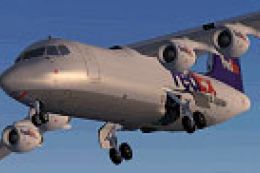 FS2004 Civil Jet Aircraft
High detail model of the cargo version of BAe's successful 146/RJ aircraft ty…
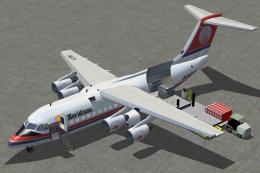 FS2004 Civil Jet Aircraft
Meridiana BAe 146-200, registration I-FLRU. Textures only, requires 1462QT.ZI…
Be the first to leave a comment on this download.
Be the first to share your thoughts on this download.