

 FS2004 Civil Jet Aircraft
KLM Douglas DC-10-30 PH-BCN
(New colors). Registration PH-BCN. Model by FFX/SGA. Repaint by Francisco Kan…
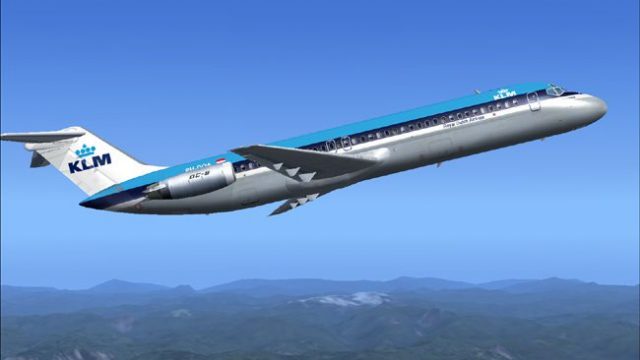
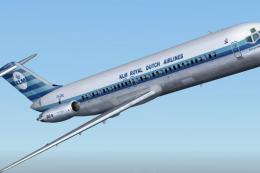
KLM’s classic Douglas DC-9-30 look comes alive with crisp, historically faithful textures and period-correct markings, ideal for recreating the airline’s brisk European regional schedules. Designed for Microsoft Flight Simulator 2004, the repaint integrates cleanly with the original flight model and requires the SGA DC9-30 base package (SGA930.zip).
 Rate
Rate
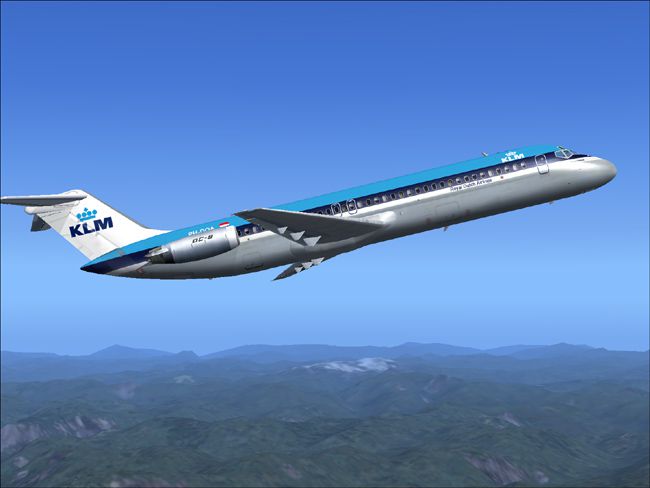
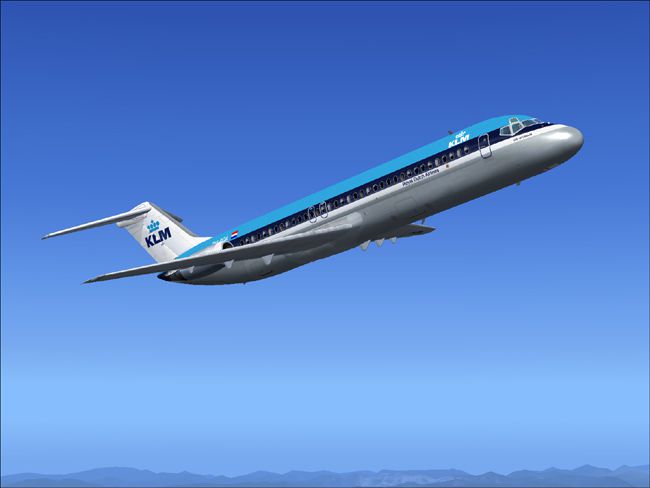
This freeware repaint for Microsoft Flight Simulator 2004 offers a customized KLM Douglas DC-9-30 livery that captures the timeless charm of one of the most recognizable short-to-medium-range airliners. It showcases detailed textures created by Henry William and requires the original SGA DC9-30 model (SGA930.zip) by Erick Cantu and Fraser W. Turner. KLM, serving as the Netherlands’ flag carrier, operated the McDonnell Douglas DC-9 extensively, leveraging its efficient twin-engine layout for quick and reliable regional services.
The DC-9 family was designed to handle short-haul routes while maintaining smooth performance and comfortable passenger capacity. It features two rear-mounted turbofan engines, allowing streamlined aerodynamics and optimal handling in congested airfields. From the flight deck, pilots can appreciate the clear view it provides, while air traffic control benefits from the aircraft’s reliable speed envelope. The design offers a unique tail engine configuration that contributes to notable noise-reduction qualities.

Above: The repainted KLM DC-9-30 showcasing Henry William’s texture enhancements.
Aircraft.cfg file with a text editor. Insert the following snippet below the previous [fltsim] entry, replacing “X” with the next sequential number.
[fltsim.X]
title=SGA DC-9-30 KLM
sim=SGA DC9_30
model=
panel=
sound=
texture=klm
checklists=
atc_id=N940N
atc_id_color=0xffffffff
atc_airline=KLM
atc_flight_number=935
ui_manufacturer=Douglas
ui_type=DC-9-31
ui_variation=KLM
description=Model: Erick Cantu
Flight Dynamics V9.1.0: Fraser W. Turner

visual_damage=0
atc_heavy=0
atc_id_font=Verdana,-11,1,600,0
atc_parking_codes=
atc_parking_types=
Aircraft.cfg file and transfer the included texture.klm folder into your SGA DC9-30 main directory.This repaint emphasizes historical accuracy and ensures that flight sim enthusiasts can recreate the classic style of KLM’s real-world DC-9 operations. Since this repaint does not include the base model, acquiring the freeware foundation (SGA DC9-30) is necessary. The authors and creators, Henry William for the textures and Erick Cantu with Fraser W. Turner for the model and flight dynamics, have designed these files to align with the original DC-9 specifications, so everything remains faithful to the aircraft’s authentic form. Simply place the new textures in the correct folder, edit your configuration file carefully, and enjoy the retro feel of the Douglas DC-9 series.
Free for all simmers · 2.38 MB · Scanned clean Oct 2026
Download speed: Free tier is capped at 0.5 Mbps. PRO members download at full line speed.
This file is a repaint — the package below is the base model it paints onto. Install it first, or the textures will have nothing to load onto.
FS9\Aircraft\, FS9\Addon Scenery\, FS9\Gauges\, or FS9\Effects\.readme.txt or README file. It tells you exactly where files go, what dependencies are needed, and any quirks specific to this add-on.The archive klmdc9hw.zip has 24 files and directories contained within it.
This list displays the first 500 files in the package. If the package has more, you will need to download it to view them.
| Filename/Directory | File Date | File Size |
|---|---|---|
| 1.jpg | 10.30.04 | 71.00 kB |
| small.gif | 10.30.04 | 2.64 kB |
| 2.jpg | 10.30.04 | 96.82 kB |
| readme.txt | 10.30.04 | 1.53 kB |
| texture.klm | 10.31.04 | 0 B |
| 30FUSE_L.BMP | 10.28.04 | 4.00 MB |
| CONE_L.BMP | 08.08.03 | 5.43 kB |
| CONE_T.BMP | 08.08.03 | 5.43 kB |
| DC9_B_L.BMP | 05.19.04 | 256.07 kB |
| DC9xINTERIOR_L.BMP | 05.19.04 | 256.07 kB |
| DC9xINTERIOR_T.BMP | 01.28.04 | 1.00 MB |
| ENGINES_L.BMP | 05.19.04 | 256.07 kB |
| INTAKE_L.bmp | 08.08.03 | 5.43 kB |
| INTAKE_t.BMP | 08.10.03 | 42.78 kB |
| WING_LEFT_L.BMP | 05.19.04 | 256.07 kB |
| WING_RIGHT_L.BMP | 05.19.04 | 256.07 kB |
| WING_RIGHT_T.BMP | 09.24.03 | 1.00 MB |
| DC9_B_T.bmp | 10.26.04 | 4.00 MB |
| wing_left_t.bmp | 10.26.04 | 4.00 MB |
| engines_t.bmp | 10.27.04 | 4.00 MB |
| 30fuse_t.bmp | 10.27.04 | 4.00 MB |
| DC-9-30 KLM PH-DOA | 10.30.04 | 0 B |
| flyawaysimulation.txt | 10.29.13 | 959 B |
| Go to Fly Away Simulation.url | 01.22.16 | 52 B |
Only PRO members can place votes.
More FS2004 add-ons hand-picked based on this download.
FS2004 Civil Jet Aircraft
(New colors). Registration PH-BCN. Model by FFX/SGA. Repaint by Francisco Kan…
 FS2004 Civil Jet Aircraft
This repaint package brings the old KLM color scheme onto the Douglas DC-9-30…
 FS2004 Civil Jet Aircraft
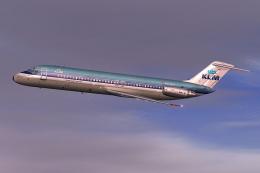
KLM Douglas DC-9-30. By Daniel Halpern and SGA. Screenshot of KLM Douglas DC-…
 FS2004 Civil Jet Aircraft
This freeware release brings fresh updates to a classic tri-engine wide-body …
 FS2004 Civil Jet Aircraft
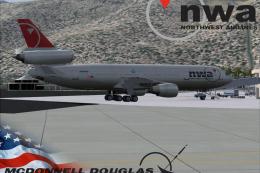
Experience an updated KLM Royal Dutch Airlines DC-10-30 freeware package craf…
 FS2004 Civil Jet Aircraft
This complete freeware package brings the iconic tri-jet design of the Dougla…
 FS2004 Civil Jet Aircraft
Brand new model from SGA. The SGA DC9-30 with North Central and Eastern. Mode…
 FS2004 Civil Jet Aircraft
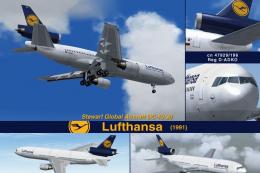
This freeware release offers flight simulation enthusiasts an enhanced Dougla…
Be the first to leave a comment on this download.
Be the first to share your thoughts on this download.